
Welcome Screen Question
Use a Welcome Screen to introduce your form, explain its purpose, and set expectations before respondents begin.
How to add a Welcome Screen
Open a form from your workspace and click Add content.
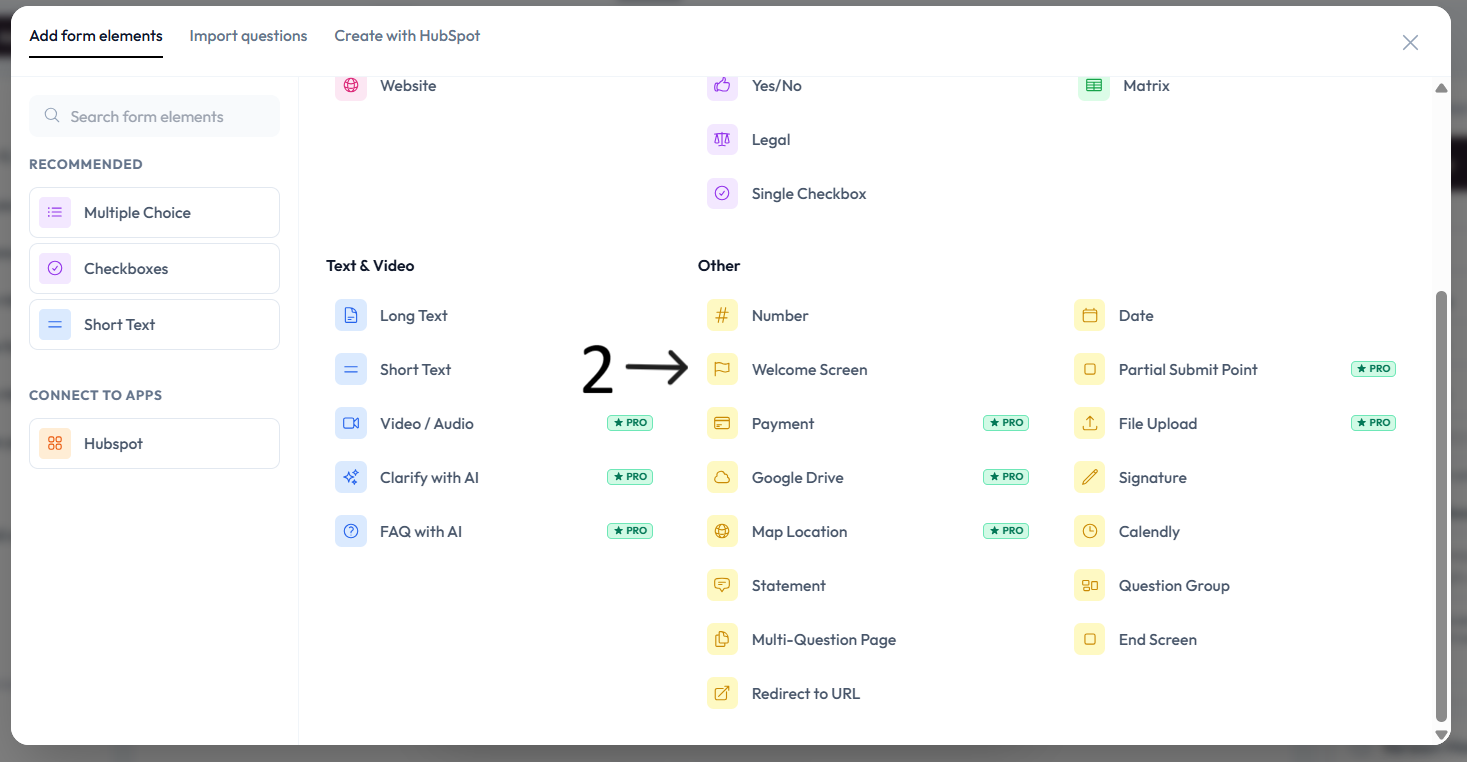
Select Welcome Screen.
Add your welcome text in the editor and optional description.
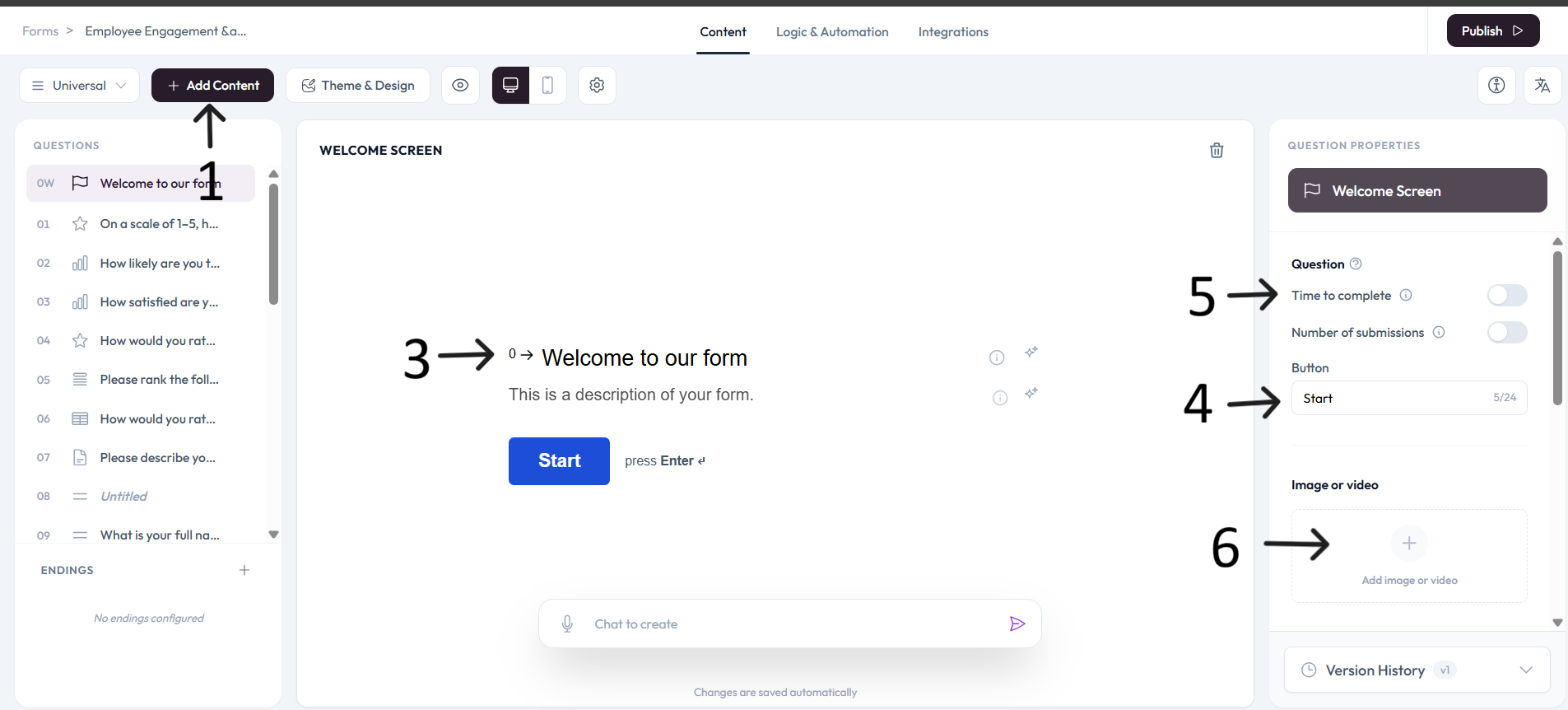
Use right-side settings to edit the Start button text.
Enable or disable the time-to-complete switch as needed.
Use Add image/video to place media on the welcome screen.
Important note
Each form supports one Welcome Screen.