
Multi-Question Page
Forms usually show one question at a time for a conversational experience. Multi-Question Page lets you place multiple questions on the same page when you need a faster grouped flow.
Supported question types
Checkbox
Date
Dropdown
Email
Legal
Long Text
Multiple Choice
NPS
Number
Opinion Scale
Phone Number
Ranking
Rating
Short Text
Statement
Website
Yes/No
To add a Multi-Question Page to your form
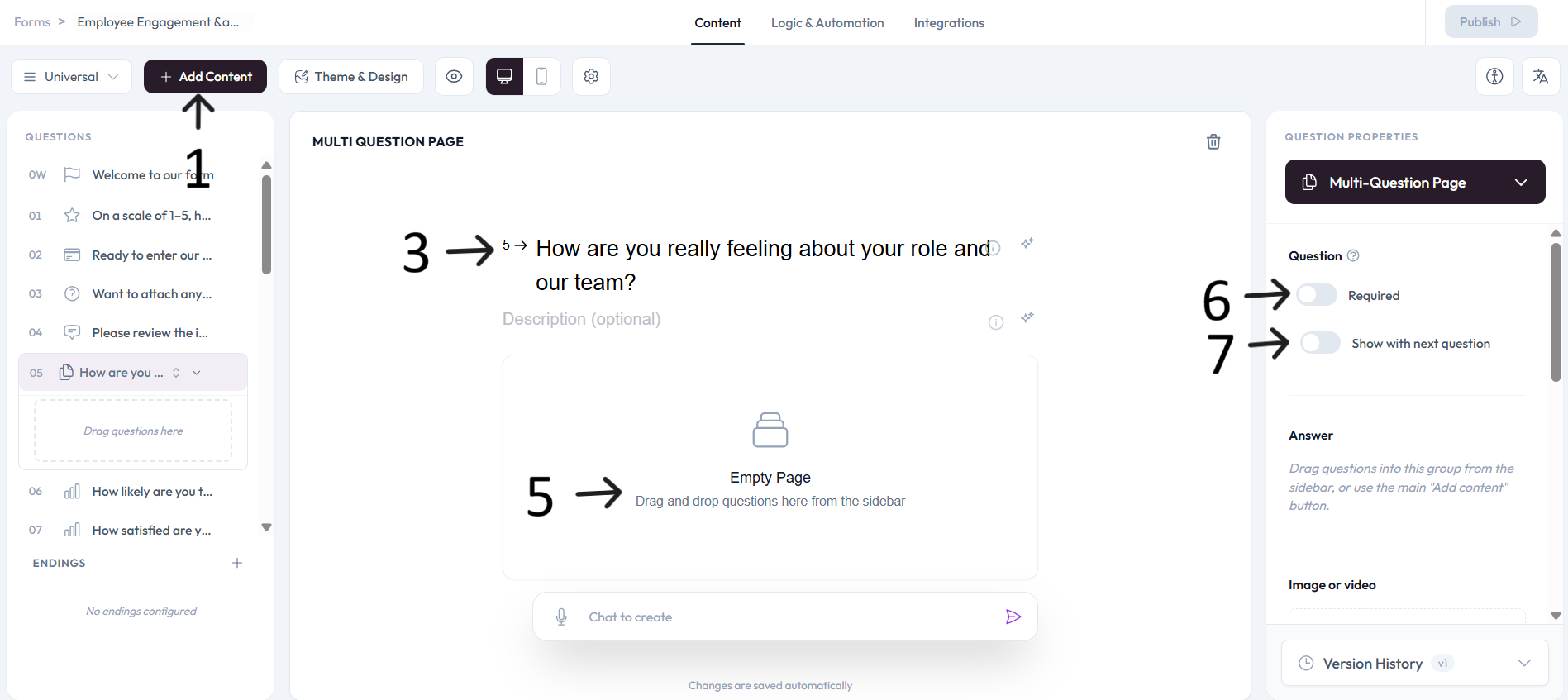
Open an existing form or create a new one, then click Add content.
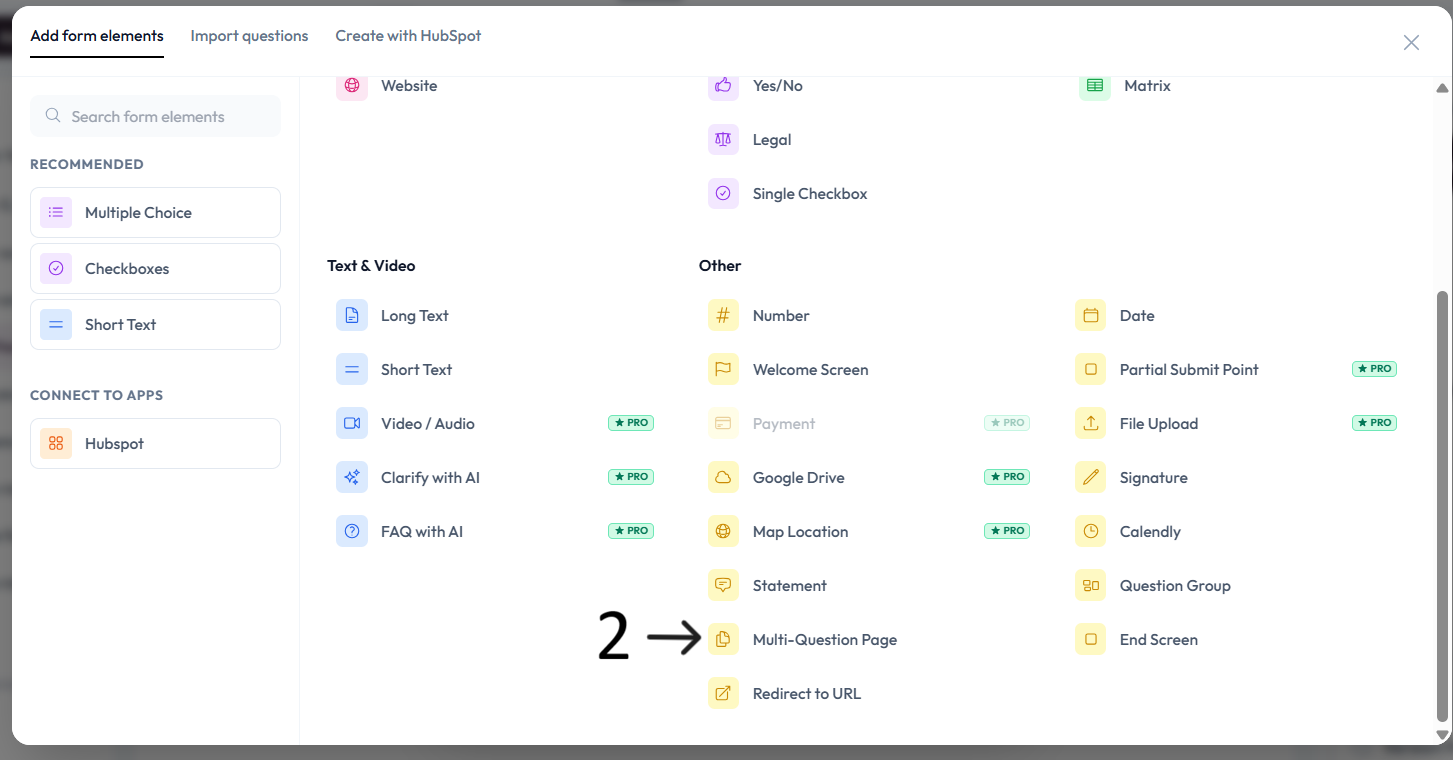
Select Multi-Question Page from the question menu.
Enter the page question in the placeholder and add an optional description.
Describe clearly what this grouped multi-question page is about.
Drag and drop questions to reorder and place them manually on the page.
Settings
Use right-side Question settings to mark this question as required.
Enable Show with next question when you want this question to appear in the same step.
Add an image or video to provide context for this question.