
Video and Audio Question
Use Video and Audio answers when you want deeper insights and more personal responses from respondents.
Setting up video and audio answers
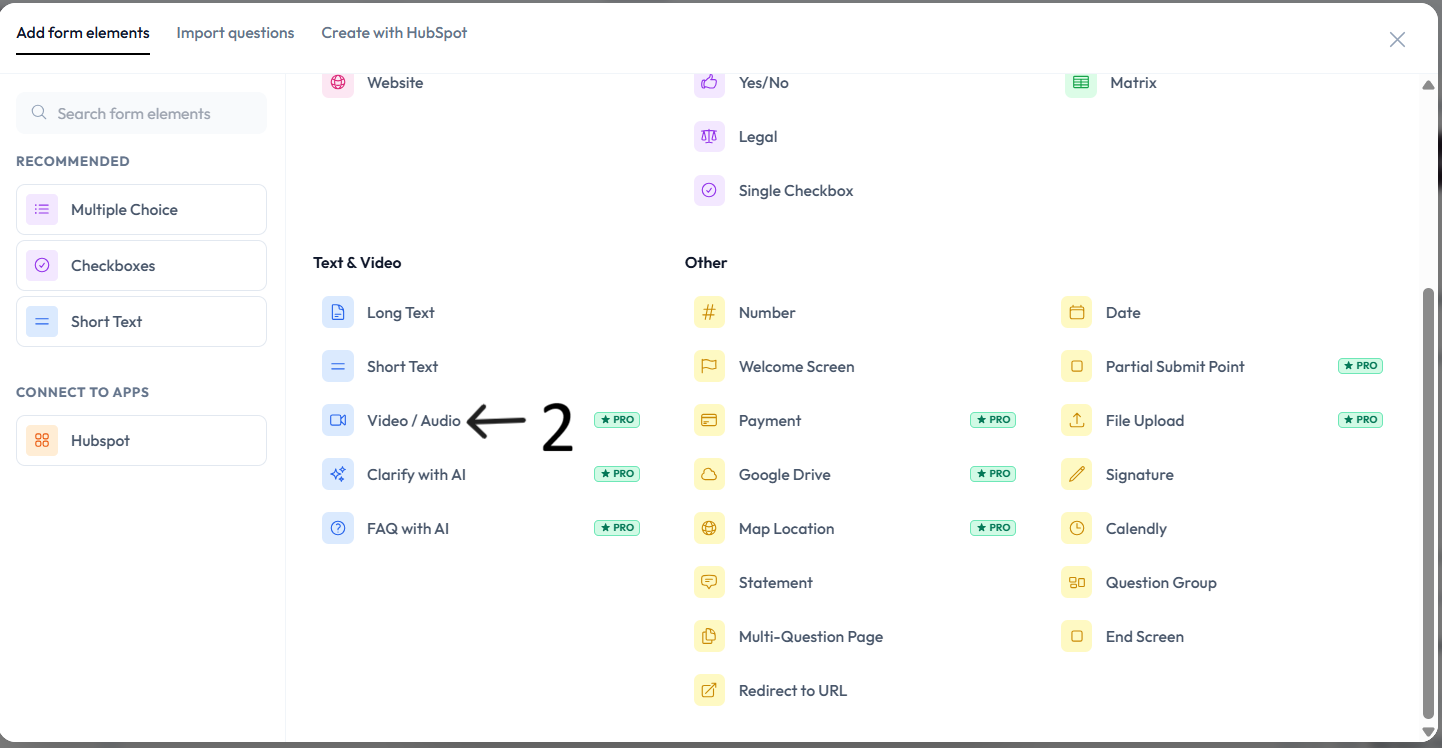
Open an existing form or create a new one, then click Add content.
Select Video and Audio from the question type menu.
Enter your question text in the editor if you also want a text prompt.
Configure right-side controls for recording behavior and response options.
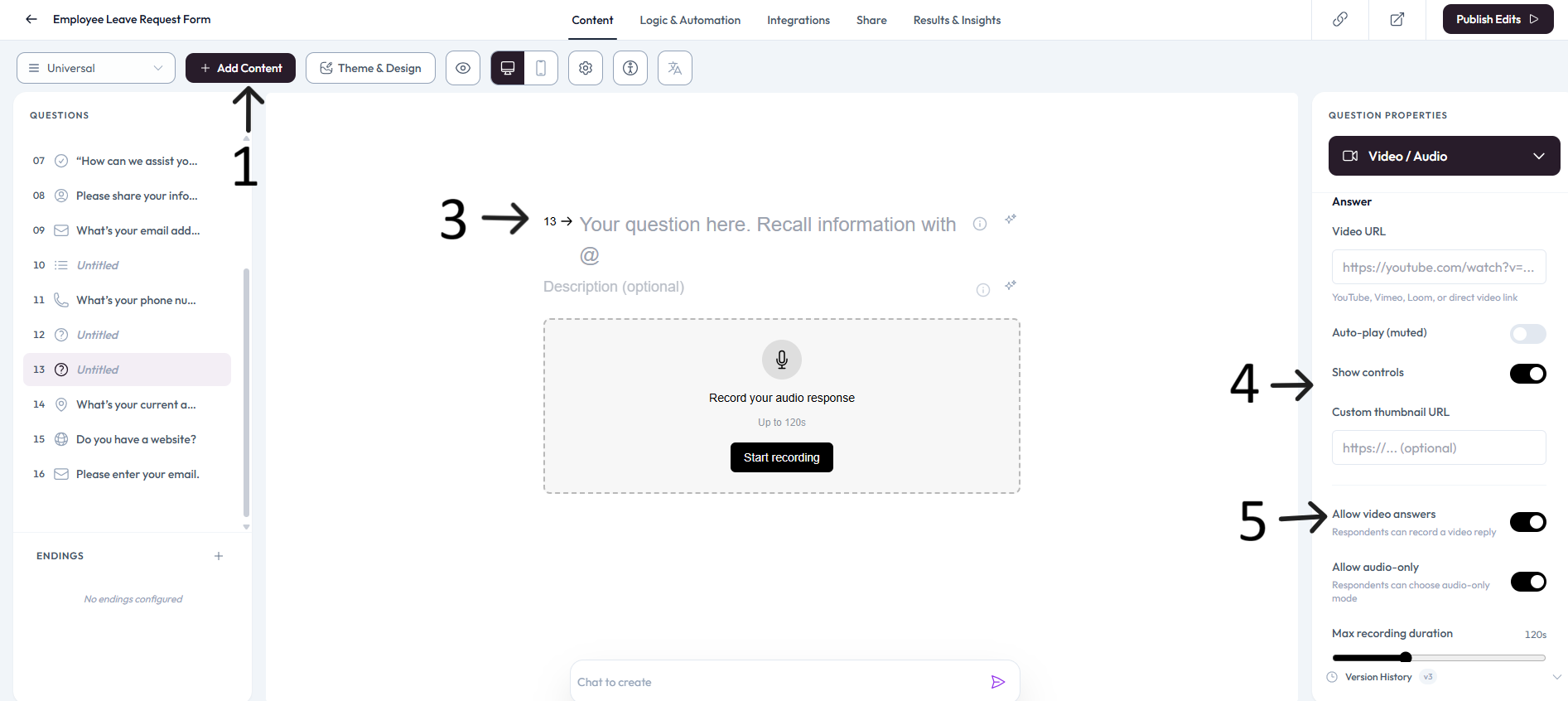
Allow respondents to answer using recorded video or audio clips.
Preview the question to verify camera and microphone permission behavior.
Publish updates and send a test response to validate video/audio submission flow.
Settings
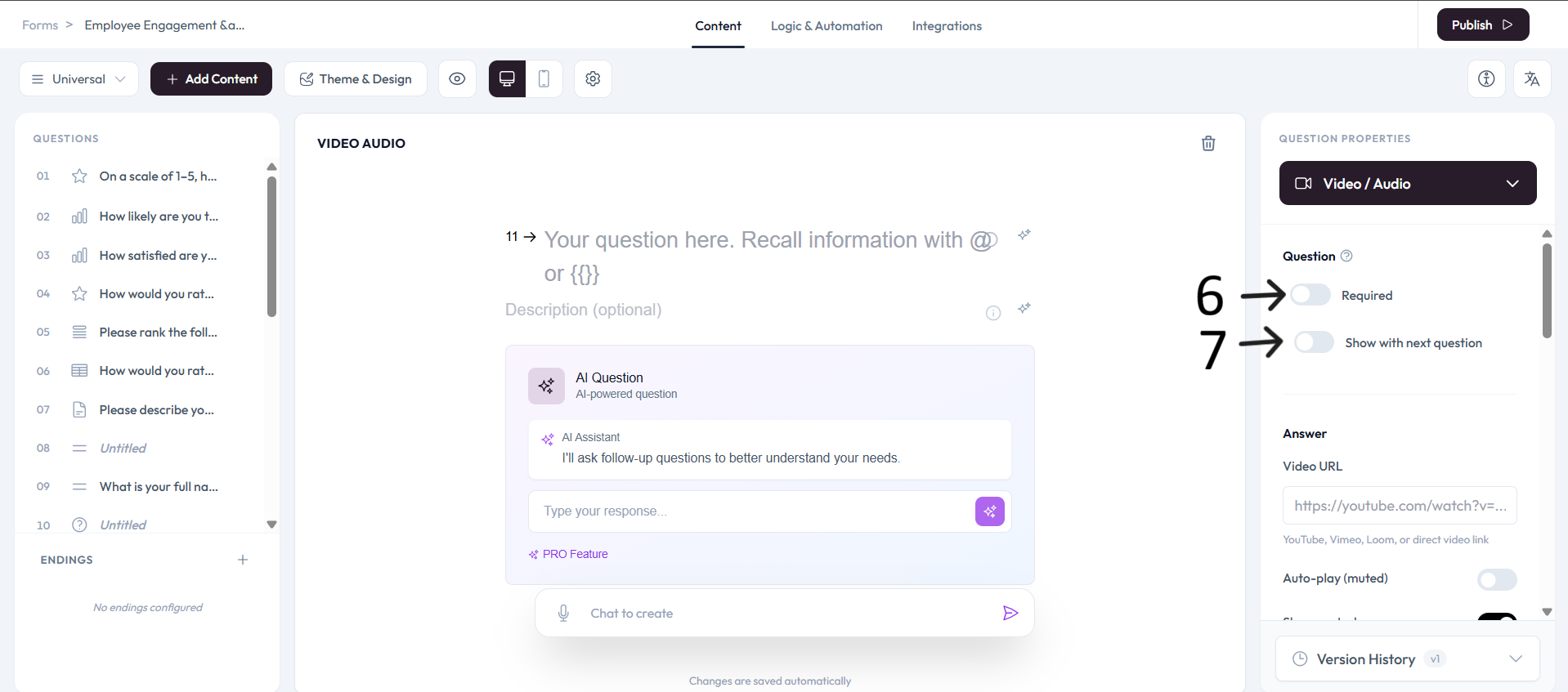
Use right-side Question settings to mark this question as required.
Enable Show with next question when you want this question to appear in the same step.
Add an image or video to provide context for this question.