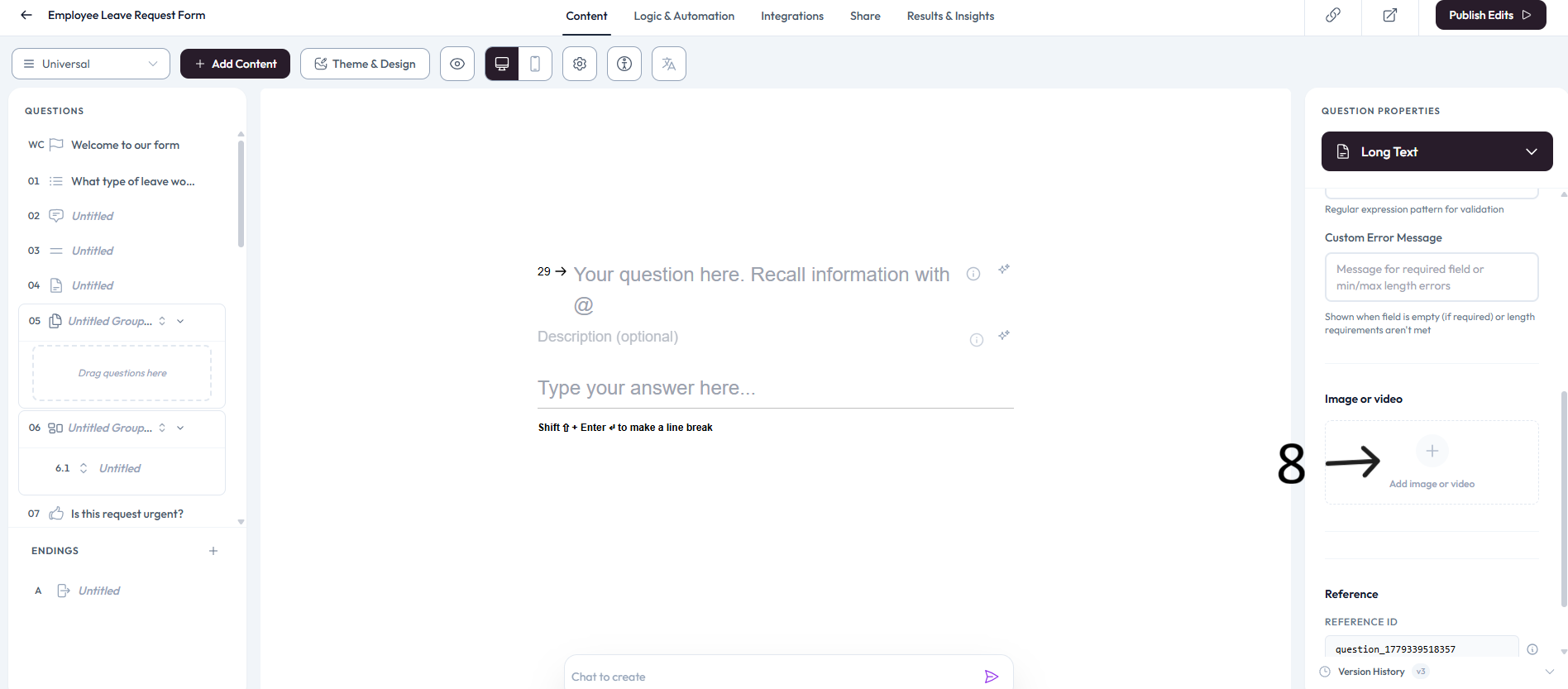
Long Text Question
Long Text is ideal when respondents need to provide detailed answers. You can also set character limits, minimum length, and maximum length.
How to use a Long Text question
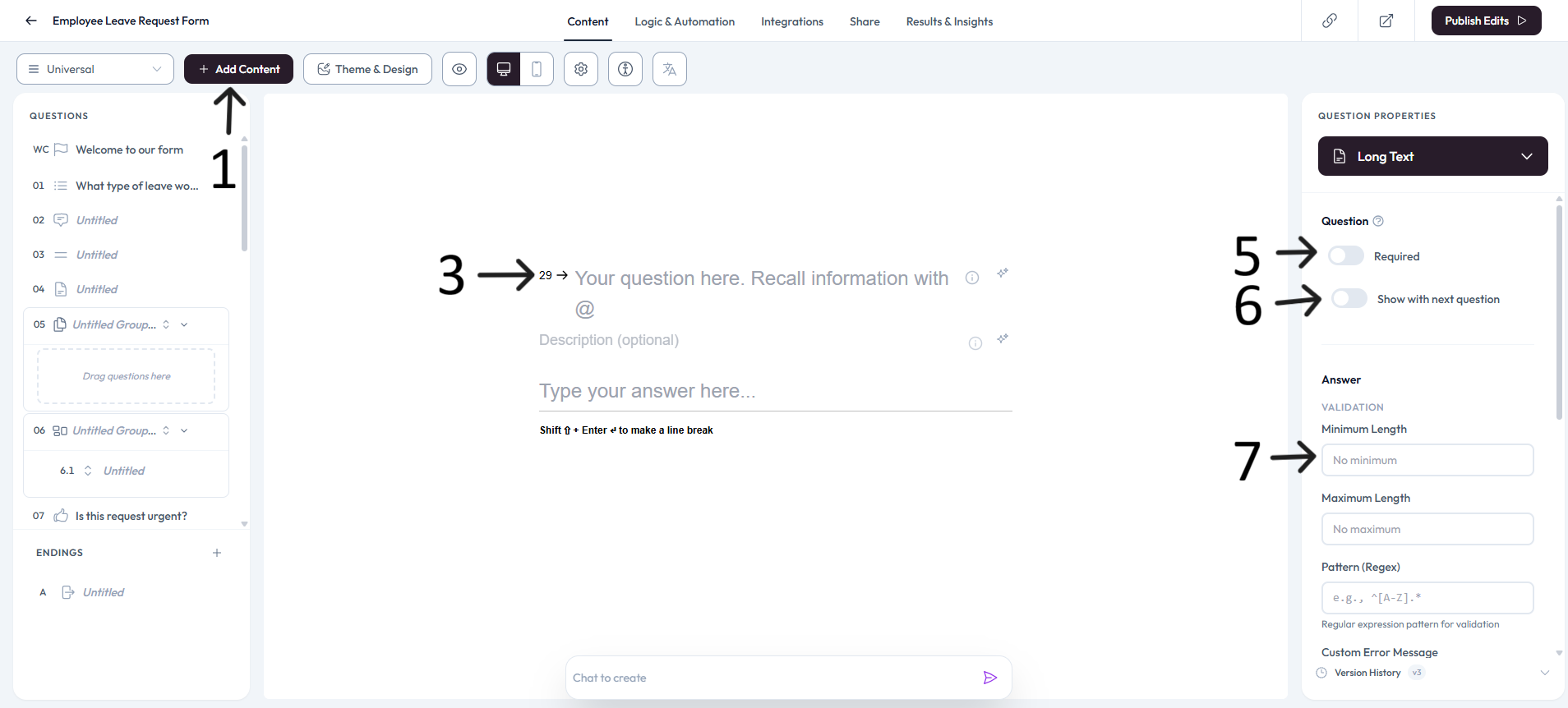
Open an existing form from your workspace, or create a new one, then click Add content.
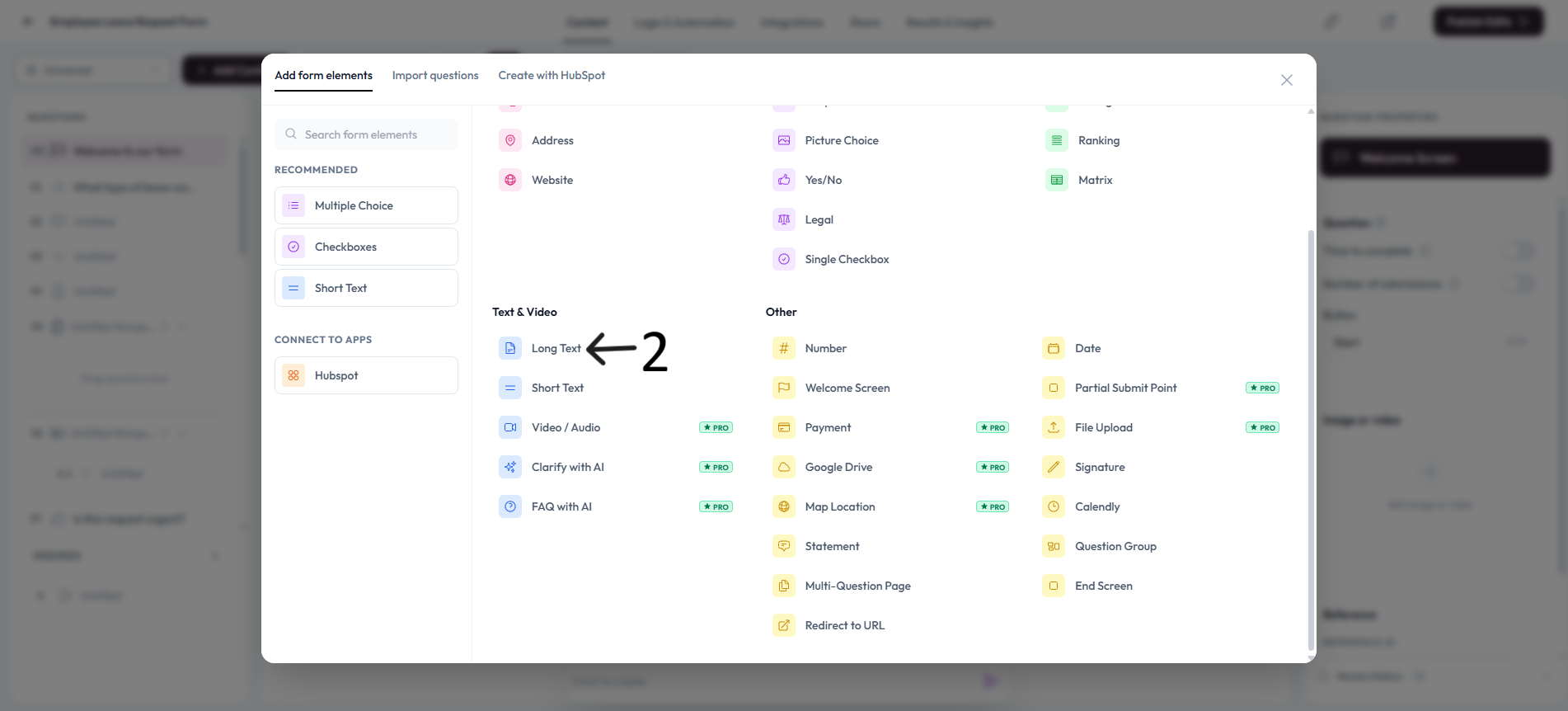
Select Long Text from the Add form elements menu.
Enter your long text question in the editor and add an optional description.
Review the question in preview to verify the long text input flow.
Settings
Use right-side Question settings to mark this question as required.
Enable Show with next question when you want this question to appear in the same step.
Add an image or video to provide context for this question.