Contact Info
Contact Info question type
Collect all the contact details you need from your respondents with a single question using the Contact Info question type.
You can ask for the following details in the Contact Info question type:
First Name
Last Name
Phone Number
Email
Company
How to add the Contact Info question to your form
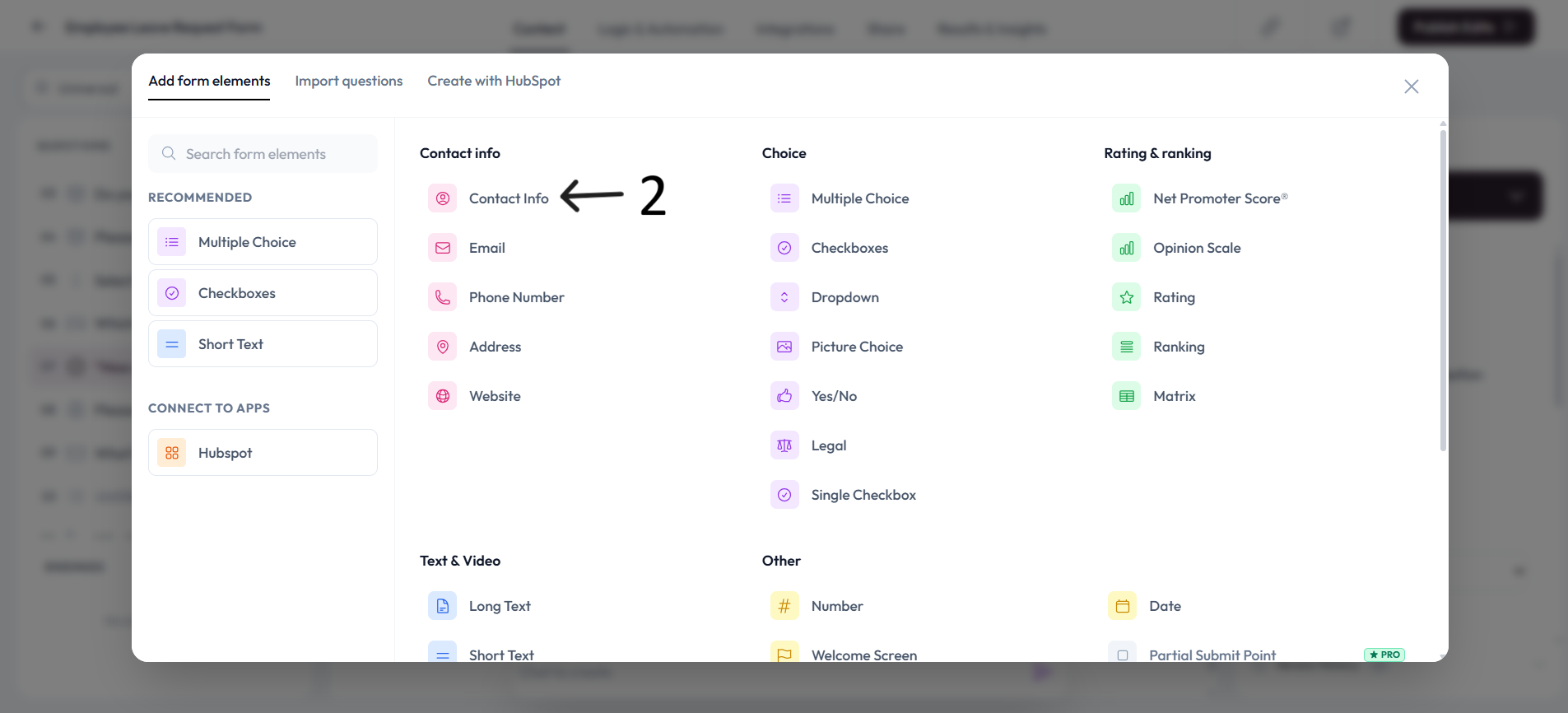
Open up an existing form, or create a new one. Click + Add content to open the Questions menu.
Select Contact Info.
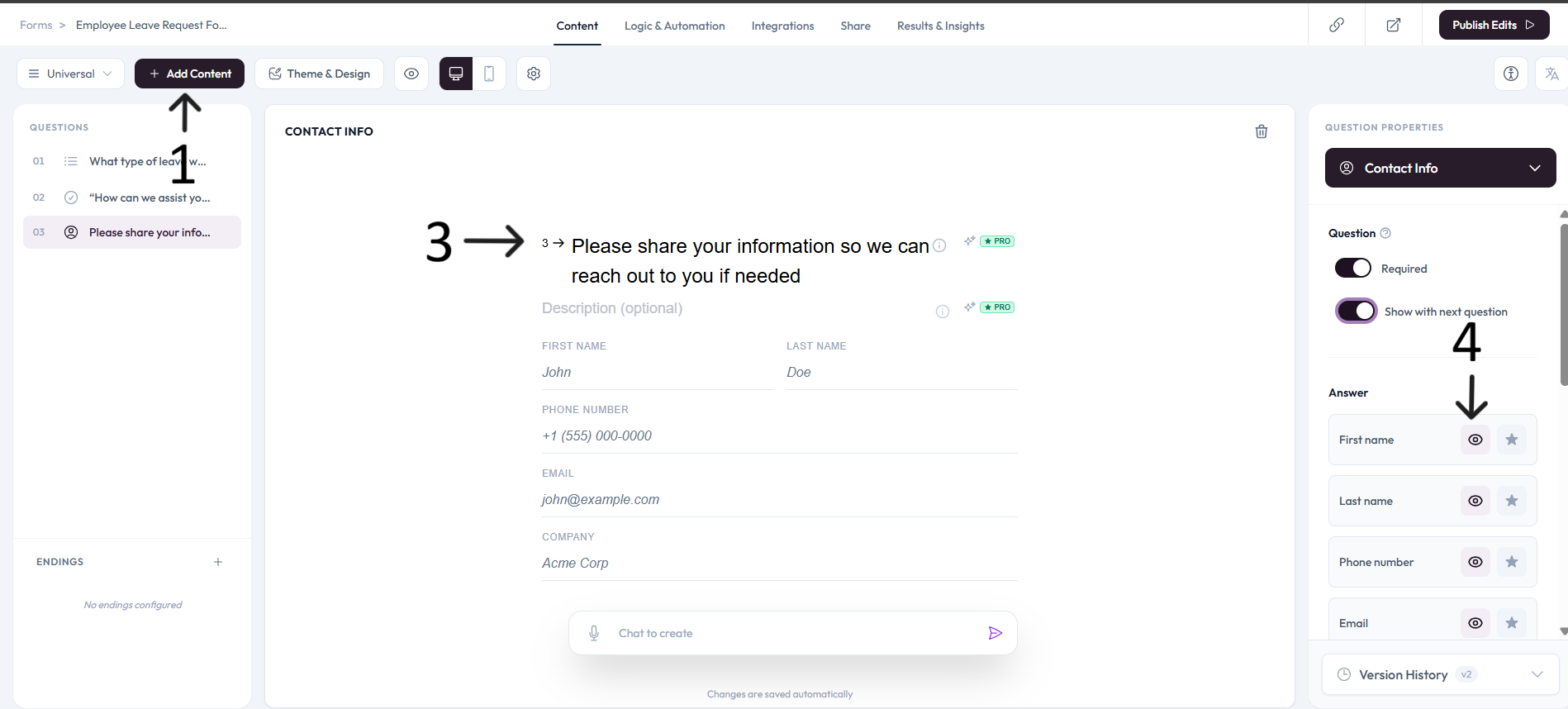
Now you will see the Contact Info question type with all the contact detail questions displayed on a single page.
Click the eye icon to hide a field, or click the crossed-out eye icon to show a field within the Contact Info question type.
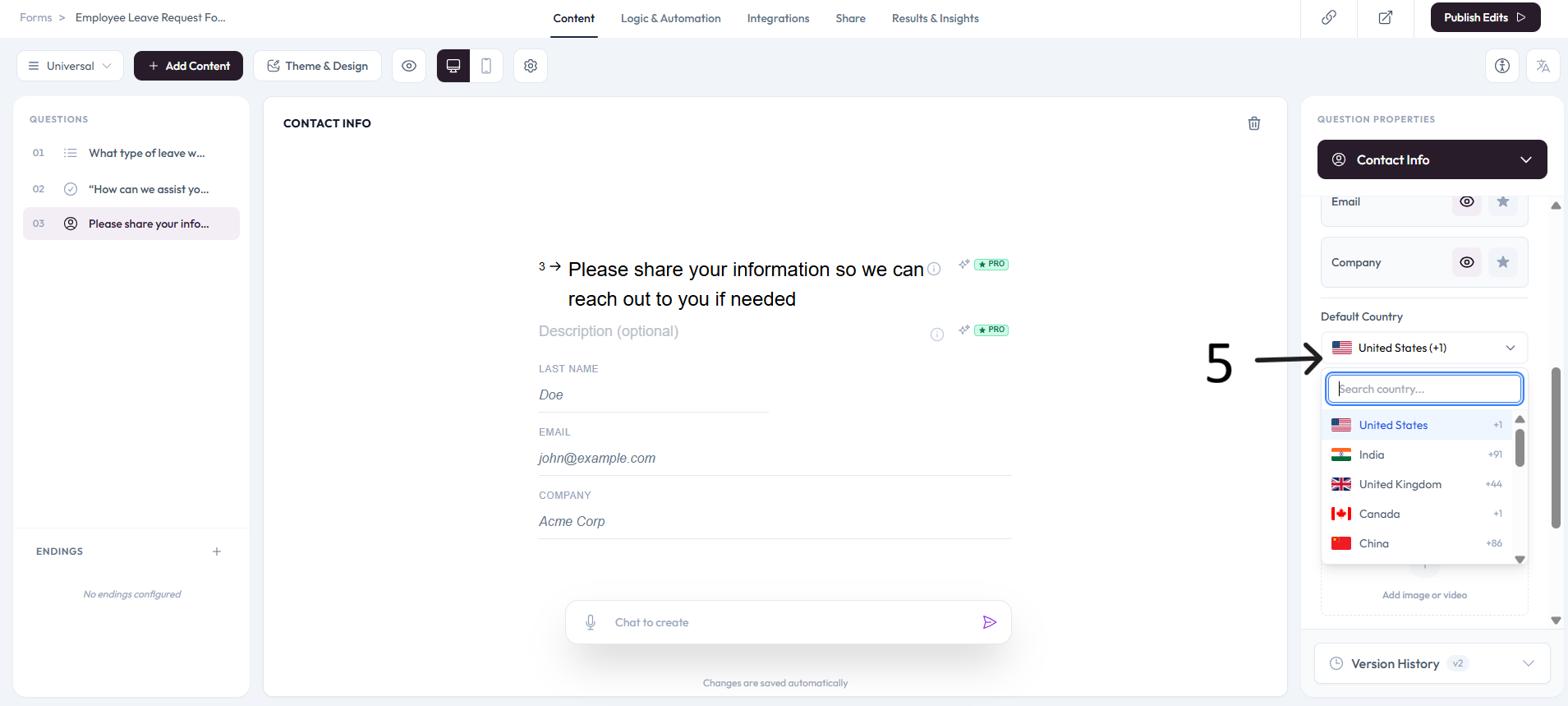
To change the default country code of the Phone Number field, click the dropdown arrow and search for a specific country or scroll through the list. You can read more about the Phone Number question.
Click on Add Image or video to add some cool visuals to your Contact Info question.
Settings
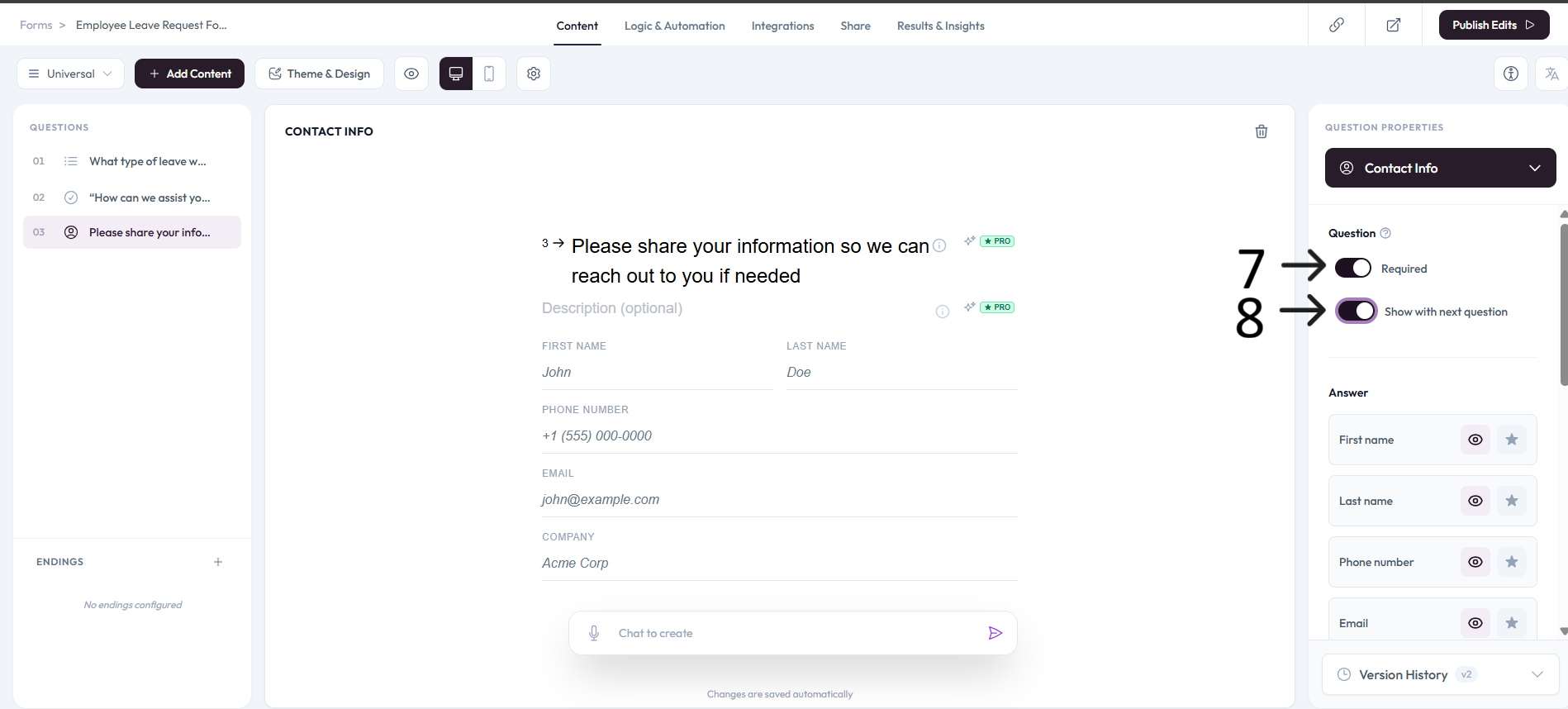
Use right-side Question settings to mark this question as required.
Enable Show with next question when you want this question to appear in the same step.