
Zapier (Webhooks) Integration
What is this integration?Use Zapier to connect Ovoform with 9,000+ apps and automate actions whenever someone submits your form.
Ovoform has two Zapier options in Integrations. This guide covers Zapier (Webhooks).
What is Zapier?
Zapier is an automation platform that connects your forms to other apps through workflows called Zaps.
It helps send response data to tools like Google Sheets, Slack, HubSpot, and Mailchimp without writing custom code.
How to set up
Go to Ovoform dashboard, click Integrations in the sidebar, then open Zapier (Webhooks).
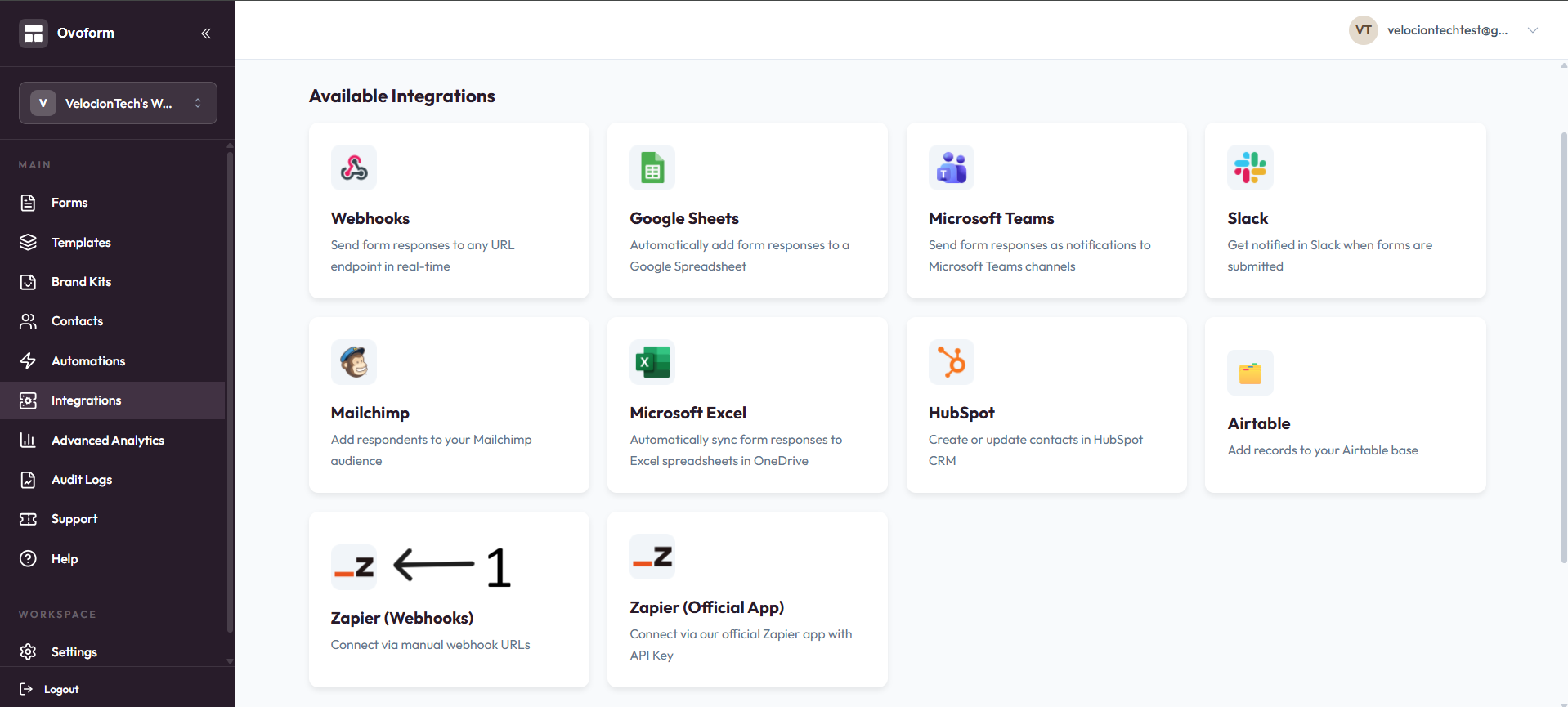
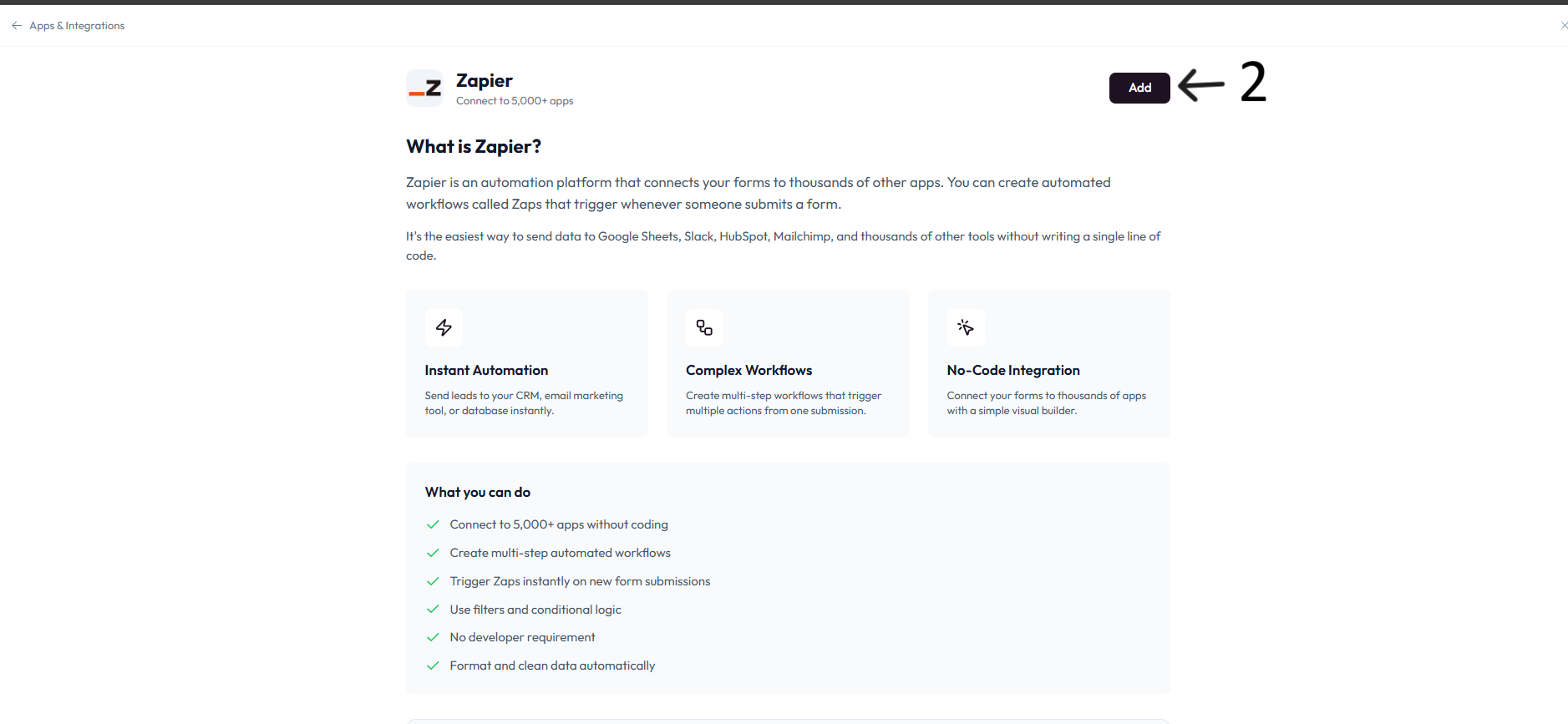
Click Add.
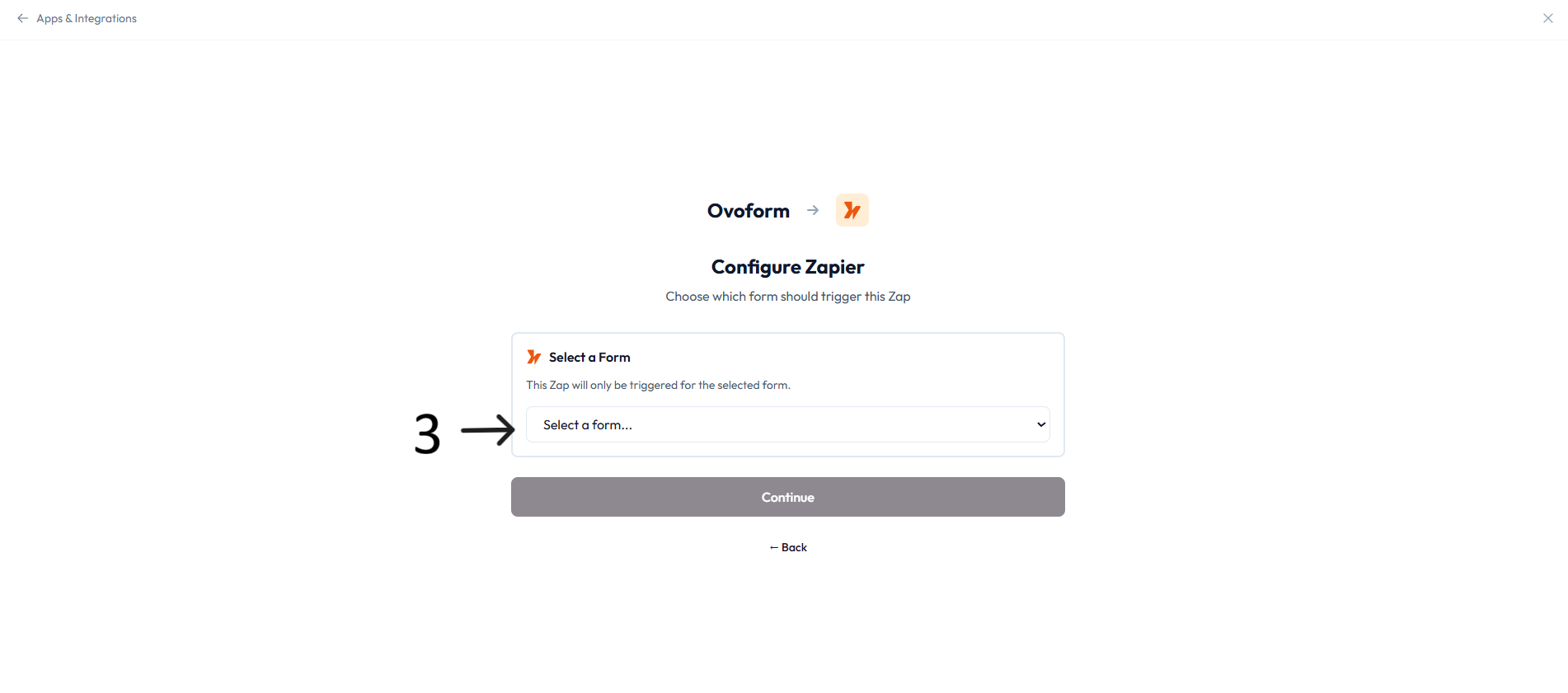
In Configure Zapier, select the form in Select a Form and click Continue.
In Zapier, create a new Zap.
Choose Webhooks by Zapier as the trigger app and Catch Hook as the trigger event.
Copy the Catch Hook URL from Zapier and paste it in Zapier Webhook URL in OvoForm.
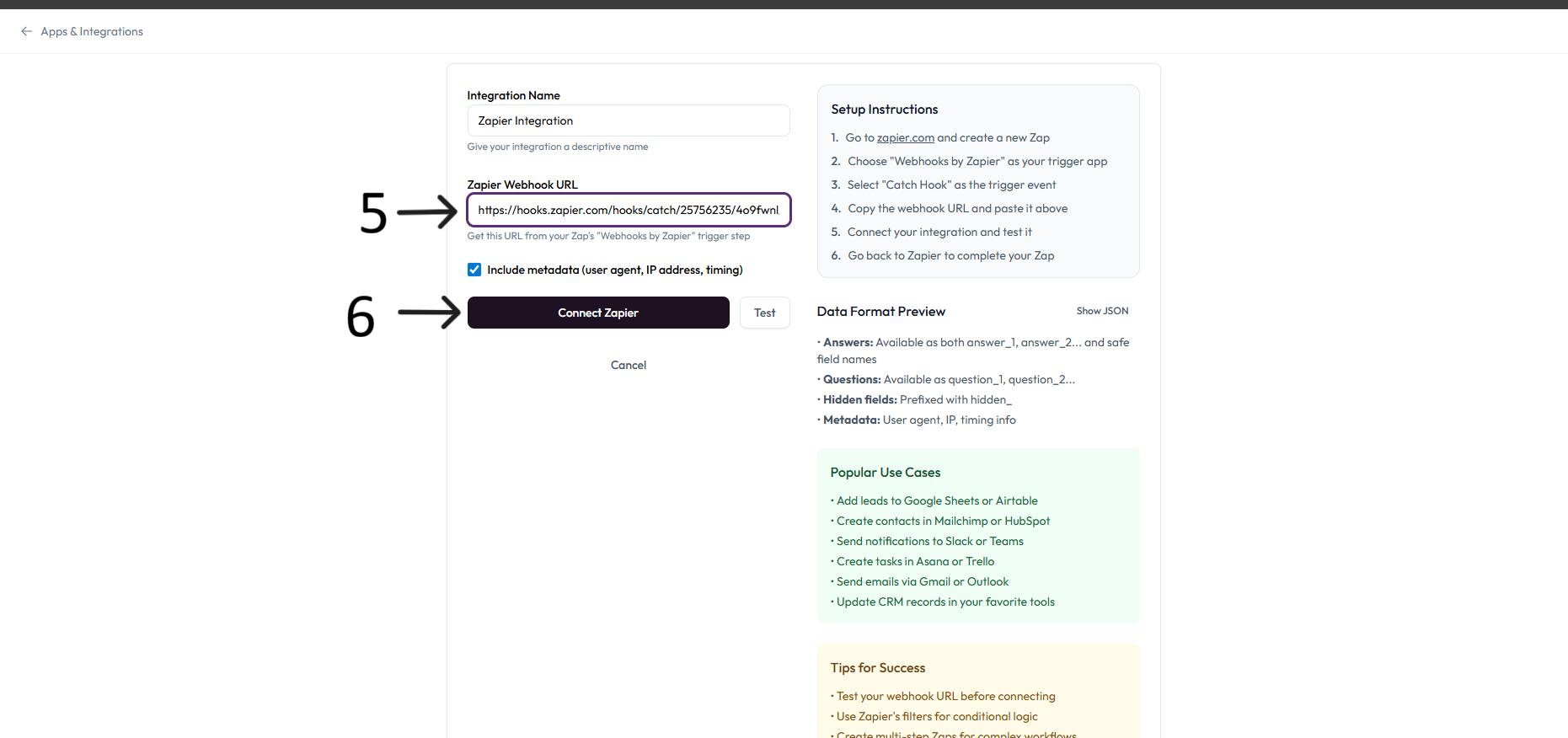
Optional: enable Include metadata to send user agent, IP address, and timing fields.
Click Connect Zapier.
Click Test to send a sample payload from Ovoform .
Return to Zapier, confirm the test data, and complete the rest of your Zap actions.
Turn on your Zap. New form submissions will trigger it automatically.
What you can do
Connect to 5,000+ apps without coding.
Trigger Zaps instantly on form submissions.
Build multi-step workflows with filters and conditional logic.
Send data to CRMs, spreadsheets, email tools, and team chat apps.
Include metadata for richer automation context.