
Ranking Question
Ranking lets respondents order choices by preference, so you can identify top and bottom choices in results.
Use Ranking to compare items against each other by priority order. Use Rating when you want each item scored on the same numeric scale.
Add a Ranking question to your form
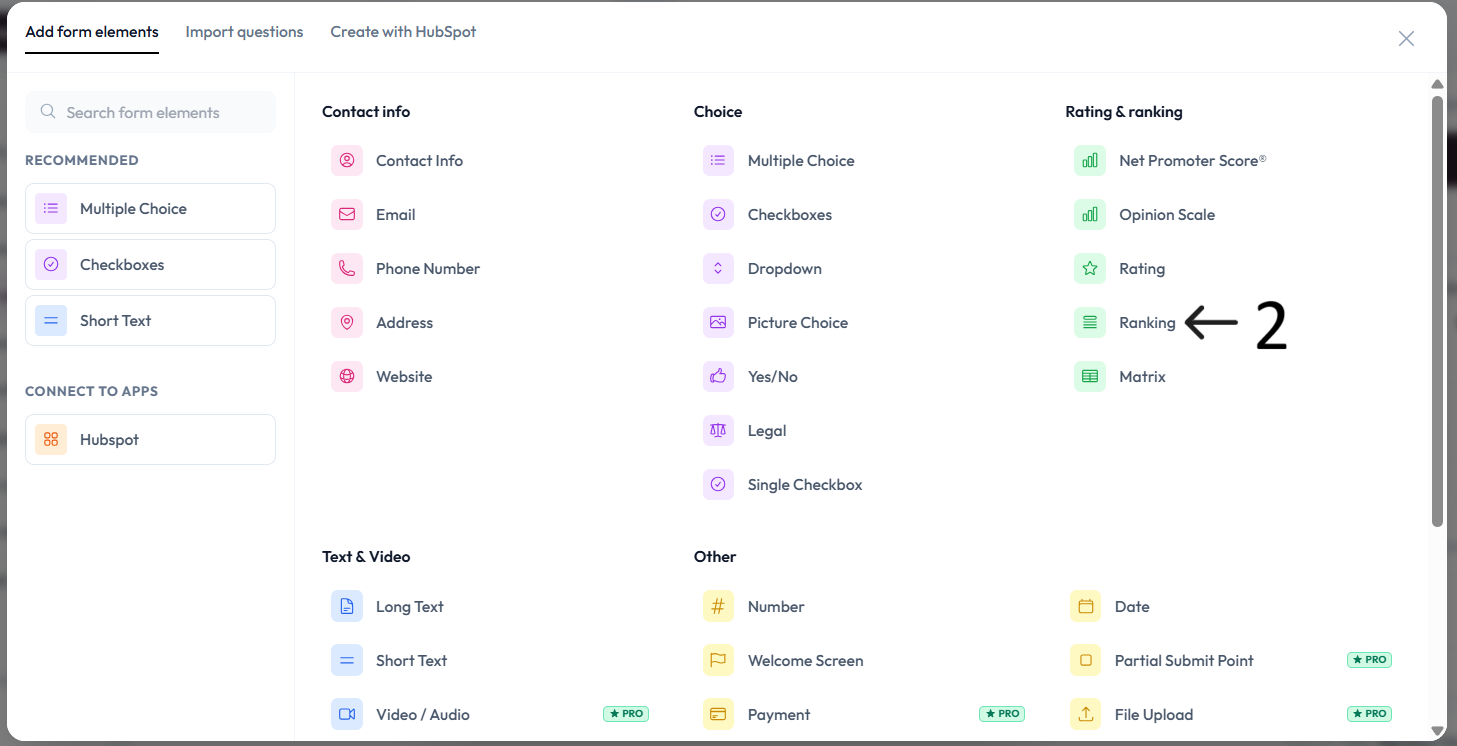
Click Add content.
Select Ranking from the question type list.
Type your question in the placeholder (Your question here) and add an optional description.
Add your choices using Add choice.
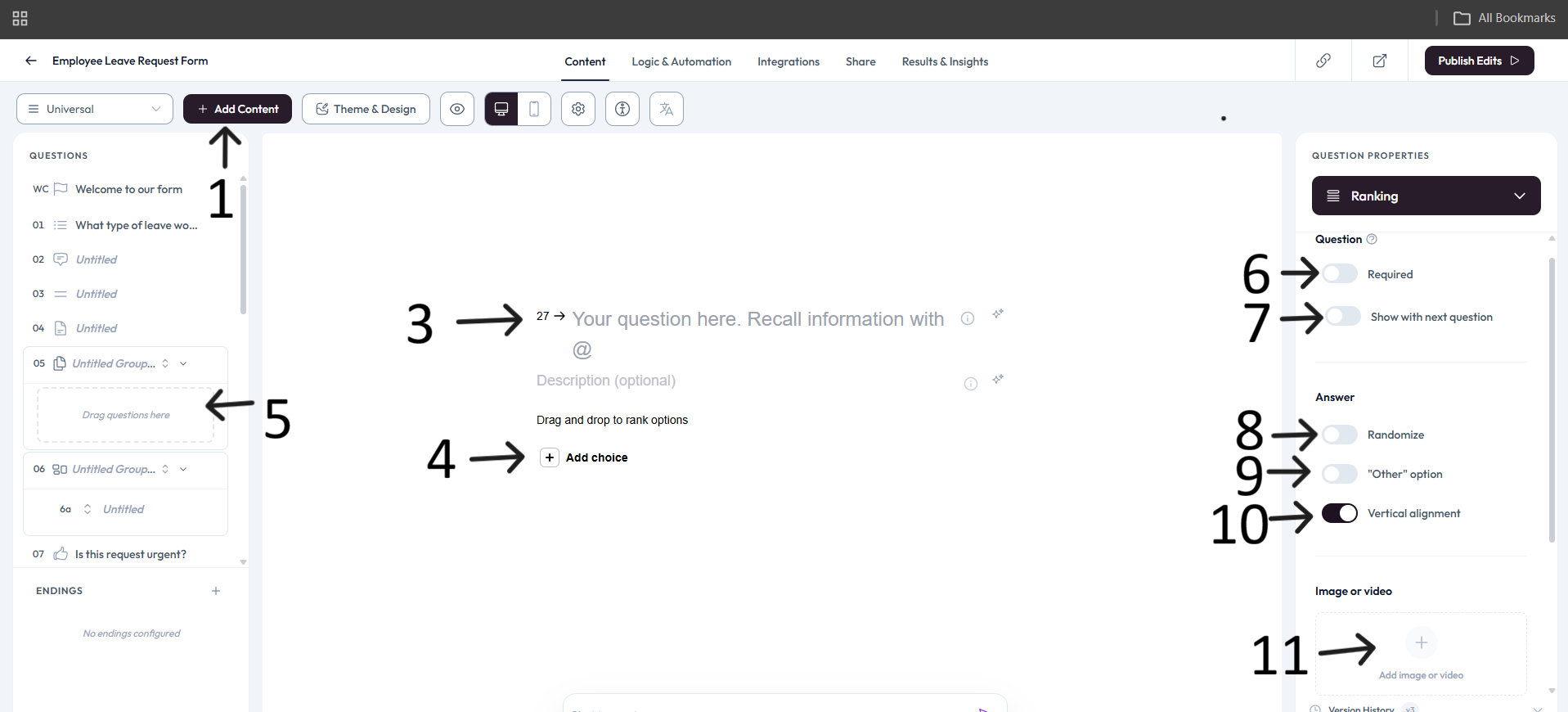
Drag and drop options to preview the ranking interaction.
Settings
Use right-side Question settings to mark this question as required.
Enable Show with next question when you want this question to appear in the same step.
In the Answer section, enable Randomize when you want option order shuffled.
Enable the "Other" option when respondents should be able to add a custom value.
Use Vertical alignment when you want choices stacked instead of inline.
Add an image or video to provide context for this question.