
FAQ with AI
This question type combines your form knowledge base with conversational AI to provide accurate, contextual answers.
How to add a FAQ with AI question
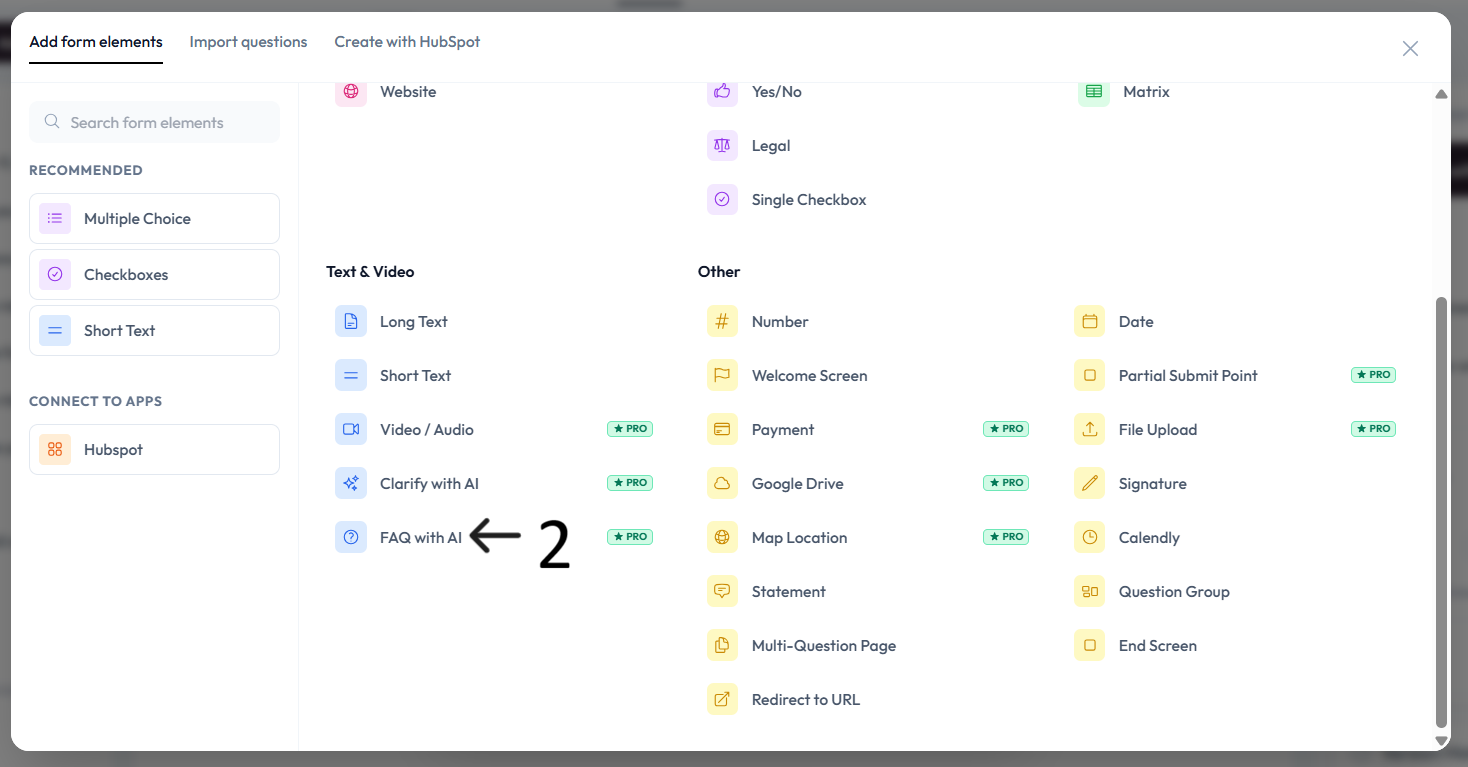
Create a new form or open an existing one, then click Add content.
Select FAQ with AI from the question type menu.
Review the legal disclaimer and click Accept to continue.
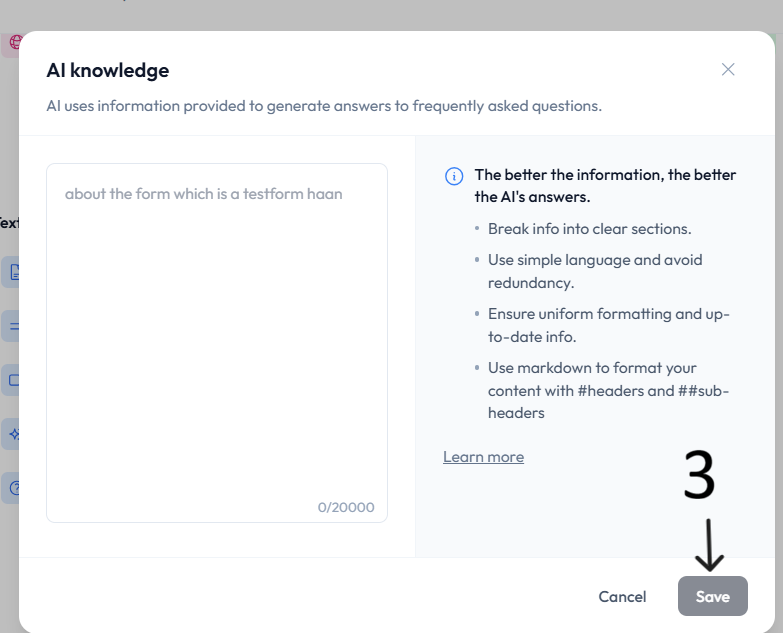
Add the AI knowledge base that your form will use to answer respondent questions.
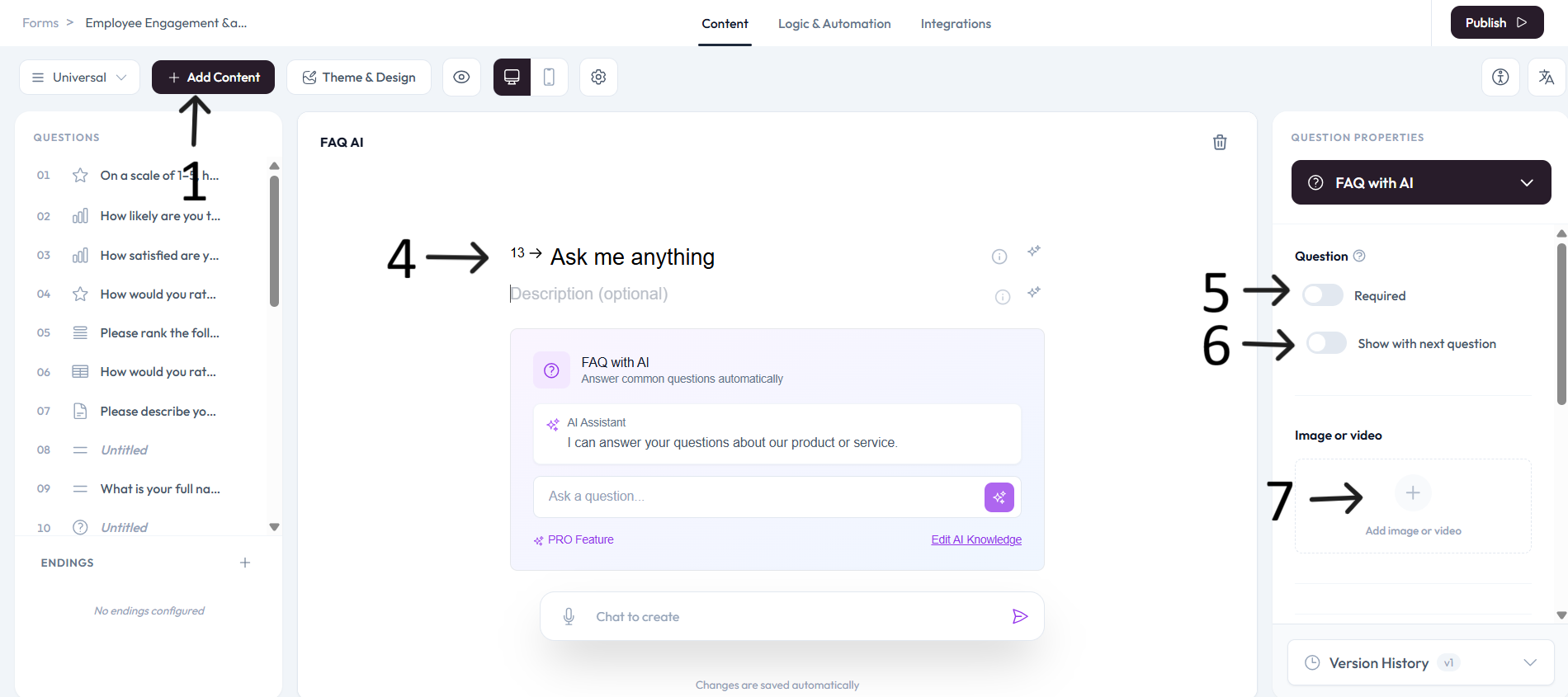
Settings
Use right-side Question settings to mark this question as required.
Enable Show with next question when you want this question to appear in the same step.
Add an image or video to provide context for this question.