
Matrix Question
With a matrix question, respondents can evaluate different items on the same scale. This is also useful for Likert-style attitude and quantitative feedback collection.
How to add a Matrix question to your form
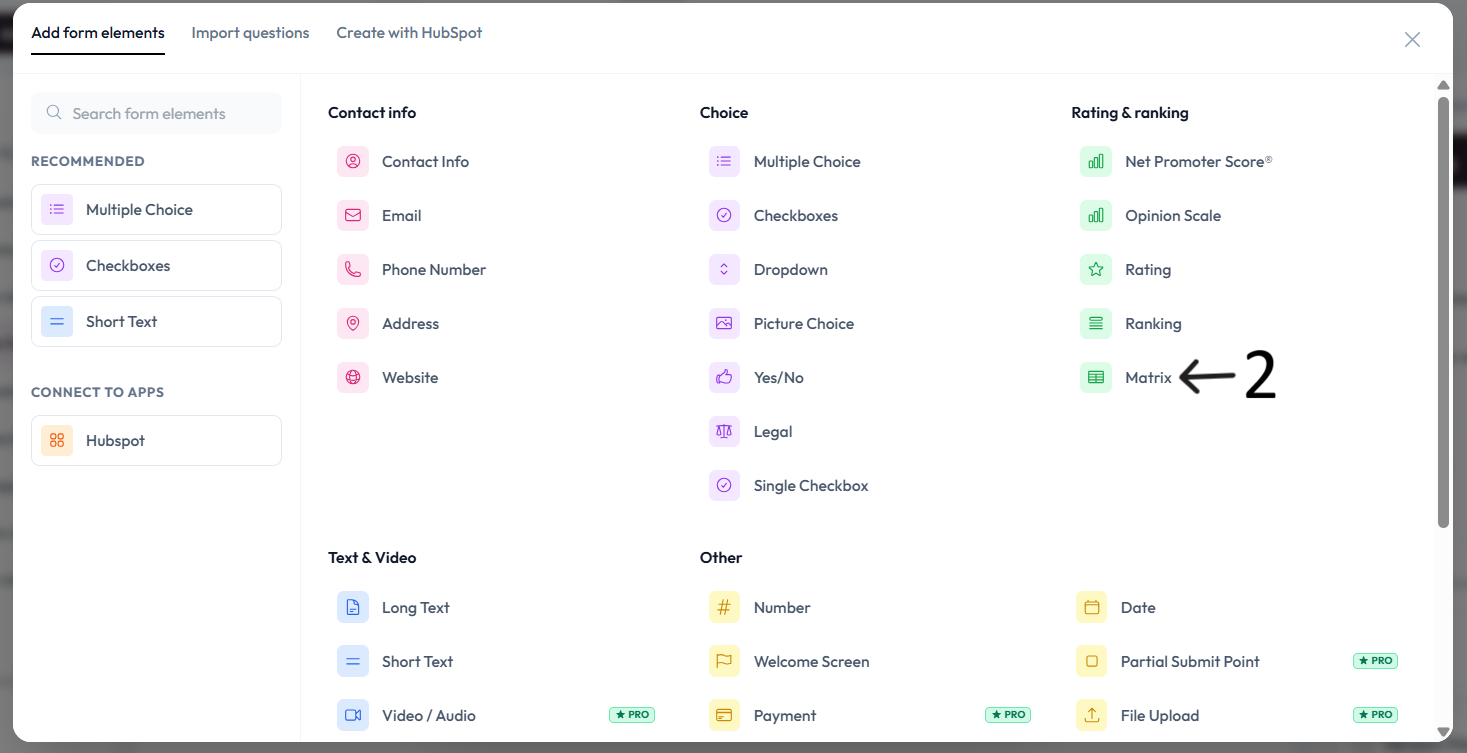
Open your form and click Add content to open the question menu.
Select Matrix from the question type list.
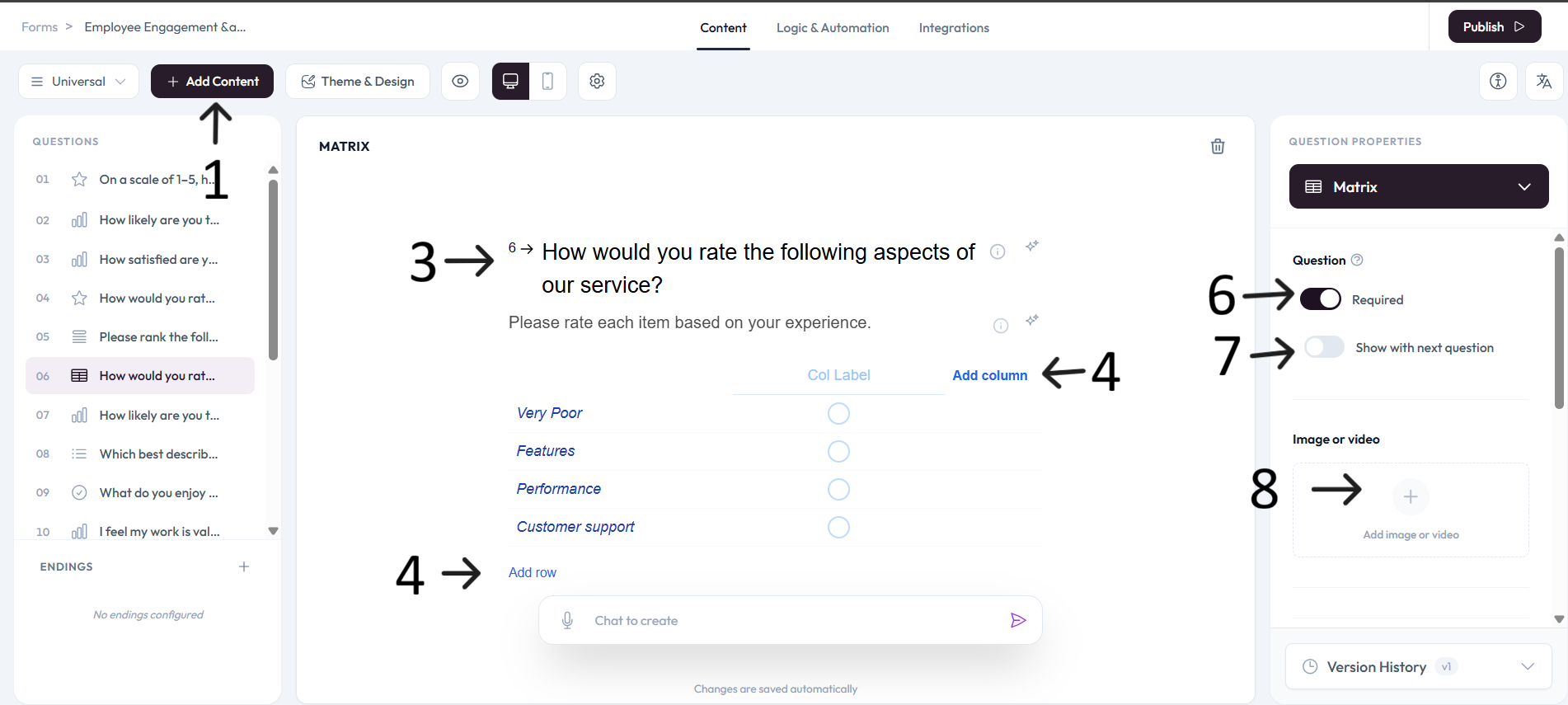
Add rows and columns for your matrix structure.
Click any row or column header to edit text.
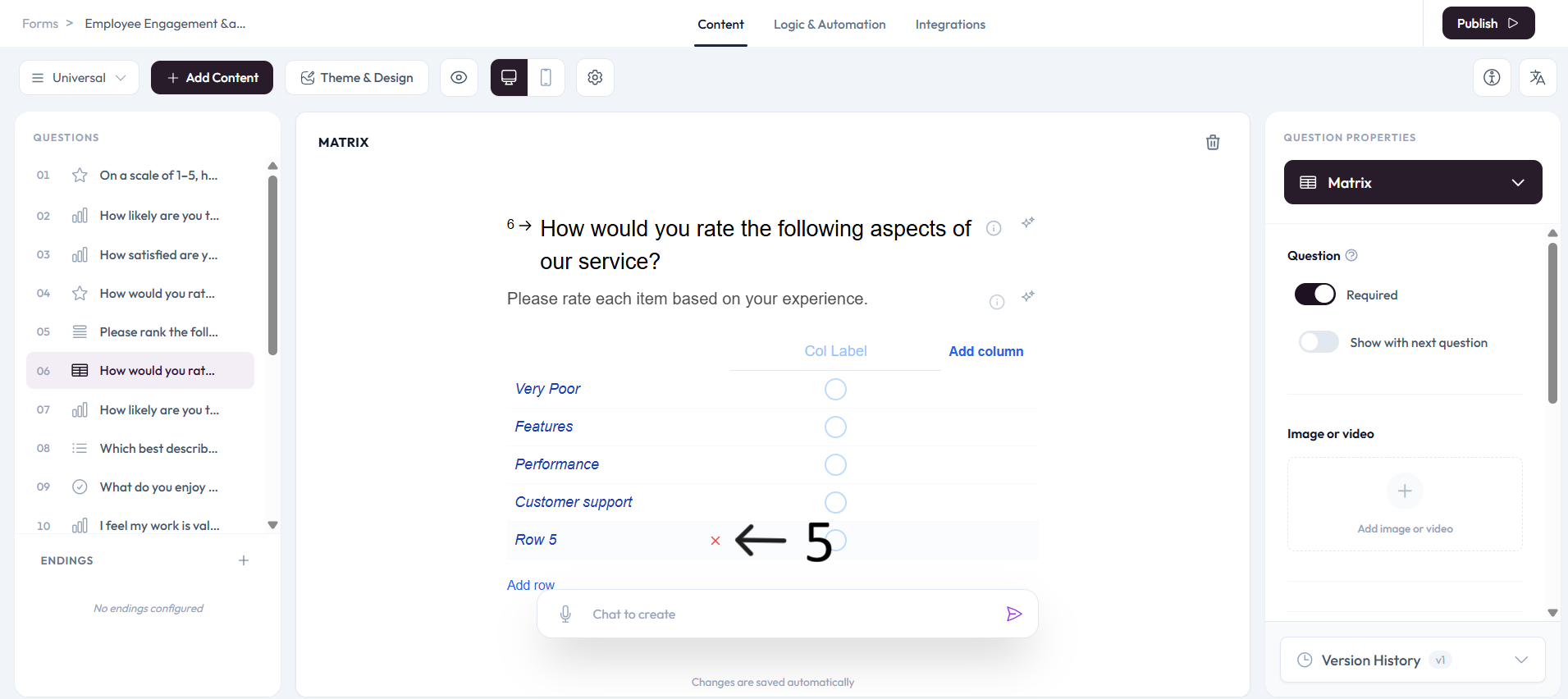
Use the remove (x) action to delete rows or columns you do not need.
Settings
Use right-side Question settings to mark this question as required.
Enable Show with next question when you want this question to appear in the same step.
Add an image or video to provide context for this question.