
Website Question
The Website question type is useful when you want respondents to submit a website or profile URL in a valid link format.
How to add a Website question to your form
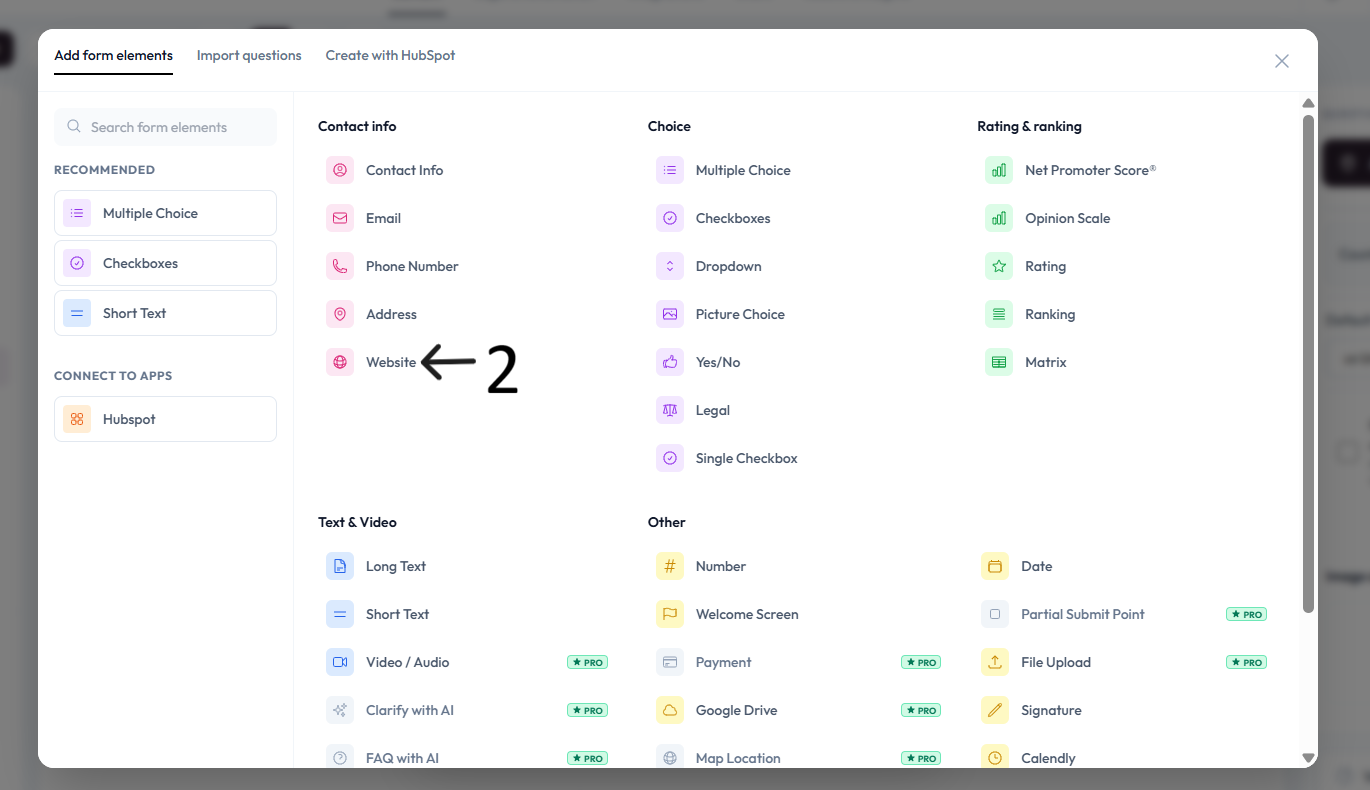
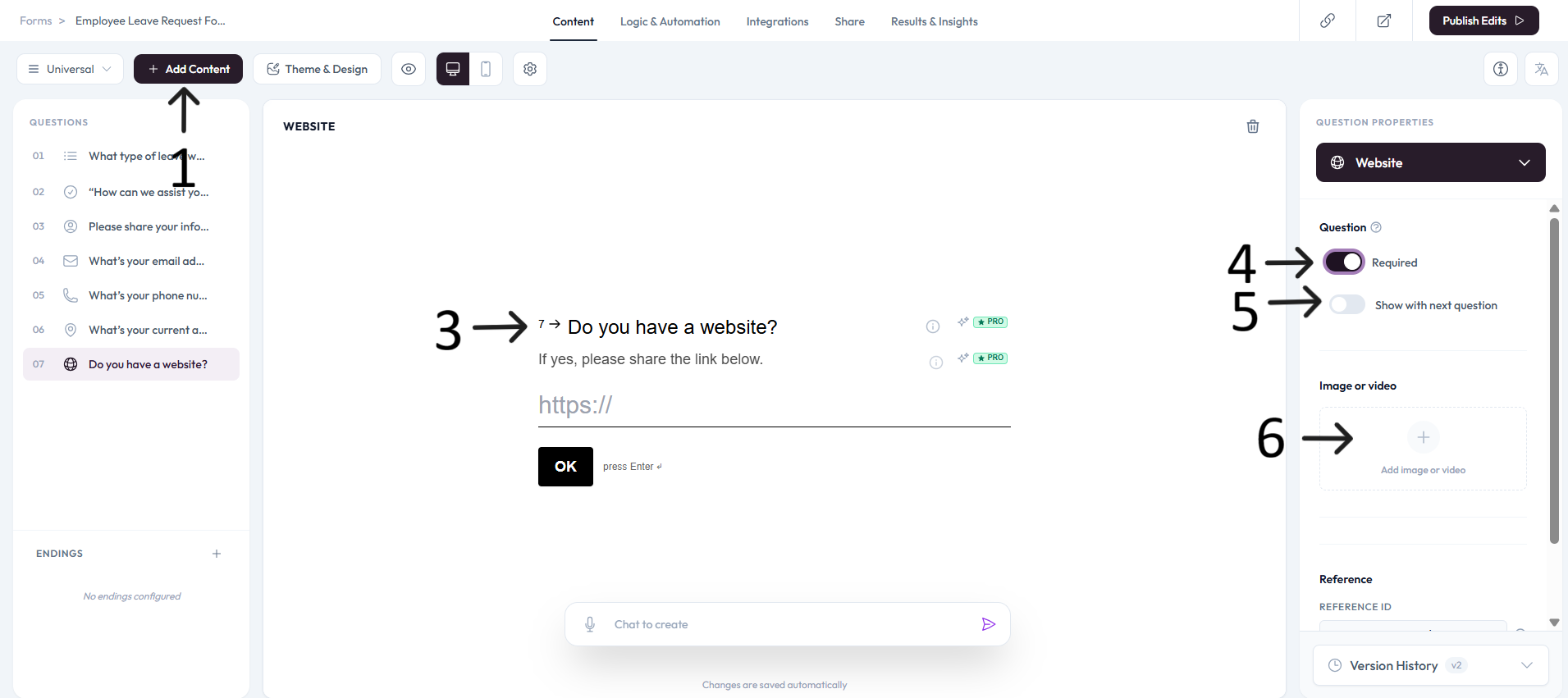
Click Add content.
Select Website.
Type the website question you want to ask and add an optional description.
Settings
Use right-side Question settings to mark this question as required.
Enable Show with next question when you want this question to appear in the same step.
Add an image or video to provide context for this question.