
Signature
Signature question
The Signature question makes it easy to collect legally valid electronic signatures right within your form, with no need to send respondents to a separate tool. Whether you are gathering signed agreements, consent forms, or service contracts, this keeps the entire process seamless.
Respondents can type, draw, or upload their signature directly in the form.
Type - The respondent types their full name and it is displayed in a signature-style font.
Draw - The respondent uses a mouse or touchscreen (for example, on mobile) to draw their signature.
Upload - The respondent uploads an image of their signature.
Each signed submission is stored securely, locked to prevent edits, and can be downloaded as a PDF for your records. Respondents need to provide an email address when they sign, and a copy of the signed form with their responses is emailed to them automatically.
How to add a Signature question
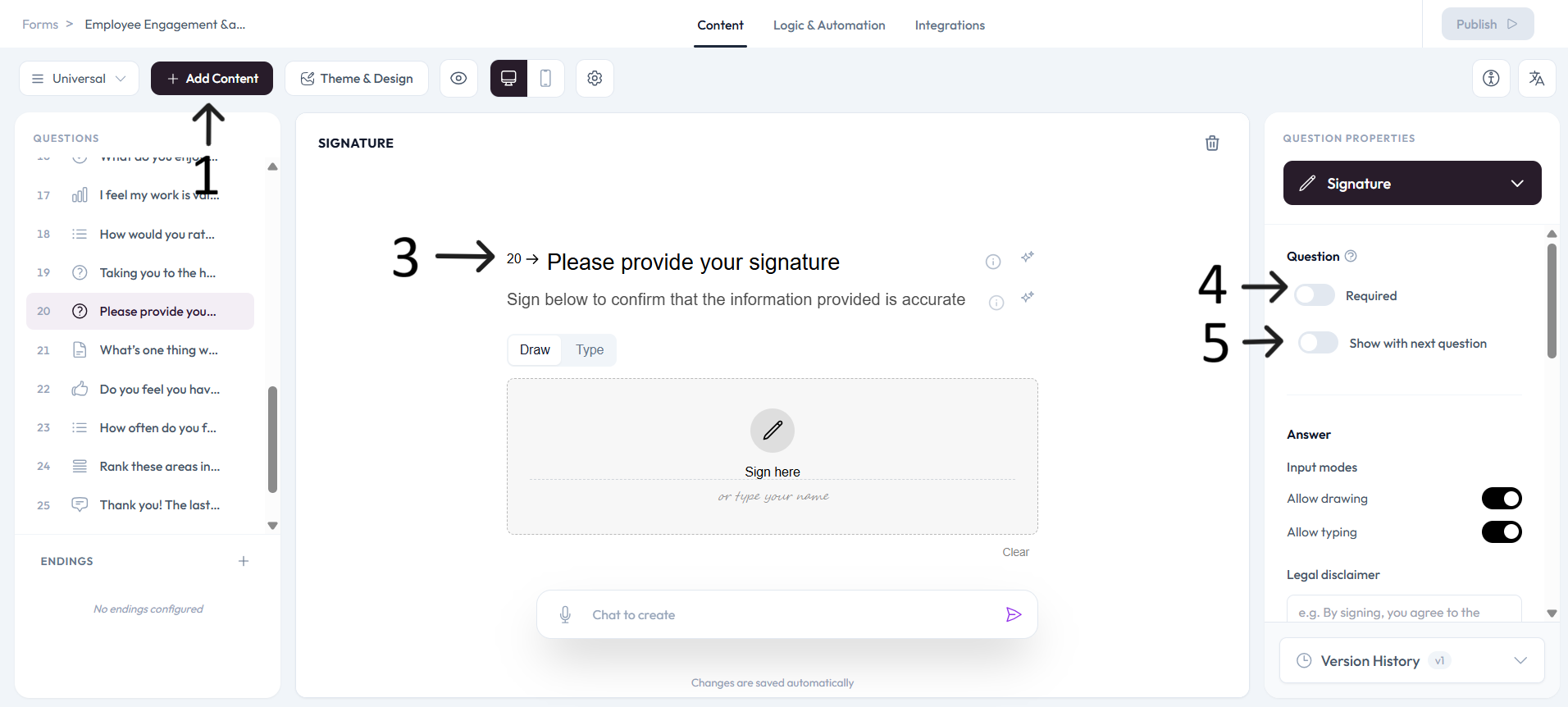
Open an existing form or create a new one and click + Add content.
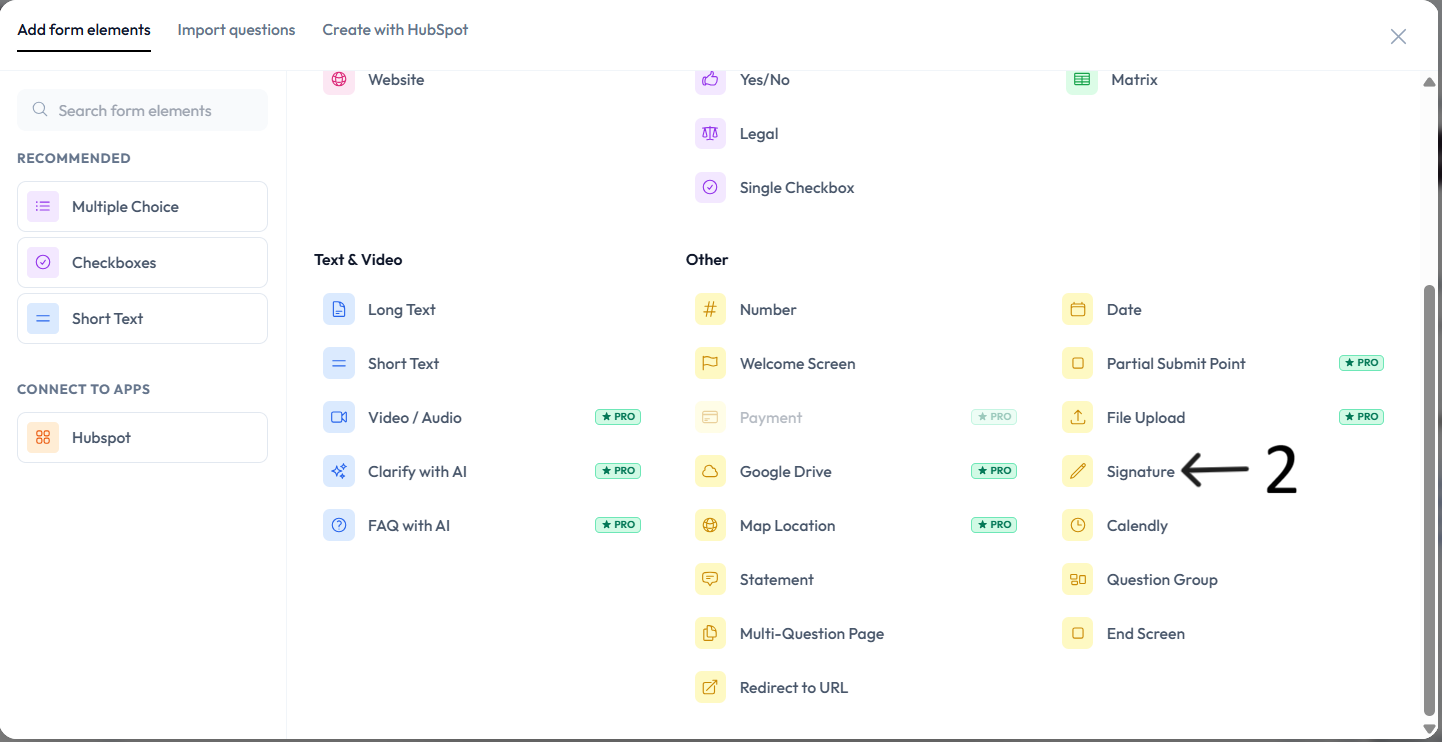
Select Signature from the Other question types section.
Type your question in the placeholder field and optionally add a description. Let respondents know why you are collecting their signature.
Settings
Use right-side Question settings to mark this question as required.
Enable Show with next question when you want this question to appear in the same step.
Add an image or video to provide context for this question.