
Statement Question
Use a Statement when you want to show information without collecting an answer. It works well for quotes, pauses, and transitions between parts of your form.
To add a Statement question to your form
Open an existing form or create a new one, then click Add content.
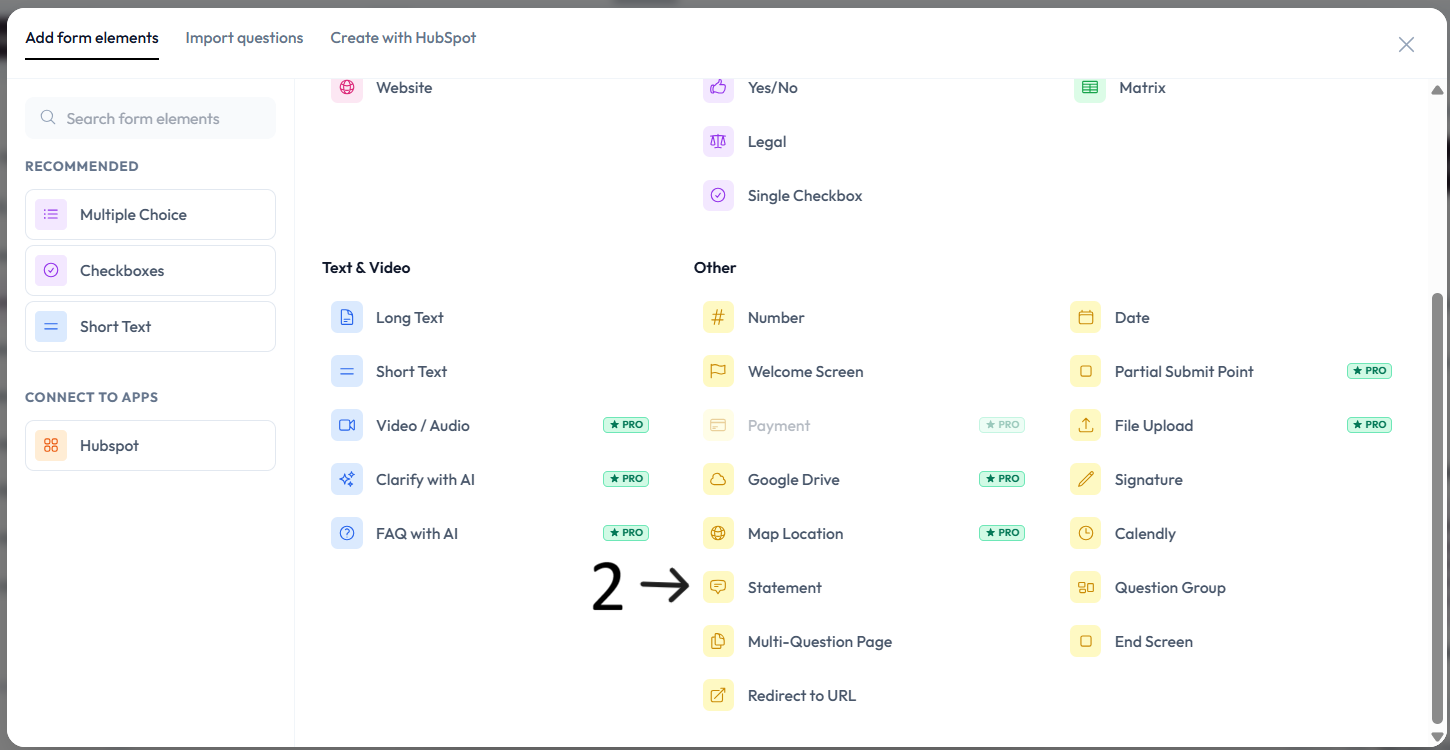
Select Statement under Other question types.
Type your statement text in the placeholder and add an optional description.
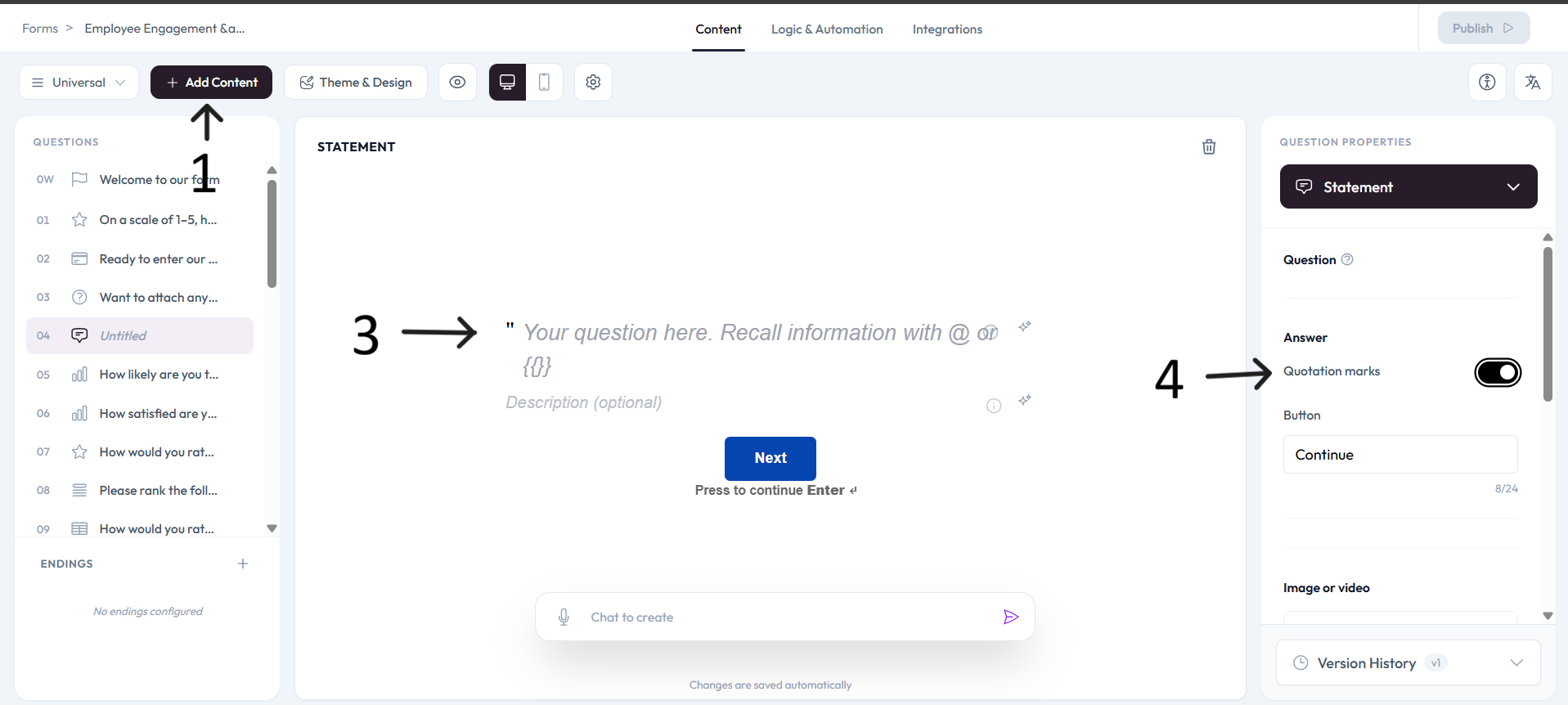
Enable or disable quotation marks from the right-side toggle based on your design preference.