
Checkbox Question
The Checkbox question type is useful for collecting consent and single confirmation responses.
To add a Checkbox question to your form
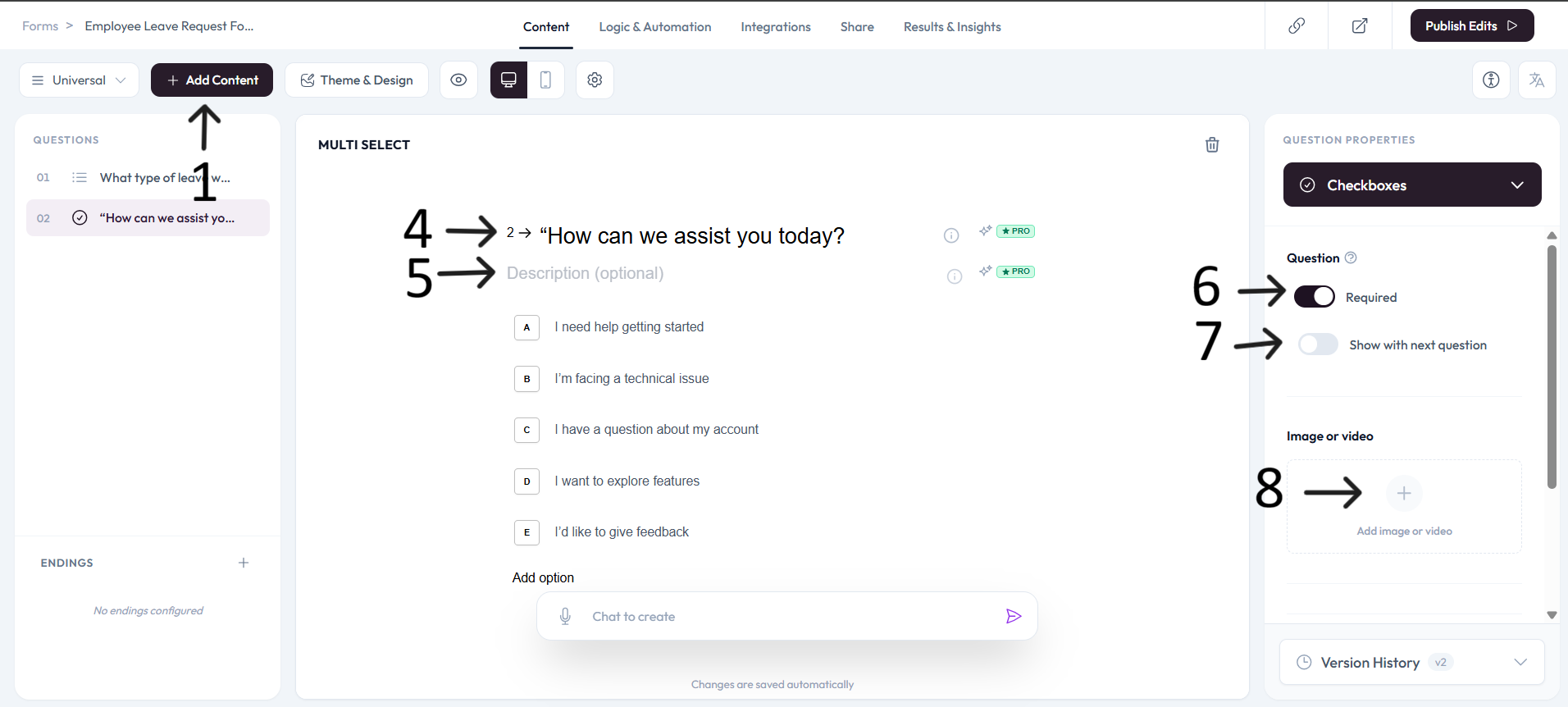
Open an existing form or create a new one, then click Add content.
Select Checkbox from the choice question types.
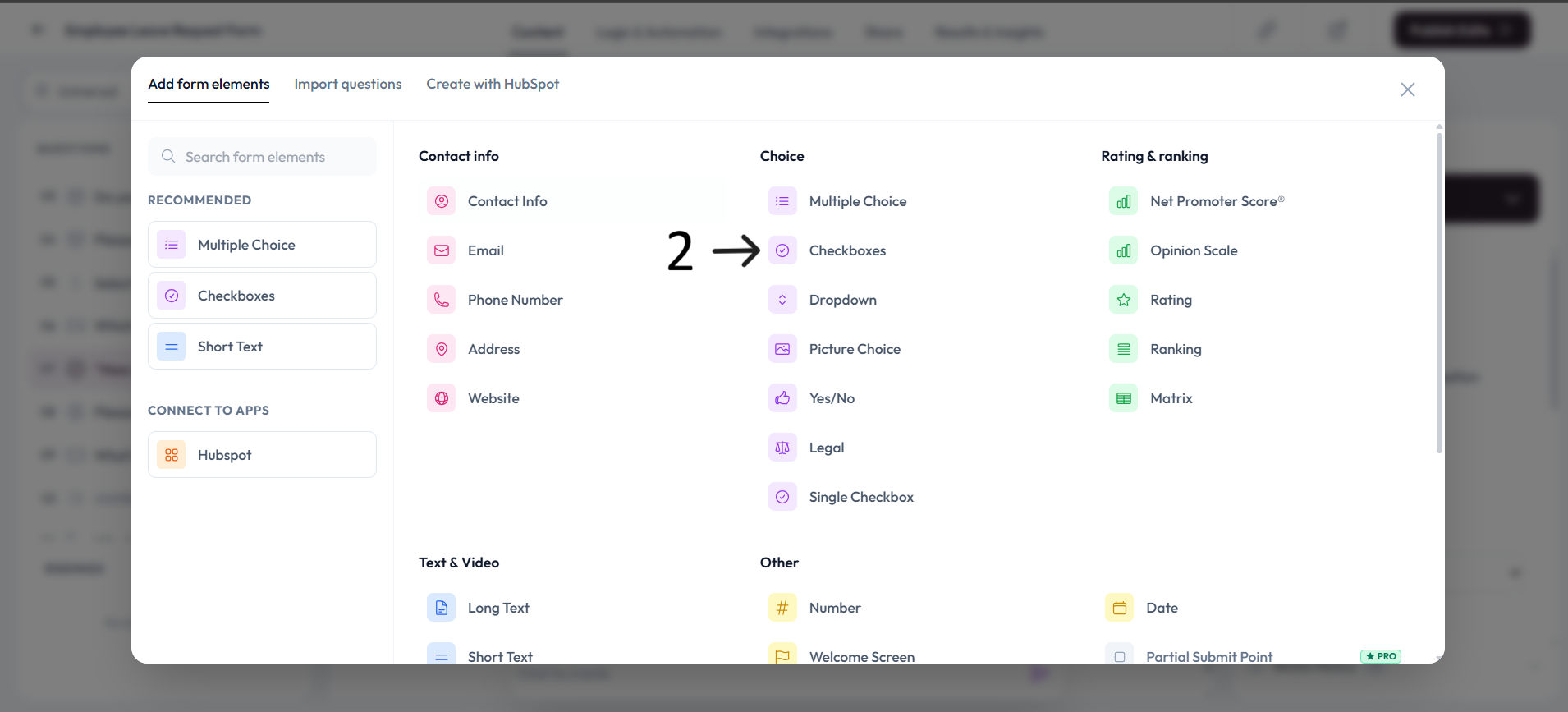
The Checkbox question is added with a default single checkbox option.
Type your question in the placeholder and add an optional description.
Use the checkbox description field to clearly explain what consent or confirmation is required.
Settings
Enable Show with next question when you want this question to appear in the same step.
Add an image or video to provide context for this question.