
Number Question
Use the Number question when you need numeric input. This question supports positive whole numbers (including 0) up to fifteen digits, without decimals or negative values.
To add a Number question
Create a new form or open an existing one, then click Add content.
Select Number from the question type menu.

Type your question in the placeholder field and add an optional description.
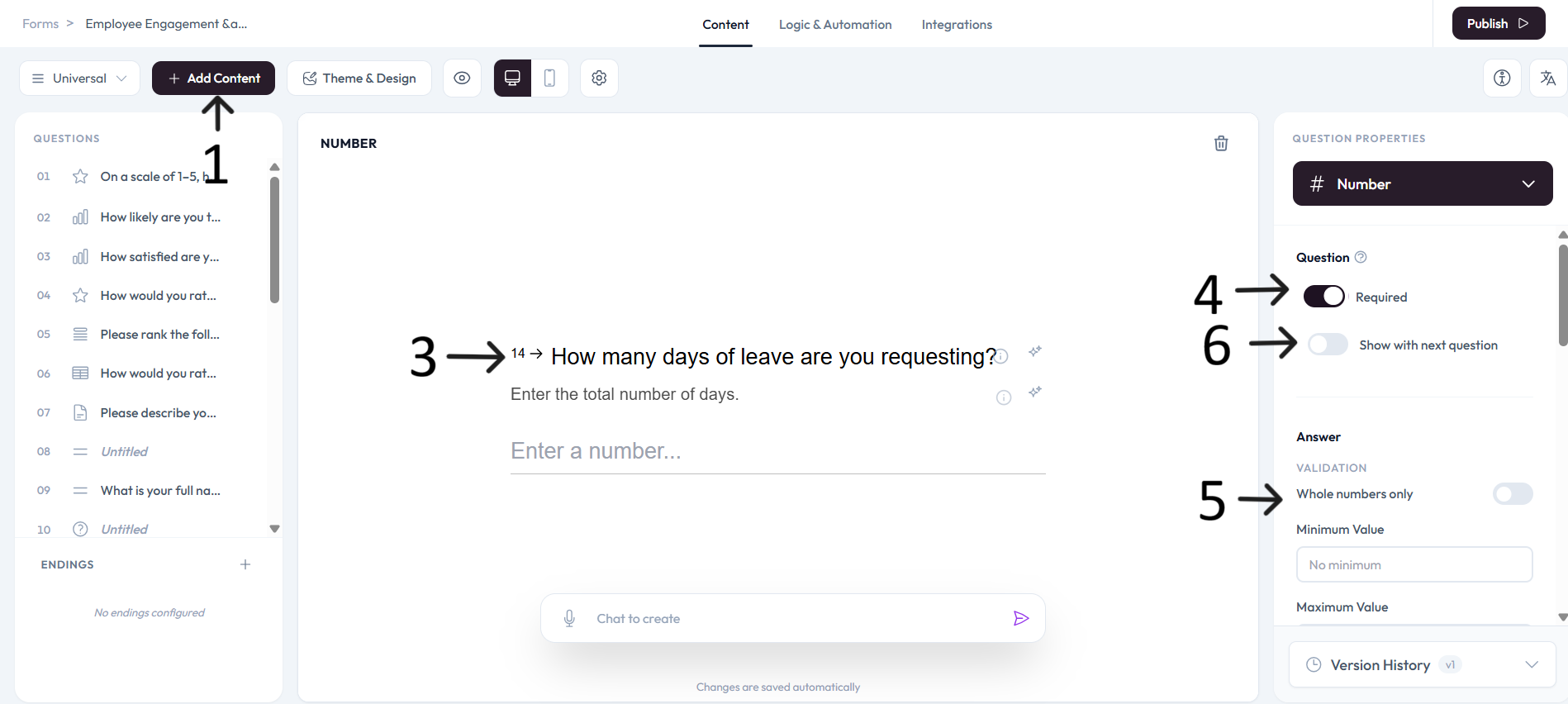
Use right-side settings to mark the question required when needed.
Configure answer validation with whole-number rules, minimum value, maximum value, pattern, and custom error message.
Settings
Enable Show with next question when you want this question to appear in the same step.
Add an image or video to provide context for this question.