
Question Group
Question Group is a simple way to create an umbrella question with sub-questions inside. Use it to organize forms into chapters or group related data.
How to add a Question Group to your form
Click Add content in the form builder.
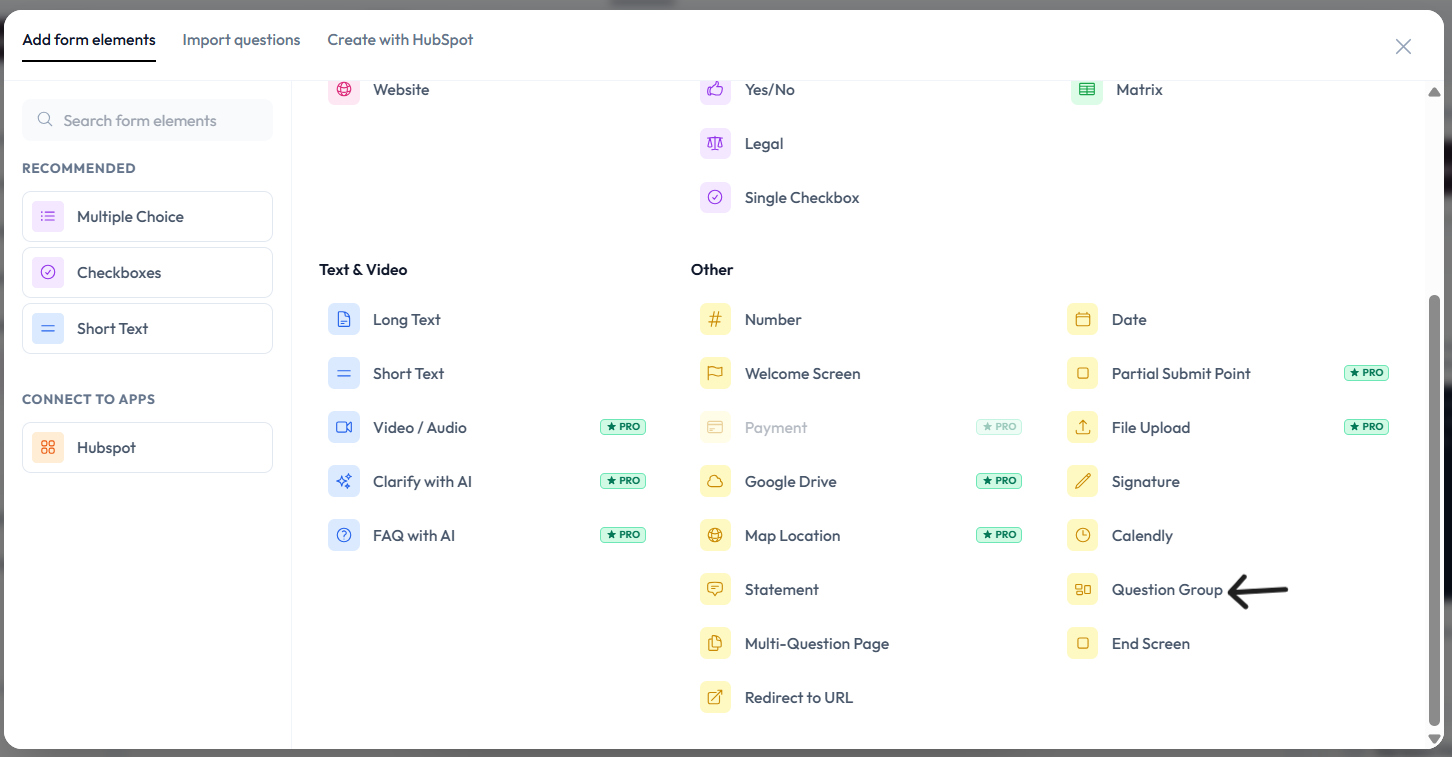
Select Question Group from the question list.
Add header text for your group.
Use the right-side Question properties to configure this group.
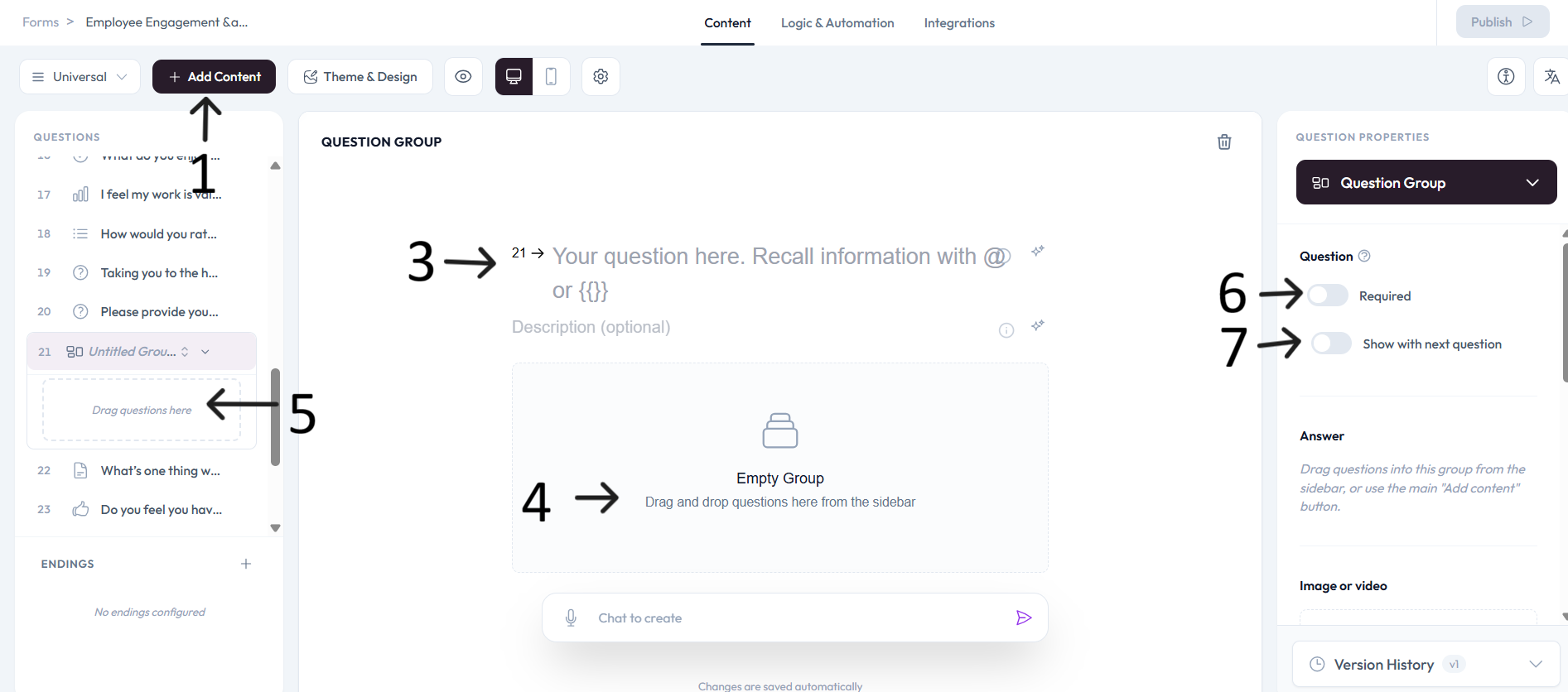
In the Answer section, drag questions into the group from the sidebar, or use the main Add content button.
Settings
Use right-side Question settings to mark this question as required.
Enable Show with next question when you want this question to appear in the same step.
Add an image or video to provide context for this question.