
Google Drive Question
Use the Google Drive question type to store file upload attachments in a folder that is easy for your team to access.
What you need
A paid Typeform account.
A Google account.
How to add a Google Drive question to your form
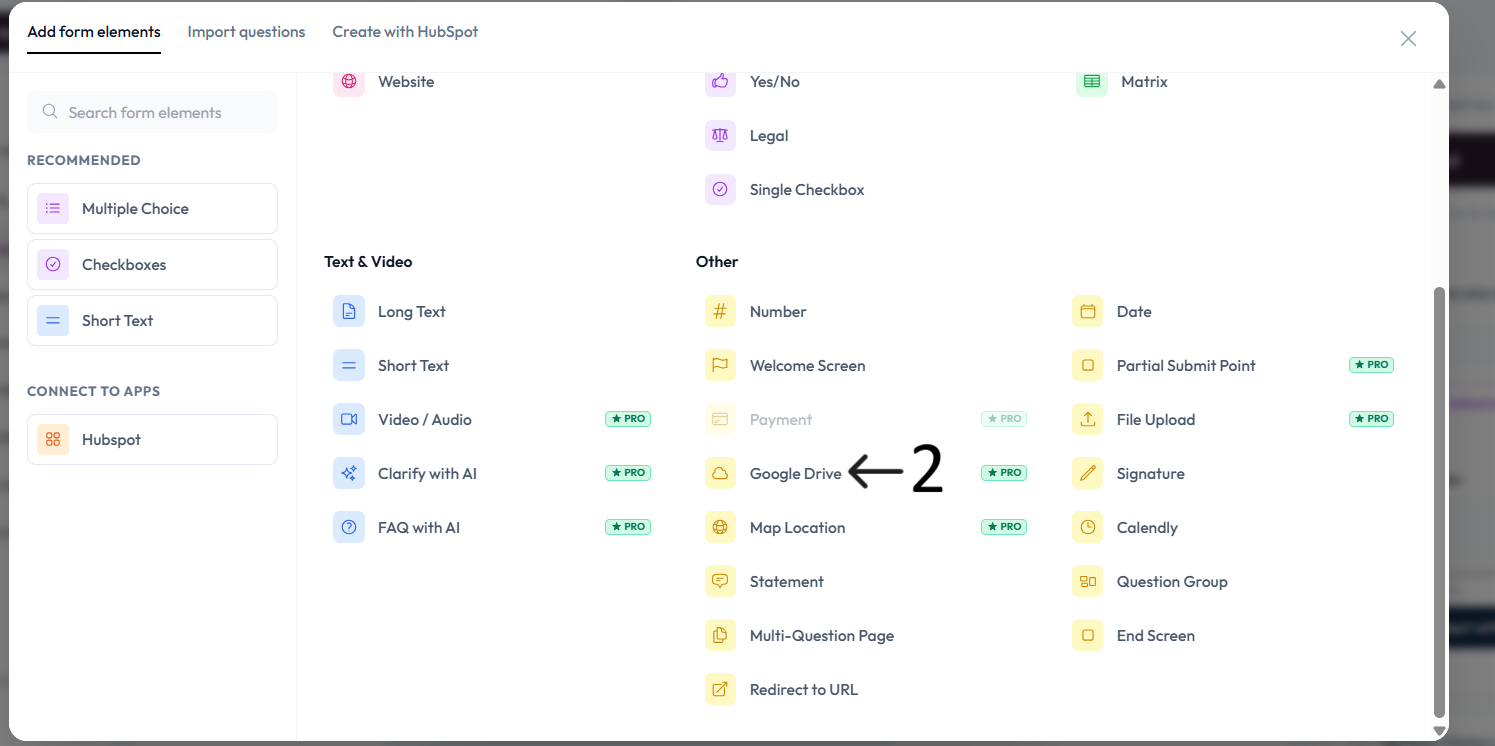
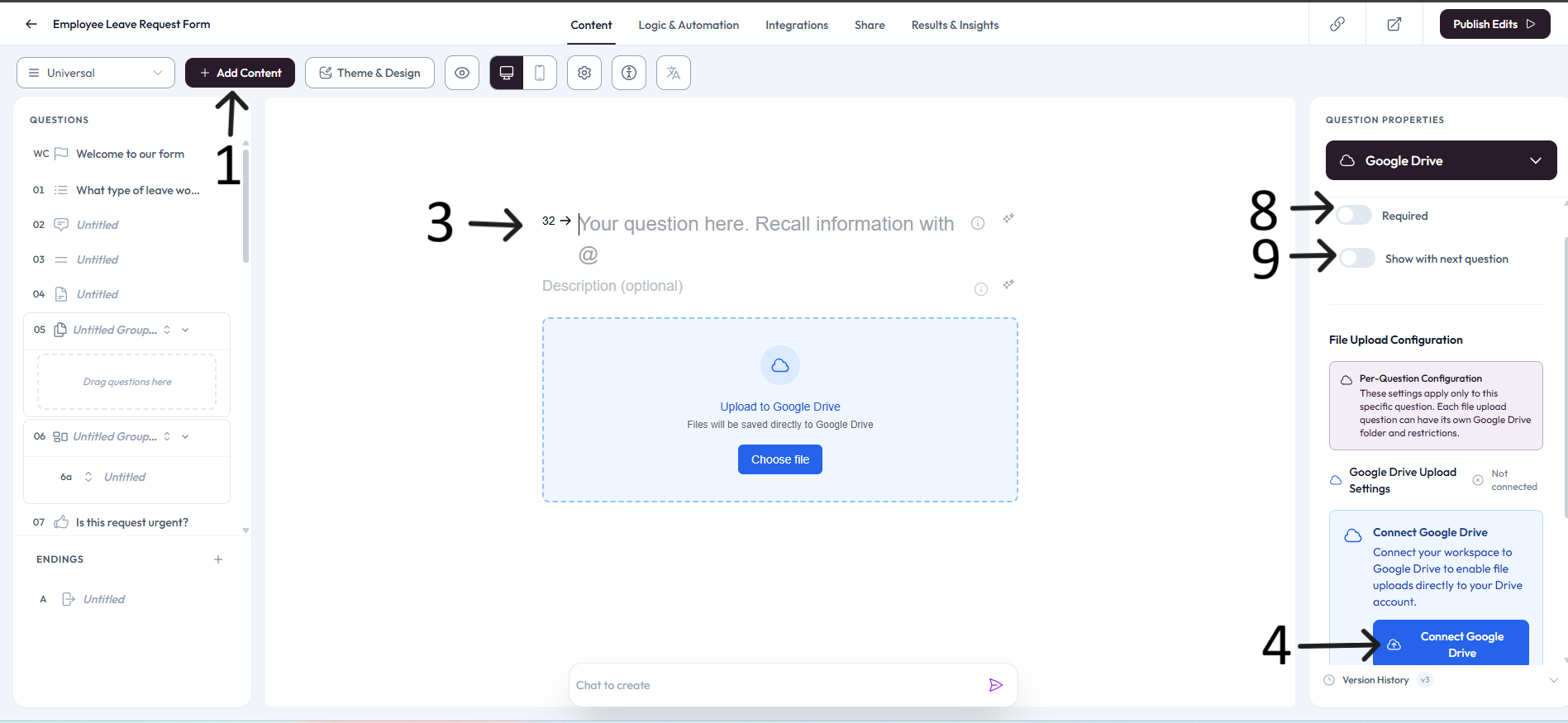
Open the Content panel and click Add content.
Select Google Drive under the Other section.
Enter your question in the placeholder and add an optional description.
In Google Drive Upload Settings, click Connect Google Drive.
Connect your workspace and complete the Google account consent flow to enable file uploads directly to your Drive account.
Click Set location and choose the destination Google Drive folder.
Accept cookies when prompted, then search or browse, select the folder, and click Save. Use Edit in the right panel later to change folder location or revoke permissions.
Settings
Use right-side Question settings to mark this question as required when needed.
Enable Show with next question when you want this question to appear in the same step.
Important note
Revoking permissions disconnects all questions in that form that are linked to the same Google Drive connection.