
Rating Question
Rating and Ranking are similar but used for different goals. Use Rating when you want respondents to score items on a common numeric scale.
How to use a Rating question
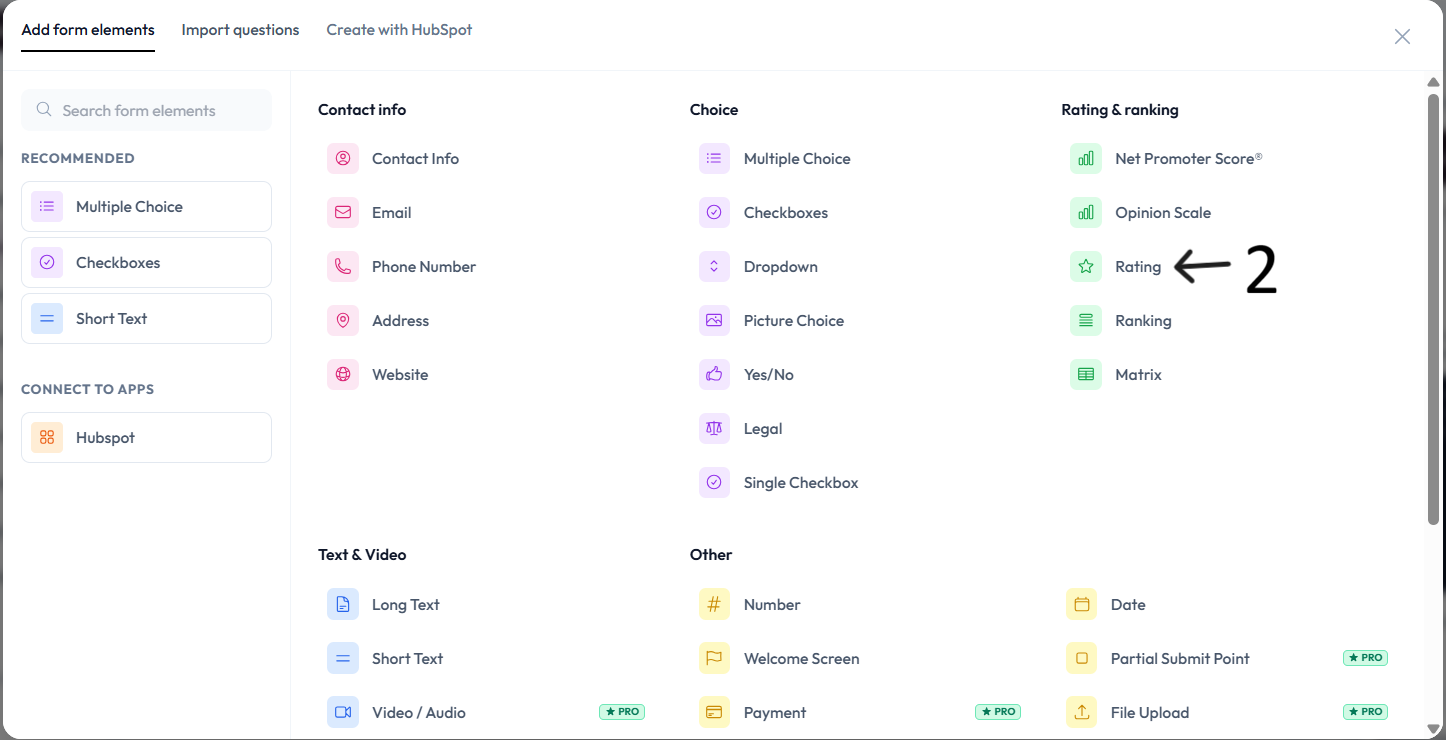
Open an existing form from your workspace, or create a new one, then click Add content.
Click on the Rating question.
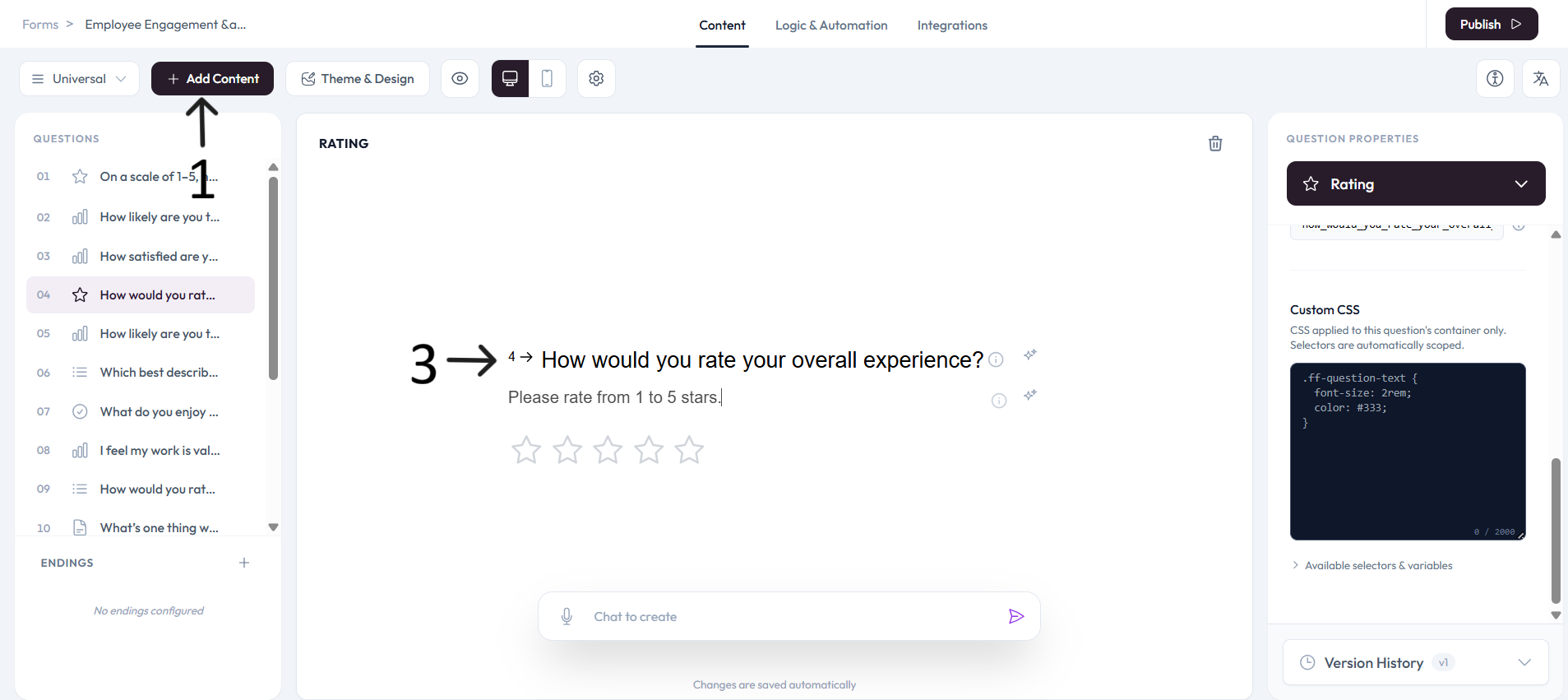
Type your question in the editor and add an optional description.
Rating settings
Use the Question settings panel on the right side to configure this question.
Enable Show with next question when you want this question to appear in the same step.
Choose the Scale value for how many rating options you want to show.
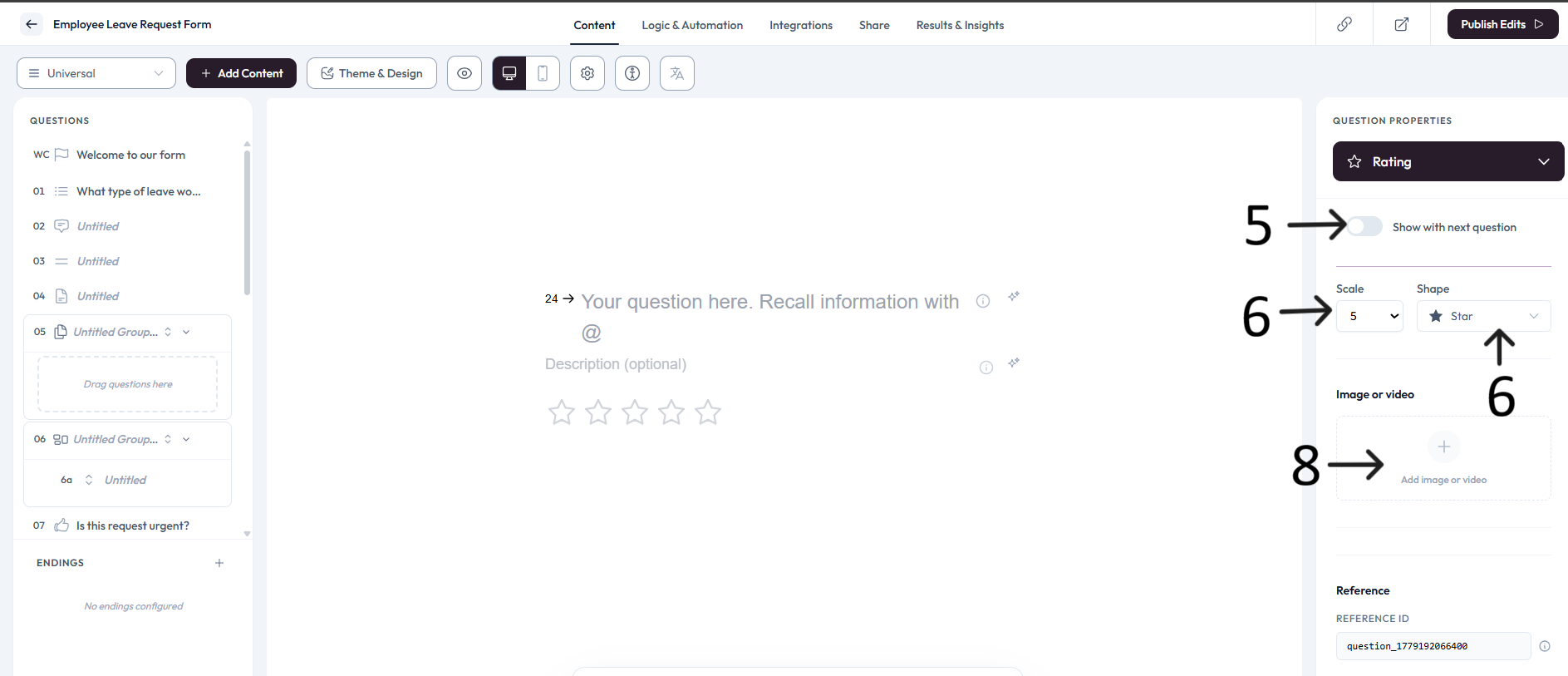
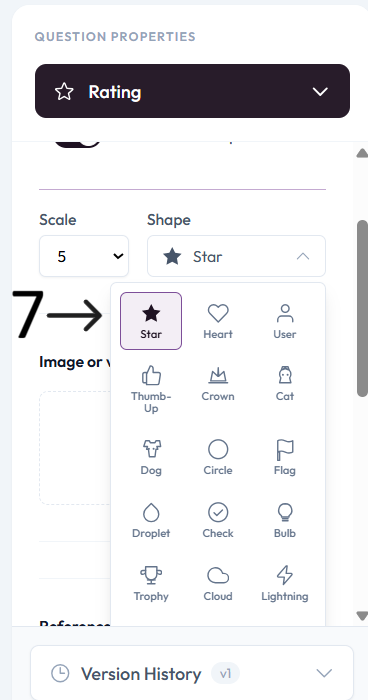
Choose the Shape style (for example, stars or hearts).
Add an image or video to provide context for this question.