
Legal Question
Use the Legal question type to show a legal note or disclaimer. When set as required, respondents must accept it before submitting.
How to use Legal type questions
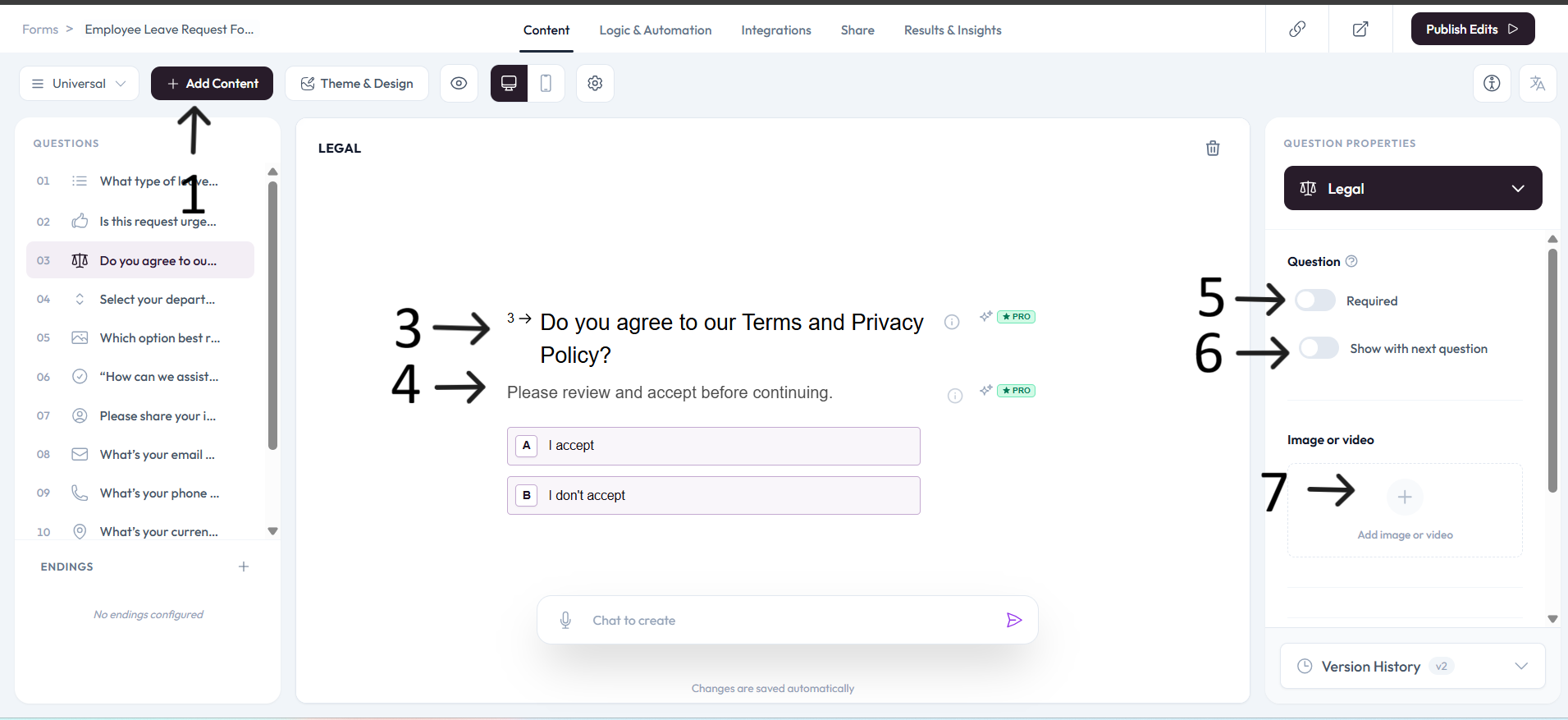
Click Add content to open the question menu.
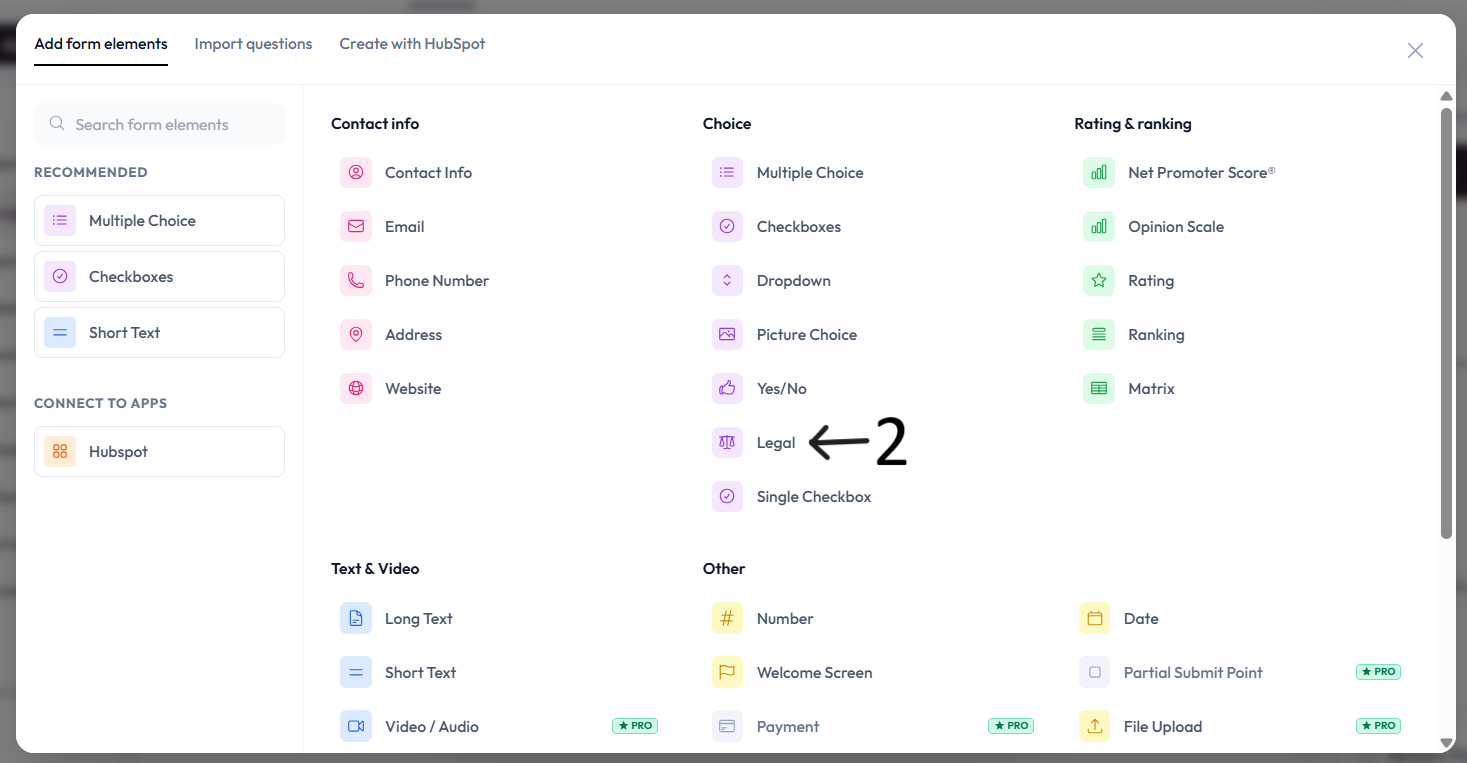
Select Legal.
Click the question placeholder and enter your legal question text.
Add a description below the question if needed.
Settings
Use right-side Question settings to mark this question as required.
Enable Show with next question when you want this question to appear in the same step.
Add an image or video to provide context for this question.
Required behavior
If Legal is required and a respondent selects "I do not accept", they cannot continue to next step or submit the form.
If Required is turned off, respondents can submit even when they choose "I do not accept".