
Webhooks Integration
What is this integration?What are webhooks?
Webhooks allow you to send form submission data to any URL in real-time. When someone completes your form, OvoForm instantly sends the response data to your specified endpoint.
Perfect for connecting to custom applications, triggering workflows, or integrating with services that don't have a native integration.
Key features
Instant Notifications
Get notified immediately when someone submits your form.
Custom Integrations
Connect to any service or your own backend application.
Secure & Reliable
HMAC signatures and retry support help keep delivery secure and reliable.
What you can do
Send form submissions to any URL in real time.
Customize HTTP method using POST or PUT.
Add custom headers for authentication.
Secure webhook requests with HMAC signatures.
Automatically retry failed deliveries.
How to set up
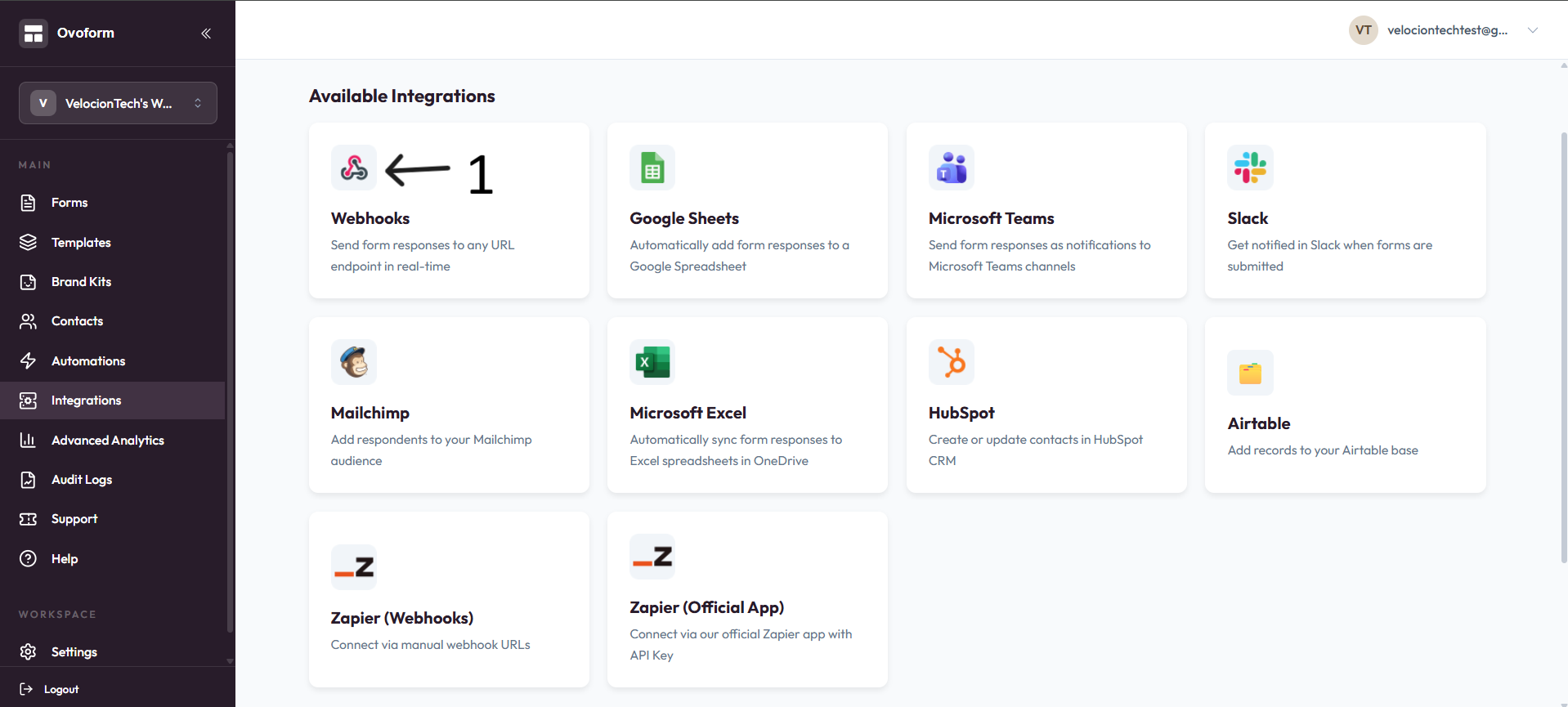
Go to OvoForm dashboard, click Integrations in the sidebar, then open Webhooks.
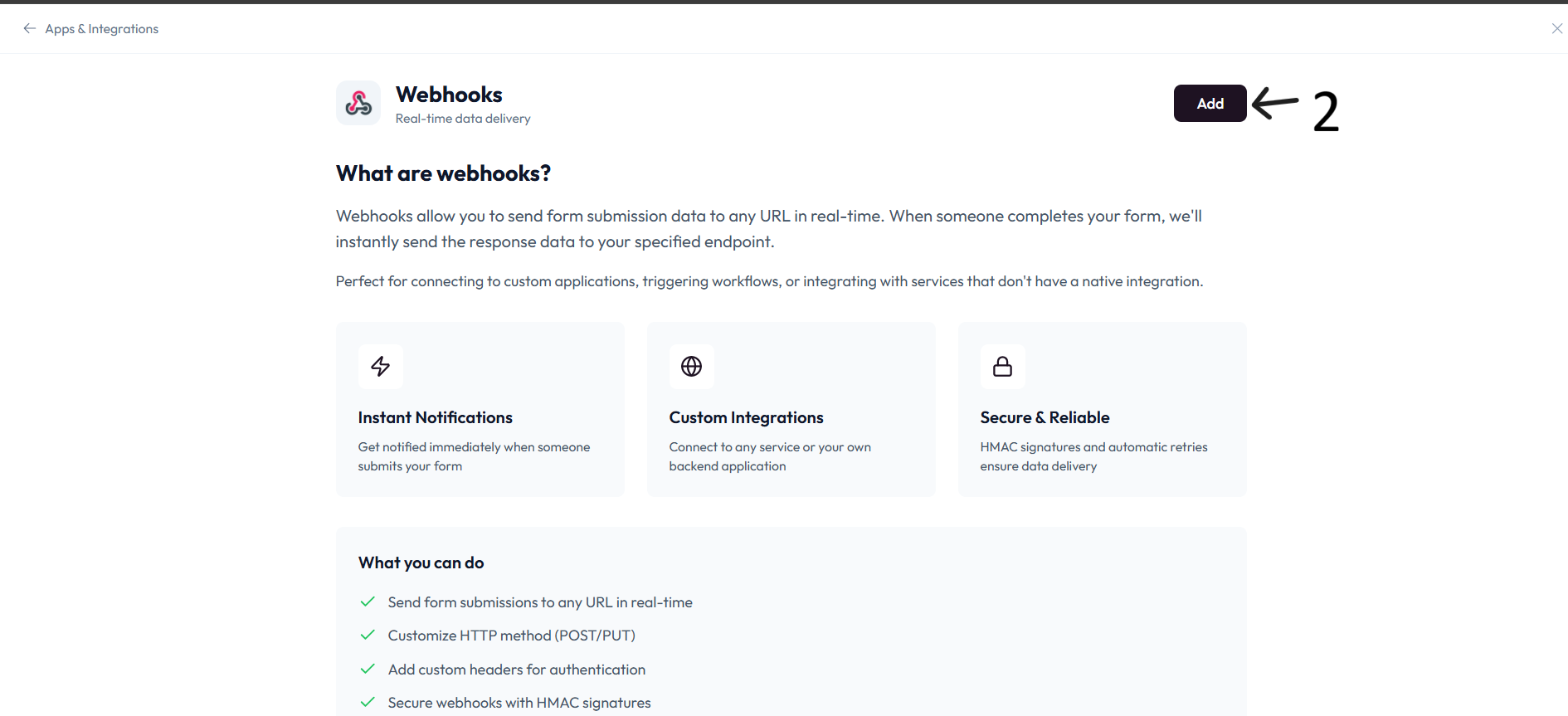
Click Add.
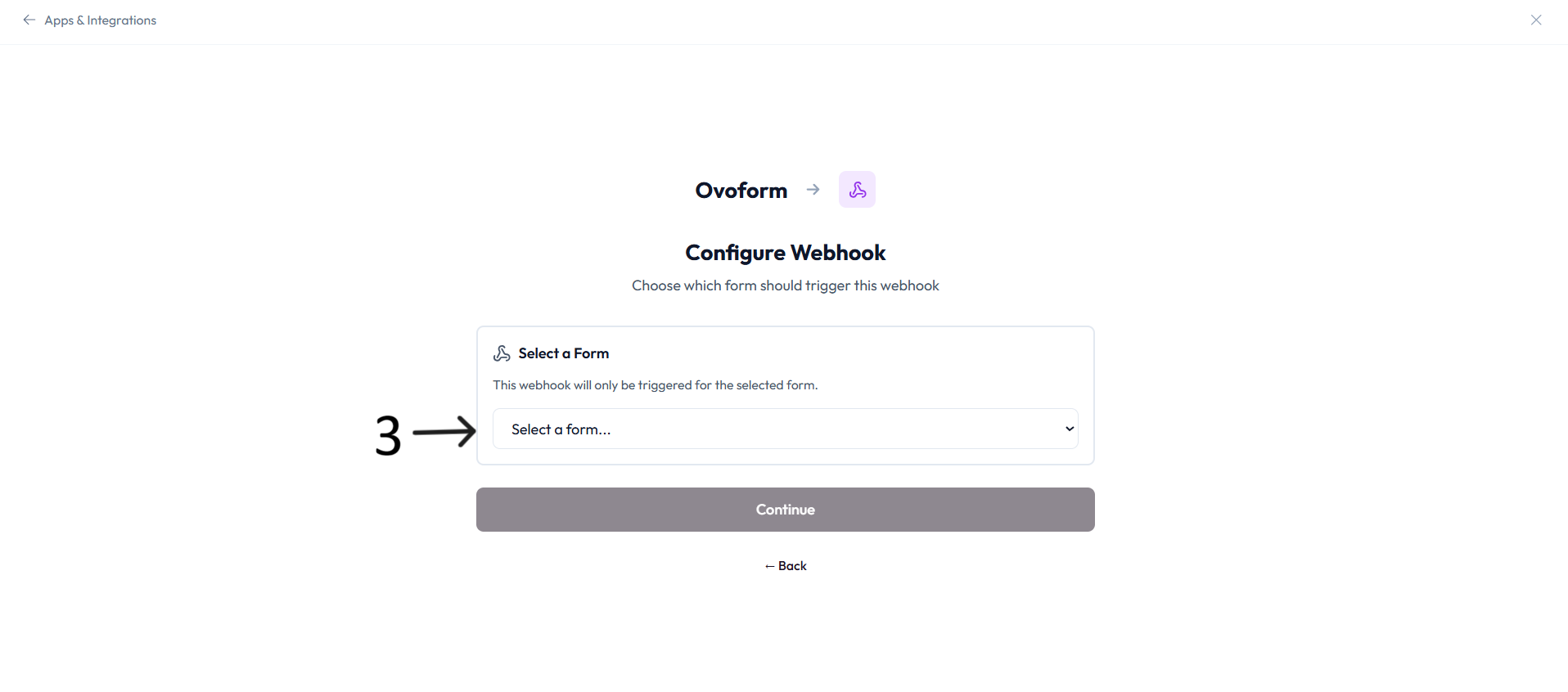
In Configure Webhook, select the form in Select a Form and click Continue.
Enter a descriptive value in Webhook name.
Enter your endpoint in Destination URL.
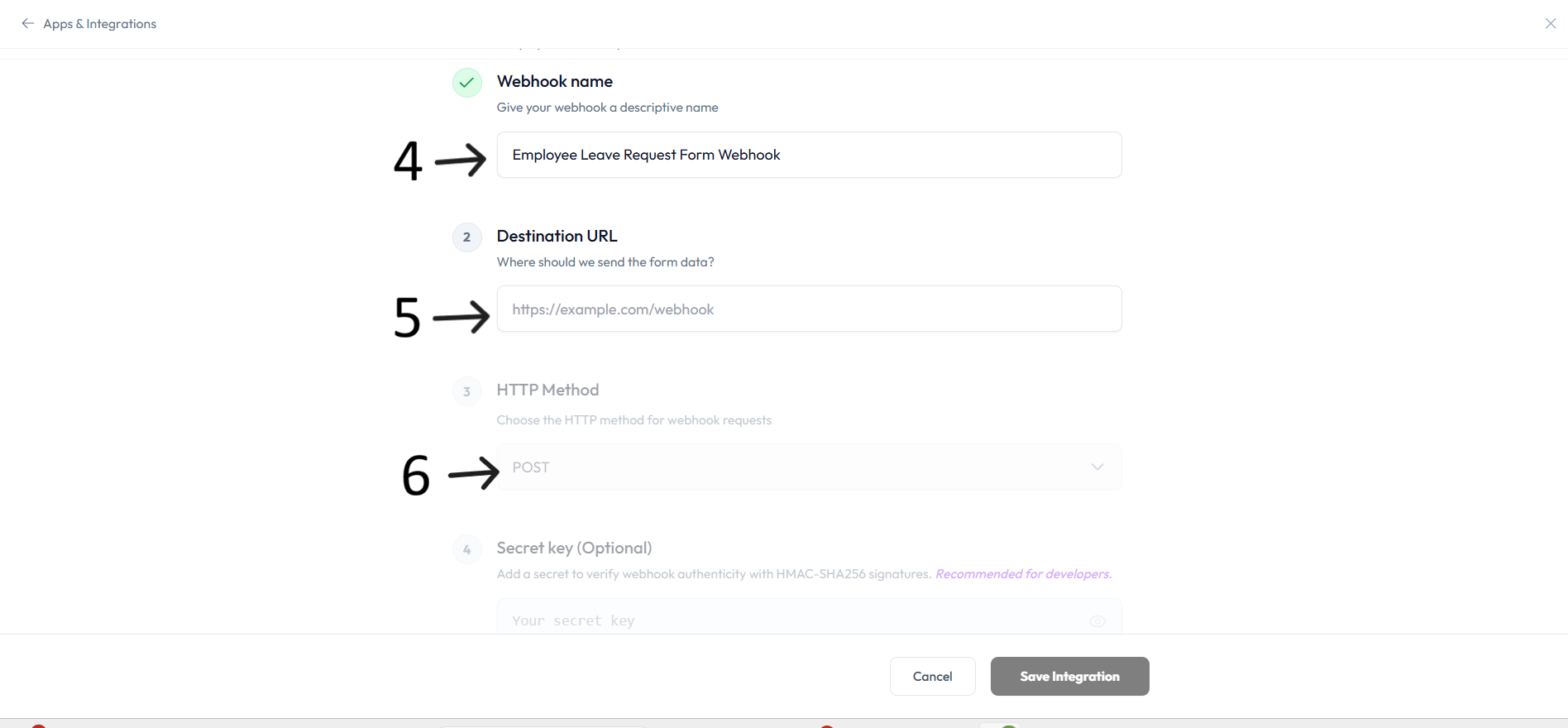
Choose the HTTP Method (for example POST or PUT).
Optional: add Secret key to verify webhook authenticity with HMAC-SHA256 signatures.
Optional: add Custom headers if your endpoint needs authentication headers.
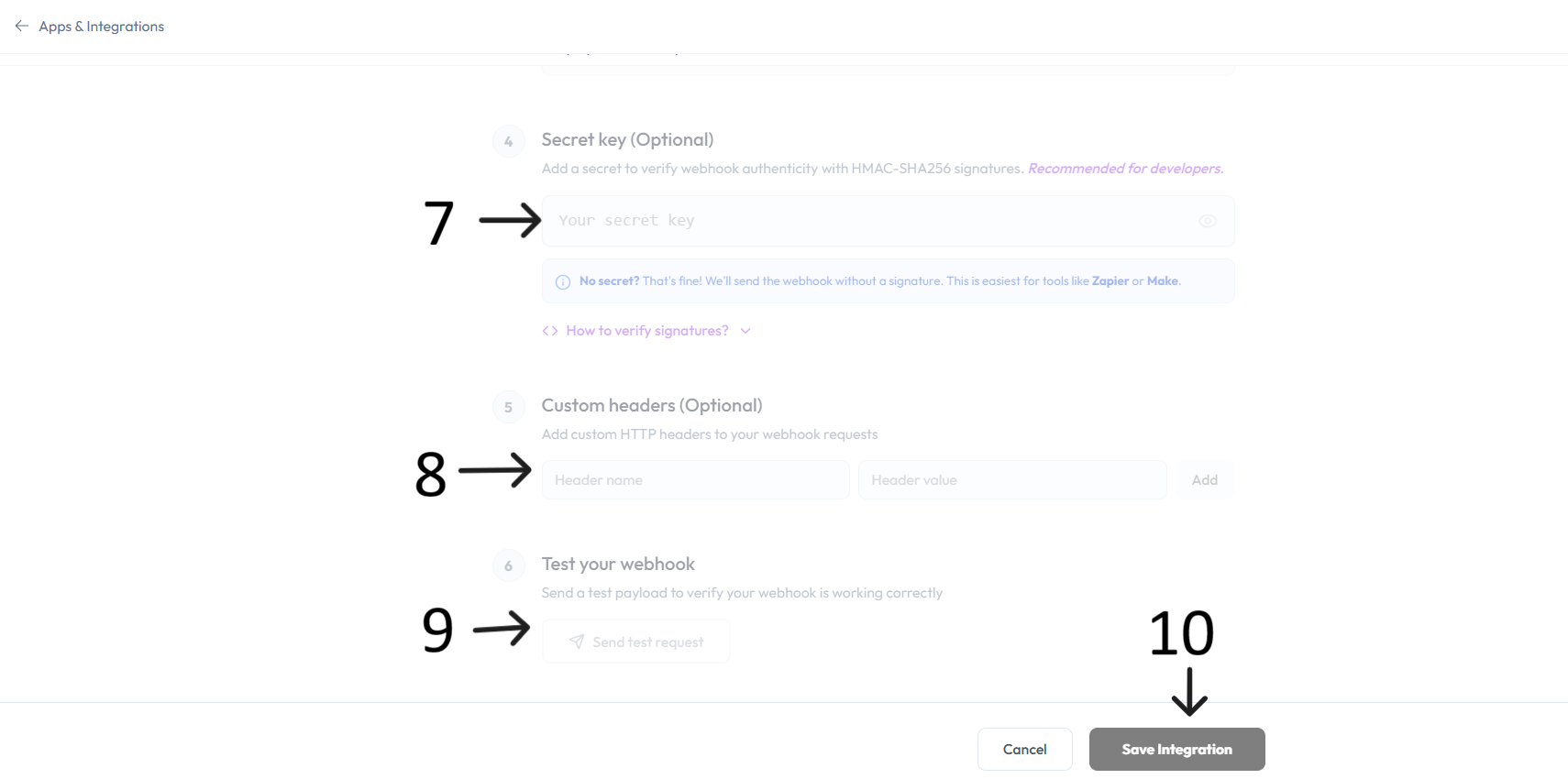
In Test your webhook, click Send test request to validate the endpoint.
Click Save Integration to activate the webhook.
New form submissions will be sent to your destination URL in real time.