Surveys

A well-designed job application form helps hiring teams attract qualified candidates without creating unnecessary hurdles. Learn what information to collect, which questions to avoid, and how mobile-friendly forms, conditional logic, and simple application steps can reduce applicant drop-off and improve the candidate experience.
Nikhil Dogra
October 25, 2026
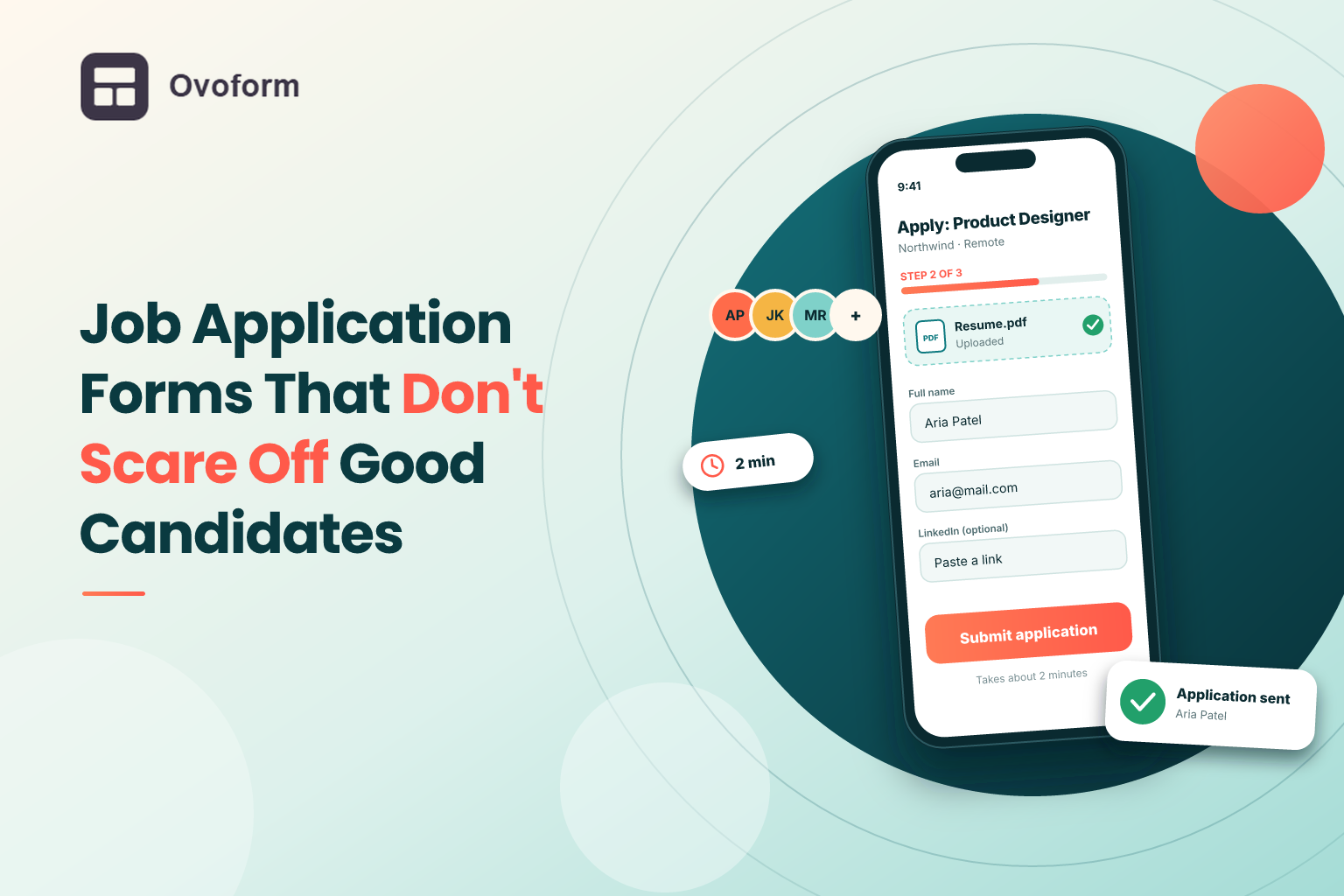
Imagine a logistics company posts an opening for an operations executive. In the first week, around 300 people click the Apply button, but only 80 complete the application form.
The HR team initially assumes the remaining candidates were not serious about the role. However, after speaking with a few people who abandoned the process, the recruiters discover a different problem. Candidates were asked to re-enter their entire work history, create an account before applying, and complete a form that kept freezing on their phones.
The company was not necessarily losing unqualified applicants. Its application process was discouraging people from applying.
This is a common hiring problem, but it is also one that businesses can fix. A well-designed job application form collects the information recruiters need without making candidates jump through unnecessary hoops.
In this guide, you'll learn what to include in an application form, which questions to leave out, how to improve the candidate experience, and practical ways to reduce applicant drop-off.
A job application form is an online or offline document that candidates complete when applying for a position. It collects essential information such as contact details, qualifications, relevant experience, availability, and supporting documents.
Businesses may place an online job application form on their careers page, include it in a job listing, or share it through email and messaging platforms.
Some forms collect basic details before recruiters review a resume. Others include a few screening questions to help hiring teams identify suitable candidates more efficiently.
The purpose is not to collect as much information as possible. It is to gather the information needed for the next hiring decision while making the process straightforward for applicants.
For many candidates, the application form is one of their first meaningful interactions with a company. A clear and professional form communicates that the organization values people's time. A confusing or lengthy one can create a negative impression before the candidate even speaks to a recruiter.
There is also a practical cost to a poor application experience. Every unnecessary field, technical issue, or additional registration step creates another opportunity for someone to abandon the process.
This matters particularly when recruiting people who are already employed. A strong candidate may be interested in a position but unwilling to spend 20 minutes completing a repetitive form during a short break.
A well-structured form also benefits recruiters. Standardized answers make it easier to compare candidates against consistent, job-related criteria rather than relying entirely on differences in resume formatting or presentation.
The goal is to balance two needs: collecting enough information to shortlist applicants and keeping the application process easy enough for qualified people to finish.
Several avoidable issues can make an application form harder to complete than necessary.
Too many fields: Asking for extensive personal information or details that will not be used until the interview stage adds friction.
Re-entering resume information: Candidates may abandon a form when they have to upload a resume and manually enter the same employment history again.
Forced account creation: Requiring applicants to register before submitting an application introduces an extra step without necessarily improving candidate quality.
Poor mobile usability: Small fields, awkward dropdowns, and unreliable file uploads can make applications frustrating on smartphones.
Unclear requirements: Candidates may hesitate if they do not know which fields are mandatory, how long the form takes, or what documents they need.
No submission confirmation: When a form ends without a clear success message, applicants may wonder whether their information was received.
Before adding more screening questions, review your existing application process. Removing unnecessary friction can be more useful than adding another feature.
The best fields depend on the position, but most initial applications can be organized into five categories.
Collect the candidate's name, email address, and phone number if your recruitment process requires it. Ask for their location only when it is relevant to the role, such as a position with a specific worksite or geographic requirement.
Avoid collecting personal details that have no clear connection to hiring decisions.
Give applicants the option to upload a resume or provide a relevant professional profile, portfolio, or work-sample link.
Accept commonly used file formats, such as PDF and DOCX, where supported. Clearly state file requirements and test the upload process on mobile devices.
Most importantly, avoid asking candidates to manually reproduce their entire resume unless there is a specific, defensible reason to collect structured information separately.
Include two or three questions that help determine whether a candidate meets the basic requirements of the position.
For example, a sales role might ask about experience with a particular type of sales process. A developer position might ask which programming languages the candidate has used professionally.
Use dropdowns, multiple-choice options, or yes-or-no questions when they can collect the information you need. These formats are generally quicker to complete and easier for recruiters to compare.
Depending on the position, you might ask about notice period, preferred work location, shift availability, or potential start date.
If a role has a specific legal or professional requirement, ask a clear question that directly relates to that requirement. Keep such questions relevant to the location and position, and follow applicable employment laws.
If you need additional context, include one concise question, such as “What interests you about this role?”
Set a reasonable response limit so candidates can answer without writing a lengthy cover letter. For positions where writing is an essential skill, a more detailed assessment may be appropriate at a later stage.
You can also include an optional question asking where the candidate discovered the vacancy. This helps hiring teams understand which job boards and recruitment channels are attracting applicants.
A shorter form is not automatically better if it removes essential screening information. The objective is to remove questions that do not help you make the next hiring decision.
Consider leaving out or postponing:
Detailed work history: If the resume already contains this information, avoid asking candidates to enter it all again.
References: Request references later, when a candidate reaches the appropriate stage.
Salary history: Instead, ask about salary expectations or the role's stated compensation range when relevant and legally appropriate.
Irrelevant personal information: Questions about age, marital status, photographs, or other personal characteristics can introduce bias and may create legal risks.
Long essay questions: Reserve extensive written responses for roles where they are genuinely needed.
Duplicate questions: Review each field and remove repeated requests for the same information.
Hiring rules differ by jurisdiction. Check local requirements before collecting sensitive or potentially discriminatory information, and explain how applicant data will be used and handled.
A good application form should work for both the candidate completing it and the recruiter reviewing the answers.
Aim for an application that takes less than five minutes when the role allows it. Tell candidates approximately how long completion should take, and remove questions that do not support the initial screening decision.
Require the information your team genuinely needs to process an application. Making every field mandatory can lead to abandoned forms or low-quality answers from people who simply want to move forward.
If a form requires several sections, splitting it into smaller steps can make the process feel more manageable. A progress indicator can help candidates understand how much remains.
However, a multi-step layout is not always necessary. For a short application, one page may be faster. Our guide on how to create a multi-step form without coding explains how to structure longer forms into manageable sections.
Show candidates only the questions relevant to their answers. For example, applicants for a role requiring a professional license might see a licensing question, while candidates applying for an unrelated position would not.
This keeps forms shorter without sacrificing important screening information. You can explore practical examples in our guide to conditional logic in forms.
Test the complete application on a real smartphone. Check field sizes, keyboard behavior, dropdowns, file uploads, error messages, and the submission button.
Candidates should be able to complete the process without switching devices or repeatedly entering information. When choosing a platform, prioritize tools that support responsive forms, easy file uploads, and a straightforward application experience. Our guide to the best job application form builder tools in 2026 compares options to help hiring teams find a solution that fits their recruitment needs.
After submission, show a clear thank-you message. If appropriate, send a confirmation email explaining that the application was received and outlining what candidates can expect next.
Avoid promising a response time your team cannot consistently meet.
Track how many people start an application and how many finish it. If your form analytics reveal a significant drop between two questions, review that section for unnecessary complexity, unclear wording, or technical problems.
For more practical ideas, see our guide to 10 ways to increase form completion rates.
The right application structure depends on the job and the decisions recruiters need to make.
A restaurant hiring servers or kitchen staff may need a candidate's name, contact number, preferred shifts, and a brief question about relevant experience.
A short application makes it easier for people to apply from their phones. Managers can then contact suitable candidates for a conversation rather than requiring everyone to complete a long questionnaire upfront.
A small technology company may benefit from collecting a resume, a GitHub or portfolio link, and a few questions about relevant tools or technical experience.
Instead of asking for an extensive cover letter and several references immediately, the team can review the initial information and arrange a more detailed technical assessment for shortlisted applicants.
A clinic hiring nurses and administrative staff may need different screening questions for each role.
Conditional logic can display registration or licensing questions only when they apply. Shift availability can be collected where relevant, while other candidates avoid answering questions that have no bearing on their application.
In every case, screening criteria should be job-related, consistently applied, and appropriate to the role.
A carefully designed job application form can improve several parts of the recruitment process.
More completed applications: Fewer unnecessary steps can help reduce abandonment.
Better candidate experience: Applicants can focus on demonstrating their suitability rather than navigating a frustrating form.
Faster shortlisting: Structured answers make it easier to compare candidates against relevant criteria.
More consistent screening: Asking candidates the same core questions supports a more standardized initial review.
A stronger employer brand: A respectful application process leaves a better impression, including on candidates who are not ultimately selected.
These benefits depend on how the form is implemented and used. A shorter form alone will not guarantee better candidates; the questions must still support a meaningful hiring decision.
Even a well-intentioned recruitment process can introduce unnecessary obstacles.
Copying another company's lengthy form: A large organization may have complex compliance and screening needs that do not apply to your business. Build around your own requirements.
Making every field mandatory: This can frustrate candidates and encourage meaningless answers.
Skipping mobile testing: A form that works on a desktop may still fail during mobile uploads or when applicants use smaller screens.
Providing no follow-up: Candidates should know their application has been received. Clear communication helps set expectations.
Ignoring accessibility: Use descriptive labels, readable text, adequate contrast, keyboard-friendly controls, and clear error messages.
Collecting data without a clear purpose: Restrict applicant information to what is needed, explain relevant privacy practices, and follow appropriate data-protection requirements.
You do not need to start with a complicated recruitment system to improve your application process. Begin with the information your team needs and build around it.
Define the initial screening criteria. Identify the essential qualifications and details required to decide who moves forward.
Start with a small set of fields. Include contact details, a resume or profile link, and a few role-specific questions.
Choose suitable question types. Use dropdowns and multiple-choice questions where practical, and reserve open text for answers that need explanation.
Add conditional logic if necessary. Make additional questions appear only when relevant to the candidate's answers.
Set up a confirmation message. Tell applicants that their submission was successful and explain the next step.
Connect the form to your workflow. Where possible, route applications to the spreadsheet or recruitment tools your team already uses. Review available integration options before choosing a setup.
Test the entire experience. Submit a test application on desktop and mobile, including any file uploads and confirmation emails.
Measure and improve. Review completion rates and candidate feedback periodically. Change one element at a time so you can understand what improves the experience.
For a quicker starting point, you can also adapt a ready-made form template rather than designing every field from scratch. Platforms such as Ovoform let hiring teams create and customize online forms visually, add file uploads and conditional logic, and share forms through a link or embed them on a careers page. Its 30-day free Pro trial gives teams an opportunity to test advanced features before deciding on a plan.
A job application form may seem like a small part of recruitment, but it determines how easily candidates can enter your hiring process. If the form is unnecessarily long, confusing, or difficult to use on a phone, qualified applicants may leave before your team gets the chance to consider them.
Start with essential information, ask questions that support real hiring decisions, and make the process accessible across devices. Then monitor completion rates and address the points where candidates struggle.
A better application form does more than collect resumes. It gives candidates a straightforward way to express interest and gives recruiters the structured information they need to move the right people forward.
Create surveys, FAQs, and feedback forms in minutes with Ovoform — no code required.
Get started freeStart building with Ovoform today — free forever, no credit card required.
Get Started For Free