Surveys

Choosing the right job application form builder can simplify hiring, reduce manual work, and improve the candidate experience. This guide compares the leading tools available in 2026, explains the features that matter most, and provides practical advice to help HR teams select software that fits their hiring process, team size, and budget.
Ovoform Team
August 10, 2026
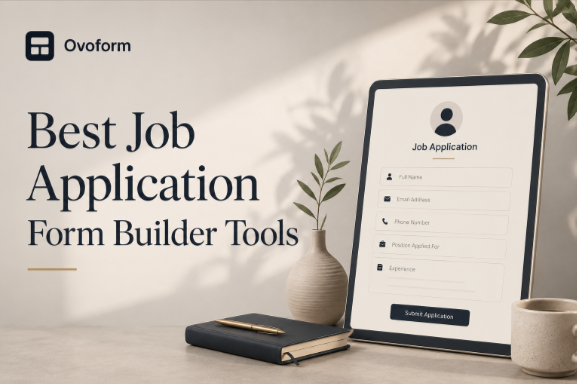
Hiring starts long before the first interview. For many companies, a jobapplication form is the first interaction a candidate has with the recruitment process. If that experience is confusing, too long, or difficult to complete, qualified applicants may leave before submitting their information.
A job application form builder helps HR teams collect accurate candidate data, automate repetitive tasks, and organize applications without relying on spreadsheets or lengthy email chains. Depending on the platform, these tools can also support conditional logic, automation, integrations, analytics, and AI-assisted form creation.
In this guide, we compare the best job application form builder tools in 2026, explain the features that matter most, and show how to choose a solution based on your hiring process, team size, candidate experience, and budget.
A job application form builder is software that helps organizations create digital hiring forms without writing code. Instead of collecting resumes through email or manually
reviewing spreadsheets, HR teams can build structured forms that gather candidate information in a consistent format.
Modern job application form builders can support features such as resume and file uploads, screening questions, conditional logic, automated notifications, integrations, analytics, and AI-assisted form creation.
For example, a growing software company hiring five customer support specialists could create an online application form that collects resumes, contact information, relevant experience, and role-specific screening questions. The completed application can then be routed to the appropriate recruiter or hiring manager.
Job application forms are commonly used for:
Full-time and part-time positions
Internship applications
Graduate recruitment
Campus hiring
Internal job postings
Seasonal hiring
Volunteer applications
Recruitment agency applications
Whether a company hires a few employees each year or manages hundreds of applications each month, a dedicated form builder can help standardize how candidate information is collected.
Recruitment becomes difficult when candidate information is scattered across emails, spreadsheets, PDFs, and messaging platforms. A dedicated form builder keeps everything organized from the moment an applicant submits their information.
Common challenges include:
Manual data entry
Inconsistent candidate information
Missing application details
Repeated follow-ups for basic information
Difficulty managing applications for multiple positions
Limited visibility into application completion and drop-off
Poor candidate experience caused by lengthy or confusing forms
Time-consuming application routing and notifications
A structured application process can reduce unnecessary administrative work while making it easier for recruiters to review comparable information across candidates.
The right tool can also help businesses create different application forms for different roles without rebuilding every form from scratch.
A job application form builder should allow HR teams to create professional hiring forms without technical expertise. Drag-and-drop editors, customizable fields, and ready-made templates can help recruiters create application forms without relying on developers. This is particularly useful when a company needs to launch forms for several open positions quickly.
Look for a platform that makes it easy to add, remove, and reorder questions as job requirements change.
Resume & File Uploads
Resume uploads are a core requirement for many job applications. A suitable form builder should allow candidates to upload resumes or other relevant files directly through the application.
Depending on the role, candidates may also need to submit:
Cover letters
Portfolios
Certifications
Work samples
Transcripts
Other supporting documents
When evaluating file-upload functionality, consider supported file types, file-size limits, storage, and how securely applicant information is handled.
Screening Questions
Screening questions help recruiters collect role-specific information before moving candidates to the next stage.
For example, an employer hiring a B2B sales representative might ask whether the applicant has previous B2B sales experience. Other questions could cover years of experience, location, availability, technical skills, or work authorization.
A good application form builder should make it easy to create different screening questions for different roles.
Recruitment involves many repetitive administrative tasks. Automation can reduce manual work by triggering actions after an application is submitted.
Depending on the platform, workflows may include:
Sending confirmation emails
Notifying recruiters or hiring managers
Routing applications
Storing submissions
Triggering follow-up workflows
Connecting applications with other business tools
For example, once a candidate submits an application, the platform could send a confirmation message to the candidate while notifying the appropriate recruiter.
Recruitment rarely happens in one application. HR teams may use applicant tracking systems (ATS), CRM platforms, email tools, calendars, Slack, Microsoft Teams, Google Workspace, and HR software.
Integrations can reduce duplicate data entry and help connect application forms with existing workflows.
When comparing tools, check whether they integrate with the systems your team already uses and whether API or automation options are available for custom workflows.
Application analytics can show how candidates interact with your hiring forms.
Useful metrics may include:
Form views
Application starts
Completed applications
Completion rates
Abandonment or drop-off
Submission volume
For example, if many candidates begin an application but leave before submitting it, the form may contain unnecessary questions or create friction during the application process.
Analytics can help recruiters identify these issues and improve the candidate experience.
Job application templates provide a starting point for common hiring scenarios.
Instead of building every application from scratch, recruiters can customize a template with fields for:
Contact information
Employment history
Education
Resume uploads
Screening questions
Portfolio links
Role-specific information
Templates can also help organizations maintain a consistent application structure across departments.
Not every candidate needs to answer the same questions. Conditional logic allows a form to display questions based on previous responses.
For example, an employer could ask:
Do you have previous management experience?
Candidates who select “Yes” could then see questions about team size, leadership responsibilities, and years of management experience.
This keeps applications more relevant and can reduce unnecessary questions for candidates who do not need to answer them.
AI can make parts of the form creation process faster. Depending on the platform, AI features may help create forms from a description, suggest questions, organize form fields, or improve the structure of an application.
For example, an HR manager could describe a customer support role and use AI to generate an initial application structure with relevant screening questions.
AI should support the recruitment workflow rather than replace human judgment. Hiring teams should review AI-generated questions and recommendations to ensure they are relevant, appropriate, and consistent with their hiring practices.
Job applications contain personal information, including contact details, employment history, resumes, and other candidate data. Security should therefore be an important consideration when selecting a form builder.
Look for features such as:
Secure data transmission
Access controls
Role-based permissions
Secure data storage
Privacy controls
Appropriate compliance certifications or standards
HR teams should also understand where applicant data is stored, how long it is retained, and who can access it.
The best job application form builder depends on your hiring volume, workflow complexity, candidate experience requirements, existing software, and budget.
Some platforms are designed for simple applications, while others offer broader automation, integrations, analytics, or customization options.
The following tools are worth considering when evaluating options for job applications.
Tool | Best For | Key Features | AI | Automation | Integrations | Free Plan | Starting Price |
|---|---|---|---|---|---|---|---|
HR teams needing customizable hiring workflows | AI form creation, conditional logic, file uploads, workflow automation, analytics, branded application forms | ✅ Native AI | ✅ Advanced | ✅ | ✅ Yes, Unlimited responses + 30-day Pro trial | $19/month (unlimited responses/month) | |
Candidate experience & employer branding | Conversational forms, conditional logic, branding, interactive applications | ✅ AI-assisted | ✅ | ✅ | ✅ Yes | $39/month (100 responses/month) | |
Small to mid-sized HR teams | Large template library, approvals, file uploads, e-signatures, integrations | ✅ AI-assisted | ✅ Advanced | ✅ | ✅ Yes | $34/month (1,000 submissions/month) | |
Basic hiring & internal recruitment | Simple application forms, Google Sheets, collaboration, quick setup | ❌ | Basic | Google Workspace | ✅ Yes | Free (No separate paid response limit) | |
Startups & small HR teams | Unlimited forms, conditional logic, clean interface, easy customization | Limited | ✅ | ✅ | ✅ Yes | $29/month (Unlimited responses) | |
Branded & customized recruitment forms | Flexible layouts, custom branding, automation, integrations | Limited | ✅ | ✅ | ❌ No — free trial | $29/month (1,000 submissions/month) | |
Recruitment surveys & candidate feedback | Surveys, analytics, reporting, AI-assisted insights | ✅ | Limited | ✅ | ✅ Yes | Paid plans (Response limits vary by plan) |
Overview
Ovoform is a no-code form builder that combines AI-assisted form creation with features useful for structured job application workflows. HR teams can create customizable application forms with conditional logic, file uploads, workflow automation, integrations, and analytics.
Rather than simply collecting resumes, teams can use Ovoform to structure candidate information and create application workflows around different hiring requirements.
Best For
Growing HR teams
Recruitment agencies
Companies hiring for multiple roles
Businesses wanting customizable workflows
Key Strengths
AI-assisted form creation
Job application templates
Advanced conditional logic
Resume and file uploads
Workflow automation
Branded application forms
Integrations with business tools
Analytics for submission tracking
Unlimited responses
Consider Before Choosing
Ovoform is designed for organizations that need customizable forms and workflow automation. Teams looking only for a very basic application form may prefer a lightweight option, while organizations with highly specialized enterprise recruitment requirements should evaluate whether Ovoform's current integrations and capabilities align with their existing HR ecosystem.
Overview
Typeform focuses on creating conversational application forms that feel more engaging than traditional forms. Its clean design and interactive interface can improve the candidate experience, especially when applications require multiple questions.
Best For
Candidate-focused hiring
Employer branding
Marketing and creative teams
Key Strengths
Excellent user experience
Attractive form design
Conditional logic
Strong integrations
Consider Before Choosing
Organizations with high application volumes should consider response limits and pricing when comparing Typeform with alternatives. Teams with complex recruitment workflows should also evaluate whether its capabilities match their specific hiring process
Overview
Jotform offers one of the largest collections of recruitment form templates and supports extensive customization without requiring coding. It balances flexibility with ease of use, making it popular among businesses of different sizes.
Best For
Small businesses
HR departments
Internal recruitment
Key Strengths
Large template library
Approval workflows
Electronic signatures
Multiple integrations
Consider Before Choosing
Because the platform offers many features, new users may need some time to become familiar with the interface before building more advanced hiring workflows.
Overview
Google Forms remains a practical option for organizations looking for a free way to collect job applications. It integrates well with Google Workspace and automatically stores responses in Google Sheets.
Best For
Small businesses
Schools
Volunteer organizations
Internal hiring
Key Strengths
Free to use
Easy sharing
Google Sheets integration
Quick setup
Consider Before Choosing
Google Forms works well for straightforward application processes. Organizations that need advanced automation, detailed analytics, extensive branding, or more complex recruitment workflows may need a more specialized form builder.
Overview
Tally has become popular among startups because of its simple interface and generous free plan. Building application forms feels similar to editing a document, making it approachable even for non-technical users.
Best For
Startups
Small HR teams
Fast-growing businesses
Key Strengths
Clean interface
Unlimited forms
Conditional logic
Easy customization
Consider Before Choosing
Organizations with complex recruitment workflows or specialized enterprise requirements should evaluate whether Tally provides the features and controls they need as their hiring process grows.
Overview
Paperform combines form building with flexible page design, allowing businesses to create application forms that closely match their brand identity. It also supports automation and integrations with many business applications.
Best For
Creative agencies
Design-focused businesses
Customized recruitment experiences
Key Strengths
Flexible layouts
Automation tools
Custom branding
Integration support
Consider Before Choosing
Paperform's design flexibility can be useful for branded application experiences, but organizations looking for straightforward recruitment forms may not need all of its customization capabilities.
Overview
Although primarily known for surveys, SurveyMonkey can also support hiring processes by collecting structured candidate information and analyzing responses through detailed reporting.
Best For
HR research
Candidate surveys
Recruitment feedback
Key Strengths
Strong analytics
Reporting dashboards
AI-assisted insights
Enterprise features
Consider Before Choosing
SurveyMonkey is well suited for organizations that prioritize surveys and recruitment feedback. Businesses that need end-to-end hiring workflows may prefer software specifically designed for recruitment automation.
Start by identifying what information you need from applicants and how applications move through your hiring process. A company hiring interns has different requirements than an enterprise recruiting senior engineers.
Small HR teams often benefit from simple, affordable tools with minimal setup. Larger organizations may need role-based permissions, workflow automation, approval processes, and collaboration features that support multiple recruiters.
Your form builder should work well with the tools your team already uses. Consider integrations with applicant tracking systems, Slack, Microsoft 365, Google Workspace, cloud storage, and workflow platforms to reduce manual data entry.
Don't focus only on monthly subscription costs. Review submission limits, storage, automation features, and premium integrations. A lower-priced plan may become more expensive if additional features require upgrades.
Recruiters should be able to create, edit, and publish forms without technical support. A simple interface also makes it easier to update hiring forms whenever job requirements change.
Consider Candidate Experience
The form is often one of the first interactions candidates have with your hiring process.
Evaluate whether:
The application works well on mobile devices
Candidates can easily upload resumes
The form avoids unnecessary questions
Conditional logic keeps questions relevant
The application is easy to complete and understand
A technically capable form is not useful if candidates find it difficult to complete.
Most platforms offer free trials or free plans. Build a sample recruitment form, submit a test application, and review the workflow from both the recruiter and candidate perspectives before making a final decision.
The right job application form builder depends on your hiring goals, team size, budget, and existing HR processes. Smaller organizations may prioritize simplicity and affordability, while larger teams often benefit from automation, integrations, analytics, and advanced workflow management.
As you compare different platforms, focus on how well each solution supports your recruitment process rather than choosing the one with the longest feature list. Building a sample hiring form and testing the candidate experience can reveal practical differences that pricing pages don't show.
If your organization needs advanced workflow automation, customizable hiring forms, and integrations, Ovoform is worth considering. However, teams with very simple hiring needs or those already invested in another HR ecosystem may find a lighter-weight solution more appropriate. Evaluating your hiring volume, workflow requirements, and budget will help you choose the platform that best fits your recruitment process.
Create surveys, FAQs, and feedback forms in minutes with Ovoform — no code required.
Get started freeStart building with Ovoform today — free forever, no credit card required.
Get Started For Free