
Surveys

Conditional logic transforms ordinary forms into intelligent conversations. Instead of forcing everyone through the same journey, it adapts each form based on individual responses, making the experience faster, more relevant, and easier to complete. When implemented well, conditional logic leads to higher completion rates, cleaner data, happier users, and more efficient workflows. Whether you're a small business or a growing enterprise, adding conditional logic is one of the simplest ways to build forms that people actually want to complete.
Nikhil Dogra
August 29, 2026
Imagine you're filling out an online job application.
The very first question asks:
"Do you have previous work experience?"
You click No.
Instead of moving on, the form suddenly asks for your last employer, employment dates, manager's name, reason for leaving, salary history, and references.
None of those questions apply to you.
Within a minute, frustration kicks in. The form feels longer than it actually is. You wonder if it's worth finishing at all and like thousands of other people every day, you simply close the tab.
Now imagine the same form behaving differently.
You answer No, and every work history question disappears. The form immediately takes you to the next relevant section.
Cleaner.
Faster.
Less confusing.
That's the power of conditional logic.
Today's users expect online experiences to be personalised. Whether they're registering for an event, booking an appointment, completing a customer survey, or applying for a job, they don't want to answer irrelevant questions.
Conditional logic makes that possible.
Instead of showing every question to every person, it adapts the form in real time based on each answer. The result is a smoother experience for users and higher-quality data for businesses.
In this guide, you'll learn exactly what conditional logic is, how it works, where it should be used, real-world examples, common mistakes to avoid, and how platforms like Ovoform make building intelligent forms simple even without writing a single line of code.
What Is Conditional Logic in Forms?
Why Conditional Logic Matters
How Conditional Logic Works
Different Types of Conditional Logic
Real-World Examples
Benefits of Using Conditional Logic
Best Practices
Common Mistakes to Avoid
How to Add Conditional Logic to Your Forms
Final Thoughts
FAQs
Conditional logic is a feature that allows a form to change dynamically depending on a user's answers.
Instead of presenting every field at once, the form decides what should happen next based on predefined rules.
These rules can:
Show additional questions
Hide unnecessary sections
Skip pages
Display personalised messages
Redirect users
Trigger notifications
Assign different workflows
Think of it as a conversation rather than a questionnaire.
A good conversation doesn't ask every possible question—it asks the right question at the right time.
That's exactly what conditional logic does.
Most people abandon forms for one simple reason:
They're too long.
Interestingly, the problem often isn't the number of questions it's the number of irrelevant questions.
Imagine applying for a webinar.
You select:
"I will attend online."
Yet the form still asks:
Hotel requirements
Dietary preferences
Parking information
Travel arrangements
Those questions instantly feel like unnecessary work.
Conditional logic removes this friction.
Users only see what matters to them, making forms feel shorter, even when the total number of available questions is much larger.
For businesses, this means:
Higher completion rates
Better-quality responses
Fewer abandoned forms
More accurate information
Improved customer experience
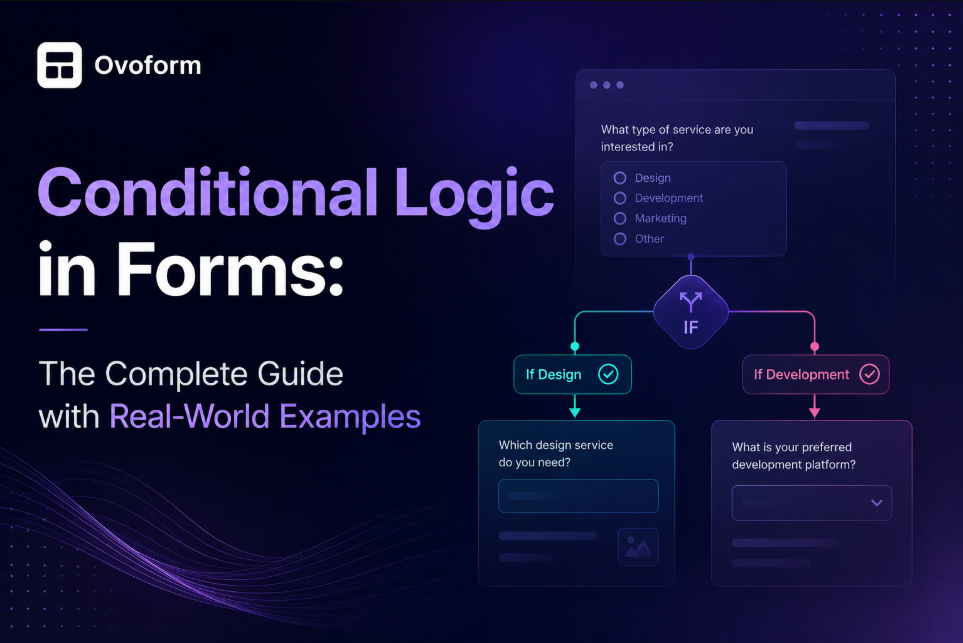
Conditional logic follows a simple IF → THEN structure.
For example:
IF
The customer selects "Business Account"
THEN
Show Company Name
Show VAT Number
Show Number of Employees
Otherwise, keep those fields hidden.
Here's another example.
IF
The respondent answers:
"Yes, I own a car."
THEN
Display questions about:
Vehicle model
Registration year
Insurance provider
If they answer No, those questions never appear.
To the user, everything feels seamless.
Behind the scenes, the form is simply following predefined rules.
The most common use case.
Questions only appear when they're relevant.
Example
Do you have allergies?
✔ Yes → Show allergy details.
✖ No → Hide the section completely.
Instead of showing or hiding individual questions, entire pages are skipped.
Example:
A customer survey asks:
"Have you purchased from us before?"
If the answer is No, the form skips every question about product satisfaction and moves directly to brand awareness questions.
This keeps the survey focused and reduces unnecessary scrolling.
Different users follow completely different journeys within the same form.
Imagine a university application.
Applicants choose:
Undergraduate
Postgraduate
International Student
Each option opens an entirely different set of questions tailored to that applicant type.
Instead of creating three separate forms, one intelligent form handles every scenario.
Conditional logic can also perform calculations.
For example:
A quotation form calculates pricing based on:
Number of users
Subscription plan
Optional add-ons
Discounts
The total updates automatically without requiring manual calculations.
This is particularly useful for pricing requests, bookings, and service quotations.
Conditional logic doesn't always affect what users see.
Sometimes it controls what happens after submission.
For example:
If a support request is marked Urgent, the form can automatically:
Notify the support team
Send an instant confirmation email
Assign the ticket to a priority queue
Alert a manager
Automation saves time while ensuring important requests don't get missed.
Healthcare providers collect sensitive information.
Not every patient needs every question.
Example:
Do you currently take medication?
If Yes, the patient sees:
Medication name
Dosage
Frequency
If No, those fields remain hidden.
Patients spend less time completing forms, while clinics receive cleaner, more relevant information.
Imagine organising a conference.
The registration form asks:
Will you attend in person or virtually?
Virtual attendees only need:
Contact information
Email address
Session preferences
In-person attendees may also need to provide:
Meal preferences
Accessibility requirements
Accommodation details
Parking requests
Rather than overwhelming everyone with every option, conditional logic tailors the experience to each attendee.
This approach is especially effective when creating event registration forms using platforms like Ovoform, where conditional rules can be added visually without coding.
A recruitment form asks:
Do you require visa sponsorship?
Only applicants who answer Yes are asked about:
Current visa status
Country of residence
Sponsorship timeline
Everyone else moves straight to the next section.
This keeps applications simple while ensuring recruiters collect the information they genuinely need.
Customer feedback is only useful when the questions match the customer's experience.
Imagine a restaurant asking:
"Did you dine in or order takeaway?"
If the customer selects Takeaway, questions about table service, ambience, and waiting staff are hidden. Instead, they're asked about delivery time, food packaging, and order accuracy.
If they select Dine In, the form focuses on staff friendliness, cleanliness, and the dining experience.
The customer only answers relevant questions, making it far more likely they'll complete the survey.
Long lead forms often discourage potential customers.
Let's say a software company offers solutions for both small businesses and large enterprises.
The first question asks:
"How many employees does your company have?"
If the answer is:
1–10 employees, the form requests only basic contact details.
250+ employees, additional questions appear about company size, annual turnover, integration needs, and purchasing timelines.
This approach allows the sales team to qualify enterprise leads without making smaller businesses complete unnecessary fields.
Educational institutions often offer multiple programmes through a single application form.
A student chooses:
Undergraduate
Postgraduate
Professional Certificate
Each option reveals a completely different application path.
For example, postgraduate applicants may need to provide:
Previous degree
University attended
Graduation year
Professional certificate applicants might only need:
Current job role
Years of experience
Instead of creating multiple forms, conditional logic allows one smart application to adapt to every student.
Conditional logic isn't just about making forms look cleaner. It directly improves the user experience and helps businesses collect better information.
Some of the biggest advantages include:
Nobody enjoys filling out unnecessary questions.
By only displaying relevant fields, users can complete forms more quickly and with less frustration.
A smoother experience also creates a more positive impression of your brand.
Every unnecessary question increases the chance of someone abandoning the form.
Conditional logic removes that friction by shortening the visible journey.
When forms feel simple, more people reach the submit button.
When respondents only answer questions that apply to them, businesses receive more accurate information.
This reduces:
Empty fields
Incorrect answers
Guesswork
Manual follow-ups
Your team spends less time cleaning data and more time acting on it.
Without conditional logic, businesses often create separate forms for different audiences.
For example:
Student application form
Graduate application form
International application form
Conditional logic combines these into one intelligent form, making updates much easier in the future.
Modern customers expect personalised experiences.
Conditional logic helps forms feel like conversations rather than checklists.
Whether someone is booking an appointment or requesting a quote, the experience feels tailored to their needs.
Conditional logic is powerful, but only when used thoughtfully.
Here are a few best practices to follow.
Before adding rules, ask yourself:
What information do I actually need from this person?
Every conditional rule should support that objective.
Avoid adding logic simply because you can.
Complicated rule chains are difficult to maintain.
Instead of creating dozens of overlapping conditions, organise your form into logical sections and keep each rule straightforward.
Simple forms are easier to test and less likely to break.
Never publish a form without testing every possible path.
For example:
What happens if someone answers "No" to every question?
What happens if they change an earlier answer?
Does every required field still work correctly?
Testing helps identify broken logic before your users do.
If a hidden field contains important legal notices, pricing details, or consent information, users may never see it.
Only use conditional logic for optional or context-specific questions.
The effectiveness of conditional logic depends on the questions users answer.
Avoid confusing wording.
Instead of:
"Would you potentially require accommodation?"
Use:
"Do you need accommodation?"
Simple language reduces mistakes and improves completion rates.
Even well-designed forms can become frustrating if conditional logic isn't implemented carefully.
Here are some common pitfalls.
Conditional logic should reduce complexity—not increase it.
If every answer opens five more questions, users may still feel overwhelmed.
Too many decision paths make forms difficult to maintain.
Whenever possible, simplify your workflow.
Most online forms are completed on mobile devices.
Always test conditional fields on different screen sizes to ensure they appear correctly.
Review form analytics regularly.
If users consistently abandon the form after a particular question, your conditional logic may need adjusting.
Most modern form builders make adding conditional logic straightforward.
The typical process looks like this:
Create your form.
Identify questions that depend on previous answers.
Add conditional rules using the form builder.
Preview every possible path.
Test the form on desktop and mobile.
Publish and monitor completion rates.
Refine the logic over time based on user behaviour.
With platforms like Ovoform, these rules can be configured visually using a no-code interface, making it easy for teams to build dynamic forms without technical expertise.
Online forms have evolved far beyond static questionnaires.
Today, users expect experiences that are quick, relevant, and personalised. Conditional logic helps meet those expectations by ensuring every question has a purpose.
Whether you're collecting customer feedback, generating leads, managing event registrations, or processing job applications, smart forms reduce friction and improve the quality of the information you collect.
The best part is that you don't need to build multiple forms or write complex code. With modern no-code platforms such as Ovoform, you can create dynamic forms that adapt to every respondent, helping you save time while delivering a smoother user experience.
Create surveys, FAQs, and feedback forms in minutes with Ovoform — no code required.
Get started freeStart building with Ovoform today — free forever, no credit card required.
Get Started For Free