Surveys

A well-designed free trial signup form helps SaaS businesses convert visitors into users without creating unnecessary friction. Learn which form fields to include, which questions to skip, and how to use progressive profiling and conditional logic to simplify signups. Discover practical best practices for mobile-friendly forms, onboarding, and user activation. Explore how to measure signup completion and trial-to-paid conversion rates. Use A/B testing to optimize your signup process and attract more qualified customers.
Nikhil Dogra
October 21, 2026
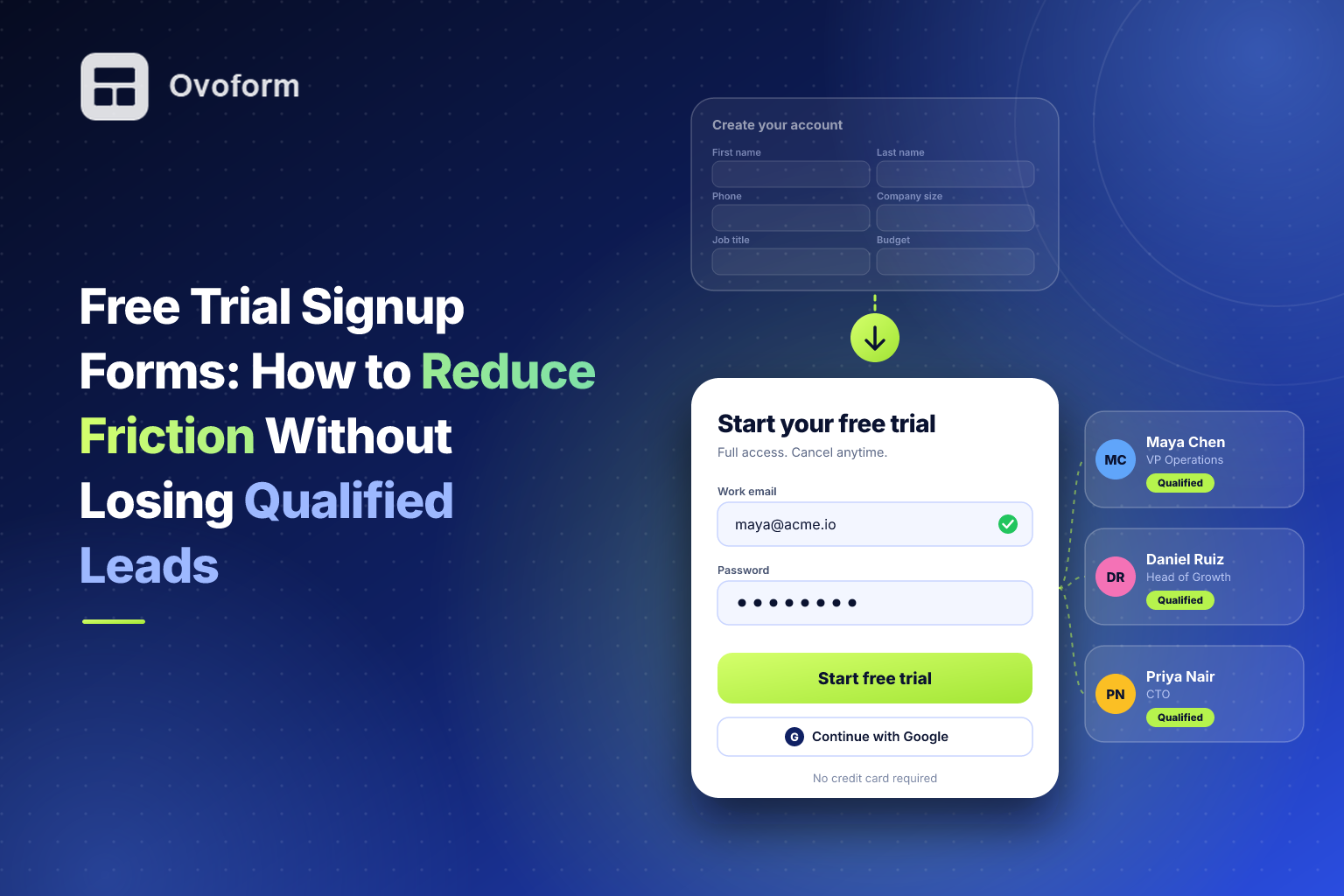
A SaaS team spends weeks improving its landing page. Traffic increases, the product demo looks polished, and more visitors click the “Start free trial” button. Then they reach a signup form asking for their name, work email, phone number, company size, job title, and intended use case.
Many leave before finishing.
The team responds by cutting the form down to an email address. Signups increase, but a few weeks later, the founders discover that many new users never activate their accounts. Some are exploring without a real need, while others are simply not the right fit for the product.
Now the team faces a different problem. The longer form discouraged potential customers, but the shorter one did not provide enough information to understand who was signing up.
The answer is not automatically to make every form shorter or longer. A good free trial signup form collects the information needed to get someone started, while leaving unnecessary questions for later. It also gives new users a clear next step so they can experience the product's value.
This guide explains which free trial form fields to include, how to reduce signup friction, how to qualify leads without overwhelming them, and how to measure whether your changes improve the entire trial-to-paid journey.
A free trial signup form is the part of a website or application where visitors provide the information needed to access a product trial. It usually sits between a marketing page and the first product experience.
For a simple self-serve SaaS product, the form may ask for an email address and password. A business-focused platform may also need a name, company information, or a question about the user's goals.
Both approaches can work. The right choice depends on how people buy your product, what is required to create an account, and whether your team needs to qualify prospects before they start.
The form is only one part of the signup journey. Clear trial terms, reliable account creation, email verification where appropriate, and a useful first step all influence whether a new user successfully gets started.
A visitor who reaches your signup page has already shown interest. Asking for information they do not understand or see a reason to provide can interrupt that momentum.
Every required field creates some effort, even if it takes only a few seconds. The problem becomes more noticeable when the form requests information that seems unrelated to the immediate task.
At the same time, removing every qualification question may make it harder to personalize onboarding or identify potential business customers.
A well-designed SaaS signup form balances three priorities:
Completion: Make it easy for interested visitors to create an account.
Qualification: Collect enough information to guide the right users toward relevant experiences.
Activation: Help new users reach a meaningful product outcome after signing up.
The third point matters particularly. More trial signups do not automatically mean more customers. If users cannot figure out what to do after creating an account, the business may gain registrations without gaining meaningful product usage.
Requesting a phone number, job title, company size, budget, and business goals before granting access can feel like a sales qualification interview. If those details are not necessary to start the trial, consider collecting them later.
An email-only signup can work well for self-serve products. However, a business selling to larger organizations may need a way to identify accounts that require additional support. Without a plan, useful leads can get lost among registrations that need a different onboarding path.
Visitors may hesitate if they cannot tell whether a credit card is required, how long the trial lasts, or whether payment begins automatically afterward. Explain these terms near the signup form rather than expecting users to search for them.
Small input fields, awkward dropdowns, and repeated information requests make signup frustrating on phones. A form should be tested on actual mobile layouts, not just viewed in a desktop preview.
A successful submission should lead somewhere useful. If users see a vague message and do not know how to access the product, the signup experience is incomplete.
The best way to evaluate a field is to ask: What decision or action will this information support right now?
If the answer is unclear, the field may not belong in the initial signup form.
Collect the information needed to create and secure an account. Depending on your authentication method, this might include an email address and password, or an email address with a supported passwordless or single-sign-on option.
Do not automatically require a work email for every product. Business email addresses can be useful for B2B qualification, but personal addresses may be entirely appropriate for products serving freelancers, students, or individual users.
If one additional answer will meaningfully improve onboarding, ask it. For example, “What do you want to accomplish first?” can help direct users toward a relevant workflow.
For business products, company size or team type may help determine whether a self-serve or sales-assisted experience is more appropriate. Keep the options simple and avoid asking several questions that provide essentially the same information.
Phone number, job title, company name, budget, and detailed business requirements may be useful, but they are not always necessary at account creation.
You can collect them during onboarding, when a user tries a particular feature, or when they request a sales conversation. This approach is known as progressive profiling: gathering information in stages instead of asking for everything upfront.
Link to your terms of service and privacy policy, and explain any important trial conditions clearly. If marketing consent is optional, present it separately and do not preselect it.
Only promise “No credit card required” when that is accurate. Similarly, explain when a trial ends and whether a paid subscription or automatic billing follows, if applicable.
Begin with the smallest form that supports account creation and a useful first experience. Do not choose a specific number of fields simply because another SaaS company uses it.
Review each question individually. If removing a field improves completion without harming activation, qualification, or downstream conversion, keeping it out of the initial form may be the better choice.
Instead of requesting every detail at signup, collect additional information when it becomes relevant.
For example, a project management tool could ask about team size when the user invites colleagues. An analytics platform could ask about a business goal when the user configures a dashboard.
This makes each question easier to understand because users can see why the information is needed. It also reduces the amount of work required before they experience the product.
A multi-step form can organize a longer signup process into manageable sections. However, adding steps does not automatically make a form easier; each step should have a clear purpose.
If you need to collect several types of information, review these multi-step form design examples and decide whether splitting the questions would improve your particular flow.
Show additional questions only when a user's previous answer makes them relevant. For instance, an enterprise prospect might see a question about team requirements, while an individual user proceeds directly to product setup.
Conditional logic in forms can help create these different paths without forcing everyone to complete the same long questionnaire.
After signup, show users how to access their account and what to do first. A welcome email should provide a useful next action rather than a generic greeting alone.
For example, a design tool might invite users to create their first project, while an analytics platform might guide them through connecting a data source. The goal is to shorten the distance between registration and meaningful product value.
Use readable labels, appropriately sized input fields, mobile-friendly keyboards, and clear validation messages. Avoid making people re-enter information unnecessarily.
Test the entire process, including verification emails, redirects, and account creation. A visually polished form is not useful if the submission fails or users cannot access their accounts afterward.
A project management tool asks for an email address and password, with a supported single-sign-on option. After account creation, it asks users about their main goal and guides them through creating their first project.
The initial form stays short, while onboarding collects information when it becomes useful.
An analytics platform lets visitors begin with essential account details. It then asks one or two relevant qualification questions, such as company size or intended use case.
Larger prospects can be offered a sales conversation, while smaller teams continue through self-serve onboarding. The important point is to route users according to meaningful signals rather than assuming every signup needs a sales call.
A design tool lets users explore its core functionality before requesting more information. As users invite teammates, reach usage limits, or explore paid features, the product can explain the available plans and ask relevant questions.
This approach allows actual product behavior to contribute to qualification. It is particularly useful when users can experience value independently before speaking with sales.
A signup form should be evaluated by what happens after submission, not just by the number of registrations it produces.
Track the main stages of your funnel:
Signup completion rate: What proportion of visitors who start the form finish it?
Account activation rate: What proportion of new signups complete a meaningful first action?
Qualified trial rate: What proportion of trial users match your intended customer profile?
Trial-to-paid conversion rate: What proportion of trial users eventually become paying customers?
Time to value: How long does it take new users to reach their first meaningful outcome?
Review these metrics together. A shorter form might produce more registrations but fewer activated users. A qualification question might slightly reduce signup volume while improving the proportion of users who become customers.
Use your own baseline to identify the problem before making changes. Ovoform analytics is one relevant product page to explore if you are evaluating form-related response insights; the metrics needed for the full SaaS funnel may also require product analytics or a separate tracking setup.
Do not redesign the entire signup process at once if you want to understand what improved it.
Start with a specific hypothesis, such as: “Making the phone number optional will increase form completion without reducing activation.”
Then:
Record the current completion, activation, and paid-conversion metrics.
Change the relevant field or form element.
Compare the new version with the original using a suitable test.
Allow enough traffic and time to interpret the results responsibly.
Check whether downstream outcomes improved, not just initial registrations.
Also consider the audience and acquisition channel. Visitors arriving from a high-intent search may behave differently from people clicking an advertisement or social post.
There is no universally perfect number of fields or single signup layout that works for every SaaS product. The purpose of testing is to discover what works for your users and business model.
Start by listing the information your team genuinely needs before a user can access the product. Remove questions that do not support account creation, security, or an important immediate decision.
Write a clear headline that explains what users get from the trial. State whether a credit card is required and make trial duration and billing conditions easy to find.
Next, add only the qualification questions that have a clear purpose. Use optional fields, progressive profiling, or conditional questions when they help reduce unnecessary effort.
Test the complete journey from the signup button to the first useful product action. Check confirmation messages, account access, mobile behavior, and any integrations needed to route new users.
A form builder such as Ovoform can help teams create and customize forms visually. If your workflow requires sending submissions to other systems, review the available integrations and confirm that they support your specific use case.
Finally, review performance regularly. Remove fields that no longer inform decisions, investigate where users abandon the process, and use activation and paid-conversion data to decide which changes are worth keeping.
A free trial signup form is a small part of the SaaS experience, but it influences whether interested visitors become users and whether those users reach the value they came for.
The goal is not simply to collect fewer details. It is to ask for the right information at the right time, explain what happens next, and make the first product experience straightforward.
Keep the initial form focused, collect additional information when it becomes useful, and evaluate changes against both signup volume and customer quality. When the form and onboarding process work together, you can reduce signup friction without losing sight of the people most likely to benefit from your product.
Create surveys, FAQs, and feedback forms in minutes with Ovoform — no code required.
Get started freeStart building with Ovoform today — free forever, no credit card required.
Get Started For Free