
Free Tool
OG image generator
Make the image people see when your link is shared — then copy the meta tags that point at it. Free, in your browser, no signup.
An OG image is the picture that appears when a link to your page is shared on
Facebook, LinkedIn, X, Slack or WhatsApp. Make it 1200×630 pixels — the size
Meta’s own sharing documentation asks for, and comfortably above every other major platform’s
minimum. Which image gets used is decided by an og:image
meta tag in your page’s <head>,
not by anything visible on the page itself.
How to make your OG image
- 1
Replace the sample headline. The editor opens at 1200×630 with text switched on, so type over the title in the Text panel. Keep it short — a card is often rendered under 400 pixels wide in a feed, and anything longer than about seven words stops being readable there.
- 2
Make it yours. Change the background under “Change”, pick a palette, or set the five colours by hand. Press S to shuffle a new variation of the same background, and upload your logo in the Logo panel if you want it in the corner.
- 3
Download, upload, tag. Download the PNG, put it somewhere your site serves over HTTPS, then copy the meta tags below and swap in that URL. Nothing here asks for an email, and the download has no watermark.
The meta tags to paste
These go in your page’s <head>.
Replace the URL with wherever you uploaded the file; the width and height match what the editor
exports. Declaring the size lets Facebook and LinkedIn lay the card out before they have finished
downloading the image, and
og:image:alt is what the Open Graph
specification asks you to add whenever you set an image.
<meta property="og:image" content="https://example.com/images/og-image.png" />
<meta property="og:image:width" content="1200" />
<meta property="og:image:height" content="630" />
<meta property="og:image:alt" content="A short description of the image" />
<meta name="twitter:card" content="summary_large_image" />
What each platform does with the image you supply
Open Graph started as Facebook’s way of letting a page describe itself to anything that links to it, and it stuck: the same handful of tags now feed previews in LinkedIn, Slack, WhatsApp, Discord, iMessage and most RSS readers. That is why one 1200×630 file does the whole job. You are not making a Facebook image and a LinkedIn image; you are making one image and letting each service crop it.
The crops differ more than people expect. Facebook renders close to the full 1.91:1 frame, which
is why its documentation asks you to stay near that ratio — supply something squarer and it gets
trimmed top and bottom. LinkedIn behaves similarly but drops to a small square thumbnail if the
image is too narrow, turning a carefully made card into a postage stamp beside your headline. X
only shows the wide card if your page declares
twitter:card as
summary_large_image; without
that tag the same image appears as a small square next to the text. Slack and WhatsApp shrink the
preview hardest of all, often to a few hundred pixels on a phone.
Two practical consequences follow. First, keep anything that must survive — a word, a logo — away from the outer edge, roughly the outer five per cent on each side, because that band is the first thing any crop takes. Second, size your type for the small render, not for the 1200-pixel file you are looking at while you design. The editor above helps with the second point by scaling text as a proportion of the canvas: what looks like a comfortable headline at full size is still legible when the card is a thumbnail, and the Size slider is the fastest way to check.
The tag itself has rules worth knowing. The URL must be absolute and should be HTTPS — a relative
path such as /og.png resolves
to nothing useful when a crawler fetches it. The file has to be publicly reachable without a login
or a redirect chain, which is where staging sites behind basic auth quietly fail. Keep it under
8 MB, Meta’s stated ceiling; a graphic from this tool lands far below that. And add
og:image:alt, a plain
description of what the image shows — the Open Graph specification says a page that sets an image
should set its alt text too, and screen reader users on some platforms get that string.
Finally, expect caching to confuse you at least once. Platforms fetch your page when a link is first shared and then hold on to what they found, so changing the image and re-sharing usually shows the old card. Facebook’s Sharing Debugger and LinkedIn’s Post Inspector will both re-scrape on demand, and giving the new file a different name sidesteps the problem entirely, since every cache here is keyed on the URL. Check the card in the debugger before you publish, not after someone tells you it looks wrong.
OG image sizes by platform
One 1200×630 image covers all of these. Specs verified October 2026.
| Where it is shared | What it renders | What it asks for | Source |
|---|---|---|---|
| A full-width card, uncropped at 1.91:1. | At least 1200×630. Keep as close to 1.91:1 as possible. Maximum 8 MB. | Meta for Developers | |
| A full-width card; narrow images fall back to a small square thumbnail. | At least 1200×627 at 1.91:1. A 1200×630 image satisfies this. | LinkedIn sharing guidance Published guidance; not read from the platform’s docs on this date. | |
| X (Twitter) | A wide “summary_large_image” card when that card type is declared. | Needs twitter:card set to summary_large_image; a 1.91:1 image fills it. | X Cards documentation Published guidance; not read from the platform’s docs on this date. |
| Slack, WhatsApp, Discord | An inline preview built from the same Open Graph tags, usually smaller. | No separate image needed — they read og:image like everyone else. | The Open Graph protocol |
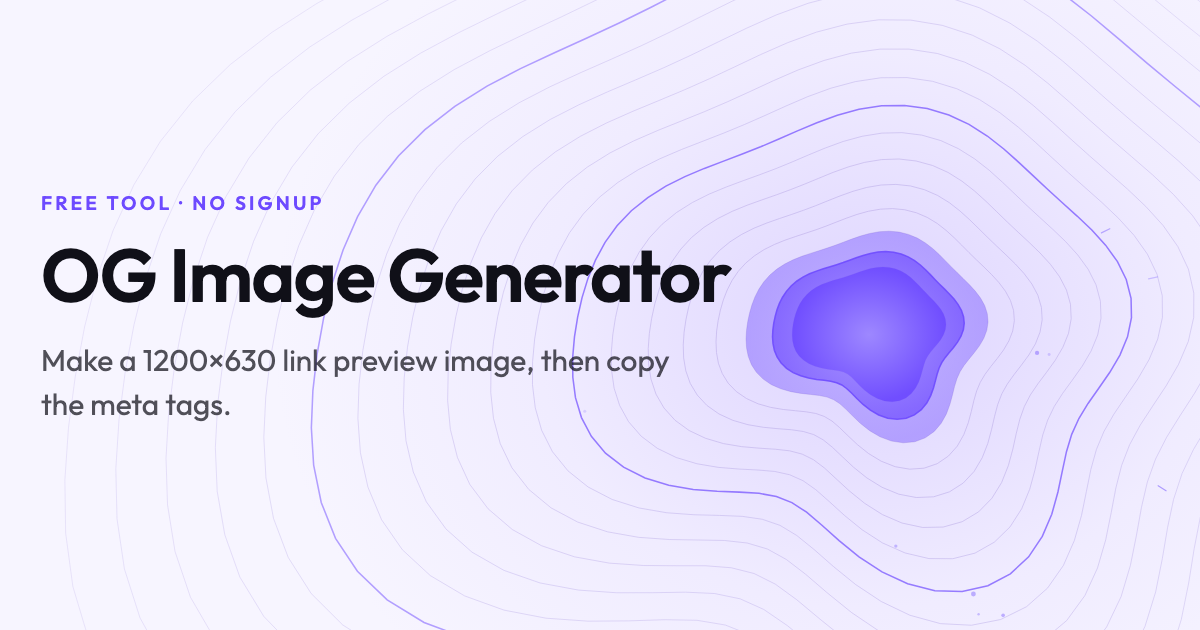
An example, made here
This is the share card for the page you are reading. It was made with the editor above — Contour
background, Paper palette, text on the left — exported at 1200×630 and dropped straight into this
page’s og:image tag. Share this
URL anywhere and you will see it.
Related free tools
Or browse all free tools.
FAQs
Frequently Asked Questions
Make it 1200×630 pixels. Meta’s sharing documentation asks for images of at least 1200×630 and an aspect ratio as close to 1.91:1 as possible, and that size clears every other major platform’s minimum — including LinkedIn’s 1200×627. The editor above opens at exactly 1200×630, so you do not have to set it.
Upload the PNG anywhere your site can serve it over HTTPS — your own /images folder, your CMS media library, or a CDN — then point the og:image meta tag at its full absolute URL. Relative paths such as /og.png do not work: crawlers fetch the image from a different context, so the tag needs the complete https://… address.
Platforms cache the first version they fetch, sometimes for days. Facebook’s Sharing Debugger and LinkedIn’s Post Inspector both have a re-scrape button that forces a fresh fetch of your page and its image. Changing the image file name is the other reliable fix, because the cache is keyed on the URL.
Usually not word for word. The card already shows your title and description as text next to the image, so repeating them wastes the space. A short label — the section, the series, or the one phrase you want remembered — reads better at the size a card is actually displayed, which on a phone can be under 400 pixels wide.
Yes. There is no signup, no email gate, and nothing is stamped onto what you download — the exported image contains only what you put in it. Everything runs in your browser: the graphic is generated locally and no image is uploaded to us.
PNG, for this kind of artwork. These backgrounds are flat shapes and gradients with crisp text, which is exactly what PNG compresses well and what JPG softens around the letterforms. Use JPG only if your card is mostly photographic and the PNG would push you near the 8 MB ceiling — which a 1200×630 graphic from this tool will not.
Ready to Build Smart Forms with AI?
Ovoform is your gateway to effortless, intelligent, and high-performing funnel experiences to expand your global reach. Build smarter forms, automate form workflows, and gather powerful insights — all in minutes.
Get Started FreeNo credit card required. Unlimited responses.