Surveys

Choosing the right form builder can improve the way your business collects information and manages workflows. This guide compares Jotform, Typeform, and Ovoform based on ease of use, AI capabilities, workflow automation, customization, integrations, and business use cases. Whether you're a small business, marketer, HR professional, or growing team, this comparison will help you decide which platform best fits your needs.
Ovoform Team
July 26, 2026
Choosing the right form builder can make a big difference in how your business collects information, generates leads, manages surveys, and automates workflows.
But with so many options available, which platform should you choose?
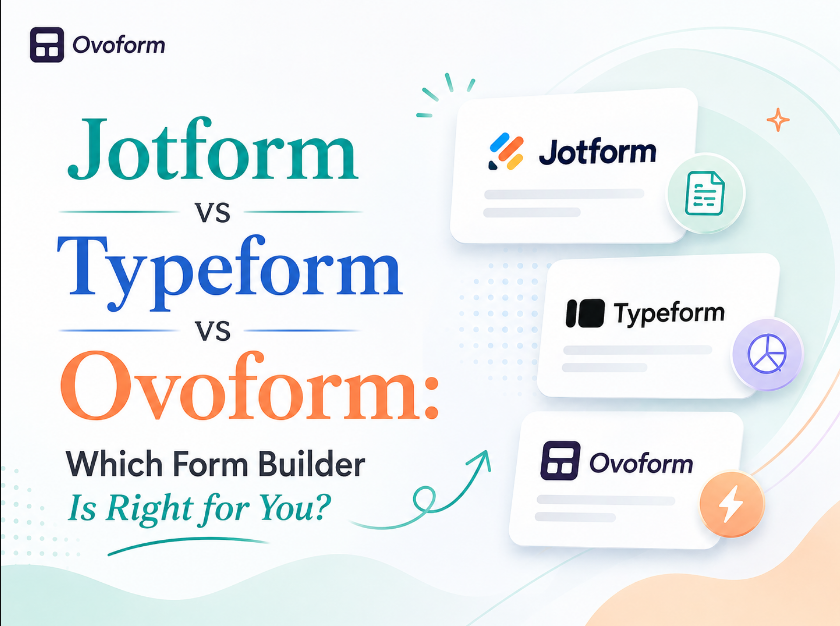
In this guide, we'll compare Jotform, Typeform, and Ovoform across AI-powered form creation, workflow automation, templates, integrations, customization, ease of use, response limits, and pricing considerations.
We'll also highlight what makes each platform different so you can choose the best form builder for your business.
Feature | Jotform | Typeform | Ovoform |
|---|---|---|---|
AI form creation | AI-assisted | AI-assisted | AI-powered |
Workflow automation | Advanced | Available | Advanced + AI |
Templates | Large library | Large selection | Templates + AI creation |
Conditional logic | Yes | Yes | Yes |
Integrations | Extensive | Extensive | Integrations + webhooks |
No-code form builder | Yes | Yes | Yes |
Analytics & reporting | Yes | Yes | Yes |
Unlimited responses | Plan-dependent | Plan-dependent | Unlimited on Free & paid plans |
Pro trial | — | — | 30-day Pro trial |
Best for | Templates & flexibility | Conversational experiences | AI + automation |
Every business collects information, whether it's customer inquiries, employee details, event registrations, feedback, or support requests.
The challenge isn't just collecting the data. It's doing it efficiently without creating extra manual work.
Online form builders allow teams to create digital forms without coding. Instead of relying on developers for every update, business users can build forms, collect responses, automate workflows, and keep information organized.
As businesses grow, forms often become part of larger workflows.
For example:
Lead submitted → Sales team notified → CRM updated → Follow-up triggered
Or:
Employee request → Manager notified → Approval recorded → Team updated
Modern form builders help automate these processes, reducing repetitive work and improving response times.
Not every form builder is designed the same way. Before choosing a platform, consider the features that will have the biggest impact on your team's productivity.
Creating a form from scratch can take time.
AI-powered form builders allow you to describe what you need and generate a form automatically.
Instead of manually creating every question and field, you can start with an AI-generated form and customize the questions, logic, design, and workflow to match your requirements.
For teams creating multiple forms, AI can significantly simplify the initial form-building process.
Response limits can become a problem as your business grows.
A platform may look affordable initially, but submission limits can become a concern when your forms start receiving more responses.
Ovoform offers unlimited responses on both Free and paid plans.
That means you can collect responses without worrying about reaching a monthly response limit.
Whether you're testing your first form, running a campaign, collecting customer feedback, or managing high-volume submissions, unlimited responses give you more flexibility to scale.
Templates help businesses get started quickly.
Common use cases include:
Customer inquiries
Customer feedback
Employee onboarding
Surveys
Applications
Ovoform also provides a template library that can be combined with AI-powered form creation to help businesses get started faster.
Conditional logic allows forms to adapt based on a user's answers.
For example, if someone selects "Existing Customer," the form can display questions specifically related to existing customers.
This keeps forms shorter and more relevant while creating a better user experience.
Collecting a response is only the beginning.
A powerful form builder should help automate what happens after someone submits a form.
For example:
Form submitted → Lead captured → Team notified → CRM updated → Follow-up triggered
Workflow automation reduces repetitive manual work and helps teams respond faster.
It can be particularly useful for:
Lead management
Employee approvals
Customer requests
Notifications
Follow-ups
Internal processes
A form builder becomes even more useful when it connects with the tools your business already uses.
Common integrations include:
Google Sheets
Slack
Microsoft Teams
CRM platforms
Email marketing platforms
Automation tools
Webhooks
Connecting forms with other business tools can reduce manual data entry and help information move automatically between systems.
Analytics and reporting help businesses understand how their forms perform.
Useful reporting capabilities can help teams monitor responses, understand form performance, and make better decisions using real data.
There are many online form builders available today, but they aren't all built for the same purpose. Some excel at creating engaging customer experiences, others offer extensive template libraries, while newer AI-powered platforms help businesses automate workflows and reduce manual work.
The right choice depends on how your team works. Whether you're collecting leads, running surveys, managing employee onboarding, or streamlining internal approvals, understanding the strengths of each platform will help you choose the best fit for your business.
Here's how Jotform, Typeform, and Ovoform compare across the features that matter most.
Jotform is an established online form builder known for its large template library, integrations, customization options, and wide range of business use cases.
Its drag-and-drop editor makes it possible to create forms without coding.
Large template library
Flexible customization
Extensive integrations
Drag-and-drop form creation
Wide range of business use cases
Jotform can be a strong choice for businesses that need:
Business forms
Payment forms
Applications
HR documentation
Internal workflows
Ready-made templates
Jotform offers a broad range of capabilities. For businesses with complex requirements, this flexibility can be useful. However, teams with simpler requirements may not need every available feature.
Typeform focuses on creating engaging and conversational form experiences.
Its one-question-at-a-time approach can work particularly well for surveys, quizzes, customer feedback, and other customer-facing experiences.
Conversational form experience
Modern user interface
Strong customization
Engaging user experience
Good for surveys and marketing
Typeform is particularly suited to:
Customer feedback
Surveys
Quizzes
Lead generation
Event registration
Interactive experiences
Typeform is well suited to customer-facing forms and engaging experiences.
Businesses that require advanced workflow automation or complex internal approval processes should evaluate whether the available capabilities and integrations meet their requirements.
Quick Comparison: Ovoform vs Typeform
If you're specifically comparing Ovoform vs Typeform, the right choice depends on your priorities. Typeform is known for its conversational user experience, while Ovoform focuses on AI-powered form creation and workflow automation. Businesses looking to automate internal processes may find AI-driven workflows more valuable, whereas marketing teams running surveys may prefer conversational forms.
Ovoform is designed for businesses that want to build forms quickly and connect form submissions to business workflows.
Its approach combines AI-powered form creation, workflow automation, and unlimited responses, making it suitable for teams that want to reduce manual work while scaling their form usage.
AI-powered form creation
Unlimited responses on Free and paid plans
Workflow automation
Conditional logic
Integrations and webhooks
Analytics and reporting
No-code form building
Instead of building every field manually, you can describe what you need and use AI to generate a form.
For example:
"Create a customer feedback form for a SaaS company with ratings, product feedback, and a follow-up question for dissatisfied customers."
You can then review, edit, and customize the generated form before publishing.
Ovoform helps connect form submissions with the next steps in your business process.
For example:
Form submitted → Team notified → Information processed → Follow-up triggered
This can help reduce repetitive tasks for processes such as lead management, employee onboarding, customer requests, and internal approvals.
Ovoform offers unlimited responses on both Free and paid plans.
This means you can collect responses without worrying about reaching a monthly response limit, whether you're testing a new form or managing high-volume submissions.
Want to explore Pro features before making a decision?
Ovoform offers a 30-day Pro trial, giving you time to test advanced capabilities and see how they fit your workflows.
Ovoform is a good fit for businesses that want to:
Create forms faster with AI
Collect unlimited responses
Automate repetitive workflows
Connect forms with other business tools
Build forms without coding
Pricing is an important factor when choosing a form builder, but it shouldn't be the only reason. Businesses should also compare AI capabilities, workflow automation, integrations, submission limits, storage, and scalability.
Many platforms offer free plans for basic use, while advanced features such as automation, premium templates, AI tools, or higher submission limits may require a paid subscription. Choosing a platform that fits both your current needs and future growth can provide better long-term value.
If your business expects to grow, investing in a platform that can scale with your workflows may provide better long-term value than switching tools later.
Traditional form builders made it easier to create digital forms, but users still had to build every field manually. As businesses create more forms for onboarding, lead generation, customer feedback, and internal approvals, that manual work can quickly become repetitive.
AI-powered form builders simplify this process by generating a complete form from a simple prompt. Instead of starting with a blank page, users receive a structured draft that they can review, customize, and publish in minutes.
While platforms like Jotform and Typeform have introduced AI features, Ovoform is built around AI-assisted form creation and workflow automation. Rather than using AI as an add-on, it helps businesses create forms faster, automate repetitive tasks, and simplify everyday processes from the start.
Benefits of AI-powered form builders
Reduce manual effort
Consistent form structure
Easy customization
Improved productivity
As AI continues to reshape business software, it's becoming a practical way for organizations to build forms faster while reducing repetitive work.
The best form builder depends on what your business is trying to achieve.
Jotform is a strong option for businesses that prioritize templates, integrations, and customization.
Typeform is a strong option for teams that prioritize conversational and engaging form experiences.
Ovoform is designed for businesses that want to combine AI-powered form creation, workflow automation, and unlimited responses in one platform.
The biggest differences come down to what your business needs:
If you prioritize... | Consider |
Templates and flexibility | Jotform |
Conversational experiences | Typeform |
AI-powered form creation | Ovoform |
Workflow automation | Ovoform |
Unlimited responses | Ovoform |
AI + automation | Ovoform |
With unlimited responses on Free and paid plans and a 30-day Pro trial, Ovoform allows businesses to build, test, and scale forms without making response limits the first concern.
The best form builder isn't necessarily the one with the longest feature list.
It's the one that helps your team collect information, automate repetitive work, and scale as your business grows.
Create forms faster with Ovoform AI, collect unlimited responses, and automate repetitive workflows with Ovoform.
Start free and get 30 days of Pro access.
Create surveys, FAQs, and feedback forms in minutes with Ovoform — no code required.
Get started freeStart building with Ovoform today — free forever, no credit card required.
Get Started For Free