Surveys

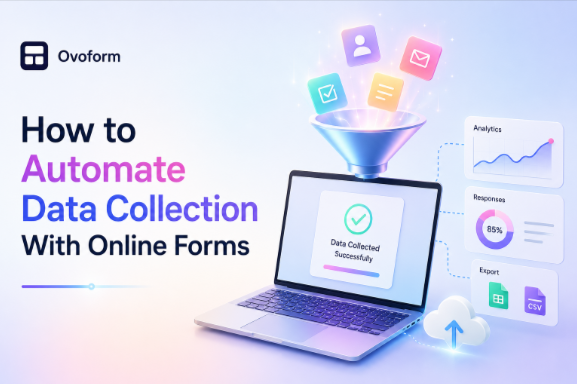
Automating data collection with online forms helps businesses save time, improve accuracy, and deliver faster customer experiences. By connecting forms with CRMs, email platforms, and workflow tools, every submission can automatically trigger the next step without manual intervention. Whether you're collecting leads, onboarding clients, managing event registrations, or processing job applications, automation streamlines operations, reduces administrative work, and allows teams to focus on higher-value tasks.
Ovoform Team
August 18, 2026
Introduction
Picture a Monday morning.
Your inbox is overflowing with enquiry emails. A customer has submitted their details through your website, another has requested a quote, and three new clients have filled out onboarding forms over the weekend.
Now imagine handling everything manually.
Copying names into a spreadsheet.
Sending welcome emails one by one.
Updating your CRM.
Creating tasks for your team.
Double-checking every entry to make sure nothing was missed.
It doesn't take long before small mistakes start creeping in. A typo here, a missed email there, or a forgotten follow-up can create unnecessary delays and missed opportunities.
Now imagine a different scenario.
A visitor completes your online form. Within seconds, their information is added to your CRM, your sales team receives a notification, a personalised confirmation email is sent automatically, and a follow-up task appears in your project management tool, all without anyone lifting a finger.
That's the power of automation.
Modern online forms do far more than collect information. They can trigger workflows, organise data, connect with the tools you already use, and help your business respond faster while reducing manual work.
In this guide, you'll learn how to automate data collection with online forms, why it matters, and how to build smarter workflows that save time and improve efficiency.
Automated data collection is the process of gathering, storing, and organising information through connected digital workflows with little or no manual data entry.
Instead of copying responses from emails into spreadsheets or switching between multiple applications, your online form sends the information directly to the right place.
Whether you're collecting customer enquiries, job applications, event registrations, or feedback, automation ensures every submission follows the same process quickly and accurately.
Simply put, the form becomes the starting point of an automated workflow.
Many businesses still rely on manual processes.
At first, it seems manageable.
But as enquiries increase, so does the workload.
Common problems include:
Time spent copying information
Human errors during data entry
Missed follow-ups
Duplicate records
Slow response times
Inconsistent customer experiences
These small issues add up, costing both time and potential revenue.
Automation can reduce many of these problems by removing repetitive manual steps.
Think of an online form as the first domino in a chain.
Once someone clicks Submit, several actions can happen automatically.
Step 1: Collect the information: - A visitor completes the online form.
Step 2: Validate the submission: - The form checks required fields and input formats.
Step 3: Send the data to the right system: - The information can be sent to a CRM, spreadsheet, database, email platform, or other connected tool.
Step 4: Trigger an action: - The submission can trigger a notification, email, task, workflow, or approval process.
Step 5: Store and track the information: The data remains organised and available for future follow-up and reporting.Instead of completing these steps manually, your form handles them in seconds.
Example: Automated Lead Generation Workflow
Visitor completes form
↓
Form validates information
↓
Lead added to CRM
↓
Confirmation email sent
↓
Sales team notified
↓
Follow-up task created
↓
Lead enters appropriate workflow
A visitor downloads a free guide by completing a contact form.
Once submitted:
Their details are added to your CRM.
They receive the download link automatically.
Your marketing platform adds them to a nurturing campaign.
The sales team is notified if the lead matches specific criteria.
No manual work required.
A marketing agency receives a new client enquiry.
The onboarding form automatically:
Creates a client record.
Assigns a project manager.
Sends a welcome email.
Generates onboarding tasks.
Stores uploaded documents securely.
The client receives a faster, more professional experience.
An attendee registers for an event.
Automation instantly:
Confirms the booking.
Sends a digital ticket.
Updates attendance records.
Adds the attendee to reminder emails.
Everything happens behind the scenes.
A candidate submits a job application.
The workflow automatically:
Stores the CV.
Notifies the hiring manager.
Creates an interview task.
Sends an acknowledgement email.
The recruitment team spends less time on administration and more time reviewing candidates.
Manual data entry can consume hours every week.
Automation frees your team to focus on more valuable work.
Automatically transferring information removes the risk of typing mistakes and duplicate entries.
Customers appreciate quick responses.
Automated confirmations reassure users that their submission has been received.
Information is collected in a consistent format, making reporting and analysis much easier.
Whether you receive 10 submissions or 10,000, automation helps maintain a consistent process without increasing administrative workload.
Modern form builders offer much more than basic data collection.
Look for features such as:
Conditional logic
Multi-step forms
Email automation
Workflow automation
File uploads
AI-powered summaries
Team notifications
Approval workflows
Secure cloud storage
Combining these features creates a smarter and more efficient workflow.
Map the Workflow Before Building It: Before creating automations, define your path: Trigger → Action → Destination → Follow-up.
Keep Forms Simple: Ask only for information you genuinely need and remove unnecessary questions that add friction to the submission process.
Use Conditional Logic: Show users only relevant questions to create a faster and more personalised experience.
Test Every Workflow: Submit test entries regularly to ensure every automation works as expected.
Protect Customer Data: Use appropriate security measures and follow the data protection requirements that apply to your business and the information you collect, such as GDPR where relevant.
Monitor Performance: Track completion rates, response times, and workflow efficiency to identify opportunities for improvement.
Asking for unnecessary information.
Forgetting to test automation rules.
Using too many manual approval steps.
Sending generic confirmation emails.
Ignoring mobile users.
Failing to integrate forms with business tools.
Not reviewing collected data regularly.
Automation should simplify your process, not complicate it.
The best businesses aren't necessarily the ones working the hardest, they're often the ones working the smartest.
Automating data collection with online forms removes repetitive tasks, reduces errors, and ensures every submission follows a consistent process from start to finish. Instead of spending valuable time copying information between systems, your team can focus on building relationships, solving problems, and growing the business.
The beauty of automation isn't that it replaces people. It's that it gives people more time to do the work that matters most.
Create surveys, FAQs, and feedback forms in minutes with Ovoform — no code required.
Get started freeStart building with Ovoform today — free forever, no credit card required.
Get Started For Free