Surveys

A well-designed photography booking form helps photographers collect client details, understand shoot requirements, and manage inquiries without endless back-and-forth messages. This guide covers essential form fields, best practices for different photography niches, conditional logic, common booking mistakes, and practical ways to create a smoother, more professional booking experience from the first inquiry to the confirmed shoot.
Nikhil Dogra
October 16, 2026
Picture this. A wedding photographer receives an Instagram message: “Hi, are you available in December? What are your rates?”
She replies with her packages. The couple asks a few questions, she answers, and three days later they decide they want to book her.
Only then does she realise she still needs to know the venue, how many hours of coverage they want, and whether they need a second photographer. She sends another list of questions. The couple takes two more days to reply. Meanwhile, another photographer has already shared a booking link and secured the date.
This situation has little to do with photography skills. It happens because important details are scattered across messages, emails, and calls, with no clear process for turning an inquiry into a booking.
A well-designed photography booking form helps solve that problem. It gives potential clients one place to share their requirements and gives photographers the information they need to check availability, prepare a quote, and plan the shoot.
The trick is knowing what to ask without making the form feel like a lengthy application. This guide explains which details to collect, how requirements differ between photography niches, which mistakes to avoid, and how to build a booking process that works for both you and your clients.
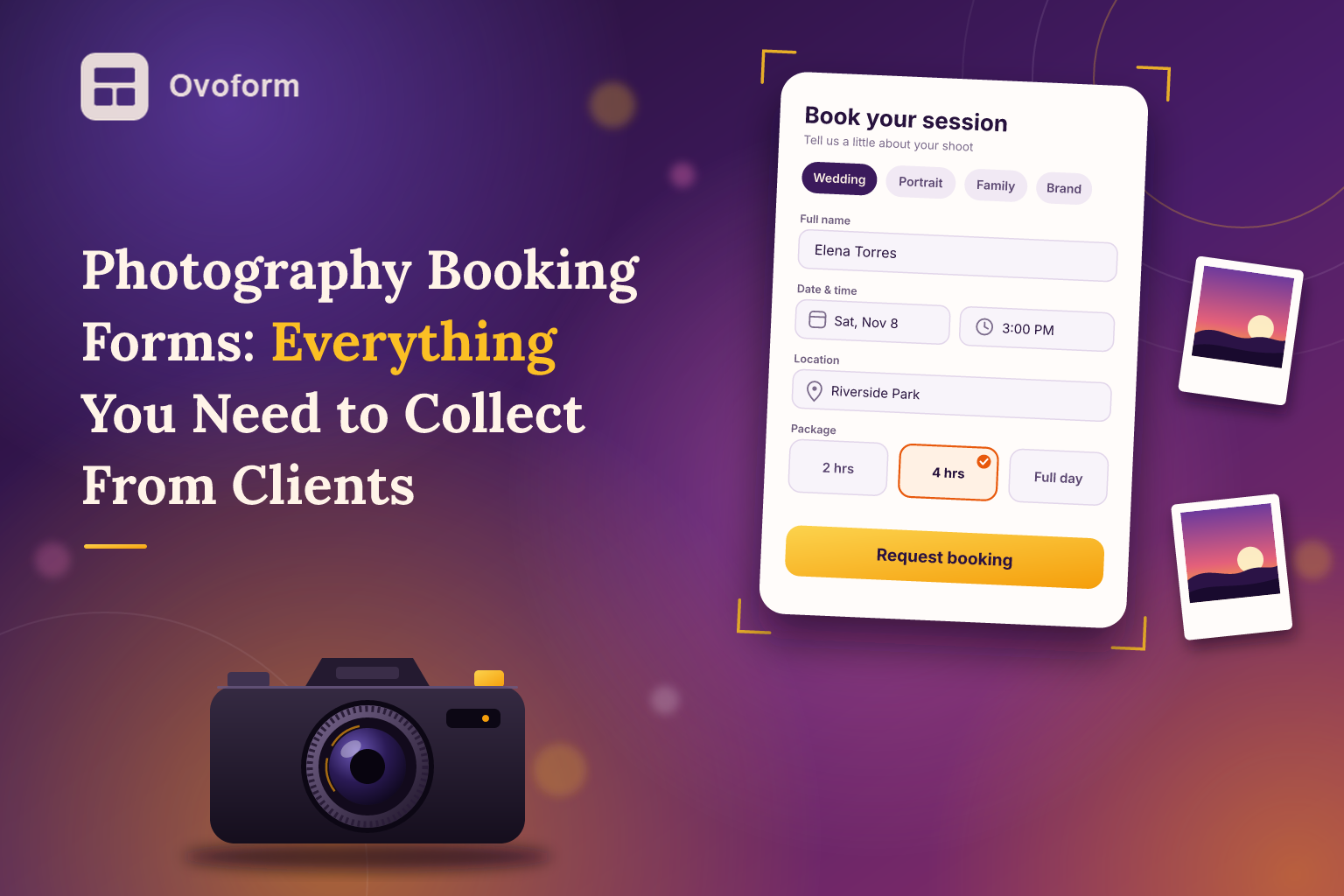
A photography booking form is an online form that collects the information needed to arrange a photo session or photography assignment. Depending on how it is set up, it can serve as an initial inquiry form, a client intake form, or part of a complete booking process.
A simple photography inquiry form might ask for a client's contact details, shoot type, preferred date, location, and budget. The photographer then reviews the request and replies with availability or a quote.
A more advanced booking process may let clients select a package, choose an available date, sign an agreement, and pay a deposit. Those steps depend on the tools and systems connected to the form; collecting a preferred date alone does not guarantee that the date is available.
The best approach depends on your business. A portrait photographer may need a short form that takes two minutes to complete, while a wedding photographer may need more information before preparing a quote.
For many clients, the booking process is their first real experience of working with you. Before they see the finished photographs, they notice how you communicate, how clearly you explain your services, and whether the process feels organised.
A clear form helps create that first impression while saving time behind the scenes.
It reduces repetitive conversations. Instead of asking every potential client the same questions, you collect the essentials upfront.
It helps you qualify inquiries. Knowing the shoot type, location, budget, and preferred date makes it easier to decide whether the project is a good fit.
It improves preparation. You can identify travel requirements, additional locations, equipment needs, and special requests before the shoot.
It creates a consistent record. Keeping details together reduces the risk of losing important information in an Instagram DM or email thread.
It gives clients a clear next step. When the form explains what happens after submission, clients know whether to expect a quote, a consultation, or a booking confirmation.
A form will not replace good communication or guarantee more bookings. It does, however, make the process more predictable and gives potential clients fewer reasons to become frustrated or lose interest.
The right fields depend on the type of photography you offer. Start with the essentials, then add questions that help you plan or price the specific job.
Collect the client's name and at least one reliable contact method, usually an email address or phone number. If you communicate primarily through WhatsApp or email, ask which channel they prefer.
For weddings, it may be useful to collect both partners' names and contact details for the main point of contact. For commercial work, include the company name and the contact person's role when relevant.
Avoid asking for several contact details if you do not need them.
Ask what kind of photography the client needs: wedding, portrait, family, newborn, product, corporate, or another category.
Then ask for the preferred date and, where useful, a backup date. For events, collect the expected coverage hours and approximate guest count. For portrait sessions, ask about the preferred time of day if lighting or location matters.
Remember that a date field records a preference unless it is connected to a system that checks availability and manages bookings.
Ask where the shoot will take place. A venue name, city, and location type—such as studio, home, or outdoor setting—may be enough for a local portrait session.
For destination weddings or multi-location shoots, ask whether travel is required and whether the schedule includes separate venues. These details can affect travel costs, coverage hours, and the equipment you need to bring.
A question such as “Tell me a little about the shoot you have in mind” can reveal details that fixed fields might miss.
You could also ask for reference images, a mood board, or a link to a Pinterest board. For commercial photography, find out how the images will be used. Website images, product listings, advertising campaigns, and editorial features can involve different licensing and usage terms.
Keep these questions relevant to the service. A family portrait client does not need to complete a detailed commercial licensing questionnaire.
If you offer fixed packages, show the names, prices, and what each package includes. If every project is different, ask for an approximate budget range or provide a space to describe the scope.
Where you require a deposit, explain the amount, payment deadline, and conditions before asking the client to pay. Payment collection must be supported by your chosen form or connected booking tool.
If a contract is part of your process, explain when it will be provided and how the client agrees to your terms. A checkbox acknowledging that someone has read a policy is not automatically a substitute for a properly prepared agreement or legally valid signature.
Finally, consider asking, “How did you hear about us?” The answer can help you understand which marketing channels are bringing in inquiries.
It is tempting to collect every possible detail before replying, but a long form can discourage people who are still comparing photographers.
Ask for the information you need to assess the inquiry. Save detailed shot lists, outfit preferences, family group combinations, and other planning questions for after the client decides to proceed.
Different clients need different questions. A wedding inquiry may require venue details and coverage hours, while a product photography inquiry needs information about products, shot types, and usage rights.
Conditional logic in forms lets you show relevant questions based on earlier answers. This helps keep the form manageable without sacrificing useful detail.
Do not leave clients wondering whether their submission went through. Tell them whether you will reply with a quote, arrange a consultation, or confirm availability.
An automatic email can acknowledge receipt, but it should not claim that a booking is confirmed unless the booking has actually been accepted.
Many clients discover photographers through Instagram and complete inquiries on their phones. Use clear labels, readable text, and buttons that are easy to tap.
If your form is long, a multi-step form may help organise questions into manageable sections. Test the entire process on a mobile device before sharing the link.
After a few months, look at the information clients provide. If you never use a particular answer, consider removing that question. If you repeatedly need to ask about travel, licensing, or additional coverage, add a clear field for it.
You can also review ways to improve form completion rates to identify unnecessary friction and make your inquiry process easier to finish.
A wedding photographer might collect the couple's names, wedding date, venue, guest count, coverage hours, and whether a second photographer is needed. Optional questions could cover an engagement session, important family photographs, or multiple locations.
The photographer can then review the request and prepare a suitable quote. Detailed timeline and shot-list questions can wait until the couple moves forward.
A portrait photographer can keep the form much shorter. Ask for the client's name, preferred session type, date, location, number of people, and package preference.
Optional questions about children, pets, accessibility, or preferred style can help the photographer prepare. Once the session is arranged, a separate guide can cover clothing, arrival time, and what to expect.
Commercial work often requires more detail before pricing. Ask for the company name, product count, required image types, intended usage, deadlines, and whether the client can provide a creative brief.
A file-upload field can be useful if the platform supports it. Reference images, brand guidelines, or product specifications can help you understand the scope before estimating the time and cost.
Use this checklist as a starting point, then adapt it to your services.
Essential fields
Client name
Email address or phone number
Type of photography
Preferred date
Shoot location
Brief description of the project
Add when relevant
Backup date and preferred time
Session duration or event coverage hours
Number of people or products
Package or budget range
Reference images or creative brief
Travel requirements
Image usage and licensing needs
Special requests
Preferred contact method
Booking and follow-up
Explain what happens after submission
State whether the date is requested or confirmed
Share relevant pricing and cancellation terms
Provide contract and deposit details when applicable
Send a clear acknowledgment or confirmation
Store submitted details securely
Not every form needs every field. A short portrait session inquiry might need only six or seven questions, while a commercial project could require more. Let the service determine the form—not the other way around.
Asking too much too soon. A long questionnaire can feel like work before the client knows whether you are available. Collect the essentials first.
Keeping pricing completely unclear. You do not have to publish every package, but a starting price or range can help clients decide whether your services fit their budget.
Treating inquiries as confirmed bookings. Receiving a submission is not the same as accepting the job. Make the status and next step clear.
Ignoring contracts and usage rights. For commercial work, clarify how photographs may be used and when licensing terms will be agreed. For all bookings, communicate cancellation and rescheduling policies before the client commits.
Collecting information without a purpose. Contact details, reference images, and personal requests should be handled carefully. Collect only what you need, limit access to relevant people, and explain how client information will be used.
Start by writing down the questions you normally ask during the first conversation with a client. Separate the information needed to prepare a quote from the details required after a booking is accepted.
Next, group related questions into sections: contact details, shoot requirements, location, budget, and next steps. Add conditional questions only where they genuinely help. Test the form using different scenarios, including a wedding inquiry, a portrait session, and a commercial project.
Decide how you will manage each submission. Who checks availability? How quickly will you reply? When does the date become confirmed? How are deposits, contracts, and cancellations handled? A form works best when these responsibilities are clear.
A form builder such as Ovoform can help photographers create and customise an online inquiry form without writing code. Choose features according to your actual workflow, and check whether any required payment or scheduling capability needs a separate integration.
If you need to send submissions to a spreadsheet or another business tool, review the available Ovoform integrations and confirm that your intended workflow is supported.
Once the form is live, share it on your website, add it to your Instagram bio, and include it in your email signature. Review the responses periodically and make adjustments based on the questions clients ask and the information you actually use.
A photography booking form may look like a small administrative task, but it influences how clients experience your business from the very first interaction.
The best form is not necessarily the longest or the most automated. It is the one that asks the right questions, sets clear expectations, and makes the next step obvious.
Start with the essentials, adapt the questions to your photography niche, and separate an initial inquiry from a confirmed booking. With a clear process behind it, your form can reduce repetitive messages, help you prepare better, and give clients a more professional experience before the camera even comes out.
Create surveys, FAQs, and feedback forms in minutes with Ovoform — no code required.
Get started freeStart building with Ovoform today — free forever, no credit card required.
Get Started For Free