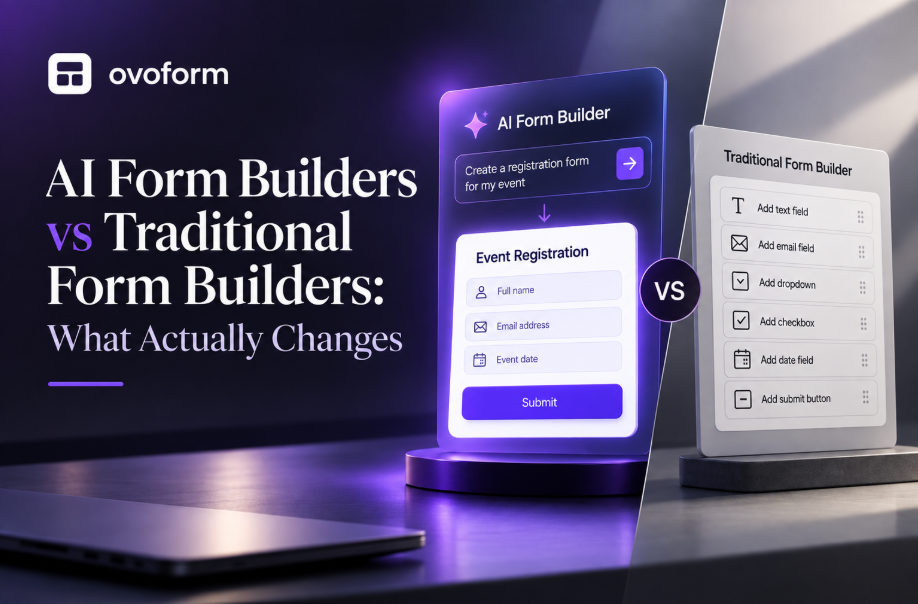
Form Builders

Choosing between Typeform and Google Forms comes down to what you value most: cost and simplicity, or design and conversational UX. This guide also compares both against Ovoform, an AI-first alternative offering unlimited responses and built-in workflow automation, helping you match the right form builder to your actual needs.
Ovoform Team
September 3, 2026
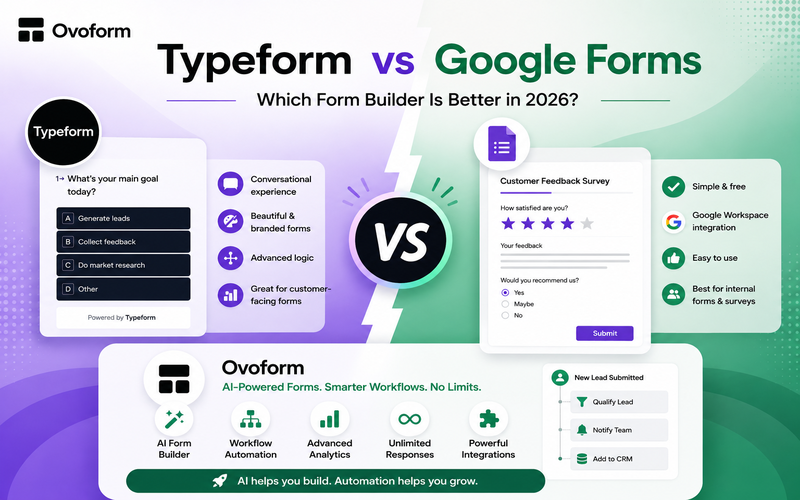
If you're comparing Typeform vs Google Forms, the better choice depends on what you need from your forms.
Google Forms is the better choice for simple, free data collection and teams already using Google Workspace. Typeform is better for branded, conversational forms and customer-facing experiences. Ovoform is worth considering if you want an AI-powered form builder, workflow automation, analytics, and unlimited responses without Typeform's monthly response quotas.
The right choice isn't necessarily the platform with the most features — it's the one that fits your form's purpose, response volume, design requirements, integrations, and budget.
Category | Google Forms | Typeform | Ovoform |
|---|---|---|---|
Best for | Simple forms, internal data collection | Branded, conversational forms | AI-powered forms and workflows |
Ease of use | ⭐⭐⭐⭐⭐ | ⭐⭐⭐⭐ | ⭐⭐⭐⭐⭐ |
Design & branding | ⭐⭐⭐ | ⭐⭐⭐⭐⭐ | ⭐⭐⭐⭐ |
Conversational experience | ⭐⭐ | ⭐⭐⭐⭐⭐ | ⭐⭐⭐⭐ |
Conditional logic | ✅ | ✅ | ✅ |
✅* | ✅ | ✅ | |
Analytics | Basic | Advanced | Advanced |
Workflow automation | Via Google ecosystem/add-ons | ✅ | ✅ |
Response limits | No paid quota, technical limits apply | Monthly limits by plan | Unlimited on every plan |
Free option | ✅ | ✅, limited | ✅ |
Free | From $39/month* | $19/month |
Choose Google Forms for a straightforward form, survey, or internal tool at little to no cost.
Choose Typeform if the form experience itself needs to be polished, conversational, and customer-facing.
Choose Ovoform if you want AI to help build the form, unlimited responses, and automation built in.
Google Forms is Google's form and survey tool, built around simplicity and Google Workspace integration. It supports multiple question types, templates, branching, and response analysis via Google Sheets — no code required.
Google has also added Gemini-powered features for eligible users, including "Help me create a form" (which drafts a full form from a text prompt or a Drive file) and AI summaries of open-text responses.
Pros: Free for common use cases, easy to learn, strong Sheets integration, straightforward collaboration, no-code.
Cons: Limited design customization, less conversational respondent experience, advanced workflows need extra tools, lighter analytics.
Best for: Internal surveys, employee feedback, event registrations, school forms, basic lead collection — especially for teams already in Google Workspace.
Typeform is built around the respondent experience - presenting questions conversationally, one at a time, rather than as a long list. As a conversational form builder, it offers conditional logic, AI-assisted creation, integrations, webhooks, and advanced branding.
Pros: Excellent visual design, strong conversational UX, deep customization, solid integrations, advanced analytics on higher plans. Cons: More expensive than Google Forms, monthly response limits, advanced features gated to higher plans, costs scale with volume.
Typeform applies response limits across the account rather than separately to each form. If you reach your plan's limit, your forms can become unavailable to new respondents until the limit resets, or you increase your response allowance. Its Free plan allows 10 responses per month, while the Basic plan allows 100 responses per month.
Best for: Lead generation, branded surveys, onboarding, marketing campaigns, interactive quizzes, recruitment.
Ovoform is an AI form builder that takes an AI-first approach: describe the form you need, and AI generates the questions, logic, and theme. It combines that with conditional logic, workflow automation, integrations, webhooks, and real-time analytics.
The biggest structural difference from Typeform: no response caps on any plan, including free — making it a form builder with unlimited responses at every tier. Paid plans start at $19/month, and the free tier includes a 30-day Pro trial.
Pros: AI-generated forms from a prompt, no response caps, workflow automation, real-time analytics and drop-off tracking, no-code, 30-day Pro trial.
Cons: Newer platform, smaller third-party ecosystem than Google or Typeform, some features are plan-gated.
Best for: Growing businesses, marketing teams, agencies, lead gen, onboarding, HR forms, especially teams that want AI to do the initial build.
Ease of use — Google Forms. Familiar if you've used Docs or Sheets; fastest path to a basic form.
Design & customization — Typeform, with Ovoform in between (AI-generated themes plus branding options) and Google Forms the most basic.
Form-filling experience — Typeform. The conversational, one-question-at-a-time format tends to perform better for lead qualification, brand campaigns, and quizzes than a traditional list-of-fields layout.
Conditional logic — roughly tied. All three support branching; Google Forms covers basic cases, Typeform and Ovoform are built for more complex interactive paths.
AI form creation — all three now do this, with different depth. Google Forms' "Help me create a form" generates a full draft — questions, answer options, and description — from a single prompt or an uploaded Drive file, alongside its Gemini response-summary feature. Typeform also offers prompt-based AI creation through Typeform AI. Ovoform's differentiator is that AI-assisted form creation is combined with conditional logic, workflow automation, integrations, and analytics in the same platform.
Pricing:
Priority | Best choice |
|---|---|
Zero additional software cost | Google Forms |
Premium form experience | Typeform |
Unlimited responses + AI | Ovoform |
High response volume | Ovoform |
Google Workspace integration | Google Forms |
Analytics — Typeform/Ovoform over Google Forms' basic response summaries, particularly for conversion-focused work.
Integrations — Google Forms for Workspace-native workflows; Typeform for the broadest general ecosystem; Ovoform covers the core integrations/webhooks most automation workflows need.
Workflow automation — Ovoform. Rather than treating the form as an endpoint, Ovoform is built to trigger emails, CRM updates, and notifications directly from submissions — e.g., lead form → qualification → notification → CRM update → follow-up.
File uploads, collaboration, mobile, security — all three platforms support these at a baseline level; specifics vary by plan, so compare storage limits, file types, and security documentation directly against your requirements rather than marketing copy alone.
Both products are excellent at what they are designed to do.
But their limitations become more visible when your requirements become more complex.
Highly branded forms
Sophisticated customer experiences
Advanced conversion analytics
Complex automation
A more interactive respondent journey
Very high response volumes
Predictable costs at scale
More responses without upgrading
AI-first form creation
A lower-cost alternative with advanced capabilities
This is where a third option can make sense.
If you're evaluating Typeform alternatives because of response caps and rising costs, or Google Forms alternatives because you've outgrown its design and automation limits, Ovoform is built to sit in that gap — pairing AI-assisted creation with no response ceiling.
In a direct Ovoform vs Typeform matchup, the practical difference comes down to cost predictability at scale: Typeform's plans cap monthly responses and charge more as volume grows, while Ovoform's response limits don't change as you scale. That, combined with AI-first form generation, is why more teams researching the <mark>best form builder for 2026</mark> are adding Ovoform to their shortlist alongside the two established players.
Use this quick guide:
You want a simple form
You want to spend $0
You use Google Workspace
You mainly collect internal information
You don't need sophisticated branding
Form design matters
You want a conversational experience
You're creating customer-facing forms
You need advanced branding
You're comfortable paying more for the experience
You want AI-assisted form creation
You need unlimited responses
You want automation built into the workflow
You need real-time analytics
You want modern form features at a lower starting price
You want to experiment with AI-generated forms
The Typeform vs Google Forms decision ultimately comes down to what you value most.
Choose Google Forms for simplicity, Google Workspace integration, and straightforward data collection.
Choose Typeform for polished design, branding, and conversational customer experiences.
Choose Ovoform if you want an AI-first form builder with unlimited responses, automation, analytics, and a lower-cost path to more advanced form workflows.
The best form builder isn't necessarily the one with the longest feature list.
It's the one that gives you the right experience for respondents, the right workflow for your team, and the right economics as your response volume grows.
Ready to see it for yourself? [Start your 30-day Pro trial free →]
Create surveys, FAQs, and feedback forms in minutes with Ovoform — no code required.
Get started freeStart building with Ovoform today — free forever, no credit card required.
Get Started For Free