Surveys

Learn how to create an effective online survey in Ovoform, from defining your objective and choosing the right question types to using AI, conditional logic, branding, and automation. Discover practical tips for improving completion rates, collecting better feedback, and turning survey responses into actionable business insights.
Nikhil Dogra
August 27, 2026
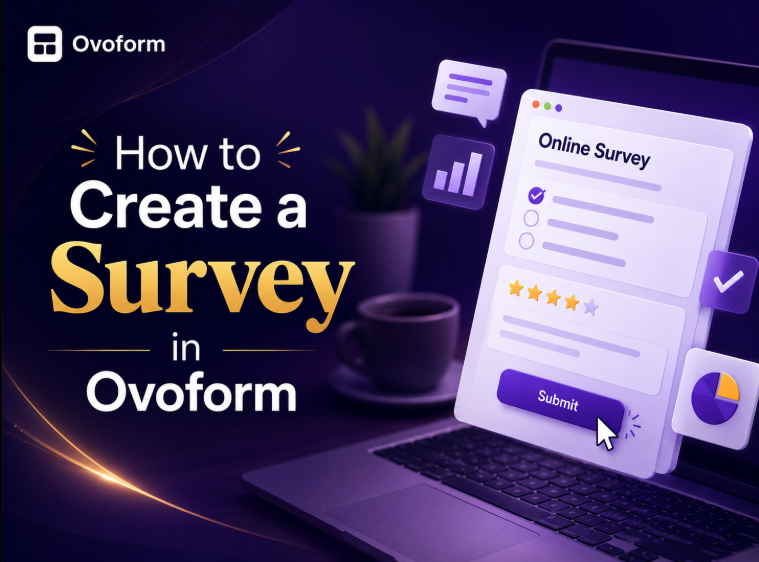
Creating a useful survey is about more than asking a list of questions. Whether you're collecting customer feedback, validating a new product idea, measuring employee satisfaction, or qualifying leads, the quality of your questions directly affects the quality of the insights you receive.
The challenge is that poorly designed surveys can lead to low response rates, incomplete answers, and data that's difficult to act on. Long surveys, unclear questions, and irrelevant follow-ups can quickly cause respondents to abandon the form.
With an online survey builder like Ovoform, you can create professional surveys without coding, customize the experience for your audience, use AI to speed up question creation, and connect responses to your workflows.
In this guide, you'll learn how to create a survey in Ovoform, choose the right question types, use conditional logic, automate follow-ups, and analyze responses to turn survey data into useful business insights.
You can create a survey in Ovoform in a few simple steps:
Define your survey objective.
Start with a template or create a survey from scratch.
Add and organize your questions.
Choose the right question types.
Use AI to create or improve your questions.
Add conditional logic when different respondents need different questions.
Customize the survey to match your brand.
Configure confirmation and follow-up workflows.
Preview and test your survey.
Publish and share it with respondents.
Review responses and analytics to improve future surveys.
The key is to create a survey that is focused, easy to complete, and designed around a clear business objective.
Surveys help businesses collect structured feedback directly from their customers, employees, prospects, and other audiences.
A well-designed survey can help you:
Understand customer satisfaction
Identify product or service issues
Collect feature requests
Validate new ideas
Measure employee satisfaction
Conduct market research
Gather event feedback
Understand customer preferences
For respondents, a good survey should feel simple and relevant. Clear questions, logical navigation, mobile-friendly design, and personalized question paths can make the experience easier and improve the quality of the information collected.
Before opening any survey builder, identify exactly what you want to learn.
A common mistake is creating a survey that asks many interesting questions without having a clear purpose. Instead, start with the decision the survey needs to support.
Ask yourself:
What do I want to learn?
Who should complete the survey?
What decision will the responses help us make?
What action will we take after collecting the responses?
For example, a SaaS company launching a new reporting feature may want to understand which dashboard metrics customers use most frequently.
Instead of asking customers about every aspect of the product, the survey can focus specifically on reporting and dashboard usage.
Write your survey objective in one sentence before creating your first question.
For example:
"We want to understand which reporting features customers use most and what they would like us to improve."
If a question doesn't help answer that objective, consider removing it.
Once you've defined your objective, you can start building the survey.
You can start with a blank form or use a ready-made survey template and customize it for your specific needs.
A typical workflow is:
Choose a template or start from scratch → Add questions → Organize the survey → Customize the design → Configure logic and workflows → Preview → Publish
Using a template can save time because the basic structure and question types are already prepared. You can then modify the questions, wording, design, and flow to match your objective.
Suppose you're creating a customer feedback survey.
Instead of building everything from scratch, you can start with a feedback survey template and customize it with questions about:
Overall satisfaction
Product usability
Features
Customer support
Areas for improvement
Complete the survey yourself before publishing it. Testing the survey as a respondent can reveal confusing questions, unnecessary steps, or flow issues.
The quality of your survey depends heavily on the questions you ask.
Different questions are useful for collecting different types of information.
Goal | Recommended Question Type |
Measure satisfaction | Rating scale |
Gather detailed opinions | Long text |
Segment respondents | Multiple choice |
Collect demographic information | Dropdown or multiple choice |
Prioritize features | Ranking |
Measure agreement | Likert scale |
Recommend a product or service | NPS-style rating |
Collect a specific value | Short text or number |
Structured questions make responses easier to compare and analyze, while open-ended questions help you understand the reasons behind those responses.
For example:
Structured question:
How satisfied are you with our product?
1 – Very dissatisfied
5 – Very satisfied
Follow it with:
What is the main reason for your rating?
The first question provides measurable data. The second provides context.
Avoid Double-Barreled Questions
Don't ask respondents to answer two different questions at once.
Avoid:
How satisfied are you with our pricing and customer support?
Instead, separate them:
How satisfied are you with our pricing?
How satisfied are you with our customer support?
This makes the responses easier to interpret.
Keep Questions Neutral
Avoid wording that pushes respondents toward a particular answer.
Leading:
How much did you love our new feature?
Neutral:
How would you rate our new feature?
Neutral questions produce more reliable feedback.
Creating survey questions from scratch can take time. AI can help you generate an initial survey structure based on your objective.
With an AI-powered survey builder, you can use your goal or prompt to generate potential questions, organize them into sections, and explore different question types.
For example, you could start with:
"Create a customer satisfaction survey for a SaaS product. Include questions about product usability, support, feature satisfaction, and overall experience."
AI can generate a starting point, but you should always review the questions before publishing.
Check each question for:
Relevance
Clarity
Bias
Repetition
Appropriate question type
Alignment with your survey objective
Think of AI as a way to accelerate the first draft—not as a replacement for human judgment.
Ovoform Tip
Ask AI for multiple versions of important questions. Comparing different wording can help you choose the clearest, most natural option.
Not every respondent should answer the same questions. Conditional logic allows your survey to change based on previous responses. This creates a more relevant experience while reducing unnecessary questions.
For example, you could ask:
What would you like to give feedback about?
Product
Customer Support
Billing
Then create different paths:
Product → Questions about usability, features, and performance
Customer Support → Questions about response time and issue resolution
Billing → Questions about pricing, invoices, and payment experience
You can also use ratings to determine what happens next.
For example:
How satisfied are you with our service?
If the respondent selects a high rating, they can continue to the next section.
If they select a low rating, the survey can ask:
What is the main reason for your rating?
This gives your team more useful context without asking every respondent the same follow-up questions.
Why Conditional Logic Helps
Conditional logic can:
Reduce survey length
Remove irrelevant questions
Improve respondent experience
Collect more relevant information
Create better audience segments
Best Practice
Map your survey flow before adding complex logic. Keep conditional paths focused on meaningful differences between respondents.
Your survey should feel like part of your customer experience.
Depending on your requirements, customize elements such as:
Logo
Colors
Typography
Button styles
Welcome message
Confirmation message
Thank-you page
Consistent branding can make respondents more confident that they're interacting with the right organization.
Keep the Design Simple
A professional survey doesn't need excessive decoration.
Prioritize:
Readable text
Clear buttons
Good contrast
Simple navigation
Consistent branding
Mobile-friendly layouts
Your design should help respondents complete the survey—not distract them from the questions.
Collecting responses is only the first part of the process. What happens after someone submits a survey can be just as important.
Depending on your workflow, survey responses can be used to trigger follow-up actions.
For example, a survey submission could:
Notify a customer success team
Create or update a CRM record
Assign a follow-up task
Trigger an email
Update a spreadsheet or dashboard
Segment respondents
Start another workflow
Example
Imagine a customer gives your product a very low satisfaction rating.
Instead of leaving that response in a spreadsheet, your workflow can notify the customer success team so someone can follow up.
This turns feedback into an action.
Best Practice
Start with one or two high-value automations instead of trying to automate everything at once.
Focus first on workflows that save manual effort or help your team respond faster.
Before publishing your survey, test it from the respondent's perspective.
Check:
Are all questions easy to understand?
Is the survey too long?
Does the conditional logic work correctly?
Are required questions actually necessary?
Do buttons and navigation work?
Does the survey look good on mobile?
Is the confirmation message correct?
Are automated workflows triggering correctly?
Complete the entire survey yourself and, if possible, ask someone unfamiliar with the survey to test it.
A fresh reviewer may notice issues that the person who created the survey overlooks.
Once you've tested the survey, publish it and choose the distribution method that fits your audience.
You can share a survey through channels such as:
Website embeds
Email campaigns
Customer portals
Onboarding flows
Support interactions
Social media
QR codes
Direct links
The right channel depends on who you're trying to reach.
For example, a post-purchase feedback survey may work well immediately after a customer interaction, while a market research survey may be distributed through email or a targeted campaign.
Ovoform Tip
Match the distribution channel to the moment when respondents are most likely to have relevant information.
A customer support survey is usually more useful immediately after a support interaction than several weeks later.
Publishing your survey isn't the end of the process.
Review your results to understand both what respondents are saying and how they are responding to the survey itself.
Useful metrics can include:
Response rate
Completion rate
Drop-off points
Average completion time
Question-level responses
Satisfaction trends
Open-ended feedback
Analytics can help you identify where respondents lose interest or where questions may be causing friction.
For example, if many respondents abandon the survey at the same question, review whether that question is confusing, unnecessary, or too difficult to answer.
Improve One Element at a Time
When optimizing your survey, avoid changing everything simultaneously.
Instead, test individual improvements such as:
Question wording
Question order
Survey length
Conditional logic
Required vs. optional questions
This makes it easier to understand what actually improved the respondent experience.
Example: Customer Feedback Survey
Let's look at a simple example.
Understand customer satisfaction and identify areas for improvement.
Question 1: How satisfied are you with our product?
Question 2: How easy is our product to use?
Question 3: Which feature do you use most frequently?
Question 4: How satisfied are you with our customer support?
Question 5: What is one thing we could improve?
Question 6: How likely are you to recommend our product?
You could then use conditional logic.
For example, respondents who give a low satisfaction rating could see:
What is the main reason for your rating?
Respondents who give a high rating could instead continue directly to the recommendation question.
This keeps the survey short while still collecting additional context from customers who need further follow-up.
Mistake | Consequence | How to Fix It |
Asking too many questions | Lower completion rates | Remove questions that don't support your objective |
Using unclear wording | Inconsistent responses | Keep questions simple and specific |
Asking leading questions | Biased responses | Use neutral language |
Asking two questions at once | Confusing answers | Ask one thing per question |
Making every question required | Higher abandonment | Make non-essential questions optional |
Ignoring mobile users | Poor user experience | Test the survey on multiple devices |
Showing irrelevant questions | Higher respondent effort | Use conditional logic |
Not testing the survey | Broken flows or errors | Complete the survey before publishing |
Ignoring analytics | Missed optimization opportunities | Review performance regularly |
Failing to act on feedback | Respondent frustration | Connect important responses to follow-up workflows |
Every survey should have a primary goal. Avoid combining customer satisfaction, product research, lead qualification, and market research into one long survey.
Ask only what you need. If additional information is useful but not essential, consider collecting it later.
Use structured questions when you need measurable data and open-ended questions when you need context or detailed feedback.
Avoid technical language, unnecessary jargon, and complicated sentences.
Don't make every respondent answer questions that aren't relevant to them.
Review the complete survey on desktop and mobile and test every conditional path.
Decide what your team will do with the responses before launching the survey.
The best survey isn't simply the one that collects the most responses. It's the one that produces information your team can actually use.
Before publishing your survey, make sure you have:
Defined one clear objective
Identified your target respondents
Written concise and unbiased questions
Chosen the appropriate question types
Organized questions into a logical flow
Added conditional logic where appropriate
Customized the survey to match your brand
Tested the survey on desktop and mobile
Tested all conditional paths
Configured confirmation messages
Connected important workflows
Reviewed the sharing method
Planned how responses will be analyzed
Decided what actions will follow from important responses
Ovoform can be used for a variety of business and research use cases, including:
Customer feedback surveys
NPS surveys
Product research surveys
Employee satisfaction surveys
Lead qualification surveys
Event feedback surveys
Onboarding surveys
Feature request surveys
Starting with a relevant survey template can help you get your first version live faster.
An effective survey starts with a clear objective and ends with an action.
By choosing the right questions, keeping the survey focused, personalizing the experience with conditional logic, and reviewing responses after launch, you can collect better data without creating unnecessary work for your respondents.
With Ovoform, you can build surveys without coding, use templates to get started faster, use AI form builder to help create questions, personalize survey flows, customize your design, automate follow-ups, and analyze responses.
Whether you're collecting customer feedback, conducting product research, qualifying leads, or measuring satisfaction, you can start building your survey and turn responses into insights your team can act on.
Ready to create your survey? Start with Ovoform today.
Create surveys, FAQs, and feedback forms in minutes with Ovoform — no code required.
Get started freeStart building with Ovoform today — free forever, no credit card required.
Get Started For Free