Surveys

A booking request form helps service businesses collect appointment requests, reduce manual scheduling, and improve customer experience. This guide explains the features to look for, compares leading form builders, and offers practical advice to help you choose a solution that fits your workflow, business size, and future growth.
Ovoform Team
August 11, 2026
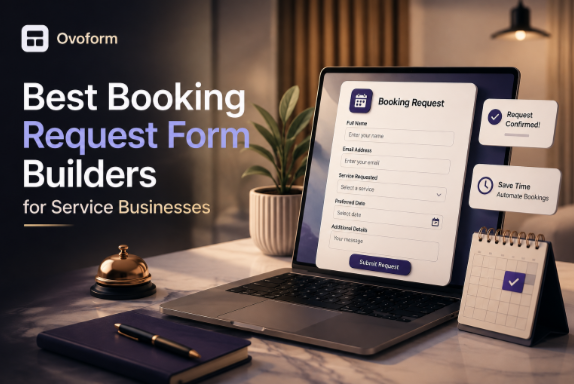
For many service businesses, the booking process is the first interaction a customer has with the company. If requesting an appointment takes too long or requires multiple emails and phone calls, potential customers may choose a competitor instead.
A booking request form provides a structured way to collect appointment details, preferred dates, contact information, and service requirements in one place. Instead of managing bookings manually, businesses can review requests more efficiently, reduce scheduling errors, and respond faster.
Whether you run a salon, consulting agency, cleaning service, repair business, or healthcare practice, choosing the right booking request form builder can improve both team productivity and customer satisfaction. In this guide, you'll learn what booking request forms are, which features matter most, and how popular form builders compare for different business needs.
A booking request form is an online form that allows customers to request appointments or services by submitting their preferred date, time, and other relevant information. Unlike instant scheduling systems that automatically confirm bookings, these forms allow businesses to review each request before approving it.
This approach works well for businesses where availability changes frequently or appointments require preparation. For example, a wedding photographer may need to confirm availability before accepting a booking, while an HVAC company may need to review the type of repair before assigning a technician.
Booking request forms are commonly used by salons, consultants, fitness trainers, legal professionals, medical clinics, cleaning companies, home repair services, and other appointment-based businesses. They help organize customer information, reduce back-and-forth communication, and create a more professional booking experience.
As customer demand grows, managing appointments through phone calls, emails, or spreadsheets becomes difficult. A structured booking process helps businesses stay organized while improving response times and reducing administrative work.
Common challenges include:
Manual appointment scheduling
Double bookings and calendar conflicts
Missing customer information
Slow responses to booking enquiries
Poor collaboration between team members
Inconsistent booking records
Difficulty tracking appointment requests
Limited visibility into booking trends
Using a booking request form centralizes customer requests, simplifies scheduling, and creates a more consistent experience for both staff and customers. Choosing the right platform becomes increasingly important as your business expands.
Easy Setup
A booking form should be simple to create without requiring technical skills. Drag-and-drop builders and ready-made templates allow businesses to launch forms quickly. For example, a local beauty salon can publish an online appointment request form in minutes instead of relying on paper forms or phone calls.
Automation
Automation reduces repetitive tasks by sending confirmation emails, notifying staff, or organizing submissions automatically. A plumbing company, for instance, can route emergency repair requests directly to the appropriate technician without manually reviewing every submission.
Integrations
Booking forms become more valuable when they connect with tools like Google Calendar, Microsoft Outlook, CRM platforms, or email software. Integrations reduce duplicate data entry and keep appointment information synchronized across the business.
Templates
Pre-built templates help businesses create professional booking forms faster. Whether you're running a dental clinic, photography studio, or consulting firm, templates provide a strong starting point while allowing customization for your services.
Conditional Logic
Conditional logic shows different questions based on previous answers. For example, if a customer selects "Air Conditioner Repair," additional questions about the appliance model and issue can appear automatically, keeping the form relevant and easier to complete.
Analytics & Reporting
Analytics help businesses understand booking trends and identify areas for improvement. Tracking submission rates and popular services enables better staffing decisions and helps optimize the booking experience over time.
Service businesses have different booking requirements depending on their size, workflow, and customer expectations. Some need simple appointment request forms, while others require automation, integrations, and advanced customization.
No single booking request form solution is the right choice for every organization. Some tools prioritize simplicity, while others focus on automation, analytics, or enterprise scalability. The right choice depends on your business size, workflow complexity, budget, and existing software ecosystem. The comparison below highlights each platform's strengths and trade-offs so you can choose the solution that best fits your needs.
Tool | Best For | Automation | Integrations | AI | Free Plan | Starting Price |
|---|---|---|---|---|---|---|
Ovoform | Growing service businesses | Advanced | Multiple | ✅ Native AI | Yes — Unlimited responses + 30-day free Pro trial | $19/month |
Jotform | Templates & flexibility | Strong | Extensive | ✅ AI-assisted | Yes — 100 submissions/month | $34/month |
Typeform | Customer experience | Moderate | Extensive | ✅ AI-assisted | Yes — 10 responses/month | $39/month |
Fillout | Workflow customization | Strong | Multiple | ✅ AI-assisted | Yes | $15/month |
Google Forms | Simple booking requests | Basic | Google Workspace | ❌ | Yes | Free |
Overview
Ovoform is designed for businesses that need more than a basic booking form. It combines customizable forms with workflow automation, conditional logic, and integrations to help manage appointment requests efficiently. Whether you're handling consultations, home service visits, or recurring appointments, the platform focuses on creating booking workflows that adapt to your business instead of forcing you into a fixed process.
Best For
Service businesses managing multiple appointment types
Teams that need customizable booking workflows
Key Strengths
Flexible conditional logic for personalized booking experiences
Workflow automation that reduces manual follow-up
No-code form builder with customization options
Consider Before Choosing
Businesses that only need a simple contact or appointment form may not use its more advanced workflow capabilities.
Ideal Company Size
Startup • Small Business • Mid-Market
Why Choose This Tool
Choose Ovoform if your business expects booking requirements to grow over time and you want a platform that supports automation, customization, and scalable workflows.
Overview
Jotform is a well-known online form builder offering a large template library and an intuitive drag-and-drop editor. Its flexibility makes it suitable for businesses creating everything from appointment request forms to customer surveys, registrations, and payment forms.
Best For
Businesses wanting ready-made templates
Teams creating multiple types of online forms
Key Strengths
Extensive template collection
Easy drag-and-drop editor
Wide range of third-party integrations
Consider Before Choosing
Businesses with highly customized approval workflows may need additional setup to match their internal processes.
Ideal Company Size
Individual • Startup • Small Business
Why Choose This Tool
Jotform is a practical choice for businesses looking to create professional booking forms quickly without building every workflow from scratch.
Overview
Typeform focuses on creating interactive, conversational forms that feel more engaging than traditional layouts. Many businesses use it when customer experience and branding are priorities, especially for consultation requests and premium service bookings.
Best For
Agencies and consultants
Businesses focused on customer experience
Key Strengths
Conversational form design
Attractive user interface
Strong branding capabilities
Consider Before Choosing
Its conversational format may be less suitable for businesses collecting lengthy or highly detailed booking information.
Ideal Company Size
Startup • Small Business • Mid-Market
Why Choose This Tool
Typeform is well suited for businesses that want booking requests to feel polished while encouraging higher completion rates through an engaging experience.
Overview
Fillout provides a modern form-building experience with flexible customization and workflow capabilities. It supports conditional logic and integrations, making it a good option for businesses with more detailed booking requirements.
Best For
Businesses with customized booking workflows
Teams using multiple productivity tools
Key Strengths
Flexible conditional logic
Clean user interface
Good integration support
Consider Before Choosing
Advanced workflows can require additional setup, which may take time for first-time users.
Ideal Company Size
Startup • Small Business • Mid-Market
Why Choose This Tool
Fillout works well for businesses that need flexible booking forms while keeping the overall form-building experience straightforward.
Overview
Google Forms offers a simple way to collect appointment requests and automatically store responses in Google Sheets. While it doesn't include advanced workflow features, it remains a reliable option for businesses with straightforward scheduling needs.
Best For
Freelancers
Small businesses using Google Workspace
Key Strengths
Free to use
Easy to create and share
Automatic response collection in Google Sheets
Consider Before Choosing
Businesses needing advanced automation, branding, or complex workflows may outgrow Google Forms as they scale.
Ideal Company Size
Individual • Startup • Small Business
Why Choose This Tool
Google Forms is a practical option for organizations that need a basic booking request form without investing in dedicated workflow software.
Start by identifying what information you need before confirming an appointment. A home cleaning company may only need property details and preferred dates, while a legal consultant may require case information before scheduling a meeting.
Solo professionals often need a simple booking process, whereas larger teams benefit from role-based access, shared calendars, and centralized request management. Choose software that supports your current team while allowing room for growth.
Consider how the booking form fits into your existing workflow. Integrations with calendars, CRMs, email platforms, and communication tools reduce manual work and help keep customer information consistent across systems.
Instead of choosing the lowest-cost option, compare the value each platform provides. Automation, customization, and integrations can save significant administrative time as your business grows.
Customers should be able to submit booking requests quickly on both desktop and mobile devices. A clear, user-friendly form often leads to higher completion rates and fewer support requests.
Before adopting any platform, create a sample booking request form and test the complete process—from submission and notifications to reviewing responses. This helps identify usability issues before customers encounter them.
The right booking request form can simplify appointment management, improve customer experience, and reduce the time your team spends on manual scheduling. While some businesses only need a simple form to collect requests, others benefit from workflow automation, conditional logic, and integrations that support more complex operations.
Google Forms is suitable for basic booking requests, while Jotform, Typeform, and Fillout offer additional flexibility for growing businesses. If your business needs customizable booking workflows, automation, and room to scale, Ovoform is one option worth evaluating alongside the other platforms discussed. Focus on choosing the platform that matches your workflow, team size, budget, and long-term goals rather than simply selecting the tool with the most features.
Create surveys, FAQs, and feedback forms in minutes with Ovoform — no code required.
Get started freeStart building with Ovoform today — free forever, no credit card required.
Get Started For Free