Surveys

A well-designed restaurant reservation form helps guests book tables conveniently while enabling staff to organize bookings, manage special requests, and prepare for busy service periods. This guide covers essential form fields, online booking best practices, strategies to reduce no-shows, cancellation management, and how to choose the right reservation solution for your restaurant.
Nikhil Dogra
October 15, 2026
It is Friday evening, and the restaurant is packed. The phone keeps ringing, the host is busy seating a family, and a waiter picks up a call while carrying three plates. A customer asks for a table for six at eight o'clock. The waiter scribbles the details on a piece of paper and promises to pass them on.
At eight, the group arrives, but there is no table. The note has disappeared, the reservation book has no record of the booking, and the guests leave disappointed. Meanwhile, a table reserved for two earlier in the evening has remained empty because the guests never showed up.
These problems are rarely caused by careless staff. They usually happen when reservations are spread across phone calls, social media messages, and handwritten notebooks, with no dependable way to keep everything organized.
A well-designed restaurant reservation form gives guests a convenient way to request a table and helps staff keep booking details in one place. Depending on the system behind it, online booking can also support confirmations, reminders, cancellation management, and availability updates.
The right setup depends on the restaurant. A small café may need a simple booking request form, while a busy restaurant with several seating periods needs a system that can manage capacity and prevent overlapping reservations.
This guide explains what to include in a restaurant reservation form, how to reduce no-shows, and how to create a booking process that works for both guests and restaurant staff.
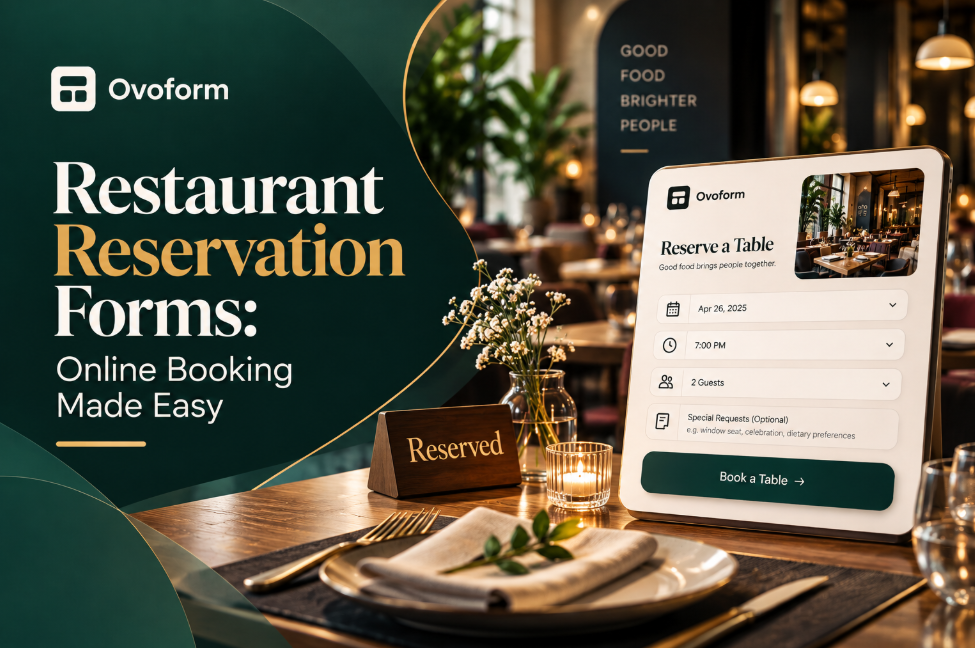
A restaurant reservation form is an online form that allows guests to request or book a table without calling the restaurant. It usually collects the guest's name, contact details, preferred date and time, and party size.
Depending on the restaurant, it may also ask about seating preferences, dietary requirements, accessibility needs, or special occasions. The completed booking is then recorded for staff to review or manage.
A table booking form can be placed on a restaurant's website or shared through a social media profile, email, or messaging channel. This makes it easier for customers to enquire about a table even when the restaurant is busy or closed.
However, a form and a complete restaurant booking system are not the same thing. A basic form can collect reservation requests, but real-time availability, automatic table allocation, deposit collection, and duplicate-booking prevention require appropriate functionality behind the form.
Understanding that distinction helps restaurant owners choose a solution that matches their needs instead of expecting a simple form to manage every part of the reservation process.
Booking a table should be straightforward. Guests want to select a suitable time, provide their details, and know what happens next. If the process is confusing or requires too much information, they may abandon it and choose another restaurant.
For restaurant staff, inconsistent reservation records create a different set of problems. Two employees may promise the same table, special requests may be forgotten, or the team may not know how many guests to expect during a busy service.
A well-planned online table reservation process helps by providing:
Consistent booking details: Staff can find the date, time, party size, and contact information in one place.
Clear communication: Guests know whether their reservation is confirmed or still awaiting approval.
Better preparation: The restaurant can plan seating, staffing, and special arrangements more effectively.
Fewer manual interruptions: Online requests can reduce the need to answer routine booking calls during service.
Useful booking records: Reservation history helps identify busy periods, cancellations, and recurring customer preferences.
The goal is not simply to move bookings online. It is to make the reservation process easier to manage without creating extra work for the team.
The best reservation forms collect enough information to manage a booking without making guests answer unnecessary questions.
Field | Why it matters |
|---|---|
Guest name | Identifies the reservation |
Phone number or email | Allows the restaurant to confirm or clarify details |
Reservation date | Establishes when the guest plans to visit |
Preferred time | Helps staff understand the requested seating period |
Party size | Supports capacity planning |
Seating preference | Helps accommodate requests such as indoor or outdoor seating, where available |
Special occasion | Allows staff to prepare for birthdays or anniversaries when possible |
Dietary or accessibility request | Gives the restaurant advance notice of relevant needs |
Additional notes | Provides space for specific requests that do not fit other fields |
Make essential fields mandatory and keep the rest optional. For example, a guest booking a quick weekday lunch may not need to answer questions about birthdays or dietary preferences.
Be careful with wording. If guests can only request outdoor seating rather than guarantee it, say so clearly. The same applies to preferred tables, special arrangements, and other requests that depend on availability.
If different booking types require different questions, conditional logic in forms can help display relevant fields based on a guest's answers. For example, a large-party booking could request additional details without making every guest complete a longer form.
Ask for the information needed to handle the reservation. Avoid collecting details that staff will never use.
Guests should be able to enter their party size, preferred date and time, and contact information without navigating a long questionnaire. If you need more information for large groups or private dining, collect it through a separate request process.
Reducing unnecessary steps can make the experience easier, especially on mobile devices. These form completion best practices offer additional ideas for making online forms easier to finish.
If guests can choose a time slot, the available options should reflect the restaurant's actual booking capacity.
This is where a basic form may not be sufficient. A form that simply asks guests to type a preferred time does not know how many tables are already booked. Staff may need to review requests manually, or the restaurant may need a booking system connected to its table inventory.
Set booking limits according to the restaurant's seating arrangements, service periods, and expected turnover. Avoid offering time slots that the kitchen or front-of-house team cannot realistically accommodate.
After a guest submits a booking, tell them what happens next.
If the reservation is confirmed automatically, provide the date, time, party size, restaurant address, and any relevant arrival instructions. If staff must approve the request, explain that the booking is pending and indicate how confirmation will be provided.
This distinction matters. A message saying “Request received” should not be mistaken for a guaranteed table.
Guests sometimes forget bookings, particularly when they reserve several days or weeks in advance. A reminder before the visit can help them confirm their plans or cancel if necessary.
Include the reservation details and a clear way to contact the restaurant or change the booking, where supported. Keep the message concise and avoid sending so many reminders that they become irritating.
Reminders can help reduce restaurant no-shows, but they cannot eliminate them. The result depends on the audience, booking lead time, restaurant type, and ease of cancelling.
A reservation for eight people can affect seating and staffing more than a booking for two. Some restaurants therefore use a separate process for large groups, private dining, or special events.
The form might ask for the number of guests, preferred seating time, occasion, and any menu requirements. Staff can then review the request before confirming the booking.
If a deposit is required, explain the amount, payment process, cancellation deadline, and refund conditions before asking the guest to commit.
Many customers book while travelling, browsing social media, or making plans with friends. A form that is difficult to use on a phone creates unnecessary friction.
Use readable labels, easy-to-select time slots, and a clear confirmation screen. Test the complete booking journey on a mobile device, including any payment or verification steps.
A family restaurant receives frequent booking calls during dinner service. It adds an online booking form to its website and social media profile.
Guests submit their preferred time and party size, while staff review requests and confirm reservations through the restaurant's established process. Over time, the team can compare booking patterns and decide whether a more automated system is worthwhile.
A fine dining restaurant needs advance notice of anniversaries, birthdays, dietary requirements, and seating preferences.
Its reservation form collects essential booking details first, with optional questions about the occasion and special requests. Staff review those requests before the visit and communicate what can be accommodated.
The form does not promise a particular table or special arrangement unless the restaurant can actually guarantee it.
A restaurant that handles corporate dinners uses a separate enquiry form for groups above its normal booking size.
The form collects the preferred date, number of guests, contact person, and event requirements. A manager reviews the request and discusses menu options, deposits, and final arrangements before confirming the booking.
Separating these enquiries from ordinary reservations prevents complex requests from disrupting routine table bookings.
No-shows are frustrating because a table may remain empty even when other customers are waiting. However, a useful policy needs to balance the restaurant's operational needs with a fair experience for guests.
Start by recording reservations, cancellations, and actual arrivals separately. This helps distinguish between guests who never appeared and those who cancelled in advance.
Consider the following practices:
Send a confirmation when a booking is accepted.
Use a timely reminder before the reservation.
Make it easy for guests to cancel or request a change.
Consider deposits or card guarantees for large groups or particularly busy periods.
Keep a waitlist when demand is high and the restaurant can manage it.
Review no-show patterns before changing policies.
Deposits may be appropriate for certain bookings, but they are not necessary for every restaurant or every party size. Explain the policy in advance and apply it consistently.
A cancellation process is just as important as the initial booking. If guests can notify the restaurant promptly, staff have a better chance of offering the table to someone else.
A simple online booking form and a full restaurant booking system solve related but different problems.
A reservation form collects the information needed to request or record a booking. It can be a sensible starting point for a small café, a restaurant with mostly phone bookings, or a business that wants to organize enquiries before automating more of the process.
A restaurant booking system may also manage real-time availability, table assignments, booking limits, reminders, deposits, cancellations, and customer history. The exact features depend on the platform.
If the restaurant accepts only a few bookings each day, a form combined with a clear staff-managed process may be sufficient. If it handles many reservations across multiple seating periods, a dedicated system is more likely to be appropriate.
Before choosing a tool, list the problems you need to solve. If double bookings are the main issue, prioritize availability management. If staff spend hours answering calls, look for a solution that supports convenient online booking and clear confirmations.
Start by mapping how bookings currently arrive, who records them, and how the team confirms availability. Identify where mistakes occur before deciding what to automate.
Next, create a form with the essential fields and test it with a few realistic bookings. Check what happens when two guests request the same time, a large group asks for a table, or someone needs to change a reservation.
Decide how staff will handle pending requests, cancellations, late arrivals, and special requests. If the form connects to other business tools, verify that the information is transferred correctly and that the team knows which record is authoritative.
A no-code tool such as Ovoform can help restaurant owners create and customize online forms for collecting reservation requests. Before using any form builder as a complete booking solution, confirm whether it supports the availability controls, notifications, payment handling, and integrations your restaurant actually needs.
For a smoother guest experience, consider whether a multi-step form would make a longer booking enquiry easier to complete. Keep the process as simple as possible for ordinary table reservations.
Reservation forms may collect names, contact details, dietary requests, and information about special occasions. Keep access to that information limited to staff who need it, and avoid collecting personal details without a clear purpose.
Explain how contact details will be used, particularly if the restaurant also sends marketing messages. A reservation confirmation should not automatically be treated as permission to send unrelated promotional communications.
After introducing an online booking process, review a few practical measures:
Booking completion: How many people complete the reservation form?
No-show rate: What proportion of confirmed bookings do not arrive?
Cancellation rate: How often do guests cancel, and how much notice do they provide?
Peak booking periods: Which days and times receive the most requests?
Administrative workload: Has the team spent less time answering calls or correcting booking details?
These measures help identify what needs to change. For example, a high cancellation rate may reflect booking lead time or changing customer plans, while a high number of incomplete forms may suggest that the process is too complicated.
If you use digital forms to collect reservation enquiries, analytics tools may help you review available response data, depending on your setup. Use the information alongside staff feedback and actual booking records to make informed improvements.
A restaurant reservation form may seem like a small operational detail, but it shapes how guests plan their visit and how staff prepare for service.
Start with a short form, clear booking information, and a reliable way to confirm reservations. Set realistic expectations for special requests, establish a fair cancellation policy, and choose a booking system that matches the restaurant's size and workload.
Most importantly, do not assume that putting a form online solves every reservation problem. The form, the booking records, and the staff process need to work together. When they do, the restaurant can spend less time chasing booking details and more time giving guests a good experience.
Create surveys, FAQs, and feedback forms in minutes with Ovoform — no code required.
Get started freeStart building with Ovoform today — free forever, no credit card required.
Get Started For Free