Surveys

No-code form builders enable businesses to create professional online forms without writing code. This guide explains how these platforms work, the features that matter most, compares the leading no-code form builders, and provides practical advice for choosing the right solution. Whether you're managing HR workflows, capturing sales leads, collecting customer feedback, or automating internal processes, platforms like Ovoform help teams build forms faster, streamline workflows, and improve productivity with AI-powered automation.
Ovoform Team
July 27, 2026

If you're looking for form creation software that doesn't require coding, there are several strong options in 2026. Ovoform, Jotform, Typeform, Formstack, Google Forms, Cognito Forms, Microsoft Forms, Fillout, Tally, and Paperform all let users create online forms without writing HTML, CSS, or JavaScript.
The best choice depends on what you need from your forms. Google Forms works well for simple data collection, Jotform is known for its large template library, Typeform focuses on interactive experiences, and Formstack is designed for advanced business workflows. Ovoform combines no-code form creation with AI-powered form generation, conditional logic, workflow automation, analytics, and integrations.
A no-code form builder is an online platform that allows people to create, customize, publish, and manage forms without writing code.
Instead of manually programming fields and layouts, users can work with visual editors, templates, integrations, conditional logic, and, increasingly, AI-powered form generation.
No-code form builders can be used to create:
Employee onboarding forms
Patient intake forms
Appointment booking forms
Internal business request forms
The main advantage is that business users can create and update forms themselves rather than depending on developers for every change.
No-code forms are useful across departments because teams can create digital workflows without development support.
Team | Common uses |
HR | Applications, onboarding, leave requests, employee feedback |
Marketing | Lead capture, surveys, registrations, customer research |
Healthcare | Patient intake, appointments, consent forms |
Education | Applications, registrations, quizzes, feedback |
Small businesses | Contact, booking, orders, customer feedback |
The best platform depends on the complexity of the workflow, the amount of data collected, and the tools the team needs to connect.
Not every organization has the same requirements.
A startup collecting customer inquiries has very different needs from a healthcare provider managing patient registrations or an HR team automating employee onboarding. The best platform depends on your workflows, budget, and long-term growth plans.
Here's a comparison of some of the most popular no-code form builders available today.
Form Builder | Best For | No-Code Builder | AI Form Creation | Templates | Conditional Logic | Automation | Starting Price |
Ovoform | AI-powered forms and business workflows | ✅ | ✅ | ✅ | ✅ | ✅ | $19/month (Includes a 30-day free Pro trial with unlimited responses) |
Jotform | Templates and advanced forms | ✅ | ✅* | ✅ | ✅ | ✅ | $39/month |
Typeform | Interactive customer-facing forms | ✅ | ✅* | ✅ | ✅ | ✅ | $39/month |
Formstack | Enterprise workflows | ✅ | Limited | ✅ | ✅ | ✅ | $99/month |
Google Forms | Simple free forms | ✅ | ❌ | ✅ | Basic | Basic | Free |
Cognito Forms | Calculations and advanced logic | ✅ | ❌ | ✅ | ✅ | Moderate | $24/month |
Microsoft Forms | Microsoft 365 users | ✅ | ❌ | ✅ | Basic | Basic | $8/Month |
Fillout | Flexible forms and data collection | ✅ | ✅* | ✅ | ✅ | ✅ | $19/month |
Tally | Simple, flexible forms | ✅ | Limited | ✅ | ✅ | Limited | $8/Month |
Paperform | Branded forms and payments | ✅ | Limited | ✅ | ✅ | ✅ | $29/Month |
Note: Pricing and features may change over time. Always review the latest information before selecting a platform.
Ovoform combines a no-code form builder with AI-powered form creation and business workflow capabilities.
Instead of starting with a blank form, users can describe what they want to create and use AI to generate a structured form. The form can then be customized using the visual editor without writing code.
Ovoform supports use cases including lead generation, customer feedback, employee onboarding, event registration, job applications, and other business processes.
Key Strengths
AI-assisted form creation
Drag-and-drop form builder
Conditional logic
Workflow automation
Ready-to-use templates
No-code customization
Business integrations
Analytics and reporting
Conversational form capabilities
Unlimited responses
Businesses and teams that want to combine AI-powered form creation, no-code customization, response collection, and workflow automation in one platform.
Ovoform is particularly relevant for teams that want forms to become part of a broader business workflow rather than simply collect information.
Jotform offers thousands of templates covering industries such as education, healthcare, marketing, HR, and nonprofit organizations. Teams can customize these templates to create online forms without writing code.
The platform also supports approvals, payment collection, integrations, and conditional logic, making it suitable for businesses with a wide range of form-building requirements.
Key Features
Large template library
Drag-and-drop builder
Conditional logic
Payment collection
Approvals
Integrations
Automation
Reporting
Best choice if: Your priority is finding ready-made templates for different business use cases.
Typeform is known for its conversational interface, displaying one question at a time to create a more engaging experience for respondents. It's commonly used for surveys, quizzes, lead generation, and customer feedback.
While its interactive design can improve engagement, organizations managing complex internal workflows may require additional automation capabilities.
Key Features
Interactive form experiences
Templates
Conditional logic
Integrations
Surveys and quizzes
Lead generation
Analytics
Workflow capabilities
Best For
Businesses that prioritize an engaging and polished experience for respondents.
Formstack combines digital forms with workflow automation, document generation, approvals, and enterprise integrations. It's particularly useful for organizations managing complex business processes across multiple departments.
While it offers powerful capabilities, smaller businesses may find it more feature-rich than necessary.
Digital forms
Workflow automation
Approvals
Document generation
Integrations
Enterprise features
Data collection
Organizations with complex workflows and enterprise-level requirements.
Google Forms is one of the simplest ways to create online forms without coding. It's easy to use, integrates with Google Workspace, and works well for basic surveys, registrations, and internal questionnaires.
Responses can be connected with Google Sheets, making it convenient for teams already using Google Workspace.
Free form creation
Simple visual editor
Templates
Google Sheets integration
Basic branching
Collaboration
Easy sharing
Individuals, students, small teams, and organizations that need straightforward forms without advanced workflows.
Cognito Forms is designed for forms that require calculations, conditional logic, and more specialized data collection.
It can be useful for order forms, applications, registrations, pricing calculations, and other workflows where form responses need to drive calculations.
Calculations
Conditional logic
Payments
Data collection
Form customization
Integrations
Businesses that need calculations or specialized form logic.
Microsoft Forms integrates well with Microsoft Teams, Excel, and other Microsoft applications, making it a convenient option for businesses working within the Microsoft ecosystem.
It's commonly used for internal surveys, employee feedback, quizzes, and event registrations.
Simple form creation
Microsoft 365 integration
Microsoft Teams integration
Excel integration
Surveys
Quizzes
Internal data collection
Organizations that already rely heavily on Microsoft 365.
Fillout is a no-code form builder designed for creating forms and connecting collected information with other tools and data sources.
It can be useful for businesses that want flexible forms without building a custom data-collection system.
No-code form creation
Conditional logic
Templates
Integrations
Payments
Data collection
Workflow capabilities
Teams looking for flexible forms that can connect with their existing business tools.
Tally takes a lightweight approach to no-code form creation.
Its interface is designed to make form creation straightforward while still providing features such as conditional logic, calculations, integrations, and customization.
Key Features
Simple form editor
Conditional logic
Calculations
Integrations
Templates
Customization
Best For
Individuals and teams that want a simple form-building experience with more flexibility than basic form tools.
Paperform combines forms with a more document-like editing experience.
It can be useful for businesses that want forms to feel closely connected to their brand and customer experience.
Key Features
Branded forms
Payments
Conditional logic
Integrations
Templates
Product and order forms
Analytics
Best For
Businesses that want highly customized forms for customer-facing experiences.
There is no single best form builder for every business. The right choice depends on what you are trying to accomplish.
Use Case | Recommended Option | Why |
|---|---|---|
AI-generated forms | Ovoform | Generate forms from natural-language prompts |
Large template library | Jotform | Extensive range of ready-made templates |
Interactive forms | Typeform | Conversational respondent experience |
Enterprise workflows | Formstack | Advanced business workflow capabilities |
Free basic forms | Google Forms | Simple and accessible |
Calculations and advanced logic | Cognito Forms | Strong calculation capabilities |
Microsoft ecosystem | Microsoft Forms | Microsoft 365 integration |
Flexible data collection | Fillout | Flexible forms and integrations |
Lightweight form creation | Tally | Simple building experience |
Branded forms and payments | Paperform | Customer-facing customization |
Traditional no-code tools remove the need for programming. AI-powered form builders go a step further by helping users create the form itself.
Instead of manually building every field, users can describe what they need in natural language.
For example:
"Create a customer feedback survey for a SaaS company with questions about onboarding, product usability, customer support, and overall satisfaction."
An AI form builder can use that description to create a starting structure.
AI can help with:
Generating form fields
Creating questions
Structuring sections
Suggesting relevant information to collect
Creating a first draft from a prompt
Reducing repetitive setup work
However, AI-generated forms should still be reviewed before publishing. Teams should check the questions, wording, logic, required fields, and data-collection requirements to make sure the form matches the intended use case.
A good no-code form builder should allow non-technical users to create and modify forms without extensive training.
Visual editors, templates, drag-and-drop fields, and straightforward settings can make form creation faster.
A good no-code form builder should allow non-technical users to create and modify forms without extensive training.
Visual editors, templates, drag-and-drop fields, and straightforward settings can make form creation faster.
AI can reduce the time required to create a form from scratch.
Instead of manually selecting fields and writing every question, users can describe the purpose of the form and generate a structured starting point.
Ovoform's AI form builder is designed around this approach, allowing users to generate forms from natural-language instructions and customize the result without coding.
Conditional logic displays different questions based on previous answers.
For example, someone who selects "Existing Customer" could see support-related questions, while a new prospect sees lead qualification questions.
This can make forms shorter and more relevant to each respondent.
Templates provide a starting point for common business use cases. The best platforms include templates for:
Contact forms
Registration forms
Surveys
Patient intake
Employee onboarding
Event registration
Customer feedback
Order forms
Templates also encourage consistency across departments. Instead of everyone creating forms differently, organizations can maintain a standardized format while still customizing fields to meet specific requirements.
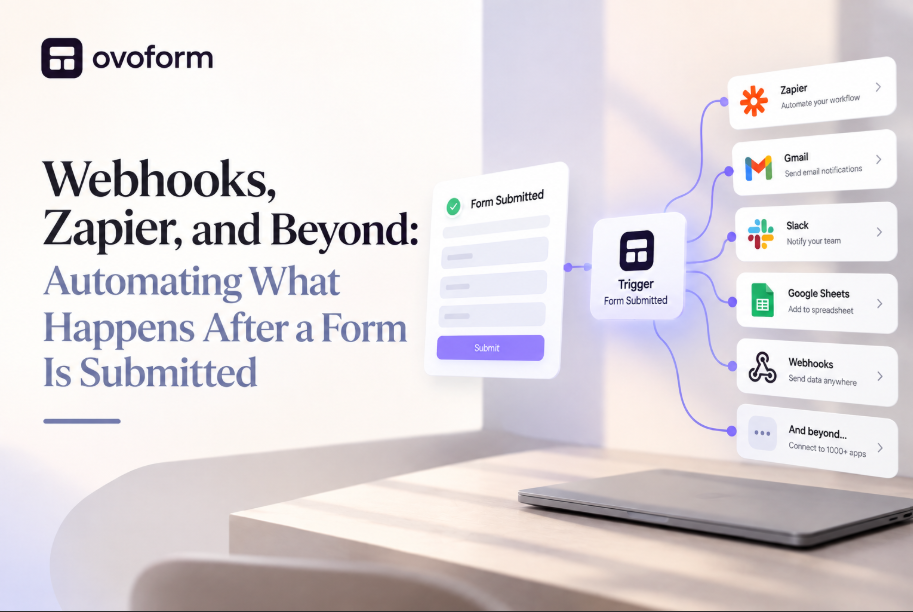
A form submission is often only the beginning of a business process.
Useful automation capabilities can include:
Email notifications
Approval workflows
Task assignments
CRM updates
Spreadsheet synchronization
Automated follow-ups
Internal notifications
For example, an employee leave request could notify a manager and trigger the next step in the approval process automatically.
Forms rarely exist in isolation.
The information collected often needs to move into other business systems, such as CRMs, project management software, HR platforms, spreadsheets, or communication tools.
Look for a no-code form builder that integrates with applications your team already uses. This reduces duplicate data entry, minimizes manual work, and keeps information synchronized across different workflows.
For example:
Marketing teams can send leads directly to their CRM.
HR teams can update employee records automatically.
Customer support teams can create tickets instantly after a form submission.
Sales teams can trigger follow-up tasks for qualified prospects.
The more connected your tools are, the more efficient your processes become.
Collecting responses is only valuable if you can turn that information into meaningful insights.
A good form builder should provide dashboards and reports that help teams understand submission trends, completion rates, response quality, and workflow performance reviews.
For example:
Marketing teams can measure campaign conversions.
HR teams can monitor employee engagement.
Customer success teams can identify recurring customer issues.
Operations teams can track request volumes over time.
These insights help organizations improve both their forms and the processes behind them.
Businesses collecting sensitive information should evaluate the platform's security and compliance capabilities before choosing a provider.
Consider:
Data storage
Access controls
Encryption
Compliance requirements
Data retention
Privacy controls
File-upload security
The appropriate requirements depend on the type of information being collected and the regulations applicable to the organization.
Many businesses choose a form builder based only on price or popularity. While these factors matter, they shouldn't be the only considerations.
Choosing a Form Builder Based Only on Price
Ignoring Your Primary Use Case
Overlooking Workflow Automation
Not Checking Integration Capabilities
Choosing a Platform That Can't Scale with Your Business
Ignoring Security and Compliance Requirements
Skipping Form Testing Before Publishing
The best no-code form builder depends on your team's requirements.
Google Forms is a practical choice for simple free forms, Jotform stands out for its template library and advanced capabilities, Typeform is well suited to interactive customer experiences, and Formstack is designed for organizations with more complex workflows.
For businesses looking for AI-powered form creation combined with no-code customization, conditional logic, workflow automation, integrations, analytics, and unlimited responses, Ovoform is worth considering.
Before choosing a platform, compare the capabilities that matter most to your workflow, including response limits, automation, integrations, security, and scalability.
Explore Ovoform to create online forms, automate approvals, collect responses, and streamline workflows with AI. Whether you're building your first contact form or managing complex business processes, Ovoform gives your team the flexibility to move faster without technical complexity.
Create surveys, FAQs, and feedback forms in minutes with Ovoform — no code required.
Get started freeStart building with Ovoform today — free forever, no credit card required.
Get Started For Free