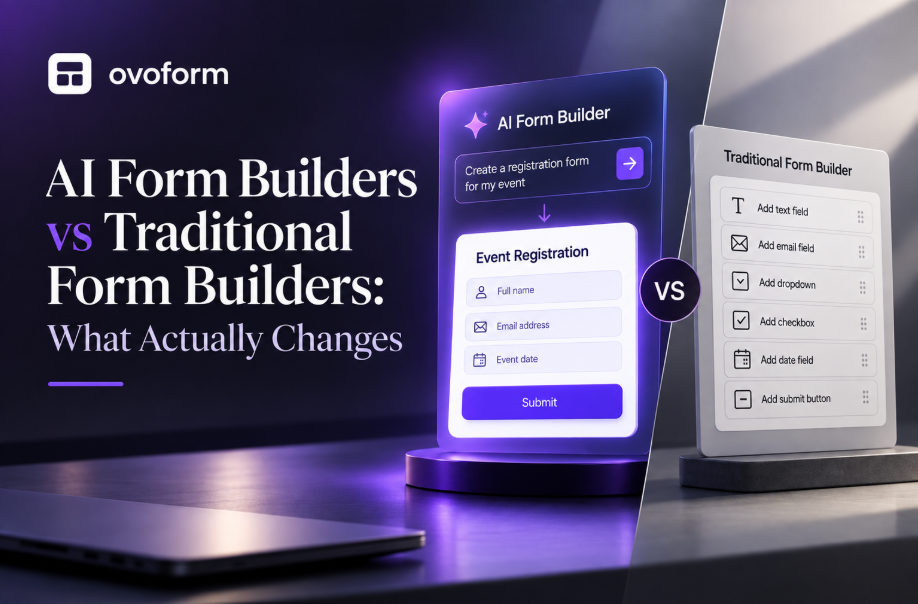
Form Builders

Choosing the right feedback form software helps SaaS companies collect actionable customer insights, improve product decisions, and streamline feedback management. This guide explains the essential features to look for, compares leading customer feedback tools, and provides practical advice to help product, customer success, and engineering teams choose software that fits their workflow and growth stage.
Ovoform Team
August 6, 2026

A customer reports a bug through chat. Another requests a feature in an email. Your support team receives similar complaints, while product managers collect ideas in spreadsheets. After a few weeks, valuable feedback is scattered across multiple tools, making it difficult to identify what customers actually want.
This is where dedicated feedback form software comes into play. By creating a centralized system for managing user input, SaaS companies can efficiently gather, categorize, analyze, and act on feedback, transforming it into a powerful tool for product enhancement. Imagine validating new features, measuring customer satisfaction, or gathering suggestions with ease, this software empowers both users and internal teams to engage in a more structured dialogue.
In this guide, we delve into what feedback form software encompasses, why it is indispensable for SaaS companies, the key features that can elevate your feedback strategy, and how the leading tools stack up in 2026. With this knowledge, you will be equipped to choose the right software solution that aligns with your business goals.
Feedback form software helps businesses create digital forms that collect comments, suggestions, feature requests, bug reports, and customer opinions in a structured way. Unlike generic online forms, these tools often include automation, analytics, integrations, and workflows designed to help teams manage feedback throughout its lifecycle.
For SaaS companies, feedback can come from many different sources. Customers may report bugs inside the application, request new features after onboarding, or complete satisfaction surveys following a support interaction. Instead of storing this information across multiple systems, feedback form software centralizes everything in one place.
Common Use Cases
Product feedback forms
Feature request portals
Customer satisfaction surveys
Beta testing programs
Bug reporting
Employee feedback
Customer onboarding surveys
NPS and CSAT collection
In-app / embedded feedback widgets
Practical Example
Imagine your product team releases a redesigned dashboard. During the first week, hundreds of users submit opinions through an embedded feedback form. Rather than manually reviewing every message, the software automatically groups similar responses, routes bug reports to engineering, and sends feature suggestions to the product team. This helps teams respond faster and identify recurring issues before they affect more customers.
Who Should Use It?
Feedback form software is valuable for:
SaaS startups
Product managers
Customer success teams
UX researchers
Support teams
Enterprise software companies
Marketing teams collecting user insights
As SaaS products grow, customer feedback becomes more difficult to manage without dedicated tools. Valuable suggestions often get buried in support conversations or scattered across multiple platforms.
Common challenges include:
Manual collection of feedback from different channels
Poor collaboration between product, support, and engineering teams
Inconsistent data that makes trend analysis difficult
Slow decision-making due to fragmented information
Poor user experience when customers don't know where to submit feedback
Difficulty prioritizing feature requests
Scalability issues as customer numbers increase
Limited visibility into recurring problems
A centralized feedback system helps teams organize customer insights, identify meaningful trends, and make product decisions with greater confidence.
The best feedback platforms allow teams to create professional forms without relying on developers. A drag-and-drop builder, customizable layouts, and reusable templates make it easy to launch feedback campaigns quickly.
For example, a customer success team may need to launch a post-onboarding survey after releasing a new feature. If creating the form takes only a few minutes, feedback can be collected immediately while the experience is still fresh.
Automation reduces repetitive work by routing feedback to the appropriate teams, sending confirmation emails, assigning priorities, and triggering follow-up workflows automatically.
Imagine a customer reports a bug through your feedback form. Instead of manually forwarding the report, the software can automatically notify engineering, assign a severity level, and acknowledge the customer.
Feedback rarely lives in one system. Product teams often rely on Jira, Slack, Microsoft Teams, Google Workspace, HubSpot, Salesforce, Notion, and CRM platforms.
Strong integrations ensure customer feedback moves between systems without duplicate data entry. For example, feature requests can automatically create tasks in project management software, while customer information syncs with your CRM. Without integrations, teams often spend unnecessary time copying information between tools.
Collecting feedback is only valuable if you can identify patterns and make informed decisions. Analytics dashboards help teams understand recurring feature requests, customer satisfaction trends, submission volumes, and product issues over time.
Templates allow teams to launch feedback initiatives faster by providing ready-made forms for common scenarios such as feature requests, customer satisfaction, beta testing, and onboarding feedback.
Rather than designing every form from scratch, product managers can customize existing templates for different audiences. This not only saves time but also creates consistency across customer touchpoints. Without templates, every new feedback campaign requires additional setup effort.
Not every user should answer the same questions. Conditional logic displays questions based on previous responses, making forms shorter and more relevant - for instance, showing troubleshooting questions to users reporting a technical issue, while asking feature-request users about workflow and expected business impact.
AI has moved from a "nice to have" to close to a baseline expectation in this category through 2026. Two distinct patterns are worth understanding before you compare tools:
AI-assisted organization (what most form builders offer): summarizing responses, grouping similar requests, identifying common themes, detecting duplicate submissions, and suggesting categories. A product manager reviewing thousands of comments after a major release can quickly identify the most frequently mentioned issues.
AI-led conversational collection (a newer, smaller category): instead of a static form, the tool conducts an adaptive, chat-like interview that follows up on vague answers in real time. This trades some of the speed of a traditional form for deeper, more qualitative responses, and is generally better suited to understanding why customers feel a certain way rather than just tracking what they scored.
Most SaaS teams don't need to replace their forms outright, but it's worth knowing which category a tool falls into before you commit; a tool that's strong at organizing responses isn't necessarily strong at generating richer ones. AI should support prioritization and understanding, not replace human decision-making.
Customer feedback often includes names, email addresses, business information, and sometimes sensitive product details. Protecting this information is essential.
Look for features such as encrypted data storage, role-based permissions, audit logs, secure file uploads, and compliance with standards like GDPR or SOC 2 where appropriate. Strong security practices help protect customer trust while supporting regulatory requirements as your SaaS business grows.
No single feedback form software solution is the right choice for every organization. Some tools prioritize simplicity, while others focus on automation, analytics, AI, or enterprise scalability. The right choice depends on your business size, workflow complexity, budget, and existing software ecosystem. The comparison below highlights each platform's strengths and trade-offs so you can choose the solution that best fits your needs.
Tool | Best For | Key Features | AI | Automation | Integrations | No-Code | Responses | Starting Price |
|---|---|---|---|---|---|---|---|---|
SaaS teams needing customizable workflows | AI form builder, conditional logic, analytics, branded forms, workflow automation | ✅ Native AI | ✅ Advanced | ✅ | ✅ | Unlimited (Free Plan) + 30-day Pro Trial | $19/month | |
Interactive feedback forms | Conversational forms, logic, branding | Limited | ✅ | ✅ | ✅ | 100/month | $39/month | |
Flexible business forms | Templates, approvals, file uploads | ✅ | ✅ | ✅ | ✅ | 2,500/month | From $34/month | |
Startups | Unlimited forms, logic, clean editor | Limited | ✅ | ✅ | ✅ | Unlimited | $29/month | |
Basic feedback collection | Simple forms, Google Sheets | ❌ | Limited | Google Workspace | ✅ | Workspace limits | Free | |
Customized experiences | Flexible layouts, automation | Limited | ✅ | ✅ | ✅ | 100/month | From $29/month | |
Research & surveys | Analytics, reporting, AI insights | ✅ | Limited | ✅ | ✅ | 40 responses/survey (Free) | From $30–39/month |
Overview
Ovoform is designed for teams that want to move beyond simple feedback collection. Along with a no-code builder, it supports conditional logic, workflow automation, branded forms, analytics, and integrations that help product, customer success, and support teams manage feedback more efficiently. It works well for organizations that regularly collect feature requests, bug reports, onboarding feedback, or customer satisfaction surveys.
Best For
SaaS startups
Product teams
Customer Success teams
Growing software companies
Internal feedback workflows
Key Strengths
Advanced conditional logic
Workflow automation
Branded forms
Analytics dashboards
File uploads
Integration support
Consider Before Choosing
Organizations looking only for a simple survey tool may not need the platform's workflow capabilities. Teams should also confirm that the available integrations match their existing software stack.
Ideal Company Size
Startup • Small Business • Mid-Market
Why Choose This Tool
Choose Ovoform if your team wants one platform for collecting, organizing, and acting on feedback instead of managing responses across spreadsheets, email, and multiple applications. (See our pricing page and feature comparison for details.)
Overview
Typeform focuses on delivering an engaging user experience through conversational forms. Its interface encourages higher completion rates for customer surveys and product feedback, making it popular among SaaS businesses that value design and brand experience.
Best For
Product marketing
Customer research
UX teams
Key Strengths
Conversational interface
Strong branding options
Logic branching
Good integrations
Consider Before Choosing
Typeform's pricing is response-metered rather than flat: plans run roughly $39/month (100 responses) up to $83/month (10,000 responses) on annual billing, and forms stop accepting new submissions once a plan's cap is hit for the month, worth understanding before you build a high-volume feedback flow.
Ideal Company Size
Startup • Small Business
Why Choose This Tool
A strong option for businesses where customer experience and visual presentation are priorities.
Overview
Jotform provides extensive customization, making it suitable for businesses creating different types of feedback forms across departments. Its template library and automation capabilities reduce setup time for recurring workflows.
Best For
Customer support
HR
Operations
Key Strengths
Large template library
Approval workflows
File uploads
Extensive integrations
Consider Before Choosing
The large number of features can make navigation slightly overwhelming for first-time users. Paid plans start at $34/month (Bronze, billed annually) and scale to $99/month (Gold) for higher submission volumes and HIPAA compliance.
Ideal Company Size
Small Business • Mid-Market
Why Choose This Tool
Ideal for organizations needing flexibility across multiple business processes beyond customer feedback.
Overview
Tally offers a simple editing experience that feels similar to writing a document. It is particularly attractive to startups and small SaaS teams that want to launch feedback forms quickly without a steep learning curve.
Best For
Startups
Product validation
MVP feedback
Key Strengths
Unlimited forms
Easy editor
Conditional logic
Affordable pricing
Consider Before Choosing
Larger organizations may eventually require more advanced analytics and enterprise administration features.
Ideal Company Size
Individual • Startup
Why Choose This Tool
An excellent choice for small teams that value simplicity over advanced workflow management.
Overview
Google Forms remains one of the simplest ways to collect user feedback. It integrates directly with Google Sheets and requires almost no setup, making it useful for internal surveys or small-scale customer research.
Best For
Internal surveys
Small businesses
Educational organizations
Key Strengths
Free
Easy to use
Google Workspace integration
Quick sharing
Consider Before Choosing
It lacks advanced branding, automation, analytics, and customer workflow features commonly needed by growing SaaS companies.
Ideal Company Size
Individual • Small Business
Why Choose This Tool
Suitable for businesses that need straightforward feedback collection without additional workflow requirements.
Overview
Paperform combines form building with flexible page design, allowing businesses to create highly customized customer experiences while supporting automation and integrations.
Best For
Agencies
Marketing teams
Design-focused SaaS companies
Key Strengths
Flexible layouts
Automation
Branding
Integrations
Consider Before Choosing
Paperform has no free plan (only a 14-day trial), and its entry-level tier starts around $29/month with a 100-submission monthly cap. Its design flexibility may be more than necessary for teams looking only for standard feedback collection.
Ideal Company Size
Small Business • Mid-Market
Why Choose This Tool
A good fit when visual customization is as important as functionality.
Overview
SurveyMonkey specializes in surveys, research, and reporting. Its analytics capabilities help businesses identify trends across large datasets, making it valuable for organizations conducting structured customer research.
Best For
Customer research
Product teams
Enterprise surveys
Key Strengths
Advanced reporting
AI-assisted analysis
Survey templates
Enterprise capabilities
Consider Before Choosing
The free plan is limited to 10 questions and around 40 responses per survey. Paid plans start around $30–39/month depending on billing terms. Teams focused primarily on workflow automation rather than survey analysis may find dedicated feedback platforms a better fit.
Ideal Company Size
Mid-Market • Enterprise
Why Choose This Tool
Well suited for businesses making data-driven product decisions through structured customer research.
Start by identifying the type of feedback you want to collect. Feature requests, onboarding surveys, bug reports, and NPS surveys all require different workflows and reporting.
Small SaaS teams often need a simple platform that is quick to set up, while larger organizations benefit from role-based permissions, automation, and collaboration features.
Choose software that connects with tools your team already uses, such as Slack, Jira, HubSpot, Salesforce, Microsoft 365, Google Workspace, or project management platforms.
Look beyond monthly subscription costs. Compare response limits, automation features, integrations, analytics, storage, and user limits to understand the total value.
A platform should be easy for both administrators and customers. Complicated forms often reduce completion rates and increase support requests.
Create a sample feedback form, submit test responses, and review the reporting dashboard before making a long-term decision. Most vendors offer free plans or trial periods.
Ask only questions that support a specific business objective. Shorter forms generally receive higher completion rates.
Automatically notify product managers, assign bug reports, and send confirmation emails to reduce manual work.
Review completion rates, response trends, and recurring feature requests regularly to improve future feedback campaigns.
Ask for feedback after meaningful interactions such as onboarding, feature releases, or support conversations, when users can provide more useful insights.
As your product evolves, update forms, automation rules, and reporting dashboards to reflect new features and customer expectations.
The right feedback form software depends on your company's size, product maturity, customer engagement strategy, and internal workflows. Smaller SaaS teams may prioritize ease of use and affordability, while growing organizations often benefit from automation, analytics, integrations, and advanced feedback management capabilities.
Rather than choosing software based on the longest feature list, focus on how well it fits your existing processes and future growth plans. Testing a few platforms with a real feedback workflow is often the best way to understand their strengths and trade-offs.
If your team is looking for a platform that combines customizable forms, workflow automation, integrations, and reporting, Ovoform is one option worth evaluating alongside the other tools in this guide to determine which solution best supports your product and customer feedback strategy.
Create surveys, FAQs, and feedback forms in minutes with Ovoform — no code required.
Get started freeStart building with Ovoform today — free forever, no credit card required.
Get Started For Free