
Surveys

Learn the key differences between a feedback widget and feedback form and how to choose the right approach for collecting website feedback. Compare their use cases, level of detail, user effort, timing, and flexibility, plus practical tips for combining both tools to capture quick reactions and actionable customer insights.
Riya Sharma
September 30, 2026
A visitor lands on a SaaS product page, looks around for a few minutes, and leaves. Then a small tab on the side of the screen catches their eye: “Got feedback?” They click it, type a quick comment about a confusing menu, and move on. The entire interaction takes seconds.
Now picture the same visitor on another site where feedback is hidden behind a long form in the footer. It asks for several details before they can submit anything. Someone with a detailed complaint may complete it, but a visitor with a quick observation may simply leave.
Both approaches collect website feedback, but they are designed for different moments. A feedback widget makes it easy to share a quick reaction while someone is using a site. A feedback form creates space for more structured information when a team needs context.
The right choice depends on what you want to learn, when you want to collect it, and how much effort you expect visitors to make. In many cases, the most useful approach is not choosing one over the other, but giving each tool a specific job.
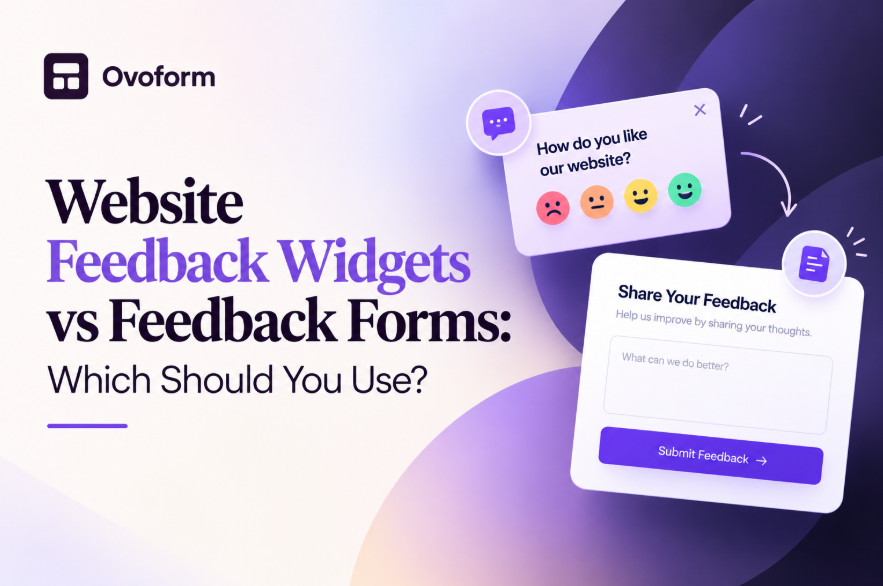
A website feedback widget is a small, persistent element on a webpage, usually a floating tab, button, or icon. Clicking it opens a lightweight input experience without requiring the visitor to leave the page. A widget might ask for a rating, a short comment, a reaction, or feedback about a specific page or feature.
The main advantage of a feedback widget is immediacy. Visitors can respond while the experience is still fresh. This makes widgets useful when you want quick website feedback about a page, feature, interaction, or moment in the customer journey.
A website feedback form is a dedicated page or section designed to collect more structured information. It can include multiple questions, text fields, ratings, dropdowns, file uploads, or branching questions. Forms are useful when a response needs enough detail for a team to investigate, categorize, or act on it.
Neither format is automatically better. A widget reduces friction, while a feedback form gives you more room to collect context. The important question is which format matches the feedback you need.
The biggest difference between a feedback widget vs feedback form is the amount of effort and context each one requires.
Visibility: A widget can remain available directly on the page, while a form is usually reached through a link, button, email, or dedicated page.
Effort: A widget is designed for quick input. A form can require more time because it collects several pieces of information.
Type of feedback: Widgets work well for reactions, ratings, short comments, and immediate impressions. Forms are better for bug reports, feature requests, detailed complaints, surveys, and other feedback that needs context.
Timing: Widgets capture feedback close to the moment when an experience happens. Forms may be completed later, when the visitor has more time to think through their response.
Depth: A widget can tell you that something is confusing or frustrating. A well-designed form can ask what happened, which feature was involved, how serious the issue was, and what the visitor expected instead.
This difference matters because more questions are not always better. If you only need a quick reaction, a long form can create unnecessary friction. If you need detailed information, a one-line widget may leave your team with too little context to act.
A website feedback widget works best when feedback needs to be quick, contextual, and easy to provide.
SaaS dashboards are a strong example. A widget can appear after a user completes an important action, such as creating a report, changing a setting, or completing onboarding. Instead of asking users to find a separate survey, the site can capture their reaction while the experience is still fresh.
Widgets can also be useful on pricing pages. A visitor who sees a plan that does not fit their needs may be willing to select a quick reason such as “too expensive,” “missing a feature,” or “I need more information.” That short response can reveal friction without requiring a full survey.
Content websites can use website feedback tools for simple questions such as whether an article was helpful. Product pages can use them to collect reactions to specific sections. Help centers can use a quick rating or comment prompt to identify pages that may need improvement.
The key is placement. A widget should be available when the visitor has enough context to provide useful feedback, without interrupting the experience.
A website feedback form is more appropriate when you need structured, detailed, or actionable information.
Bug reports are a common example. A useful form can ask what the visitor was trying to do, what happened, which browser or device they used, and whether they can provide a screenshot. That information gives a support or product team something concrete to investigate.
Feature requests also benefit from a form. Instead of collecting only “please add X,” a form can ask what the visitor is trying to accomplish, how often the problem occurs, and what outcome they would like. This creates more useful context for product teams.
Customer satisfaction surveys, cancellation feedback, post-event surveys, and detailed customer feedback forms can also work better as forms. When different responses need to go to different teams, conditional logic can show relevant questions and help route submissions based on the answers.
For example, a feedback form could ask whether the visitor is reporting a billing issue, technical problem, or product suggestion. Each selection can lead to different follow-up questions, making the form more relevant without showing every question to everyone.
Yes. Combining the two can create a more flexible website feedback system.
The widget can act as the first, low-friction layer. Visitors who have a quick reaction can submit it immediately. If someone wants to explain the issue in more detail, the widget can direct them to a full online feedback form.
For example, a SaaS product might place a small feedback widget inside its dashboard. A user can leave a quick comment about a confusing feature. The widget can then offer an optional link such as “Tell us more,” leading to a structured form for detailed feedback.
This approach separates two different jobs. The widget captures quick reactions that might otherwise go unreported, while the form captures information that requires more explanation.
The important part is not to display both tools aggressively. A visitor should not see a large feedback form, a pop-up survey, and a persistent widget competing for attention. Use the widget for quick input and make the detailed form available when additional context is useful.
The questions you ask should match the purpose of the feedback experience.
For a feedback widget, keep questions short and easy to answer. Examples include:
Was this page helpful?
How would you rate your experience?
What could we improve?
What were you looking for?
Did you find what you needed?
For a detailed customer feedback survey or feedback form, you can ask questions that help explain the response:
What were you trying to accomplish?
What problem did you encounter?
Which feature or page were you using?
How did you expect the experience to work?
How important is this issue to you?
Would you like someone from our team to follow up?
Avoid asking questions simply because they are available. Every field should help you understand the response, categorize it, route it, or decide what to do next.
This is also where a form can provide an advantage over a widget. A structured online feedback form can use ratings, dropdowns, conditional questions, and open-text fields together, allowing you to collect enough context without showing every question to every visitor.
If you're designing a more advanced form, form templates can also provide a starting point for common feedback and survey use cases rather than building every form from scratch.
SaaS products: A widget can collect quick reactions after onboarding or a major product action. A separate customer feedback form can collect detailed feature requests, bug reports, or cancellation feedback.
E-commerce websites: A quick widget can ask about the checkout experience immediately after purchase. A later form can collect more detailed feedback about delivery, product quality, or the overall buying experience.
Content and media sites: A simple helpful/not-helpful widget can show whether an article answered a visitor’s question. A separate form can handle corrections, editorial feedback, or partnership inquiries.
B2B websites: A widget on a pricing page can capture quick objections from visitors. A detailed feedback form can collect structured feedback from prospects after a sales conversation or product evaluation.
These examples show why the choice should be based on the feedback moment rather than the website category alone.
Lower friction: A feedback widget makes it easier for visitors to share a quick thought without leaving the page or completing a long questionnaire.
More context: A feedback form can collect the details a team needs to understand an issue rather than receiving only a short comment.
Better timing: Widgets can capture feedback close to the moment an experience happens, reducing the chance that visitors forget what they wanted to say.
Better routing: Forms can use conditional logic and structured fields to categorize responses and send them toward the appropriate workflow.
More complete insight: Using a widget and form together can provide both quick sentiment and detailed explanations. One shows where friction may exist; the other can help explain what is causing it.
For teams that need to connect submissions with other tools, form integrations can also help move responses into the systems used for support, sales, marketing, or internal workflows.
The value comes from matching the tool to the question. A low-effort interaction is useful when you need breadth and immediacy. A structured form is useful when depth and follow-up matter.
Using only a widget: Widgets are useful for quick reactions, but they may not collect enough information for complex bugs, feature requests, or detailed customer feedback.
Using only a form: A form can collect rich information, but asking every visitor to complete one may create more friction than necessary.
Showing feedback prompts too aggressively: A widget that immediately interrupts a visitor can become distracting. Give people enough time to experience the page before asking for input.
Making every form long: Add fields because they help you understand or act on the response, not simply because the form can support them.
Ignoring mobile users: A feedback widget or form that works on desktop but is difficult to use on smaller screens can create unnecessary friction. Test the experience across common screen sizes before publishing.
Collecting feedback without reviewing it: Feedback only becomes useful when someone analyzes the responses, identifies patterns, and decides what action is appropriate.
Start with the question you want answered.
If you want to know whether a page, feature, or interaction was helpful, a feedback widget may be enough. If you need to understand why something went wrong or gather information for follow-up, a feedback form is more suitable.
Next, consider where the feedback should happen. Put a widget close to the experience you want to evaluate. Use a dedicated form when the response needs more time or when several related questions are necessary.
Then decide how the responses will be handled. If different feedback types need to reach different teams, use structured fields and conditional logic rather than collecting everything in one open text box.
Finally, look at what happens after submission. Review response volume, the amount of useful detail, common themes, and where visitors stop responding. These signals can help you adjust the questions, placement, and length of your feedback experience.
If you are looking for a form builder to create feedback forms, surveys, and other structured experiences, platforms like Ovoform can help teams build forms without starting from scratch. Its AI-assisted workflow can be used to create forms from a simple description and refine them before publishing.
For teams that want to connect form creation with AI assistants, Ovoform MCP provides another way to work with forms through supported AI tools.
Website feedback widgets and feedback forms are not competing versions of the same tool. They solve different parts of the feedback process.
A feedback widget is useful when you want quick, contextual input with minimal effort. A feedback form is better when you need structured questions, more detail, or information that can be routed and followed up on.
For many websites, the practical approach is to use both with clear roles. Let the widget capture quick reactions, and give visitors a path to a more detailed feedback form when they have more to say. The result is a feedback system that can capture both immediate impressions and the context needed to act on them.
Create surveys, FAQs, and feedback forms in minutes with Ovoform — no code required.
Get started freeStart building with Ovoform today — free forever, no credit card required.
Get Started For Free