Surveys

Embedded forms make it easier for visitors to interact with your website without being redirected to another page. Whether you're collecting leads, customer enquiries, newsletter sign-ups, or feedback, the right embedded form builder can improve user experience while simplifying data collection. This guide compares the best embedded form builders for websites in 2026, highlighting their features, pricing, strengths, and ideal use cases to help you choose the right solution for your website.
Ovoform Team
July 29, 2026
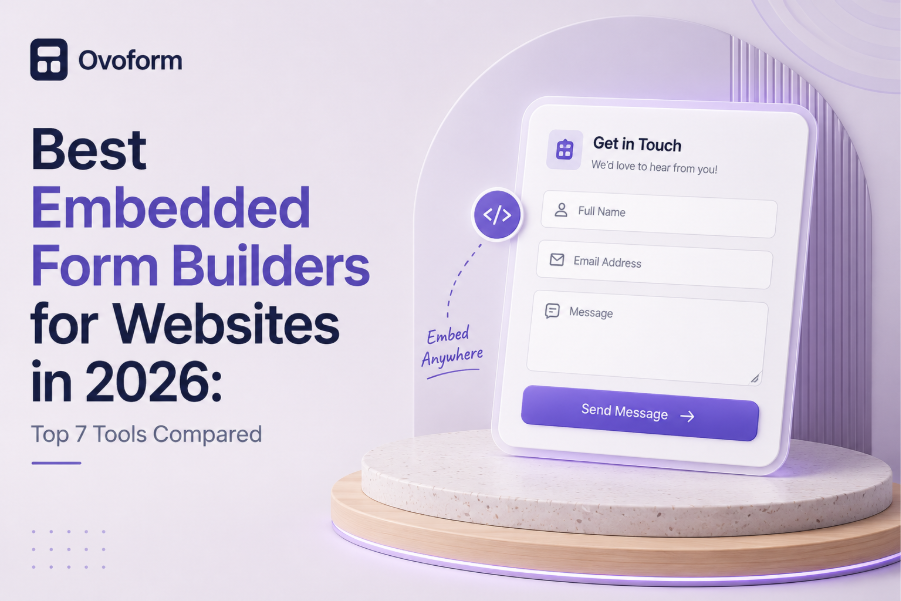
Website forms play an important role in capturing leads, collecting enquiries, processing registrations, and gathering customer feedback. However, sending visitors to a separate page to complete a form can interrupt their browsing experience and reduce conversion rates.
Embedded form builders solve this problem by allowing businesses to place forms directly within their websites. Visitors can complete forms without leaving the page, creating a smoother experience while helping businesses collect information more efficiently.
In this guide, we'll compare the best embedded form builders for websites in 2026, exploring their key features, pricing, strengths, and ideal use cases to help you choose the right solution.
An embedded form builder allows businesses to create online forms that can be placed directly on a website without redirecting visitors to another page. These forms are commonly used for contact requests, lead generation, newsletter sign-ups, event registrations, booking requests, customer feedback, and support inquiries. Unlike standalone forms, embedded forms become a natural part of your website, helping visitors complete actions without interrupting their browsing experience. Modern form builders also include features like conditional logic, workflow automation, CRM integrations, and analytics to simplify data collection and follow-up.
Embedded forms do more than collect information. They reduce friction, improve the user experience, and make it easier for businesses to capture and manage customer data without interrupting the visitor's journey.
Embedded forms allow visitors to submit their information without leaving the website, reducing friction during the conversion process. This streamlined experience helps businesses capture more leads while keeping users engaged.
Visitors can complete forms without navigating to another page, creating a smoother browsing experience. Embedded forms also blend naturally with a website's design, making interactions feel more seamless and professional.
Redirecting users to external pages can interrupt their journey and increase the likelihood of drop-offs. Embedded forms keep visitors on the same page, helping businesses maintain engagement and improve conversion rates.
Many modern form builders automatically send confirmation emails, notify team members, assign leads, or trigger workflows after a form submission. This reduces manual effort and speeds up response times.
Businesses can use conditional logic, custom fields, file uploads, and validation rules to collect more accurate and relevant information, improving lead qualification and customer insights.
Look for a form builder that supports multiple embedding options, including iframe, JavaScript snippets, and CMS platforms. This makes it easier to add forms to different websites without complicated setup.
Responsive forms automatically adjust to desktops, tablets, and smartphones, ensuring visitors have a consistent experience regardless of the device they use.
AI-powered form builders can generate complete forms from a simple prompt, helping businesses save time and reduce repetitive work.
Conditional logic displays questions based on previous answers, creating shorter, more relevant forms and improving the user experience.
Choose a platform that integrates with CRM systems, email marketing tools, payment gateways, Slack, Zapier, Google Sheets, and project management software to automate your workflows.
Custom branding lets you match forms with your website using your own logo, colors, fonts, and domain, creating a consistent brand experience.
Analytics help you monitor submissions, conversion rates, and response trends so you can continuously improve your forms.
Strong security features such as encryption, access controls, GDPR compliance, and secure data handling help protect sensitive customer information. Businesses handling customer, financial, or regulated data should also evaluate certifications such as SOC 2, single sign-on (SSO) support, audit logs, and data residency options to ensure the platform meets their security and compliance requirements.
Developers often evaluate embedded form builders based on how easily they integrate with existing websites and applications. Beyond design and usability, technical compatibility plays an important role in long-term implementation.
Look for platforms that offer multiple embedding methods, such as JavaScript snippets and iFrames, so forms can be added to different websites and CMS platforms with minimal effort.
If your workflows require custom integrations, choose a form builder that provides REST APIs or webhooks. These features allow developers to send submission data to CRM systems, internal applications, or third-party services automatically.
Businesses using React, Vue, WordPress, Webflow, Shopify, or other website builders should verify that the form builder supports their preferred platform and embedding method.
Embedded forms should load quickly without affecting page performance. Lightweight scripts and asynchronous loading can help maintain a smooth user experience.
Overview
Ovoform combines AI-powered form creation with workflow automation, making it easy to build and embed professional forms on any website. Businesses can generate forms from a simple prompt, customize them to match their branding, and embed them with minimal effort.
The platform is designed for businesses that want to reduce repetitive work while improving data collection, making it suitable for lead generation, employee onboarding, customer feedback, and operational workflows.Why choose Ovoform?
AI-powered form generation
Workflow automation
Responsive embedded forms
Conditional logic
Business integrations
Things to Consider
Some advanced integrations may still be expanding. Businesses with specific enterprise requirements should review compatibility before implementation.
Jotform is one of the longest-standing form builders, offering a large template library, extensive integrations, and flexible customization options. It's well suited for businesses that manage a variety of form types across different teams.
Why choose Jotform?
Large library of ready-to-use templates
Flexible drag-and-drop form builder
Supports payments, file uploads, and e-signatures
Works with many third-party applications
Consider before choosing
The extensive feature set can feel overwhelming for new users, and businesses with simpler requirements may not use all of its capabilities.
Overview
Typeform focuses on creating conversational forms by showing one question at a time. It's a popular choice for customer surveys, feedback forms, and lead generation where user experience is a priority.
Why choose Typeform?
Conversational form experience
Modern and clean interface
Easy customization
Well suited for surveys and marketing campaigns
Consider before choosing
While Typeform delivers an engaging experience, businesses that need advanced workflow automation or complex internal processes may require additional tools or integrations.
Overview
Fillout is designed for businesses that rely on platforms such as Airtable, Notion, and Salesforce. It emphasizes database connectivity and responsive forms for internal workflows.
Why choose Fillout?
Strong database integrations
Easy website embedding
Supports conditional logic
Good for connected workflows
Consider before choosing
Its template library is smaller than some established competitors, and several advanced features are available only on paid plans.
Tally offers a lightweight form-building experience with a document-style editor. It's popular among freelancers, startups, and small teams looking for a simple and affordable solution.
Why choose Tally?
Generous free plan
Easy to learn
Fast form creation
Responsive forms
Consider before choosing
It focuses on simplicity, so businesses that need advanced automation or enterprise-level management may outgrow it.
Microsoft Forms integrates closely with Microsoft 365, making it a practical choice for organizations already using tools like Teams, Excel, and SharePoint for internal collaboration.
Why choose Microsoft Forms?
Included with many Microsoft 365 plans
Familiar interface
Easy collaboration
Good for internal surveys and quizzes
Consider before choosing
Customization, branding, and automation capabilities are more limited than those offered by dedicated form-building platforms.
Overview
Paperform combines form building with page-style layouts, making it a good option for businesses that want visually branded forms for bookings, payments, or customer interactions.
Why choose Paperform?
Flexible page-style layouts
Strong branding options
Supports bookings and payments
Suitable for customer-facing forms
Consider before choosing
Its design-focused approach may be more than some businesses need, and pricing can be higher than simpler alternatives.
Platform | AI | Embed Options | Automation | Free Plan |
Ovoform | Advanced AI Form Generation | Inline, Popup, JavaScript | Advanced | Yes (Includes a 30-day free Pro trial with unlimited responses) |
Jotform | AI-assisted Form Creation | Inline, Popup, iFrame | Advanced | Yes |
Typeform | AI Assistance Available | Inline, Popup | Moderate | Yes |
Fillout | Limited AI Features | Inline, iFrame | Good | Yes |
Tally | Basic AI Support | Inline | Basic | Yes |
Microsoft Forms | No Native AI | Basic website embedding (iframe/share link) | Basic | Included |
Paperform | Limited AI Features | Inline embed, popup, full-page, iframe | Advanced | Trial |
Product features, AI capabilities, integrations, and pricing may change over time. Always review the latest information on each platform's official website before making a purchasing decision.
To compare these embedded form builders fairly, we considered the following criteria:
Ease of website embedding
AI-powered form creation
Workflow automation
Customization and branding
Integrations with popular business tools
Analytics and reporting
Mobile responsiveness
Pricing and overall value
A software company embeds a demo request form directly on its homepage so visitors can book a product demonstration without leaving the website. When someone submits the form, the sales team receives an instant notification, the lead is automatically added to the CRM, and a confirmation email is sent to the customer. This streamlined process improves response times, reduces manual work, and helps convert more visitors into qualified leads.
Traditional embedded forms still require users to create every field manually before they can be added to a website. AI-powered form builders simplify this process by generating complete forms from a simple prompt, reducing setup time and helping teams launch forms faster.
Beyond form creation, AI can recommend field types, organize questions logically, and help maintain consistency across multiple forms. For businesses managing websites with frequent campaigns, registrations, or lead generation, this can significantly reduce repetitive work.
The right embedded form builder depends on your website, technical requirements, and business goals.
If AI-powered form creation and workflow automation are your priorities, Ovoform is worth considering.
Businesses looking for extensive templates and customization may prefer Jotform.
Typeform is a strong choice for conversational forms and customer engagement.
Fillout works particularly well for database-driven workflows.
Tally is ideal for startups and teams looking for a generous free plan.
Organizations already using Microsoft 365 may find Microsoft Forms the simplest option.
Paperform is well suited for businesses that prioritize branded customer experiences.
Every platform in this comparison has different strengths. The right choice depends on how you collect information, the tools your team already uses, and the workflows you want to automate.
Businesses focused on AI-powered form creation may prefer Ovoform, while others may prioritize customization, conversational experiences, database integrations, or Microsoft 365 compatibility. Comparing your requirements before making a decision will help you choose a solution that supports both your current needs and future growth.
Explore platforms based on AI capabilities, embedding options, integrations, workflow automation, and pricing to find the best fit for your website.
Create surveys, FAQs, and feedback forms in minutes with Ovoform — no code required.
Get started freeStart building with Ovoform today — free forever, no credit card required.
Get Started For Free