Surveys

Client onboarding forms help agencies replace scattered emails and manual processes with a structured workflow. By choosing software that offers automation, conditional logic, file uploads, and integrations, agencies can onboard new clients faster, improve collaboration, and create a more professional experience from day one.
Ovoform Team
August 4, 2026

Winning a new client always feels exciting. After weeks of discovery calls, proposals, revisions, and negotiations, you finally receive the email every agency loves to see: "Let's move forward."
However, what happens next often determines whether that excitement continues or quickly turns into operational frustration.
Many agencies still rely on fragmented email threads, shared spreadsheets, and manual follow-ups to collect project details, brand assets, contact information, login credentials, and signed agreements. Important files get buried, clients forget to answer key questions, and project kick-offs are delayed before the real work even begins.
A smooth onboarding experience isn't just about collecting information—it is your first opportunity to demonstrate operational maturity and confirm to clients that they made the right choice.
That's why growing agencies are switching to dedicated client onboarding form tools. Instead of chasing emails and spreadsheets, these platforms organize everything in one place, helping agencies save time, reduce human error, and start projects faster. In this guide, we'll explore the best client onboarding form tools for agencies in 2026, what makes a great onboarding solution, and how to choose the right platform for your team.
Not every standard form builder is equipped for agency workflows. To create this comparison, we evaluated each platform based on the operational features that matter most when onboarding new clients, rather than raw feature count.
Our evaluation focused on eight core criteria:
Ease of Use & Speed: How quickly internal teams can build, test, and deploy customization-heavy onboarding forms.
AI Capabilities: Native assistance for generating relevant fields, briefs, and logic flows automatically.
Conditional Logic: The ability to tailor questionnaires dynamically based on service scope or client answers.
Advanced File Uploads: High size capacity and support for vector files, contracts, brand assets, and direct cloud folder routing.
Workflow Automation: Support for instant internal notifications, CRM record updates, and task creation.
Data Privacy & Security: Features like role-based access control and encrypted credential collection for sensitive logins.
Custom Branding: Options to deliver a fully white-labeled, professional experience aligned with agency design standards.
Value & Scalability: Transparent pricing tiers that accommodate growth without immediate response limits or hidden fees.
Rather than looking at features in isolation, we assessed how effectively each tool supports the complete client onboarding lifecycle—from initial asset collection to project launch.
Your onboarding process sets the operational tone for your entire client relationship. If the initial experience feels confusing or disorganized, clients may question your agency's professionalism before the project has even started.
On the other hand, a structured, automated onboarding workflow creates immediate confidence. Clients know exactly what information they need to provide, your internal team receives structured data, and projects move forward without unnecessary administrative bottlenecks.
A well-optimized onboarding process helps agencies:
Accelerate Time-to-Kickoff: Start client deliverables faster by eliminating missing-asset delays.
Reduce Administrative Overhead: Cut out hours spent chasing emails, credentials, and attachments.
Collect Complete Project Briefs: Ensure designers, strategists, and developers receive accurate specifications up front.
Centralize Team Operations: Synchronize submission data directly into your agency’s CRM and project management tools.
Build Long-Term Trust: Deliver an efficient, professional onboarding experience from day one.
Your team shouldn't need developer resources to build custom onboarding flows. AI-assisted form builders allow account managers, strategists, and designers to build, adapt, and launch tailored client questionnaires within minutes.
Different services require different data. Conditional logic dynamically hides or reveals fields based on previous answers. For instance, a client selecting a pay-per-click (PPC) campaign will see questions regarding ad spend and account permissions, while a web design client sees fields for vector assets and hosting details.
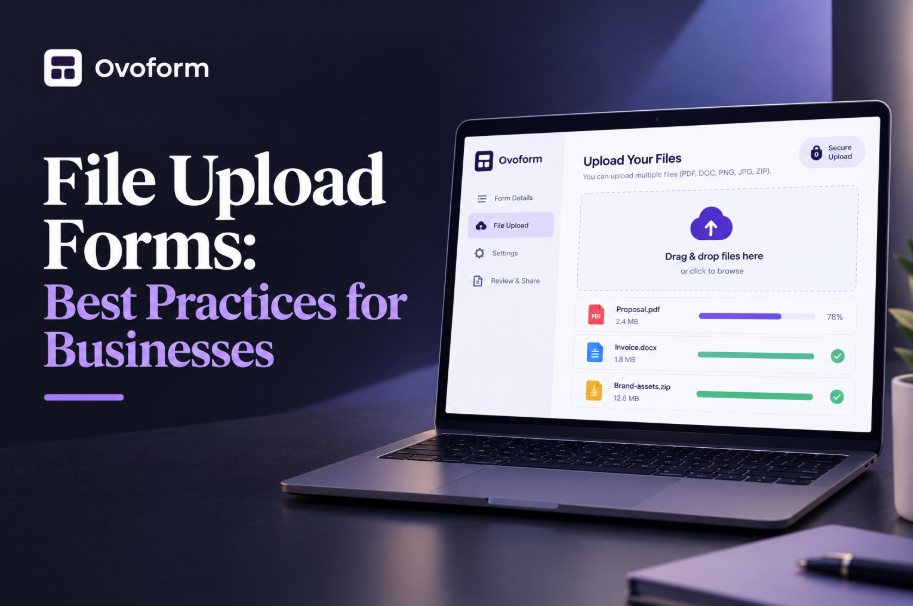
Agencies frequently collect high-resolution assets, brand manuals, contracts, and video files. A capable tool must support large file limits and route those uploads directly to dedicated client cloud storage folders (e.g., Google Drive or Dropbox) rather than clogging email inboxes.
Onboarding often requires gathering sensitive access details—such as WordPress logins, Meta Business Manager access, or server keys. Reliable form tools prioritize field-level security, end-to-end encryption, and compliant data handling to safeguard client credentials.
Complex onboarding forms are rarely completed in one sitting. Top-tier tools offer auto-save capabilities so clients can return to finish their submission without losing progress, alongside automated follow-up reminders for incomplete drafts.
Capturing data is only half the process. Modern onboarding tools automatically notify relevant account managers, trigger project templates in tools like Asana or ClickUp, and push client records straight into CRMs like HubSpot.
Platform | Free Plan | Starting Paid Plan | AI Form Creation | File Uploads | Workflow Automation | Best For | Why Choose It |
|---|---|---|---|---|---|---|---|
✅ Yes (Unlimited responses + 30-day Pro trial) | $19/month | ✅ Native AI | ✅ Advanced | ✅ Advanced | Growing agencies, consultants & service businesses | Native AI generation, unlimited responses on the free tier, advanced conditional logic, and modern workflow automation at an accessible price point. | |
✅ Yes | $39/month | ✅ AI-assisted | ✅ Advanced | ✅ Advanced | Large agencies & enterprise teams | Extensive template library, complex approval workflows, and enterprise compliance options for large organizations. | |
✅ Yes | $39/month | ✅ AI-assisted | ✅ Standard | ⚠️ Moderate | Creative agencies & client-facing teams | Premium, conversational one-question-at-a-time experience optimized for engagement and high completion rates. | |
✅ Yes | $15/month | ⚠️ Basic | ✅ Advanced | ✅ Advanced | Agencies operating on Airtable or Notion | Deep two-way database synchronization, making it seamless for teams managing projects via Airtable or Notion bases. | |
✅ Yes | Free | ❌ No | ⚠️ Basic | ⚠️ Basic | Solopreneurs & basic information gathering | Simple, free option that integrates natively with Google Workspace for basic intake without complex automation requirements. |
Best for: Growing agencies, digital marketing firms, freelancers, and service businesses looking to automate intake workflows with modern AI capabilities.
Ovoform is engineered to streamline complex client onboarding processes into a single, cohesive workflow. Instead of sending repetitive email follow-ups to gather project briefs, contracts, brand assets, and platform permissions, agencies can collect everything through a white-labeled onboarding portal.
For example, a web development studio can gather site objectives, hosting logins, design preferences, and content files before a kickoff call. Similarly, a performance marketing agency can request ad account permissions, Google Analytics access, target KPIs, and creative assets within the same structured form.
Ovoform's native AI generator accelerates initial form creation, while its conditional branching ensures clients only answer questions relevant to their scope. Automated notification rules help keep account teams aligned as soon as a submission is completed.
Pros:
Fast AI-powered form and brief generation.
Flexible multi-step conditional logic.
Robust file upload handling for large assets.
Native workflow automation and CRM connectivity.
Generous free plan offering unlimited form responses.
Limitations:
Newer ecosystem with fewer pre-built third-party templates than legacy competitors.
Pricing: Free plan available with unlimited responses and a 30-day Pro trial. Paid plans start at $19/month.
Best for: Large agencies, enterprise operations, and organizations requiring formal approval chains.
Jotform is a veteran platform well-suited for high-volume agencies managing multi-departmental approvals and strict compliance requirements. Its expansive feature suite and template directory make it a capable workhorse for structured enterprise workflows.
For instance, a global agency can route incoming onboarding documents to legal, finance, and technical departments simultaneously using Jotform’s native approval workflows.
Pros:
Industry-leading template library and widget selection.
Built-in e-signatures and PDF generation tools.
Advanced multi-tier approval routing.
Limitations:
Interface can feel cluttered due to legacy features.
Tiered response and storage limits can get expensive as agency volume scales.
Pricing: Free plan available with response limits. Paid plans start at $39/month.
Best for: Creative studios, branding agencies, and customer-experience-focused teams.
Typeform focuses on delivering a refined visual experience by presenting questions conversationally—one at a time. This format reduces cognitive fatigue during longer discovery questionnaires and keeps client completion rates high.
A boutique branding agency can guide clients through open-ended questions about brand identity, target demographics, and design preferences in an interactive, visually immersive format.
Pros:
Exceptional interface design and polished client experience.
High engagement rates for survey-style onboarding.
Easy integration with major marketing tools.
Limitations:
Higher cost per response tier.
Less tailored for multi-file organizational uploads or backend database routing.
Pricing: Free plan available with strict response caps. Paid plans start at $39/month.
Best for: Agencies that run project management and client operations inside Airtable or Notion.
Fillout is designed for modern agency teams that utilize database tools like Airtable or Notion as their core operating system. Instead of manually copying submission data across apps, Fillout updates and syncs form entries directly into existing database fields in real time.
This makes it an effective choice for development, production, or operations teams that track client milestones directly within custom database dashboards.
Pros:
Industry-leading two-way synchronization with Airtable and Notion.
Modern, clean builder interface.
Support for dynamic pre-filled fields based on existing database records.
Limitations:
Best utilized within specific database environments.
Fewer standalone workflow features outside its primary integrations.
Pricing: Free plan available. Paid plans start at $15/month.
Best for: Solopreneurs, startups, and agencies with straightforward intake needs.
Google Forms remains a accessible option for teams needing basic client data collection without costs or complex setups. It works well for gathering straightforward contact information, simple questionnaires, or initial contact details.
However, growing agencies often transition away from Google Forms due to its lack of custom white-labeling, absent conditional file handling, and basic automation options.
Pros:
Completely free with no submission limits.
Simple setup and zero learning curve.
Direct synchronization with Google Sheets.
Limitations:
No AI form creation or advanced logic branching.
Minimal brand customization options.
Unsuited for secure credential intake or complex workflows.
Pricing: 100% free with a Google account.
Agency Profile | Recommended Tool | Primary Reason |
|---|---|---|
Growing agency or digital service team | Ovoform | Best balance of AI speed, flexible conditional logic, and modern automation without enterprise pricing. |
Creative, design, or branding studio | Typeform | Delivers a polished, conversational UI that aligns with brand-focused agency standards. |
Large agency with multi-tier approvals | Jotform | Includes built-in approval workflows, electronic signatures, and enterprise compliance features. |
Operations built on Airtable or Notion | Fillout | Offers native two-way sync to populate client bases without middleware. |
New freelancer or basic intake need | Google Forms | Zero-cost option for collecting basic text details without technical overhead. |
When selecting an onboarding platform for your team, evaluate your operations against these key factors:
1. Monthly Client Volume & Automation Needs: If you onboard more than 5–10 clients per month, automated follow-ups, auto-save capabilities, and CRM task triggers become essential for maintaining operational efficiency.
2. File Collection Requirements: Ensure the software supports high-resolution uploads and restricted file extensions (e.g., forcing .AI or .SVG vector uploads for design briefs) if you regularly collect creative assets or legal contracts.
3. Internal Team Structure: Look for platforms that support team accounts and shared submission dashboards so account managers, designers, and strategists can review intake data without sharing login credentials.
4. Existing Software Stack: Pick a tool that connects cleanly with your current project management suite (Asana, ClickUp, Monday.com) and CRM, either natively or via Webhooks/Zapier.
5. Data Security Standards: If your team collects passwords or server details, prioritize tools that offer end-to-end encryption, role-based access controls, and strict privacy compliance.
A digital marketing agency signing approximately 25 new clients per month previously relied on five separate email templates to request ad access, brand assets, campaign targets, and billing profiles.
Clients frequently replied with partial details or forgot attachments, delaying campaign kick-offs by an average of 7 days.
After implementing a single, automated onboarding form featuring conditional fields and native CRM routing, the agency cut its average time-to-onboard down from 7 days to 24 hours. Account managers saved roughly 5 hours per week in manual follow-up emails, allowing them to redirect their focus toward strategy and campaign execution.
A branding studio struggled with project stalls caused by clients submitting low-resolution PNGs, missing font packages, or incomplete design briefs.
By switching to a structured onboarding form with conditional fields and mandatory file-type rules (restricting logo uploads to vector formats like .AI or .EPS), the studio ensured designers received complete assets before the kickoff meeting. This eliminated email back-and-forths regarding missing files and enabled creative work to begin immediately.
A smooth client onboarding process creates an immediate, positive impression. The right onboarding form software enables agencies to gather assets quickly, eliminate administrative drag, and keep every new project organized from day one.
Whether you run a boutique consultancy or a growing digital agency, selecting a tool equipped with conditional logic, high-capacity file uploads, security controls, and workflow automation can transform your administrative setup into a competitive advantage.
By evaluating your team’s monthly volume, asset requirements, and tech stack, you can implement an onboarding workflow that saves time, builds client trust, and scales alongside your business.
Create surveys, FAQs, and feedback forms in minutes with Ovoform — no code required.
Get started freeStart building with Ovoform today — free forever, no credit card required.
Get Started For Free