
Free Tool
X (Twitter) header maker
Make a 1500×500 header that still works once the avatar covers one corner and a phone trims the rest. Free, in your browser, no signup.
An X header is the 1500×500 strip across the top of a profile. Unlike most images you make, it is never shown whole: your avatar covers its lower-left corner, and the strip loses height as the screen narrows. Design for the middle of the frame and the three versions of it — desktop, phone, and avatar-on-top — all keep working.
Making one that fits
- 1
Keep the dashed guide switched on. It marks the region that survives both the avatar and the narrow-screen crop. The Safe area button above the panel toggles it; everything you care about belongs inside it.
- 2
Choose a background with a temperament. Ribbon loads by default because it is the quietest artwork in the set and a header is a backdrop, not a poster. Press S to shuffle variations until the busy part sits away from your copy.
- 3
Download and upload. The PNG comes out at 1500×500. In X, open Edit profile and pick it as the header image — and if the preview there shows the crop eating something, come back and move it inward rather than scaling the file.
The three things that break a profile header
A header is an unusual canvas because three different forces take bites out of it, and none of them are visible while you are designing. Understanding each one is most of the work; the artwork itself is comparatively easy.
The first is the avatar. Your profile picture is laid over the header’s lower-left corner, as a circle, with a ring of background colour around it. That region is simply gone — not dimmed or partially covered, but occupied. Designs that centre a logo horizontally are the common casualty here, because on a narrow screen the centre moves left and ends up behind the avatar. Putting your mark on the right side costs nothing and is immune to the problem.
The second is the responsive crop. The header holds its width and sheds height as the viewport narrows, so the top and bottom edges are the first casualties, and how much disappears depends on the device. A composition that fills the full 500-pixel height on a desktop can lose a third of itself on a phone. Anything vertically centred survives; anything hugging an edge is a gamble. This is the constraint the dashed guide in the editor is drawn for.
The third is the interface around it. The header does not float on neutral white — it is framed by the app, in whichever theme the viewer has chosen, with the profile name, bio and follow button sitting immediately beneath. Pale, low-contrast artwork dissolves into a light theme and glows unpleasantly against a dark one. A background with real colour in it reads as intentional in both, and it also stops the header competing with the text below, which is where visitors are actually looking.
One more consideration, less about geometry than about effort: headers go stale. A banner announcing a specific event or date is wrong the moment it passes, and profiles are rarely updated with the enthusiasm they were set up with. An abstract background with a line of evergreen copy — what you do, when you publish — stays accurate for years. If you want something seasonal, keep the saved look file so the next version takes a minute rather than an afternoon.
Header size and safe area
| Size | Pixels | Stays visible | What it asks for | Source |
|---|---|---|---|---|
| X (Twitter) header | 1500×500 | 1200×400 Your avatar overlaps the lower-left corner on desktop and the edges crop on narrow screens — keep logos and copy inside the centre. | 1500x500 (3:1), JPG or PNG, under 2 MB. | X Help Centre — customising your profile Published guidance; not read from the platform’s own docs on this date. |
| LinkedIn banner (profile) | 1584×396 | 1100×300 Your profile photo sits over the lower-left on desktop and the banner crops shorter on mobile. | 1584x396 (4:1), JPG or PNG, under 8 MB. | LinkedIn Help — add or change your background photo Published guidance; not read from the platform’s own docs on this date. |
| Facebook cover | 820×312 | 640×312 Desktop shows 820x312 and mobile shows a taller, narrower 640x360 crop — only the centre 640 wide appears on both. | Displays at 820x312 on desktop and 640x360 on mobile. | Facebook Help — page cover photos Published guidance; not read from the platform’s own docs on this date. |
Specs verified October 2026.
Every network crops its banner differently, so a single file rarely serves all three. For the Facebook and LinkedIn versions, the cover photo maker starts at the right dimensions with the right guides.
One made with this tool
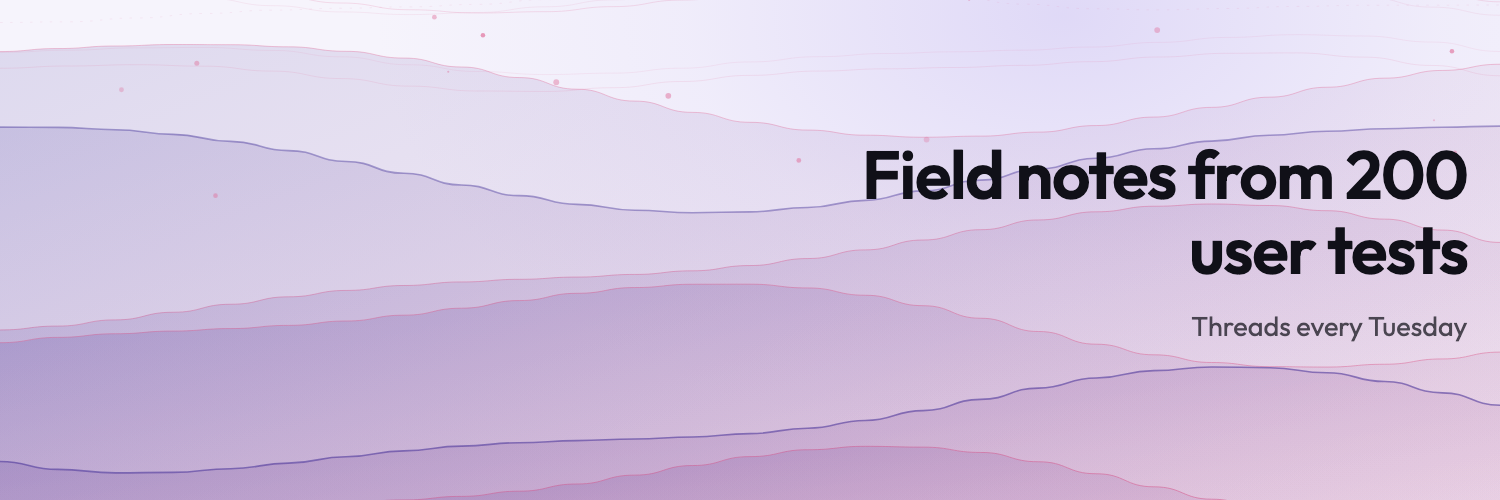
A 1500×500 header, copy held right of centre so the avatar has the corner to itself, on a background quiet enough that the profile text below stays the loudest thing on the page.
Related free tools
Or browse all free tools.
FAQs
Frequently Asked Questions
1500×500 pixels — a 3:1 strip. The editor above exports at exactly that, and the dashed guide on the preview marks the middle region that stays visible after the avatar and the responsive crop have taken their share.
Because the strip is not a fixed shape. X keeps the header’s width and trims its height as the column narrows, so a phone shows a shorter band than a desktop does. Anything near the top or bottom edge is the first thing to go, which is why vertically centred artwork survives and a logo tucked into a corner does not.
Over the lower-left of the header, overlapping it. Treat that corner as unusable: whatever you put there is either hidden behind a circular avatar or awkwardly peeking out from behind it. The preset above starts with its copy on the right for precisely this reason.
A short line can work — a tagline, a publishing schedule, what you do — but the bio directly underneath already carries that information, and it is selectable, translatable and readable by screen readers in a way that text baked into an image is not. If you do add words, keep them to a handful and put them where the avatar is not.
It needs to not look broken in either. The header is bounded by the app’s background, so a near-white design floats on a light theme and glares against a dark one. Backgrounds with a definite colour of their own sit comfortably in both, which is what the palettes here are built for.
Neither. Download as many headers as you like without an account, and nothing is stamped onto the exported file. Nothing is uploaded either — the image is generated in your browser.
Ready to Build Smart Forms with AI?
Ovoform is your gateway to effortless, intelligent, and high-performing funnel experiences to expand your global reach. Build smarter forms, automate form workflows, and gather powerful insights — all in minutes.
Get Started FreeNo credit card required. Unlimited responses.