Templates

Best RSVP Template · RSVP Form · RSVP Form Template · Professionally Designed | Secondary keywords: Free RSVP Form Online, Event Registration Form Template, Wedding RSVP Form, Online RSVP Form Builder, Customizable Event Form
Ovoform Team
June 15, 2026
Planning a corporate event, product launch, annual company dinner, wedding, or client summit is already a demanding task. The last thing you need is to chase down RSVPs through email, manually update spreadsheets, and still not know how many people are attending a few days before the event.
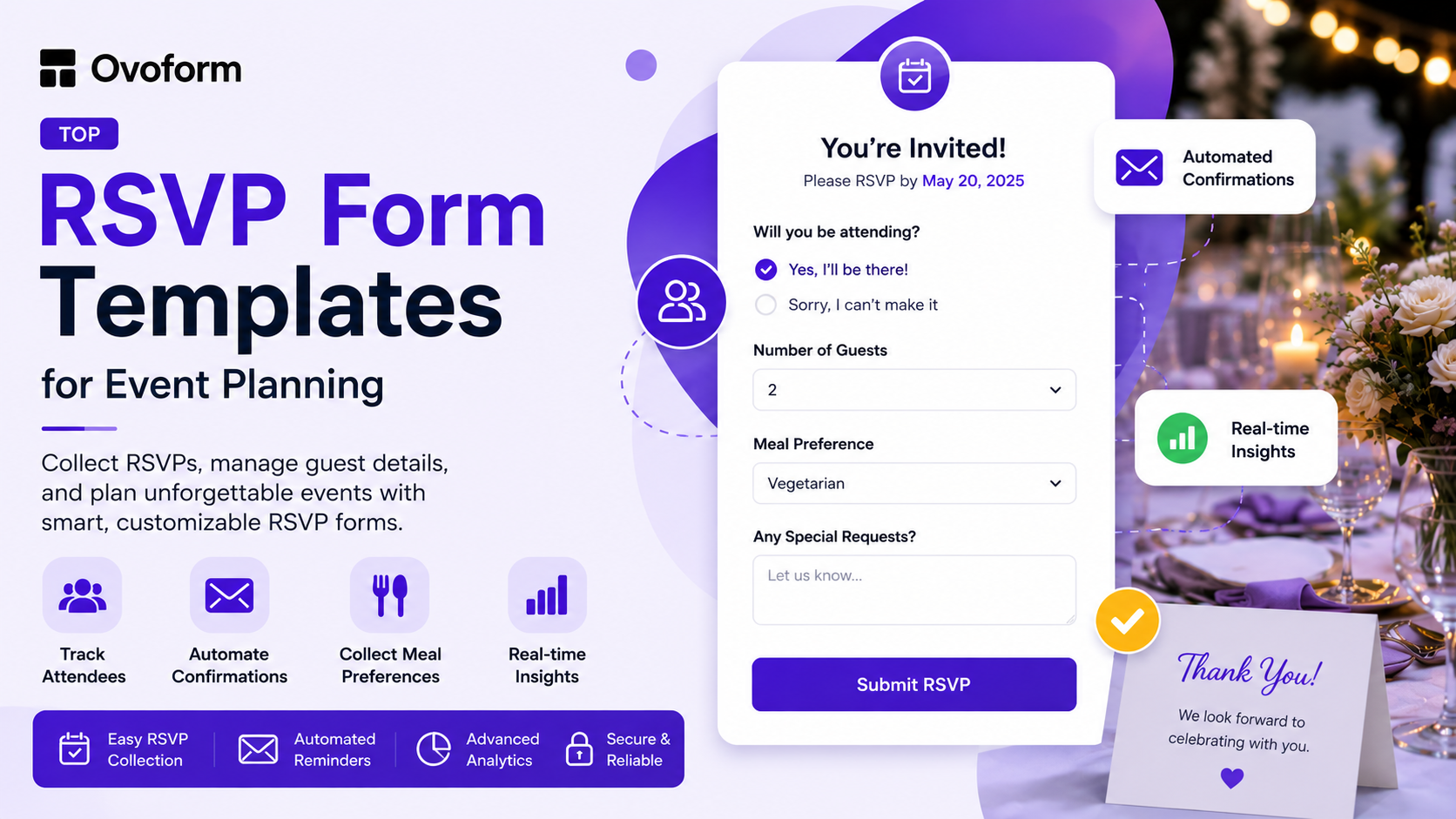
A well-designed RSVP form template eliminates that hassle. It collects responses in one place, automates confirmations, tracks attendance in real time, and helps you plan with confidence.
In this guide, you'll learn what makes the best RSVP template, the different types of RSVP forms available, how to choose the right one for your event, and how to set up an RSVP form in minutes.
An RSVP form template is a pre-built digital form that guests use to confirm whether they will attend an event. Instead of creating a form from scratch every time, a professionally designed RSVP template provides the structure, fields, and layout needed to collect responses efficiently.
For event organizers, businesses, HR teams, and wedding planners, the difference between a simple spreadsheet and a dedicated RSVP form can be significant.
Benefits include:
Collecting attendance responses in one place
Tracking guest counts automatically
Gathering meal preferences and special requests
Sending automated confirmation emails
Reducing manual follow-up and administrative work
Think about the last event you organized. If attendance tracking involved multiple email threads, phone calls, or spreadsheet updates, an RSVP form template could have saved hours of work.
The best RSVP template balances simplicity for guests with functionality for organizers.
A high-performing RSVP form should include:
Mobile-friendly design
Attendance confirmation options
Automated email confirmations
Guest count tracking
Meal preference collection
Conditional logic for personalized questions
Real-time response dashboard
Easy sharing through email, websites, and social media
Whether you're planning a corporate conference, wedding, charity gala, workshop, or private event, the best RSVP template is one that captures all the information you need without overwhelming guests.
Many event organizers still rely on emails, spreadsheets, or messaging apps to manage guest responses. While these methods may work for small gatherings, they quickly become difficult to manage as attendance grows.
Using an online RSVP form provides several advantages:
Eliminates manual attendance tracking
Reduces no-shows through automated reminders and confirmations
Collects guest preferences before the event
Improves planning accuracy
Saves time for organizers
Supports better catering, seating, and logistics decisions
Creates a professional experience for guests
Makes reporting and exporting attendee data simple
For businesses and event planners, these benefits translate into smoother event execution and fewer last-minute surprises.
Event Type | Recommended Template | Key Information Collected |
Corporate Events | Corporate RSVP Form | Company, Role, Sessions |
Weddings | Guest Count, Meals, Plus-Ones | |
Workshops & Seminars | Attendance, Session Selection | |
Company Parties | Team RSVP Form | Attendance, Preferences |
Fundraisers & Galas | Charity RSVP Form | Ticket Type, Donations |
The information you need from guests varies by event type, which is why choosing the right RSVP template matters. Here are five of the most common RSVP template formats and when to use them.
Best for: Product launches, investor dinners, team offsites, and annual conferences.
A corporate event RSVP form gathers essential details, including the attendee's name, job title, company, attendance confirmation, session preferences, and meal choices. For a SaaS company hosting a 200-person partner summit, this form confirms headcount, categorizes attendees, and preassigns breakout sessions to streamline planning.
Key fields to include:
Full name and work email
Job title and company name
Attendance confirmation (Yes / No / Maybe)
Session or workshop selection
Best for: Wedding couples and their coordinators managing guest lists of 50 to 500 people.
A wedding RSVP form must accommodate certain details that a corporate form does not, such as plus-ones, children, seating arrangements, and song requests. For example, a wedding planner managing a reception for 300 guests used an online RSVP form builder to collect meal preferences for all guests within 48 hours, significantly reducing what would have taken a week of phone calls to just an afternoon.
Key fields to include:
Guest name(s)
Number of guests attending
Meal selection per guest
Dietary restrictions
A message for the couple (optional but appreciated)
Best for: Professional training sessions, lunch and learns, client education events.
This registration form emphasizes attendance intent and session details. For instance, a professional services firm can confirm attendance, assess interest in topics, and assign seats efficiently without phone calls.
Key fields to include:
Name and contact information
Which session(s) they're attending
Experience level or role (helps tailor content)
Any questions they want addressed
Best for: HR teams organizing internal celebrations, holiday parties, and teambuilding events.
These forms can be a bit lighter and more playful in tone. For example, an HR manager at a 60-person company used a free RSVP form online to collect party RSVPs, t-shirt sizes, and potluck dish preferences, all in a single form. This allowed the event committee to gather all the necessary information two weeks before the event.
Key fields to include:
Name and team/department
Attendance confirmation
Any additional details specific to the event (e.g., bring a dish, T-shirt size)
Best for: Nonprofits, community organizations, businesses hosting charity events.
This form needs to handle ticket tiers, table sponsorships, and sometimes payment collection. A regional business association hosting an annual gala used an online RSVP form builder that integrated with Stripe to handle both attendance confirmation and ticket payment in one seamless flow.
Key fields to include:
Attendee name and contact details
Ticket tier or table selection
Donation intent (optional)
Dietary restrictions and accessibility needs
If you've never used an online RSVP form builder before, the process is simpler than you might expect. Here's how it works with a professionally designed template:
Start with a template designed for your event type, whether it's a wedding, corporate conference, workshop, or company celebration.
Most templates already include the fields commonly required for that type of event, allowing you to launch faster.
Personalize the form by:
Updating the event name and details
Adding or removing fields
Uploading your logo
Customizing confirmation messages
Setting conditional logic where needed
For example, meal preferences can appear only when guests confirm attendance.
Once your form is ready, distribute it through:
Email invitations
Calendar invites
Event landing pages
Company intranets
Social media channels
Messaging apps
Responses are collected automatically and can be viewed in real time.
Not all RSVP form templates are created equal. Here's what separates a form that gets responses from one that gets ignored:
Mobile-optimized design
Simple and intuitive layout
Conditional logic support
Automated confirmations
Real-time response tracking
Data export capabilities
Integration with tools like Google Sheets, Slack, Mailchimp, or CRM platforms
Choosing the right RSVP form template from Ovoform equipped with these powerful features can significantly elevate your event engagement efforts and contribute to the overall success of your event.
Many people use these terms interchangeably, but they serve slightly different purposes.
RSVP Form | |
Confirms attendance | Registers attendees |
Simple and quick | Often more detailed |
Usually free events | Often paid or ticketed events |
Focuses on attendance | Focuses on attendee management |
Fewer fields required | Multiple ticket and session options |
Modern form builders often allow RSVP forms to expand into full registration workflows when additional information is needed.
Successful events start with accurate attendance data. The right RSVP template helps you collect guest information efficiently, stay organized, and spend less time managing logistics.
Whether you're hosting a corporate conference, wedding, training session, fundraising gala, or company celebration, a well-designed RSVP form creates a smoother experience for both organizers and attendees.
The five RSVP template types covered in this guide—corporate events, weddings, workshops, company parties, and charity galas—cover the vast majority of event planning needs. Starting with a professional template allows you to focus on delivering a successful event rather than managing responses manually.
Ready to set up your RSVP form? Explore Ovoform's templates and create your event form in minutes with no coding required.
Create surveys, FAQs, and feedback forms in minutes with Ovoform — no code required.
Get started freeStart building with Ovoform today — free forever, no credit card required.
Get Started For Free