Templates

HR form templates help businesses streamline hiring, employee onboarding, leave management, performance reviews, and policy administration. This guide covers the most essential HR forms, how to implement them effectively, common mistakes to avoid, and best practices for creating efficient, compliant, and employee-friendly HR workflows.
Ovoform Team
June 18, 2026
Whether you're hiring your first employee or scaling a team of 50, the right HR forms keep your process clean, compliant, and consistent without starting from scratch every time.
Managing people is one of the most document-heavy parts of running a business. From the moment a candidate applies to the day an employee is fully onboarded, there are dozens of moments where you need structured information collected consistently, stored safely, and easy to act on.
Without standardized HR form templates, small businesses and growing teams often rely on inconsistent email threads, ad hoc Google Docs, or paper forms that get lost in a drawer. The result: missed signatures, compliance gaps, and frustrated new hires.
The good news? You don't need a dedicated HR software suite or an IT team to fix this. A well-designed set of HR forms and templates built on a flexible form platform can cover most of what you need in an afternoon.
HR form templates are pre-built digital forms used to collect, manage, and store employee information throughout the employee lifecycle. Businesses use these templates for hiring, employee onboarding, leave management, performance reviews, policy acknowledgements, and offboarding.
Instead of creating HR documents from scratch, teams can customize ready-made templates to standardize processes, improve recordkeeping, and reduce administrative work.
Most organizations need forms across three core areas: hiring and recruitment, employee onboarding, and ongoing HR administration.
Job Application Form: Captures candidate details, work history, and screening questions in one place.
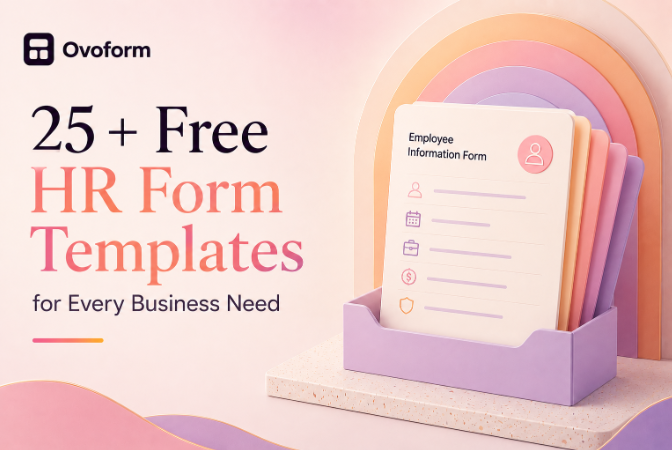
Employee Information Form: Collects personal details, emergency contacts, and tax information during onboarding.
Performance Review Form: Standardizes manager feedback, employee self-assessments, and review cycles.
Leave/PTO Request Form: Tracks vacation, sick leave, and PTO requests with approval workflows.
Employee Exit Interview Form: Captures feedback from departing employees to identify retention opportunities.
Employee Complaint or Grievance Form: Provides a structured channel for documenting workplace concerns.
Here's how a small business or HR team can go from zero to a functional HR forms system without any technical expertise:
List every moment in the employee lifecycle where you currently ask for information informally by email, verbally, or via PDF. These are your highest priority templates to build first.
Start from a prebuilt template rather than a blank form. Ovoform's HR onboarding forms and workforce templates can help you launch faster and follow proven best practices.
Adjust field names, add your company logo, and remove questions that don't apply. A good HR template should take minutes, not hours, to customize.
Send a direct form link to candidates or new hires. Responses are collected automatically in a structured format that can be reviewed, filtered, and exported when needed.
Route submissions to Google Sheets for record keeping, Slack for team notifications, or HubSpot if HR is part of your broader operations stack.
Imagine a 20-person marketing agency onboarding two new account managers in the same week. Before using employee onboarding forms, the operations manager spent hours chasing signatures, re-explaining required documents, and manually entering information into spreadsheets.
After setting up an Employee Information Form template with fields for personal details, tax information, emergency contacts, and a policy acknowledgment section, the same process became significantly faster and easier to manage. Employees completed everything from a single form link, and responses were automatically organized for HR review.
The same approach works for any HR workflow, performance reviews, leave requests, or exit interviews where consistency and a paper trail matter.
Not all sample HR form templates are created equal. When evaluating or adapting templates, look for these qualities:
Clear, jargon-free field labels employees shouldn't need a glossary to complete a form
Mobile-friendly design for employees completing forms on any device
Conditional logic to display relevant fields only when needed
Confirmation messages let the respondent know their submission was received
Data export options forms are only useful if the data ends up somewhere actionable
Secure storage and access controls
Signature and acknowledgement fields for policies and compliance documentation
These features help improve completion rates while reducing administrative effort.
Even experienced HR teams run into these challenges:
Asking employees for the same information across multiple forms
Using PDF forms that require printing and scanning
Poor version control across HR documents
Collecting sensitive employee data without proper access controls
Creating forms that are too long and difficult to complete
Failing to optimize forms for mobile users
Avoiding these mistakes helps create a smoother experience for both HR teams and employees.
HR form templates improve consistency across hiring, onboarding, and workforce management
Digital HR forms reduce paperwork and administrative effort
Employee onboarding forms are often the best place to start
Mobile-friendly forms improve completion rates and user experience
Secure data collection is essential when handling employee information
Pre-built templates help organizations launch faster and maintain compliance
HR form templates help businesses streamline hiring, employee onboarding, leave management, performance reviews, and policy administration. By replacing manual processes with structured digital forms, organizations can improve efficiency, maintain consistency, and create a better employee experience from day one.
Ready to build your HR forms without starting from scratch?
Browse Ovoform's HR & Workforce template library for customizable HR onboarding forms, employee forms, and workforce templates designed to help teams collect information efficiently and stay organized as they grow.
Create surveys, FAQs, and feedback forms in minutes with Ovoform — no code required.
Get started freeStart building with Ovoform today — free forever, no credit card required.
Get Started For Free