Surveys

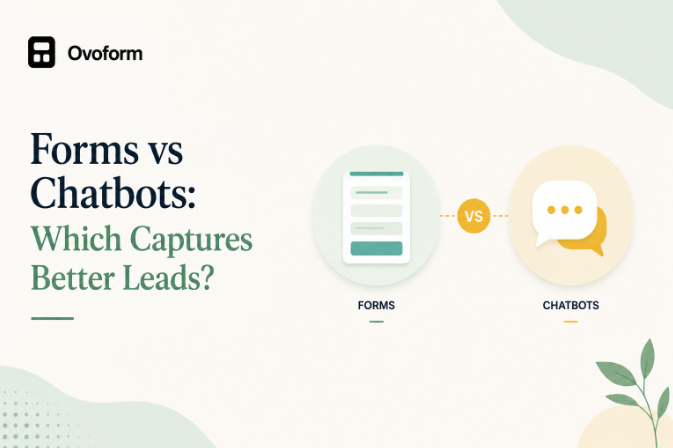
Choosing between forms and chatbots isn't always straightforward. Both can capture leads, but they solve different business problems. This guide compares forms and chatbots across user experience, automation, integrations, customization, and lead quality. You'll also learn which features matter most, common mistakes to avoid, and how to choose the right solution for your marketing workflow.
Nikhil Dogra
September 17, 2026
Capturing a lead is only useful if you collect enough information to act on it.
A short form can make it easy for a prospect to submit their details. A chatbot can guide visitors through questions, answer objections, and qualify them before asking for contact information.
So, forms vs chatbots: which is better for lead generation?
The answer depends on the visitor's intent, the information you need, and what happens after the interaction. Forms are generally better for structured data collection, while chatbots can be useful when visitors need guidance or qualification.
The important decision isn't which technology is better overall. It's which experience fits the job you're asking the visitor to complete.
A form collects predefined information through fields such as name, email, company, phone number, or other questions. The result is structured data that can be stored, analyzed, and sent to other systems.
A chatbot uses an interactive conversation to guide visitors through questions, answers, and actions. Instead of presenting all information requirements upfront, it can adapt the conversation based on the visitor's responses.
The distinction matters because the two approaches optimize for different experiences:
Forms prioritize structured data collection.
Chatbots prioritize interaction and guidance.
Conversational forms sit somewhere between the two. They can use a question-by-question experience while still collecting structured form data.
The main difference is how the interaction happens.
Forms generally provide a structured path for collecting information, while chatbots create a more guided conversation.
Factor | Forms | Chatbots |
Interaction | Field-based | Conversation-based |
User experience | Direct and familiar | Guided and interactive |
Best for | Structured data collection | Qualification and guidance |
Simple lead capture | Excellent | Can be unnecessary |
Lead qualification | Good with fields and logic | Strong for guided qualification |
Personalization | Possible with conditional logic | Often central to the experience |
Information visibility | Users can see multiple fields | Information is revealed progressively |
Complex journeys | Good with logic and multiple steps | Strong for conversational journeys |
Speed | Often faster for short requests | Depends on conversation length |
CRM integrations | Common | Common |
Automation | Strong | Strong |
Best fit | Users who know what they need | Users who need guidance |
The key difference isn't simply static vs interactive.
It is structured intake vs guided interaction.
A marketing team that needs the same five pieces of information from every prospect may benefit from a form. A team that needs to understand what a visitor wants before deciding what to show or where to route them may benefit from a chatbot.
There is no universal winner.
Forms are usually the better choice when the visitor already knows what they want and the information required is straightforward. Chatbots become more valuable when the visitor needs answers, recommendations, or qualification before taking the next step.
For example, consider two visitors:
Visitor A clicks a “Request a Demo” button and already knows they want to speak with sales. Asking for their name, work email, company, and requirements through a short form may be enough.
Visitor B is exploring different solutions and isn't sure which product or plan fits their business. A guided conversation can help identify their needs before collecting contact information.
This is why conversion rate alone isn't enough to evaluate a lead capture experience.
You should also look at:
Lead quality
Completion rate
Abandonment
Qualification rate
Sales opportunities
Response time
Follow-up workload
Cost per qualified lead
A tool that generates more submissions isn't necessarily generating more valuable leads.
When a Form Makes More Sense
A form is usually the more efficient choice when:
The Required Information Is Predictable
If you already know which fields you need, there may be little benefit in turning the interaction into a conversation.
For example:
Name → Work Email → Company → Submit
Adding unnecessary conversational steps could make a simple process feel longer.
Visitors Have High Intent
Someone arriving on a dedicated demo, registration, or application page may already understand the next step.
In these situations, reducing friction can be more important than adding interaction.
You Need Consistent Data
Forms make it easier to standardize information across submissions.
This is useful when sales or operations teams need to filter, score, compare, or route leads based on specific fields.
The Process Requires Detailed Documentation
Applications, project briefs, healthcare intake, event registrations, and other structured processes may require multiple fields, file uploads, or clearly defined information.
A form can make those requirements easier to manage.
When a Chatbot Has an Advantage
A chatbot can make more sense when the visitor needs help before they are ready to submit their details.
Visitors Have Questions
If prospects commonly ask about pricing, eligibility, availability, product capabilities, or implementation, a chatbot can address those questions within the journey.
Qualification Requires Multiple Decisions
A chatbot can guide visitors through a sequence such as:
Business type → Goal → Team size → Requirement → Recommendation → Contact
This can make complex qualification feel more manageable.
Different Visitors Need Different Paths
If the appropriate next step changes significantly based on the visitor's answers, an interactive conversation can help guide them.
Sales Routing Is Important
A chatbot can be used to identify what a visitor needs and direct them toward the appropriate sales representative, resource, product, or next step.
Visitors Are Still Researching
On pricing, product, comparison, or solution pages, visitors may not be ready to fill out a form.
An interactive experience can help answer questions before asking for contact information.
Can You Use Forms and Chatbots Together?
Yes. In many cases, they work better as complementary tools rather than competing ones.
For example, a business could use a chatbot on its product or pricing pages to answer questions and identify intent.
Once the visitor is ready to take action, the experience can move them into a structured form.
A possible workflow could look like:
Visitor question → Guided conversation → Qualification → Form submission → CRM → Sales follow-up
This approach separates two jobs:
The chatbot helps the visitor decide what to do.
The form captures the structured information the business needs.
You can also use them on different pages.
For example:
Website location | Potentially better fit |
Contact page | Form |
Demo landing page | Form |
Application page | Form |
Pricing page | Form or chatbot |
Product comparison page | Chatbot |
Product recommendation page | Chatbot |
Support page | Chatbot |
Complex qualification page | Chatbot or hybrid |
The right setup depends on the intent behind each page rather than applying one solution across the entire website.
Once you've decided on the interaction model, evaluate the platform based on what happens before, during, and after lead capture.
Conditional Logic
Conditional logic allows the experience to change based on previous responses.
For example, someone selecting “Enterprise” could see different questions from someone selecting “Small Business.”
This helps keep the experience relevant without creating separate forms for every audience.
Workflow Automation
A lead capture platform should be able to trigger actions after a submission or completed interaction.
Common examples include:
Sending notifications
Updating a CRM
Assigning leads
Triggering emails
Sending data to another application
Starting internal workflows
CRM and Third-Party Integrations
Check whether the platform connects with the tools your team already uses.
Depending on the workflow, that may include a CRM, email platform, spreadsheet, project management tool, or automation platform.
Webhooks and Automation Tools
Webhooks can provide a flexible way to send submission data to external systems.
Tools such as Zapier can also connect form workflows with other applications without requiring custom development.
At minimum, marketing teams should be able to understand where users enter, complete, and abandon the experience.
Useful metrics include:
Views
Starts
Completions
Abandonment
Conversion rate
Lead quality
Customization
The experience should match the website and brand.
Look for control over layouts, colors, typography, messaging, branding, and other visual elements.
Mobile Experience
A lead capture experience that works well on desktop but feels difficult on mobile can create unnecessary friction.
Test the complete journey on smaller screens before launch.
AI can support different parts of the workflow, including:
Creating forms
Generating questions
Adapting content
Analyzing responses
Supporting qualification
Automating repetitive tasks
Don't evaluate AI as a checkbox. Look at what it actually helps your team accomplish.
The platforms below cover different approaches to lead capture. Some are form-first, while others focus primarily on conversational engagement.
Platform | Type | Best For | Key Strength |
Ovoform | Form-first | Interactive lead generation | AI-assisted creation, conversational forms, logic, automation |
Typeform | Form-first | Conversational forms | Branded, interactive form experiences |
HubSpot Forms | Form-first | CRM-connected lead capture | Integration with HubSpot's CRM ecosystem |
Intercom | Chat-first | Sales and customer engagement | Conversational engagement and automation |
Drift | Chat-first | B2B sales | Lead qualification and sales conversations |
Landbot | Chat-first | No-code chatbot journeys | Visual conversation builder |
Tidio | Chat-first | Support and SMB use cases | Live chat, AI, and automation |
Jotform | Form-first | General business forms | Broad form and workflow functionality |
The best option depends on whether your priority is structured form collection, conversational qualification, CRM connectivity, customer support, or a combination.
Ovoform is a form-first platform for teams that want more interactive lead capture without building a chatbot-first workflow.
It combines AI-assisted form creation, conversational experiences, conditional logic, workflow automation, and webhook integrations.
Best for:
SaaS companies
Marketing teams
Lead generation
Customer onboarding
Internal workflows
Why consider it:
Ovoform brings AI-assisted creation and interactive form experiences together with automation and integrations. This makes it useful for teams that want to move beyond basic static forms while keeping the underlying data structured.
Typeform is known for its conversational-style form experience, where questions are typically presented one at a time.
It is widely used for surveys, lead capture, registrations, feedback, and other customer-facing forms.
Best for:
Surveys
Marketing campaigns
Customer research
Branded forms
Why consider it:
Typeform can be a good fit when the respondent experience and visual presentation are important parts of the form.
HubSpot Forms is designed around lead capture within the HubSpot ecosystem.
Its strongest advantage is its connection to CRM, marketing, and sales workflows.
Best for:
HubSpot users
B2B marketing
Lead nurturing
Sales teams
Why consider it:
Businesses already using HubSpot may prefer keeping their forms and lead data within the same ecosystem.
HubSpot Forms is designed around lead capture within the HubSpot ecosystem.
Its strongest advantage is its connection to CRM, marketing, and sales workflows.
Best for:
HubSpot users
B2B marketing
Lead nurturing
Sales teams
Why consider it:
Businesses already using HubSpot may prefer keeping their forms and lead data within the same ecosystem.
Even the best forms and chatbots can underperform if they're poorly implemented. Avoid these common mistakes to improve conversions and create a better user experience.
Choosing Based Only on Conversion Rate
A higher number of submissions doesn't necessarily mean better lead generation.
Look at lead quality and downstream sales outcomes too.
Adding a Chatbot Where a Short Form Would Work
Not every visitor needs a conversation.
If the desired action is obvious and requires only a few fields, adding extra interaction may create friction instead of reducing it.
Making a Form Too Long
The opposite problem is also common.
If a form asks for every piece of information your sales team might eventually need, visitors may abandon it before submitting anything.
Collect the information required for the current stage of the journey.
Ignoring What Happens After Submission
Lead capture is only one part of the workflow.
If submissions still have to be manually copied into a CRM or forwarded to sales, the technology isn't solving the entire problem.
Using the Same Experience Everywhere
Your homepage, pricing page, support page, and application page don't necessarily have the same user intent.
Match the interaction to the purpose of the page.
Start With User Intent
Before choosing a tool, ask:
What is the visitor trying to accomplish on this page?
The answer should influence the interaction design.
Ask Only Useful Questions
Every question should have a reason.
If the answer doesn't influence qualification, personalization, routing, processing, or follow-up, consider removing it.
Use Conditional Logic
Don't show visitors questions that aren't relevant to them.
Branching can reduce unnecessary steps while still allowing your team to collect detailed information when required.
Automate the Next Step
Once a lead is captured, the next action should happen automatically wherever possible.
Measure Lead Quality
Don't stop at form completion or chatbot engagement.
Connect your lead-generation metrics with sales outcomes to understand which source actually produces valuable opportunities.
Test Different Experiences
If you're unsure whether a form or chatbot will perform better, test the experiences against each other.
Measure:
Completion rate
Abandonment
Qualified leads
Sales opportunities
Revenue generated
This gives you a much clearer answer than relying on assumptions about which technology should perform better.
Before launching your form or chatbot, work through this checklist:
Define the purpose of the experience.
Identify the visitor's likely intent.
Decide whether a form, chatbot, or hybrid approach fits.
List the information you actually need.
Remove unnecessary questions.
Add conditional logic where useful.
Connect your CRM and other required tools.
Automate notifications and follow-up.
Test the complete user journey.
Test on mobile devices.
Check every integration.
Track completion and abandonment.
Measure qualified leads, not just submissions.
Review performance and refine the experience.
The forms vs chatbots decision isn't really about choosing the more advanced technology.
It's about choosing the right interaction for the visitor's intent.
Use a form when the next step is clear and you need structured information. Use a chatbot when visitors need guidance, answers, qualification, or a more interactive path. And when both needs exist, use the two together.
The most effective lead-generation experience is the one that makes the next step easy for the visitor while giving your team the information and automation it needs to act.
For teams looking for a form-first approach with a more interactive experience, Ovoform combines AI-assisted form creation, conversational experiences, conditional logic, workflow automation, and integrations in one no-code platform.
Create surveys, FAQs, and feedback forms in minutes with Ovoform — no code required.
Get started freeStart building with Ovoform today — free forever, no credit card required.
Get Started For Free