Survey

Generating leads is only the beginning. To turn visitors into customers, businesses need forms that are easy to complete, integrate with marketing tools, and automate follow-up tasks. This guide explains how a lead generation form builder helps marketing teams create high-converting lead capture forms, simplify lead management, and improve campaign performance. It also compares some of the best lead generation software available in 2026 and highlights the key features to consider before choosing a platform.
Ovoform Team
August 7, 2026

Every marketing campaign has one goal - turning interested visitors into qualified leads.
But as businesses grow, managing lead capture becomes more challenging. Someone downloads your ebook, another visitor requests a product demo, a prospect signs up for your webinar, and new inquiries arrive through your website - all within a few hours.
When these requests are spread across emails, spreadsheets, or different tools, it's easy to lose track of potential customers, delay follow-ups, or miss valuable opportunities.
This is where a lead generation form builder becomes useful. Instead of creating forms manually and managing responses across multiple platforms, marketing teams can build professional lead capture forms, automate follow-ups, qualify prospects, and organize every submission from a single platform.
However, not every form builder is designed for lead generation. While some tools focus on basic data collection, others offer workflow automation, AI-assisted form creation, conditional logic, CRM integrations, and analytics that help businesses capture and convert more leads.
In this guide, we'll explain what a lead generation form builder is, the features that matter most, compare some of the leading platforms, and help you choose the right solution for your marketing campaigns.
A lead generation form builder is a tool that helps businesses create online forms without writing code. These forms allow marketing and sales teams to collect information from potential customers in a simple, organized, and efficient way.
Instead of manually collecting inquiries through emails or maintaining multiple spreadsheets, businesses can manage every lead from a single platform while keeping customer information structured and easy to access.
Some common lead capture forms include:
Demo request forms
Newsletter signup forms
Webinar registration forms
Quote request forms
Free trial signup forms
Ebook download forms
Since every response is stored digitally, marketing teams can easily manage submissions, qualify leads, and follow up with potential customers without switching between different tools.For businesses looking to improve customer engagement, online forms also make it easier to personalize marketing campaigns and track how visitors interact with different offers.
As businesses grow, generating leads becomes only one part of the marketing process. Managing those leads efficiently becomes just as important.
Imagine launching a new advertising campaign.Within a few hours, visitors begin requesting product demos, downloading free resources, subscribing to your newsletter, and contacting your sales team. If these requests arrive through different channels, marketing teams spend valuable time sorting through emails, updating spreadsheets, and manually assigning leads instead of focusing on campaign performance.
A lead generation form builder simplifies this process by helping teams:
Capture and organize leads
Reduce manual work
Automate follow-ups
Improve collaboration between marketing and sales
Some of the most common marketing workflows that benefit from digital forms include:
Product demo requests
Newsletter subscriptions
Webinar registrations
Contact forms
Ebook downloads
Free trial registrations
Quote request forms
By replacing manual lead collection with structured digital workflows, marketing teams can spend less time managing submissions and more time nurturing leads, optimizing campaigns, and driving business growth.
Not every form builder is designed to support modern marketing campaigns. While most tools let you create basic online forms, capturing and managing leads effectively often requires much more than collecting contact details.
The right platform should help you create professional forms, automate repetitive tasks, integrate with your existing marketing tools, and provide insights that help improve conversion rates.
Lead generation forms should help marketing teams collect the information needed to determine whether a prospect is a good fit. Features such as conditional logic, qualification questions, lead scoring integrations, and routing workflows can help teams prioritize high-value leads and send them to the right person or pipeline.
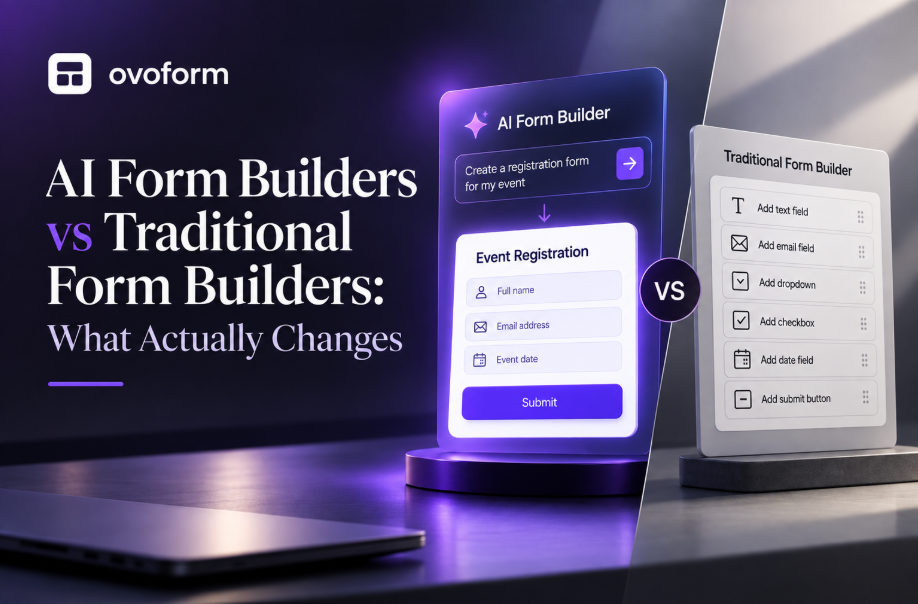
Creating a lead capture form shouldn't require coding or technical expertise. A good platform should let marketing teams build professional forms using a simple AI Form Builder.
Whether you're creating a contact form, webinar registration, or product demo request, the process should be quick and straightforward.
Templates save valuable time by providing pre-designed forms for common marketing use cases.Common templates include contact forms, demo requests, newsletter signups, event registrations, and quote request forms.Instead of starting from scratch, marketers can customize existing templates to match their campaign goals and brand identity.
Not every visitor needs to answer the same questions.Conditional logic allows forms to display different fields based on previous responses. For example, if someone selects "Request a Demo," additional questions about company size or business requirements can appear automatically.This keeps forms shorter, improves the user experience, and helps businesses collect more relevant information.
Collecting leads is only the first step. Following up quickly is just as important.Workflow automation helps marketing teams send confirmation emails, notify sales representatives, assign leads to different pipelines, and trigger follow-up actions automatically after a form is submitted.This reduces manual work while ensuring every lead receives timely attention.
When multiple people or teams handle incoming leads, routing helps ensure each submission reaches the right destination. Depending on the workflow, leads can be assigned based on factors such as company size, location, product interest, or form responses.
Marketing teams often use several tools to manage campaigns, customer relationships, and reporting.Look for integrations with popular CRM, email marketing, collaboration, and automation platforms.Connecting your forms with these tools helps automate lead management and keeps customer information synchronized across your marketing stack.
Collecting responses is only valuable if you can understand what they're telling you.Built-in reports and analytics help marketing teams monitor submission rates, identify high-performing campaigns, and discover where potential customers drop off during the conversion process.These insights make it easier to optimize forms and improve overall campaign performance.
Every business has different marketing goals.A startup may simply need a way to collect newsletter subscribers, while a growing company might require workflow automation, CRM integrations, AI-assisted form creation, and advanced reporting.Rather than choosing the platform with the longest feature list, look for one that supports your current marketing strategy and can continue growing with your business.
Form Builder | Best For | Free Plan | AI Form Creation | Workflow Automation | CRM Integrations | No-Code | Starting Price |
|---|---|---|---|---|---|---|---|
Growing businesses, agencies & marketing teams | ✅ Yes (Unlimited responses + 30-day Pro Trial) | ✅ Native AI | ✅ Advanced | ✅ | ✅ | $19/month | |
Businesses using HubSpot CRM | ✅ Yes | Limited | ✅ Advanced | ✅ Native HubSpot | ✅ | Free (Starter CRM from $20/month) | |
Businesses needing advanced forms & templates | ✅ Yes | ✅ AI Assisted | ✅ Advanced | ✅ | ✅ | From $34/month | |
Interactive lead capture & customer experience | ✅ Yes | ✅ AI Assisted | ✅ | Moderate | ✅ | $39/month | |
Startups, creators & simple workflows | ✅ Yes | Limited | Moderate | Moderate | ✅ | $29/month | |
Basic lead collection & internal forms | ✅ Yes | ❌ | Basic | Limited | ✅ | Free | |
Enterprise workflows & compliance | ❌ No | Limited | ✅ Advanced | ✅ | ✅ | From $99/month | |
Branded forms & online payments | ❌ No (Free trial only) | Limited | Moderate | ✅ | ✅ | From $29/month |
Note: Features and pricing may change over time. Always check the vendor's latest plans before making a decision.
The best lead generation form builder isn't necessarily the one with the most features — it's the one that fits your marketing workflow and supports your business as it grows.
Before making a decision, ask yourself these questions:
Will your marketing team be able to create and update forms without technical support?
Does the platform provide templates for common lead generation campaigns?
Can it automate follow-up emails, lead assignments, and notifications?
Does it integrate with your CRM, email marketing software, and analytics tools?
Will it continue to support your marketing strategy as your business grows?
If your answer is "no" to any of these questions, the platform may create more work than it saves.
The following tools are some of the most popular lead generation form builders available today. Each offers different strengths depending on your business needs.
Ovoform is an AI-powered form builder that helps marketing teams create lead capture forms for demo requests, webinar registrations, newsletter signups, and other campaigns in minutes. It combines AI form generation, ready-to-use templates, workflow automation, and CRM integrations to simplify lead collection, automate follow-ups, and help teams respond to prospects more efficiently.
Best for:
AI-generated marketing forms
Lead capture campaigns
Landing pages
Workflow automation
CRM integrations
HubSpot Forms is ideal for businesses already using HubSpot CRM. It automatically stores submissions, supports marketing automation, lead scoring, and reporting, making it a strong choice for inbound marketing teams.
Best for:
HubSpot CRM users
Marketing automation
Sales teams
Lead nurturing
Jotform offers a large template library, extensive integrations, and flexible customization, making it a good choice for businesses managing multiple lead generation campaigns.
Best for:
Medium and large businesses
Marketing workflows
Lead capture forms
Customer registrations
Typeform is known for its conversational forms, which can create a more engaging experience for interactive lead-generation campaigns.
Best for:
Interactive lead forms
Customer surveys
Quizzes
Product recommendations
Tally is a simple, beginner-friendly form builder with a generous free plan, making it a practical choice for startups, freelancers, and small businesses.
Best for:
Startups
Small businesses
Newsletter signups
Simple lead capture forms
Google Forms is a free and easy-to-use option for collecting basic lead information. While it's suitable for simple forms, growing businesses may eventually need more advanced automation and analytics.
Best for:
Basic lead collection
Internal registrations
Small businesses
Google Workspace users
Formstack is designed for enterprise workflows, offering document generation, approvals, e-signatures, and workflow automation for larger organizations.
Best For
Medium and large organizations handling complex business processes.
Paperform combines forms with landing pages, payment collection, scheduling, and AI writing tools, making it a good choice for businesses that want branded customer experiences.
Best For
Creative businesses and agencies.
The right choice depends on what matters most to your business.
If You Need... | Recommended Tool |
AI-powered form creation | Ovoform |
Interactive conversational forms | Typeform |
Free basic forms | Google Forms |
Enterprise automation | Formstack |
CRM-focused marketing | HubSpot Forms |
Branded landing pages | Paperform |
Startup-friendly forms | Tally |
Large template library | Jotform |
Choosing a form builder doesn't have to be complicated. Follow these steps to find the right solution for your needs.
Start by identifying what you want your forms to achieve.
For example:
Generate sales leads
Book product demos
Collect newsletter subscribers
Register event attendees
Capture customer feedback
A clear goal helps narrow down the features you actually need.
Also consider your expected lead volume. A small business collecting a few dozen leads each month may have very different requirements from a marketing team running paid campaigns that generate thousands of submissions.
Make sure the platform integrates with the tools your team already uses to reduce manual work.
Look for automation capabilities such as:
Instant email confirmations
Lead assignment
CRM updates
Internal notifications
Workflow triggers
Automation saves time and ensures every lead is handled consistently.
Before committing to a platform, create a sample form and complete it on both desktop and mobile devices.
Pay attention to:
Ease of navigation
Loading speed
Mobile responsiveness
Clarity of questions
A positive user experience can directly impact conversion rates.
Choose a tool that helps you understand how your forms perform over time.
Metrics like completion rates, abandoned submissions, and conversion data can guide future improvements.
Many SaaS companies use lead capture forms for webinar registrations, downloadable resources, free trials, and product demos. These forms are often connected to CRM and email marketing platforms so new leads can automatically receive follow-up communication and enter nurturing workflows.
Choosing the right form builder is only part of the equation. Even the most advanced platform won't deliver great results if your forms are difficult to complete or don't fit into your overall marketing strategy.
Here are a few practical ways to improve your lead generation efforts.
Only ask for the information you need. Ask only for information you actually need. Removing unnecessary fields can reduce friction and may improve completion rates, while qualification-focused forms may require additional questions when lead quality is the priority.
Your call-to-action should clearly tell visitors what they'll receive. Replace generic buttons like "Submit" with action-focused text such as "Book My Demo," "Start Free Trial," or "Download the Guide."
Many users complete forms on mobile devices, so test your forms on different screen sizes. Ensure fields are easy to complete, buttons are easy to tap, and pages load quickly to provide a smooth experience.
Integrate your forms with your CRM, email marketing, and analytics tools so new submissions automatically become part of your workflow. Regularly check these integrations to ensure leads are captured accurately and follow-ups happen without delays.
Review your form analytics regularly to identify drop-off points, low conversion rates, and other opportunities for improvement. Small updates, such as simplifying questions or reducing the number of fields, can improve completion rates over time.
You don't always need to ask for every qualification detail on the first interaction. Progressive profiling allows businesses to collect additional information as prospects engage with the brand, reducing friction during the initial conversion.
Choosing the right lead generation form builder is about more than collecting contact information. The best platforms help you create user-friendly forms, automate follow-ups, integrate with your existing tools, and improve conversion rates through better workflows and analytics.
Before making your decision, compare the features, ease of use, integrations, and scalability of each platform. Select a solution that fits your current marketing needs while supporting your business as it grows.
Choosing the right lead generation form builder depends on more than the number of templates or features available. Marketing teams should consider how easily they can create and optimize forms, qualify leads, automate follow-ups, connect submissions with their existing tools, and measure performance.
For simple lead collection, tools such as Google Forms may be sufficient. HubSpot Forms is a strong option for teams already using HubSpot CRM, while Typeform is suited to interactive experiences and Formstack to more complex enterprise workflows. Jotform, Tally, Paperform, and Ovoform offer different combinations of customization, automation, integrations, and ease of use.
Before choosing a platform, test it with a real campaign or sample form. This makes it easier to evaluate the user experience, integrations, automation, and overall fit for your marketing workflow.
Looking for a faster way to create lead generation forms? Explore Ovoform to build AI-assisted forms, automate workflows, and connect lead submissions with your marketing processes.
Create surveys, FAQs, and feedback forms in minutes with Ovoform — no code required.
Get started freeStart building with Ovoform today — free forever, no credit card required.
Get Started For Free