
Surveys

An effective inventory request form helps retail stores, warehouses, and business locations manage stock requests through a consistent, organized process. This guide covers essential form fields, approval workflows, request tracking, common challenges, and best practices for improving stock transfers, reducing delays, and coordinating inventory more reliably.
Nikhil Dogra
October 12, 2026
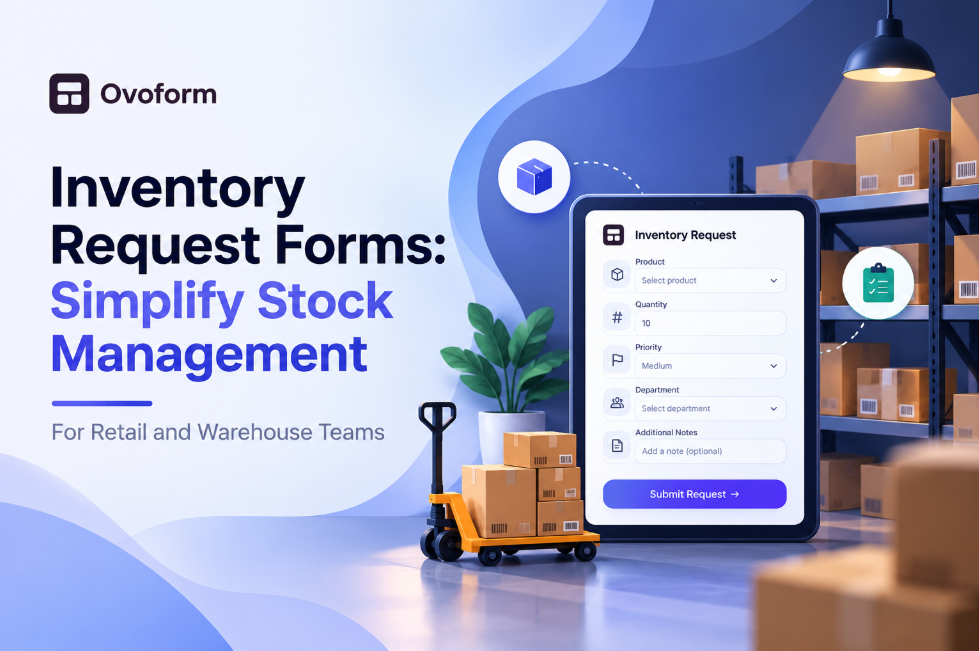
A retail store manager notices that a popular jacket is almost sold out just before the weekend rush. She messages the warehouse with the product name and an estimated quantity. The message gets buried under other conversations, and by Saturday morning, the shelves are empty.
The warehouse team has a different problem. Stock requests arrive through emails, phone calls, spreadsheets, and messaging apps. Some include product codes and quantities; others simply say, “Send more of this item.” Before anyone can prepare an order, someone must chase the missing details.
These situations are common in businesses where stock requests depend on scattered messages rather than a consistent process.
An inventory request form gives employees one place to request the items they need. It records essential details, identifies the requesting location, and helps the responsible team review and track each request.
Whether you manage a retail store, warehouse, office, or several business locations, a structured stock request process can reduce confusion and make replenishment easier to coordinate.
This guide explains how inventory request forms work, which fields to include, how to improve approval and tracking, and which mistakes to avoid when introducing a digital stock request process.
An inventory request form is a document or digital form employees use to request stock, supplies, or inventory transfers. For example, a store might request additional products from a central warehouse, an office department might request stationery, or one branch might ask another branch to transfer surplus stock.
A typical stock request form collects the item name or SKU, quantity, requesting location, required date, and reason for the request. Depending on the business, it may also include priority, approval status, and delivery or transfer details.
Unlike an informal message, a standardized form prompts employees to provide the same essential information every time. This makes requests easier to review and reduces the need for repeated clarification.
A digital inventory request form can also help organize submissions, notify the appropriate team, and create a searchable record. However, inventory counts are not necessarily updated when someone submits a form. That requires a connected inventory system or a separate process for recording approved and completed stock movements.
The quality of a stock request process affects how quickly employees receive what they need and how accurately the business manages inventory.
Poorly structured requests often create three problems.
Incomplete information: A request may be missing the product code, quantity, size, or destination. Warehouse staff must contact the requester before they can proceed.
Limited visibility: Employees cannot easily tell whether a request has been received, approved, picked, or dispatched. They may submit the same request again or repeatedly follow up with the warehouse.
Unclear accountability: When requests are spread across different channels, it becomes difficult to establish who requested an item, who approved it, and whether the stock was actually transferred.
A well-designed inventory management form addresses these issues by standardizing information and giving teams a consistent way to review requests. The goal is not to add more paperwork. It is to make the existing process easier to follow.
The right fields depend on the type of stock and the workflow. Start with the information required to understand, approve, and fulfil a request.
Form field | Why it matters |
|---|---|
Item name or SKU | Identifies the exact product or supply |
Quantity and unit | Specifies how much is needed, such as 12 units or 4 boxes |
Requesting location | Shows which store, department, or warehouse submitted the request |
Destination location | Identifies where the stock should go |
Required-by date | Helps the team plan fulfilment |
Request reason | Explains whether the request is for restocking, replacement, or another purpose |
Priority | Helps distinguish urgent requests from routine ones |
Requester name or ID | Makes follow-up and accountability easier |
Approval status | Shows whether the request is pending, approved, or rejected |
Supporting photo or notes | Provides context for damaged goods or unusual requests |
Not every request needs every field. For a simple office supply request, a short form may be sufficient. A multi-branch retailer may need separate source and destination locations, product variants, and approval details.
Use dropdowns for fields such as location, product category, and unit of measurement wherever possible. Standardized options make responses more consistent and reduce spelling differences that can complicate reporting.
When some employees use email, others use chat, and a few still rely on paper slips, there is no dependable central record. Requests can be missed, duplicated, or handled out of sequence.
Choose one primary submission method and explain when employees should use it. If urgent requests require a separate escalation route, define that exception clearly.
Employees may use different names for the same item. One person enters a product name, another uses a shortened description, and a third provides an outdated SKU.
A product list or standardized product code can reduce this ambiguity. If the product catalogue is too large to maintain manually in the form, make the SKU or another unique identifier a required field.
Without defined approval rules, staff may not know whether they can request stock directly or need a manager's permission.
Set approval requirements according to factors such as quantity, item value, stock availability, or the type of request. The rules should be simple enough for employees to understand.
A submission confirmation only proves that a request was received. It does not mean the stock is available or that the warehouse has fulfilled it.
Use clear status labels, such as Pending Review, Approved, Picking, Dispatched, Completed, and Rejected. Assign responsibility for updating the status so it reflects what has actually happened.
A good stock request process should be easy to use during a busy shift while still capturing the details needed for accurate fulfilment.
Keep the form short. Make essential fields mandatory and avoid asking for information already available elsewhere. Longer forms are justified only when the additional details support a real operational requirement.
Use clear product identifiers. Capture the SKU, barcode, or another unique identifier when product variants could be confused. For clothing, that may mean recording size and colour as well as the product name.
Set practical priority rules. Define what qualifies as urgent. For example, a request for a product that is about to run out may receive priority over a routine replenishment request. Priority should guide review, not guarantee stock availability.
Establish approval thresholds. Small, routine requests may require less review than high-value or unusually large requests. Document who can approve each type and what happens when the approver is unavailable.
Send useful notifications. Confirm receipt to the requester and notify the responsible team. Where possible, include the request reference, item, quantity, and location so recipients can understand the request without opening several systems.
Make the form mobile-friendly. Store associates and warehouse employees often work away from desks. Test the form on the devices they actually use, including whether dropdowns and quantity fields are easy to complete.
Keep a central request log. Store submissions in one searchable location, with timestamps and a unique reference where possible. This helps teams investigate delays and review recurring stock needs.
Reconcile completed stock movements. A request record and a physical stock movement are different things. Make sure approved, picked, dispatched, received, and cancelled requests are recorded accurately in the inventory system or the business's established stock records.
A store associate notices that a popular product is running low. Using a retail restock form, the associate selects the SKU, enters the quantity needed, chooses the store location, and provides the required date.
The warehouse reviews the request against available stock and confirms whether it can be fulfilled. Once the order is picked and dispatched, the status is updated so the store knows what to expect.
This process is especially useful when multiple stores request the same products during busy periods.
A warehouse supervisor needs to move items from one storage area to another. The request records the item, quantity, source location, destination location, and reason for the move.
The warehouse team can then verify the movement and update the appropriate inventory records. Recording the transfer separately from the request helps prevent discrepancies between what was requested and what actually moved.
One branch has excess stock of a product, while another is running low. A transfer request allows the receiving branch to specify the items and quantities needed.
The sending branch checks availability and approves or declines the transfer. Both branches should retain a record of the quantities dispatched and received, including any differences.
This approach can help businesses make better use of existing stock before purchasing additional units.
A store discovers that several items arrived damaged. The employee submits a request with the product identifiers, quantity affected, reason, and supporting photos.
The warehouse or inventory manager can review the evidence and decide whether replacement, return, or another action is appropriate. Clear documentation helps reduce repeated explanations and makes it easier to investigate recurring delivery problems.
An inventory request form and a purchase order serve different purposes, even though both involve requesting goods.
An inventory request form is generally used internally. It asks another department, warehouse, or branch to provide stock that the business may already hold.
A purchase order is a formal document used to order goods or services from an external supplier. It typically includes supplier details, item descriptions, quantities, prices, and agreed purchasing terms.
For example, if a store needs 20 units from its central warehouse, it may submit a stock request. If the warehouse does not have sufficient stock and the business decides to buy more from a supplier, the purchasing team may then create a purchase order.
The two processes can be connected, but they should not be treated as interchangeable. An internal request does not automatically authorize a supplier purchase.
For a closer look at the purchasing side, see Ovoform's purchase order form template.
You can start with a simple form and improve it as the team learns what information is genuinely useful.
Map the current process. Identify who requests stock, who reviews it, who fulfils it, and who records the final movement.
Choose the required fields. Include the product identifier, quantity, location, and needed-by date. Add other fields only when they support a decision or action.
Standardize responses. Use predefined options for locations, units, categories, and request reasons wherever practical.
Define approval rules. Decide which requests need manager review and who is responsible for each approval.
Set up notifications and records. Make sure the right people receive submissions and that each request can be found later.
Connect relevant tools where appropriate. If your team uses a spreadsheet or supported business application to manage requests, consider whether submissions can be sent there to reduce manual entry.
Test with real users. Ask a few employees to submit common and unusual requests. Check for confusing questions, missing fields, and unnecessary steps.
Review the process regularly. Look at delayed requests, repeated clarification, and frequent errors. Update the form when a genuine pattern emerges.
A no-code form builder such as Ovoform can help teams create a digital stock request form without building one from scratch. Depending on the workflow and integrations configured, form submissions can be organized and sent to supported tools for follow-up. Approval, fulfilment, and inventory updates should still be configured and verified as part of the wider process.
Introducing a form is only useful if it improves the way requests are handled. Review a few practical measures before and after the change.
Request completeness: How often do employees submit requests without enough information?
Time to review: How long does it take for a request to receive an initial decision?
Fulfilment time: How long does it take to fulfil approved requests?
Duplicate requests: Are employees submitting the same request because they cannot see its status?
Stock discrepancies: Do recorded movements match the quantities dispatched and received?
Repeat shortages: Which products or locations repeatedly need replenishment?
These measures can reveal where the process needs attention. For example, a high number of incomplete requests may point to unclear field labels, while long fulfilment times may reflect stock shortages or warehouse capacity rather than a problem with the form itself.
Use request history alongside inventory reports and feedback from store and warehouse staff. A form can improve the quality of information, but reliable stock planning also depends on accurate inventory records, realistic replenishment rules, and consistent follow-through.
An inventory request form may seem like a small operational tool, but it connects the people who need stock with the teams responsible for providing it. When requests arrive with incomplete details or disappear across different channels, delays and avoidable errors become much more likely.
Start with a form that captures the right product, quantity, location, and required date. Add clear approval rules, useful status updates, and a dependable record of completed movements. Keep the process simple enough that employees will use it consistently.
Most importantly, treat the form as one part of your inventory workflow, not a replacement for inventory control. When requests, approvals, fulfilment, and stock records work together, retail and warehouse teams can coordinate replenishment more reliably and make better decisions about what needs to move next.
Create surveys, FAQs, and feedback forms in minutes with Ovoform — no code required.
Get started freeStart building with Ovoform today — free forever, no credit card required.
Get Started For Free