Surveys

Turn supplier onboarding from a paperwork-heavy process into a streamlined digital workflow. This guide covers 15 vendor registration form examples, the information and documents to collect, practical ways to simplify applications, and how automation, conditional logic, file uploads, and integrations can help businesses manage suppliers more efficiently.
Ovoform Team
September 21, 2026
Monday morning.
James, the procurement manager at a growing retail company in Birmingham, had barely finished his first coffee when his inbox started filling up.
A catering supplier had emailed a PDF application.
An office equipment vendor had sent their company profile as a Word document.
Another supplier forgot to attach their VAT details.
Someone else had submitted outdated insurance certificates.
By lunchtime, James had downloaded fifteen attachments, replied to eight emails asking for missing information, and updated three spreadsheets just to keep track of who had submitted what.
The frustrating part?
None of this work helped the business choose better suppliers.
It was simply administration.
Now imagine a different Monday.
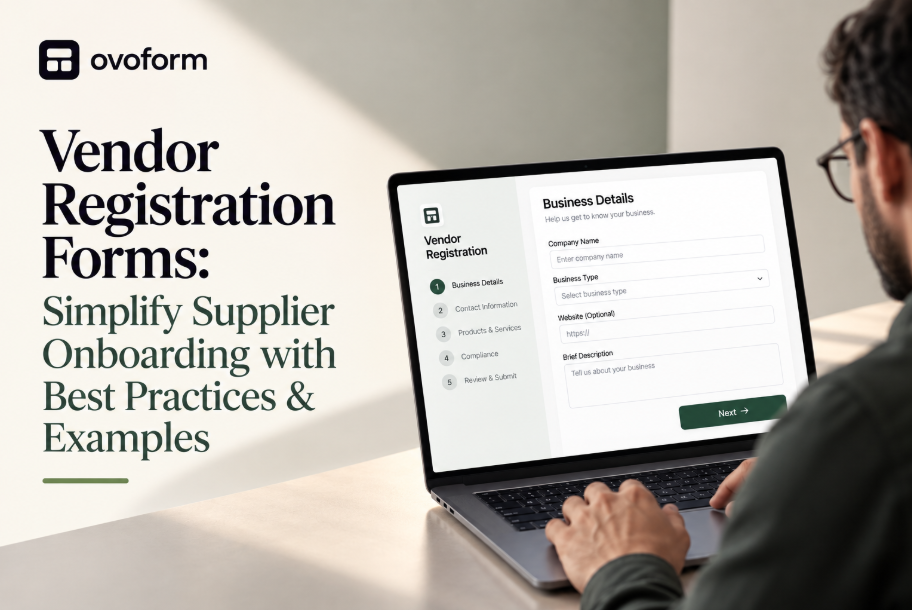
A supplier visits the company's website, opens a vendor registration form, uploads all required documents, enters their business details, agrees to the company's terms, and submits everything in one place.
The procurement team receives a complete application automatically. Required documents are already attached. Missing fields are impossible because the form won't submit until everything is complete. The supplier is instantly added to the review workflow, and both sides receive confirmation emails.
No endless email chains.
No chasing paperwork.
No duplicate data entry.
Just a faster, smoother supplier onboarding process.
This is why more organisations are replacing paper forms, spreadsheets, and scattered email attachments with digital vendor registration forms.
Whether you're onboarding suppliers for a manufacturing company, construction business, healthcare organisation, educational institution, or eCommerce brand, a well-designed vendor registration form saves time, improves compliance, and creates a professional first impression.
In this guide, you'll learn what makes an effective vendor registration form, explore real-world examples across different industries, discover best practices that reduce administrative work, and see how modern platforms like Ovoform help businesses automate supplier onboarding from the very first submission.
Think of your vendor registration form as the front door to your procurement process.
Every supplier who wants to work with your business passes through it. If that experience is confusing, slow, or inconsistent, both your team and your vendors lose valuable time.
A digital vendor registration form helps you:
Collect complete supplier information in one place
Reduce manual data entry
Eliminate incomplete applications
Verify required documents before review
Speed up supplier approvals
Improve compliance and record keeping
Create a consistent onboarding experience
Automate notifications and workflows
Instead of spending hours organising paperwork, procurement teams can focus on evaluating suppliers and building stronger business relationships.
A vendor registration form is an online form businesses use to collect essential information from suppliers before they become approved vendors.
Rather than exchanging multiple emails and attachments, suppliers submit everything through a single structured form.
Typical information includes:
Company name
Business registration details
VAT or tax information
Contact information
Products or services offered
Banking details
Insurance certificates
Compliance documents
Certifications
Terms and conditions agreement
Modern vendor registration forms often integrate directly with procurement systems, CRMs, and approval workflows, making supplier onboarding faster, more secure, and easier to manage.
No two businesses onboard suppliers in exactly the same way. A restaurant sourcing local produce has different requirements from a construction company hiring subcontractors or a hospital approving medical equipment suppliers.
The best vendor registration forms are designed around the information each business actually needs—nothing more, nothing less.
Here are some of the most common examples.
1. General Supplier Registration Form
Every organisation needs a standard form for collecting basic supplier information.
Include fields for:
Company name
Registered business address
Primary contact details
Products or services offered
Business registration number
VAT number
Website
Years in business
Best for: Small businesses, retailers, manufacturers and service providers.
2. Construction Vendor Registration Form
Construction projects require strict compliance and documentation.
Request:
Contractor licence
Health & Safety certifications
Public liability insurance
Previous project portfolio
Trade specialisation
Equipment availability
This ensures contractors meet regulatory and project requirements before approval.
3. Healthcare Supplier Registration Form
Healthcare organisations often work under strict procurement standards.
Typical fields include:
Medical product categories
Regulatory approvals
Quality certifications
Insurance documentation
Manufacturing standards
Product catalogues
Accuracy is critical because incomplete information can delay procurement.
4. Food & Beverage Supplier Form
Restaurants, hotels and catering companies usually collect:
Food safety certifications
Allergen information
Delivery schedules
Product lists
Storage requirements
HACCP compliance
5. IT Vendor Registration Form
Technology vendors often need to provide:
Software or service categories
Cybersecurity certifications
Data protection policies
Support availability
Service Level Agreements (SLAs)
6. Event Supplier Registration Form
Perfect for event organisers working with:
Caterers
Photographers
Security providers
Decor companies
Entertainment agencies
Include availability, pricing packages and previous event experience.
7. Manufacturing Supplier Form
Manufacturers often request:
Production capacity
Quality assurance certifications
Factory locations
Lead times
Export capability
Material specifications
8. Retail Vendor Application Form
Retail businesses may ask suppliers for:
Product catalogues
Wholesale pricing
Minimum order quantities
Shipping capabilities
Warehouse locations
9. University Supplier Registration Form
Educational institutions frequently require:
Financial information
Company compliance documents
Sustainability policies
Procurement references
10. Government Vendor Registration Form
Government procurement usually requires detailed documentation including:
Legal entity information
Tax compliance
Financial declarations
Anti-corruption policies
Supporting certificates
11. Logistics Partner Registration Form
Useful for freight companies and courier partners.
Collect:
Fleet information
Delivery coverage
Vehicle types
Tracking capabilities
Insurance details
12. Marketing Agency Supplier Form
Marketing agencies often register freelancers and creative partners.
Include:
Portfolio links
Skills
Hourly rates
Software expertise
Availability
13. Cleaning Service Vendor Form
Useful for facilities management companies.
Request:
Staff certifications
Equipment lists
Insurance
Service areas
Cleaning specialisations
14. International Supplier Registration Form
Cross-border suppliers often need additional information like:
Export licences
Currency preferences
Customs documentation
Shipping methods
International tax details
15. Marketplace Seller Registration Form
Ideal for B2B marketplaces.
Ask vendors for:
Store information
Product categories
Return policies
Fulfilment methods
Payment preferences
A supplier registration form should make life easier—not create more paperwork.
The most effective forms include:
Business Information
Company name
Registration number
VAT number
Registered address
Website
Contact Details
Primary contact
Phone number
Job title
Products & Services
Categories supplied
Product descriptions
Industry expertise
Financial Details
Bank account information
Payment terms
Preferred currency
Compliance Documents
Insurance certificates
Licences
ISO certifications
Health & Safety documents
Supporting Files
Allow suppliers to upload:
Certificates
Catalogues
Company profile
References
Product brochures
1. Keep the Process Simple
Suppliers shouldn't need 30 minutes to complete your form.
Only ask for information that's genuinely needed during the first stage of onboarding.
Additional documents can always be requested later.
2. Use Conditional Logic
Not every supplier requires the same questions.
For example:
A software company doesn't need to upload food hygiene certificates.
A catering supplier doesn't need cybersecurity documentation.
Conditional logic only displays relevant questions, making forms faster and easier to complete.
3. Allow Secure File Uploads
Many onboarding processes depend on supporting documentation.
Enable suppliers to upload:
PDF certificates
Insurance documents
Company brochures
Licences
Product catalogues
Keeping everything within one form reduces email back-and-forth.
4. Make Required Fields Clear
Nothing frustrates suppliers more than submitting a form only to discover essential information is missing.
Clearly mark mandatory fields and provide helpful validation messages.
5. Automate Confirmation Emails
Once a supplier submits their application, send an instant confirmation explaining:
The application has been received.
The expected review timeline.
Any next steps.
This reassures vendors and reduces follow-up enquiries.
6. Integrate with Your Existing Systems
A registration form becomes even more valuable when connected to:
CRM software
Procurement platforms
ERP systems
Accounting software
Email automation tools
This removes duplicate data entry and speeds up approvals.
7. Optimise for Mobile
Many suppliers complete registration while travelling or working on-site.
A mobile-friendly form ensures applications can be completed from any device.
8. Review and Update Regularly
Supplier requirements change over time.
Review your registration form every few months to remove unnecessary fields and keep compliance requirements up to date.
Even well-intentioned businesses make mistakes that delay vendor approvals.
Watch out for:
Asking for too much information upfront
Accepting incomplete applications
Using PDF forms that require manual editing
Requesting documents by email
No confirmation after submission
No progress indicator
Poor mobile experience
Complicated language
Duplicate questions
Manual approval workflows
Each of these adds friction for both your team and your suppliers.
Supplier onboarding is becoming smarter thanks to automation and AI.
Modern platforms can now:
Verify uploaded documents automatically
Route applications to the correct department
Flag missing compliance information
Trigger approval workflows
Send reminder emails
Sync supplier data with internal systems
Track onboarding progress in real time
Instead of spending hours chasing paperwork, procurement teams can focus on evaluating suppliers and building strategic partnerships.
Traditional vendor onboarding often involves spreadsheets, PDFs and lengthy email chains.
Modern platforms like Ovoform simplify the entire process by allowing businesses to create branded vendor registration forms with conditional logic, secure file uploads, automated workflows, approval processes and integrations—all without writing a single line of code.
The result is a faster onboarding experience for suppliers and less administrative work for your team.
Every successful supplier relationship begins with a smooth onboarding experience. A well-designed vendor registration form helps businesses collect accurate information, streamline approvals and reduce administrative delays, while giving suppliers a professional first impression.
By keeping forms simple, using automation where it adds value and integrating with your existing systems, you can transform supplier onboarding from a time-consuming manual task into a fast, efficient workflow.
Whether you're onboarding a handful of local suppliers or managing hundreds of vendors across multiple locations, investing in a modern registration process will save time, improve compliance and strengthen your procurement operations.
Create surveys, FAQs, and feedback forms in minutes with Ovoform — no code required.
Get started freeStart building with Ovoform today — free forever, no credit card required.
Get Started For Free