Surveys

Great products are built by listening to the people who use them. Explore practical product feedback form examples, essential questions, and proven ways to collect clearer, more actionable customer insights, from choosing the right timing and using conditional logic to analysing trends and using AI to turn feedback into better product decisions.
Nikhil Dogra
September 22, 2026
It was launch day.
After six months of planning, designing, testing, and countless late nights, the team finally released their new productivity app.
The excitement didn't last long.
By the next morning, customer support was flooded with emails.
"I can't find the export feature."
"The dashboard looks great, but it's confusing to use."
"I love the new update, but it's slower than the previous version."
Everyone had an opinion.
The problem wasn't the feedback.
It was where it lived.
Some comments arrived through emails. Others appeared in app store reviews. A few came through live chat. Sales teams heard different complaints during demos, while customer success managers collected requests during onboarding calls.
Useful insights were everywhere, but impossible to organise.
Meanwhile, competitors were improving their products faster because they weren't relying on scattered conversations. They had one simple system that captured customer feedback in a structured, actionable way.
A product feedback form.
Instead of guessing what customers wanted, they asked the right questions at the right time. Every response became a data point. Patterns emerged. Priorities became clear. Product decisions were backed by real user insights instead of assumptions.
Whether you're building SaaS software, selling eCommerce products, developing mobile apps, or launching digital services, your customers are constantly telling you how to improve. The challenge isn't getting feedback, it's collecting it in a way that's easy to analyse and act upon.
In this guide, you'll learn what makes a great product feedback form, explore practical examples across different industries, discover the questions that uncover meaningful insights, and see how platforms like Ovoform help businesses turn customer opinions into better products.
The best products rarely come from assumptions, they evolve through continuous customer feedback.
Every feature request, usability issue, suggestion, and compliment helps your team understand what customers truly value. Instead of relying on internal opinions, businesses can make informed decisions backed by real user experiences.
An effective product feedback form helps you:
Understand customer satisfaction
Identify usability issues
Prioritise feature requests
Reduce customer churn
Improve future product releases
Validate product decisions
Discover new opportunities
Strengthen customer relationships
Collecting feedback consistently creates a continuous improvement cycle, helping your product evolve alongside your customers' needs.
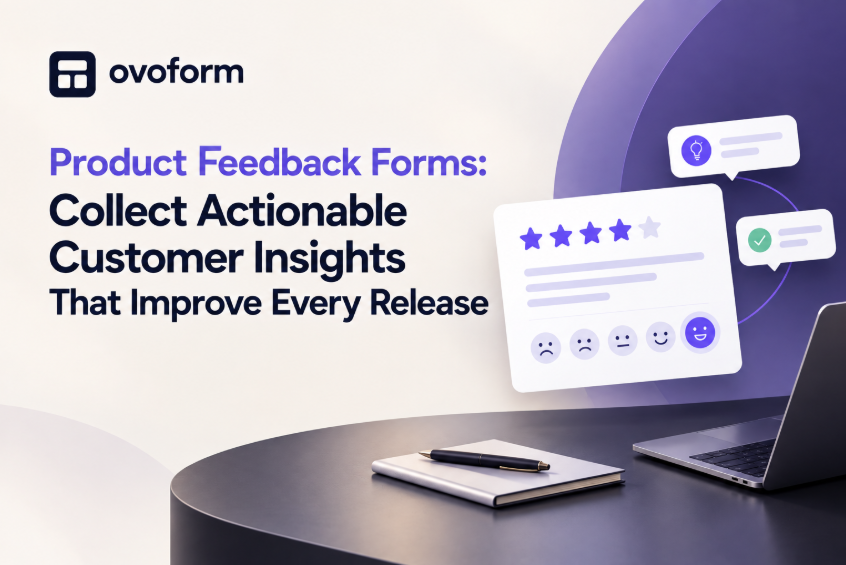
A product feedback form is an online questionnaire that gathers structured insights about a product from customers after they've used it.
Rather than collecting scattered comments across multiple channels, a dedicated feedback form brings everything into one place, making it easier to identify trends and make data-driven decisions.
A typical product feedback form may include:
Overall satisfaction rating
Ease of use
Favourite features
Missing functionality
Performance issues
Open-ended suggestions
Likelihood to recommend (NPS)
Customer demographics (optional)
The goal isn't simply to collect opinions—it's to gather insights that lead to meaningful product improvements.
1. SaaS Product Feedback Form
Collect insights on onboarding, usability, feature adoption, and customer satisfaction after users have spent time with your platform.
2. Mobile App Feedback Form
Ask users about app performance, navigation, bugs, and their favourite features after an update.
3. E-commerce Product Review Form
Perfect for online retailers looking to understand product quality, packaging, delivery experience, and value for money.
4. Beta Testing Feedback Form
Gather structured feedback from early users before a public launch to identify bugs and usability issues.
5. Software Release Feedback Form
Send after major product updates to learn which new features customers love and which need refinement.
6. Physical Product Evaluation Form
Useful for manufacturers collecting feedback on quality, durability, design, and overall satisfaction.
7. Feature Request Form
Allow customers to submit ideas, explain their use cases, and vote on improvements they want to see.
8. User Experience (UX) Feedback Form
Focus on navigation, layout, accessibility, and ease of completing key tasks.
9. Customer Onboarding Feedback Form
Understand how easy it was for new users to get started and where they experienced friction.
10. Product Exit Feedback Form
Learn why customers stopped using your product and uncover opportunities to improve retention.
11. Hardware Product Feedback Form
Ideal for electronics companies collecting insights about setup, performance, and reliability.
12. Subscription Service Feedback Form
Measure customer satisfaction with pricing, features, billing, and overall value.
13. Marketplace Seller Feedback Form
Collect insights from vendors about listing products, managing orders, and platform usability.
14. AI Tool Feedback Form
Ask users whether AI responses were helpful, accurate, and easy to understand, while gathering ideas for future improvements.
15. New Product Launch Survey
Measure first impressions, identify adoption barriers, and understand whether the product meets customer expectations.
The quality of the feedback you receive depends on the questions you ask.
Ask too many, and customers abandon the form.
Ask vague questions, and you'll receive vague answers.
A well-designed product feedback form balances quantitative ratings with open-ended questions, making it easy for customers to respond while giving your team actionable insights.
Here are some essential questions to include:
Overall Satisfaction
Start with a simple rating question.
For example:
"How satisfied are you with our product?"
A rating scale from 1–10 or 1–5 provides a quick overview of customer sentiment.
Ease of Use
Understanding usability helps identify friction points.
Ask questions like:
How easy was the product to use?
Did you experience any difficulties?
Was anything confusing?
These answers often uncover problems your internal team may overlook.
Favourite Feature
Knowing what customers love helps you prioritise future improvements.
For example:
"Which feature do you use most often?"
or
"What do you like most about our product?"
Missing Features
Customers often know exactly what would improve their experience.
Ask:
"Is there anything you wish our product could do?"
Feature requests frequently become valuable ideas for future releases.
Problems or Bugs
Rather than waiting for support tickets, encourage users to report issues directly.
Include optional fields where customers can describe problems in their own words.
Net Promoter Score (NPS)
One of the most popular questions is:
"How likely are you to recommend our product to a friend or colleague?"
This helps measure customer loyalty over time.
Additional Comments
Always leave space for open feedback.
Sometimes the most valuable insights come from comments you never thought to ask for.
1. Ask at the Right Time
Timing matters.
Sending a feedback form immediately after someone signs up rarely produces useful responses.
Instead, collect feedback:
After a purchase
After a product update
Following customer support interactions
After onboarding
After completing an important task
Customers provide better feedback when they've actually experienced your product.
2. Keep It Short
Respect your customers' time.
Most product feedback forms should take no longer than two or three minutes to complete.
If the survey feels like work, people simply won't finish it.
3. Mix Ratings with Open Questions
Numbers show what customers think.
Written responses explain why they think that way.
Using both gives your team the complete picture.
4. Use Conditional Logic
Someone who gives your product five stars doesn't need the same follow-up questions as someone who gives it one star.
Conditional logic allows the form to adapt automatically.
For example:
If satisfaction is low, ask:
"What could we improve?"
If satisfaction is high, ask:
"What feature do you enjoy the most?"
This creates a shorter, more personalised experience.
5. Avoid Leading Questions
Instead of asking:
"Don't you love our new dashboard?"
Ask:
"How would you rate the new dashboard?"
Neutral wording leads to more honest responses.
6. Make It Mobile-Friendly
Many customers respond from their phones.
Ensure:
Buttons are easy to tap
Forms load quickly
Text is easy to read
Rating scales work on small screens
A seamless mobile experience increases completion rates.
7. Explain Why You're Asking
Customers are more willing to share feedback when they know it matters.
A simple message such as:
"Your feedback helps shape future product updates."
can encourage higher participation.
8. Thank Every Customer
Never end with a generic submission message.
Instead say:
"Thank you for helping us improve. Every response helps us build a better product."
A little appreciation goes a long way.
9. Analyse Trends, Not Individual Opinions
One unhappy customer doesn't necessarily indicate a major issue.
Look for recurring themes.
If dozens of users mention the same feature request or usability problem, you've identified a genuine opportunity.
10. Close the Feedback Loop
One of the best ways to build customer loyalty is by showing people their feedback made a difference.
For example:
"You asked for Dark Mode—and it's here."
Customers appreciate knowing they're being heard.
Collecting feedback isn't enough.
Many businesses unknowingly gather data they can't actually use.
Avoid these common mistakes:
Asking too many questions
Sending surveys too frequently
Only collecting positive feedback
Ignoring open-text responses
Never acting on customer suggestions
Using confusing rating scales
Asking multiple questions in one sentence
Forgetting mobile optimisation
Not sharing product improvements with customers
Treating feedback as a one-time project instead of an ongoing process
The goal isn't to collect more feedback—it's to collect better feedback.
Customer feedback has evolved far beyond spreadsheets and manual review.
Modern AI-powered tools can now:
Automatically group similar responses
Detect customer sentiment
Highlight recurring feature requests
Identify emerging usability issues
Summarise thousands of comments in seconds
Prioritise improvements based on customer impact
This allows product teams to spend less time organising feedback and more time building better products.
The best product feedback forms don't just collect responses—they connect with the tools your team already uses.
Platforms like Ovoform help businesses build branded feedback forms with conditional logic, automated workflows, integrations, and real-time analytics. Instead of manually sorting through emails or spreadsheets, teams can collect structured insights in one place and turn customer feedback into informed product decisions.
Whether you're launching a new feature, improving an existing product, or validating future ideas, having a flexible feedback system makes continuous improvement much easier.
Every successful product is shaped by the people who use it.
The businesses that consistently innovate aren't necessarily the ones with the biggest development teams, they're the ones that listen carefully, identify patterns, and turn customer feedback into meaningful improvements.
A thoughtfully designed product feedback form helps you move beyond assumptions and make decisions based on real user experiences. By asking the right questions, keeping forms simple, and acting on the insights you collect, you create products that solve real problems and build lasting customer loyalty.
As expectations continue to rise, collecting actionable feedback isn't just good practice—it's a competitive advantage.
Create surveys, FAQs, and feedback forms in minutes with Ovoform — no code required.
Get started freeStart building with Ovoform today — free forever, no credit card required.
Get Started For Free