
Surveys

Learn how to create an effective membership registration form that makes joining clubs, gyms, associations, nonprofits, and community groups easier. Discover practical best practices for showing pricing upfront, simplifying payment, using conditional fields, supporting recurring billing, improving mobile usability, and creating a smoother member onboarding experience.
September 29, 2026
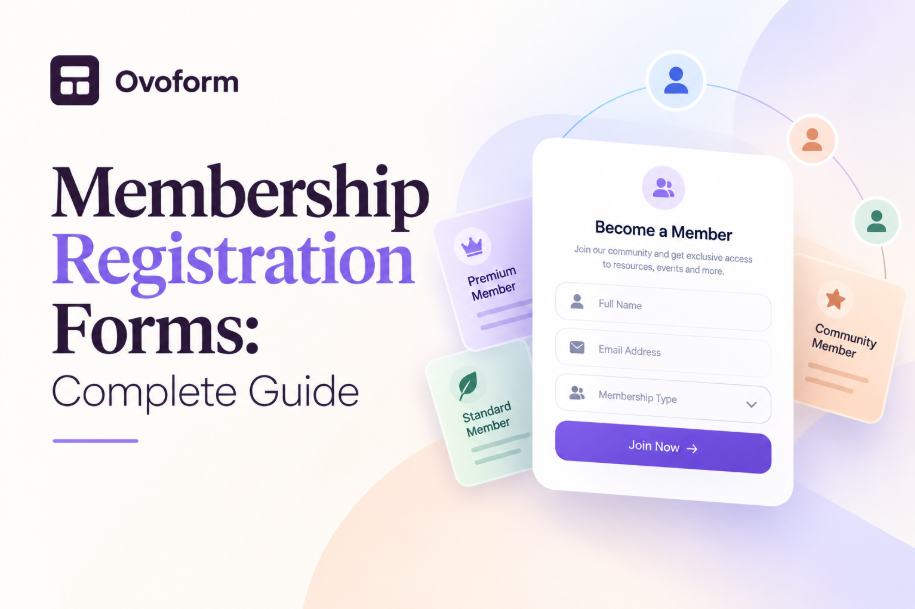
Picture this. Someone just decided to join a local running club. They are motivated, they have heard good things from a friend, and they open the club website to sign up before the feeling fades.
Instead, they land on a registration form that asks for a mailing address before it tells them the membership fee. There is no clear explanation of what happens after they submit, no payment option in the same flow, and a handful of fields that seem more useful for the club's internal records than for someone trying to join.
Halfway through, they close the tab, telling themselves they will finish it later. Later rarely comes.
A complicated registration process can create unnecessary friction for clubs, associations, gyms, nonprofits, and community groups. Often, the issue isn't a lack of interest. It is the experience of becoming a member.
A good membership registration form does more than collect names and emails. It explains what someone is signing up for, asks only for information that is genuinely needed, makes payment straightforward, and gives new members a clear confirmation after they join.
In this guide, we will look at what makes a membership registration form effective, the problems that can make sign-up harder, and the practices organisations can use to create a smoother membership experience.
A membership registration form is an online form that a person completes to join a club, association, gym, nonprofit, professional organisation, or other community group.
Depending on the organisation, it may collect contact details, membership type, payment information, preferences, and other information needed to manage the membership.
For most people, the form is one of their first meaningful interactions with an organisation beyond visiting its website or hearing about it from someone else. It is where interest turns into an actual membership.
That makes the registration process more important than it may initially appear. If the form is clear and easy to complete, joining feels straightforward. If it is confusing, unnecessarily long, or disconnected from payment, people may hesitate or abandon the process.
Membership drop-offs can happen when the registration process feels harder or slower than it needs to be.
When a membership form is long, unclear, or disconnected from payment, several problems can occur. People may be asked for information that does not apply to their membership type. They may not know the cost until late in the process. Or they may complete the registration but remain unsure whether their membership and payment were successfully processed.
A well-designed membership registration form removes these points of uncertainty.
It shows membership options and pricing clearly, asks relevant questions based on the selected membership type, provides a convenient payment process, and confirms what happens next.
The goal is not simply to collect more information. It is to collect the right information while making the sign-up process easy to understand.
Several recurring issues can make a membership form frustrating for new and existing members.
Fee and tier information is hidden. People may have to enter several details before they understand how much membership costs or what each tier includes.
Registration and payment are separated. Asking someone to fill out a form and then pay through a separate email, phone call, or website creates another step that can delay completion.
One-size-fits-all fields. A student membership, family membership, and professional membership may require different information, but a generic form often asks everyone the same questions.
No renewal or recurring option. Annual or monthly memberships that require manual renewal can create additional administrative work for both the organisation and its members.
Weak confirmation. A vague confirmation message can leave new members wondering whether their registration and payment actually went through.
Poor mobile experience. A form that works well on a desktop but is difficult to complete on a phone can create unnecessary friction for people signing up from mobile devices.
The right fields depend on the organisation and membership type, but a typical membership application may include:
Full name — Identify the person registering.
Email address — Provide a reliable channel for confirmation and future membership communication.
Phone number — Useful when the organisation needs another contact method.
Membership type — Let people select the appropriate individual, family, student, professional, or other tier.
Payment information — Collect payment when membership requires a fee.
Address — Include it only when the organisation genuinely needs it for administration, billing, or another clear purpose.
Interests and preferences — Ask about activities, committees, events, or groups when this information will actually be used.
Emergency contact — Relevant for organisations such as sports clubs, gyms, or youth programmes where it is necessary.
Terms or consent — Include required agreements or acknowledgements without overwhelming the main registration experience.
The key principle is simple: if a field does not have a clear purpose, consider removing it or making it optional.
Let people compare options such as individual, family, student, or professional membership before they begin entering personal information.
Clearly showing the price and what each tier includes helps people make an informed choice and prevents surprises later in the registration process.
Where possible, collect payment as part of the same registration process. This removes an additional step and allows the organisation to confirm the membership immediately after successful payment.
For organisations using online payment systems, relevant payment integrations can help connect registration with the tools already used to process transactions.
Different membership types often require different information. A family membership may need additional member names, while an individual membership may not.
Using conditional logic allows the form to show only the questions that apply to the selected option. This keeps the form shorter and makes the experience more relevant.
For monthly or annual memberships, recurring billing can simplify renewals when it fits the organisation's business model.
Instead of asking members to remember a renewal date and complete the process manually, an automated renewal option can reduce administrative work and create a more predictable membership process.
A membership form can also help an organisation understand how a new member wants to participate.
A short optional section can ask whether someone is interested in events, volunteering, committees, classes, competitions, or other activities. This information can help the organisation provide more relevant communication after sign-up.
The confirmation message should do more than say “Thank you.”
Confirm that the registration was successful, provide payment information when applicable, explain the membership start date, and tell the new member what happens next.
For example, the message could explain how to access a member portal, book a first session, attend an upcoming event, or contact the organisation.
Membership forms should be tested on mobile devices as well as desktops.
Use clear labels, appropriately sized buttons, simple navigation, and input fields that work well with mobile keyboards. Avoid unnecessary steps that make a short registration feel much longer.
A new member selects a monthly or annual plan, sees the price immediately, and completes payment during registration. The confirmation can include the membership start date and instructions for booking their first session.
An applicant selects a membership category, such as student or full professional. The form can then display only the credentials or professional information relevant to that category.
A new member chooses between individual and family membership, sees what each option includes, and can optionally add a donation during the same sign-up process.
A graduate can provide information such as graduation year and department. The organisation can then use that information to connect the member with relevant alumni groups, communications, or events.
A parent registering a child for a youth sports club may need to provide guardian information and emergency contacts. These fields can be displayed only when the registration involves a minor.
A well-designed membership registration form can benefit both the organisation and its members.
Better completion experience. Clear pricing, relevant fields, and straightforward payment reduce unnecessary friction.
Faster onboarding. Combining registration and payment allows new members to become active without waiting for manual follow-up.
Less administrative work. Automated confirmations and recurring billing can reduce repetitive membership administration.
Better member data. Relevant fields and conditional questions can produce more useful information than a long generic form.
Stronger first impression. The registration process is part of the member experience. A clear and welcoming form can make the organisation feel easier to engage with.
Making people complete several fields before revealing membership costs can create unnecessary uncertainty. Show pricing and membership options early.
Not every piece of information needs to be required. Keep optional information optional unless it is genuinely necessary for membership administration.
A registration form that is easy to complete on a desktop but difficult on a phone can create avoidable drop-off. Test the complete process on different screen sizes and devices.
Treating every renewal like a brand-new registration creates unnecessary work. Consider how existing members will renew and whether their process can be shorter than the initial sign-up.
Terms, waivers, and required notices may be necessary, but they should be presented clearly without overwhelming the main registration experience.
Every field should have a reason for being there. If the organisation does not use the information, consider removing the question or making it optional.
List your membership types. Identify every membership option and determine what information each one requires.
Separate common and conditional fields. Decide which questions apply to everyone and which depend on the selected membership type.
Use conditional logic. Show relevant fields only when they apply to the member's selection.
Connect payment to registration. Provide a convenient payment option for one-time or recurring membership fees where appropriate.
Create a useful confirmation. Tell members that registration was successful and explain the next steps.
Test on mobile and desktop. Complete the entire registration process yourself on different devices before publishing.
Review the experience regularly. Look at incomplete registrations, member questions, and administrative issues to identify areas that can be improved.
Platforms like Ovoform can make this process visual and code-free. Clubs and associations can create membership forms, add conditional fields, collect payments through connected services, and automate confirmation workflows without building the entire process from scratch.
Organisations can also start with form templates when they want a ready-made structure and then customise the fields for their specific membership process.
A membership registration form is often the first step someone takes toward becoming part of a community. It is a small part of the overall experience, but it can influence whether joining feels simple and welcoming or unnecessarily complicated.
The most effective membership forms make pricing and options clear, ask only for relevant information, adapt to different membership types, connect registration with payment where appropriate, and confirm what happens after sign-up.
If your current registration form creates unnecessary questions, manual payment follow-ups, or abandoned applications, start with the basics. Review every field, make membership options clear, simplify the payment process, improve mobile usability, and make the confirmation experience more useful.
A better membership registration form does not just collect information. It creates a smoother first step into the organisation.
Create surveys, FAQs, and feedback forms in minutes with Ovoform — no code required.
Get started freeStart building with Ovoform today — free forever, no credit card required.
Get Started For Free