Surveys

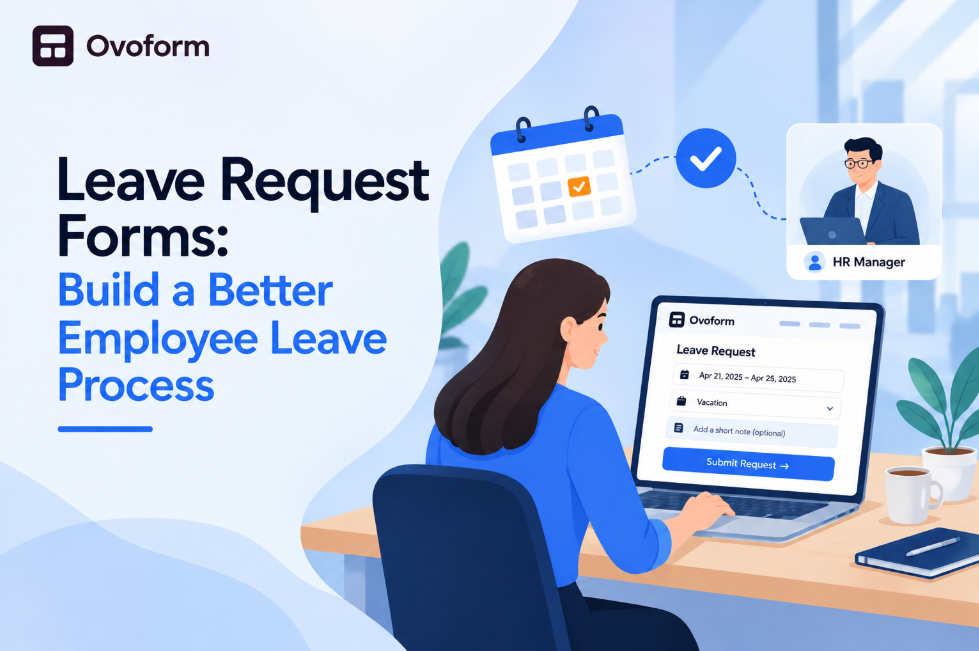
Make employee time-off requests easier to manage with a structured leave request form. This guide explains what to include, how to handle different leave types, set clear approval rules, use conditional questions and supporting documents, avoid common HR process mistakes, and create a smoother leave management experience for both employees and HR.
Nikhil Dogra
October 8, 2026
Picture this: an employee wants to take three days off next month for a family event. She messages her manager, receives a quick approval, and assumes everything is sorted. Two weeks later, payroll flags the absence because nothing was recorded through the official leave process.
Her manager remembers the conversation, but HR has no reliable record. Now everyone is searching through emails and chat messages to confirm something that should have taken less than a minute to document.
This is what happens when leave requests live in scattered messages, verbal conversations, and email instead of one structured process.
A well-designed leave request form gives employees a simple way to request time off while giving HR and managers a consistent record of the request.
Instead of collecting employee details, leave dates, reasons, and approvals across different channels, a structured form brings the required information together.
In this guide, you'll learn what a leave request form should include, which fields to add, how to handle different types of leave, common mistakes to avoid, and how digital forms can create a more efficient employee leave process.
A leave request form is a structured way for employees to formally request time away from work. Depending on company policy, it can be used for vacation, PTO, sick leave, personal leave, parental leave, bereavement leave, or other approved absences.
Instead of sending an email or chat message, employees submit the information required by their organization through one standardized process.
The request can then be reviewed by the appropriate manager or HR team and stored as an official record.
For a small company, a simple employee leave form may be enough. As a company grows, an online leave application can provide a more consistent process for managing different leave types, required information, and approvals.
The purpose isn't to make requesting time off more complicated. It is to make the process clearer for employees and easier for HR to manage.
A leave request process affects employees, managers, HR, and payroll. When the process is unclear, even a simple vacation request can create unnecessary back-and-forth.
Common problems include:
Requests getting lost in email or chat
Employees forgetting important information
Managers receiving incomplete requests
Employees not knowing whether their request was received
HR manually recording information from messages
Different leave types being handled inconsistently
Approved leave requiring additional manual entry
A well-designed time off request form solves many of these problems by standardizing the information employees provide.
The form can ask employees to select their leave type, specify dates, indicate whether they need a full or partial day, provide a reason when necessary, and attach supporting documents when company policy requires them.
This gives HR and managers a clearer record while creating a more predictable experience for employees.
A good leave application form should collect the information necessary to review and record the request without asking unnecessary questions.
Start with basic information such as:
Employee name
Work email
Department or team
Manager or approver
These details identify the requester and can help determine where the request should be routed.
Provide clearly defined options such as:
Vacation or PTO
Sick leave
Personal leave
Parental leave
Bereavement leave
Unpaid leave
Other approved leave
Predefined options make submissions easier to organize and can also determine which additional questions should appear.
Ask employees to provide the first and last day of their requested leave.
For organizations that allow partial days, include an option for full-day or half-day leave.
A short reason may be useful for certain leave types or according to company policy.
However, avoid collecting unnecessary personal or sensitive information. The form should only ask for information that the organization genuinely needs.
Some types of leave may require supporting documentation.
For example, an extended leave process may require an attachment while a routine vacation request may not.
Conditional questions can keep document-upload fields hidden unless they are relevant.
Organizations may use different names for leave forms depending on their policies.
A vacation request form is generally used for planned time away from work.
It should typically collect the requested dates, duration, and approval information.
If your company tracks available PTO, employees may also benefit from knowing their available balance before submitting a request.
A sick leave request should be quick and straightforward.
Employees may need to submit these requests when they are already unwell, so avoid unnecessary questions and keep the submission process simple.
Parental leave, bereavement leave, or other extended absences may require additional information and documentation.
These requests may also need a different approval process involving HR in addition to the employee's manager.
Employees may occasionally need only part of a working day off.
A duration option for full-day or partial-day leave helps employees submit accurate requests without having to explain the situation separately through email or chat.
The terms leave request form, PTO request form, and vacation request form are often used interchangeably, but they can represent different policies.
A leave request form is the broadest term and can cover multiple types of employee absence.
A PTO request form is generally associated with organizations that combine different types of paid time off under a PTO policy.
A vacation request form usually focuses specifically on planned vacation days.
The form itself may look similar in each case. What matters most is how the organization defines the leave categories and approval rules.
A single digital form can support multiple categories while showing different questions based on the employee's selection.
This can be more efficient than creating completely separate forms for every leave type.
Only ask for information that is necessary for the request.
Employees should not have to complete a long questionnaire to request a routine vacation day.
Use simple labels that employees understand.
If your organization uses specific leave policies, explain them briefly so employees can select the correct option.
Different leave types may require different information.
For example, an extended leave request might require supporting documentation while a vacation request does not.
Conditional questions can keep the form short while still supporting more complex requests.
Before creating the form, decide who should review each type of request.
Routine PTO may only require manager approval, while an extended absence could require HR review.
A clear leave approval workflow helps prevent requests from sitting without an obvious next step.
Employees should receive a clear indication that their request was successfully submitted.
Where appropriate, the relevant approver should also receive a notification.
Employees may submit sick leave or urgent time-off requests from their phones.
Date fields, dropdowns, buttons, and file uploads should therefore work comfortably on smaller screens.
Start by documenting the leave policies your organization currently uses.
Step 1: Identify leave types. List vacation, PTO, sick leave, personal leave, parental leave, and any other categories employees can request.
Step 2: Define required information. Decide which fields are mandatory for each leave type.
Step 3: Establish approval rules. Determine who should review and approve each type of request.
Step 4: Add conditional questions. Show additional fields only when they are relevant.
Step 5: Test different scenarios. Submit examples for vacation, sick leave, half-day leave, and extended leave.
Step 6: Review the process. After launch, identify incomplete submissions, repeated employee questions, and approval delays.
If you want to create the initial form structure faster, an AI form builder can help turn a natural-language description into a starting form.
For example, an HR team could describe its leave types, required information, and approval process and then refine the generated form before publishing it.
The final form should always be reviewed against the organization's actual HR policies.
Creating an employee leave form from a blank page isn't necessary when a ready-made starting point is available.
Ovoform's leave request form template can be customized around your organization's leave types and requirements. The broader Ovoform template library also includes business and HR forms that can be adapted for different employee workflows.
A template can help you start with the basic structure and then customize fields such as:
Employee information
Leave type
Start and end dates
Duration
Reason
Supporting documents
Approval information
Additional notes
This can be especially useful for HR teams that are standardizing multiple internal processes.
You can also explore the broader form templates collection when building other HR and workplace workflows.
Submitting a leave request is only one part of the process.
Once the employee submits the form, the information may need to reach the people or systems responsible for reviewing and managing it.
Form integrations can help connect submitted data with other tools used by your organization.
For example, Ovoform's integrations support connections with tools such as Google Sheets, Slack, Microsoft Teams, HubSpot, Airtable, Zapier, and others.
For an HR team, this can reduce the need to manually copy submission information between different systems.
The exact workflow should depend on your organization's existing HR and attendance processes.
Launching a leave request form isn't the end of the optimization process.
You can review how employees interact with the form and look for areas that create friction.
For example, if employees frequently abandon the form at a particular question, that field may need to be simplified.
If employees repeatedly submit incomplete information, the instructions or required fields may need improvement.
Analytics capabilities include completion rates, drop-off tracking, response patterns, and AI-powered analysis of responses.
For an HR workflow, this can help teams identify where the form experience can be improved rather than relying entirely on assumptions.
Organizations using AI-assisted workflows can also explore MCP as part of their broader form workflow strategy.
MCP can be particularly relevant when teams want to work with forms and data through AI tools rather than treating the form as an isolated data-collection page.
For teams exploring this approach, the Ovoform MCP page provides a dedicated starting point for understanding the capability.
This can be useful as your organization moves from simple digital forms toward more connected AI-assisted workflows.
Email and chat are useful for communication but can become difficult to manage as the number of requests increases.
A standardized form creates a consistent submission process.
A leave request should not become a lengthy HR questionnaire.
Only collect information necessary for the specific request.
A vacation request may need only a few fields, while extended leave may require additional information.
Use a flexible structure rather than forcing every employee through the same process.
A form that works well on desktop but poorly on mobile can make urgent leave requests frustrating.
Always test the complete submission experience on smaller screens.
Before launch, test each important scenario.
Make sure the right information is collected and that each request reaches the appropriate reviewer.
Paper forms, spreadsheets, email, and chat can work for very small teams, but manual processes become harder to maintain as organizations grow.
A digital leave request form standardizes the information employees provide and creates a centralized submission record.
The biggest advantage isn't simply replacing paper.
It is creating one predictable process.
Employees know where to submit their request. Managers know where to review it. HR has a consistent record to reference.
Connecting the form with other tools can further reduce manual work. Ovoform's integrations are designed to sync form data and automate workflows across connected applications.
Treat the leave request form as an evolving HR workflow rather than a finished document.
After launch, review:
Incomplete submissions
Repeated employee questions
Frequently selected leave types
Approval delays
Unnecessary fields
Missing documentation
Form completion and drop-off patterns
If employees repeatedly misunderstand a question, rewrite it.
If a particular leave type requires additional information, add the appropriate field.
If managers regularly miss requests, review the notification or approval process.
Over time, these improvements can turn a basic employee time-off request into a more efficient HR process.
For organizations managing several employee workflows, the HR form templates available from Ovoform can also provide ideas for other processes that can be standardized.
A leave request form may seem like a small HR process, but it affects employees, managers, HR teams, and payroll.
The best forms make the employee experience simple while giving HR enough structured information to manage requests consistently.
Start with the essential fields. Clearly separate leave types. Use conditional questions when different requests require different information. Define approval responsibilities and test the complete workflow before launching it.
A digital leave request form can replace scattered emails and messages with a more consistent process, while integrations can help connect submissions with the tools your organization already uses.
As your process matures, analytics can help identify where employees encounter friction, while AI-assisted tools can make it faster to create and refine forms.
Ultimately, the goal is simple: make requesting time off easier for employees and make managing those requests easier for HR.
What information should a leave request form collect?
A typical leave request form should collect the employee's name, work email, department, leave type, start date, end date, duration, reason when required, and supporting documentation when applicable.
Create surveys, FAQs, and feedback forms in minutes with Ovoform — no code required.
Get started freeStart building with Ovoform today — free forever, no credit card required.
Get Started For Free