Surveys

Learn how smart forms can replace repetitive manual data entry with automated workflows. This guide covers how to improve data quality, connect forms to business systems, automate routine tasks, and use conditional logic and progressive profiling to create faster, more efficient processes.
Nikhil Dogra
August 21, 2026
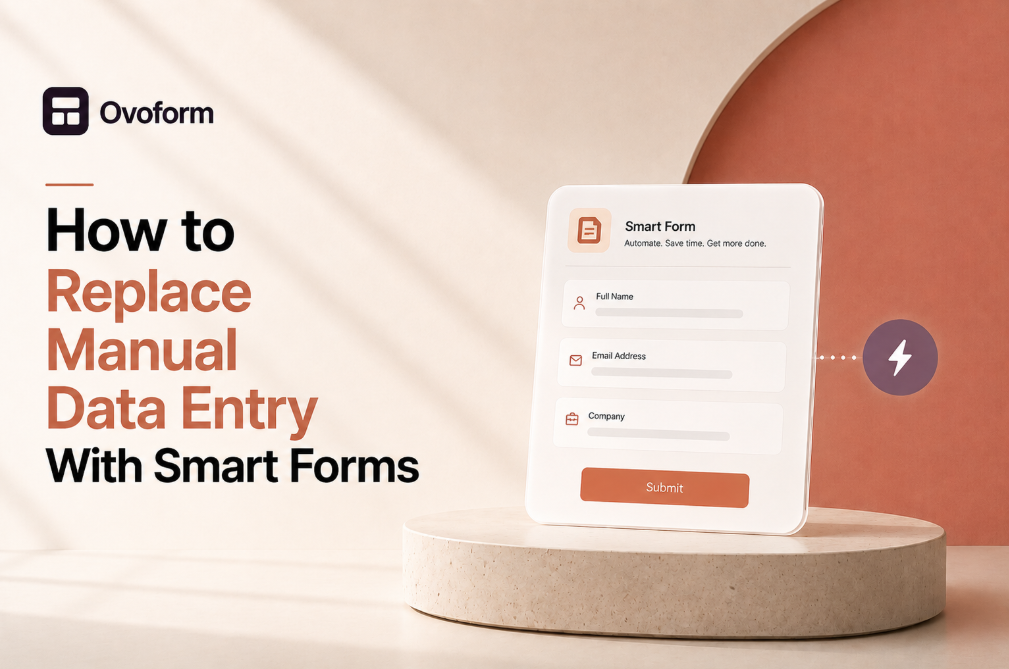
Every business depends on accurate data, yet many teams still spend hours copying information from one system to another. Whether it's transferring customer details into a CRM, updating spreadsheets, processing booking requests, or routing support tickets, manual data entry consumes valuable time while increasing the chance of human error.
The challenge isn't just the time spent typing. Delayed updates can slow sales follow-ups, incomplete records can frustrate customer support, and duplicate information can affect reporting and decision-making. As a business grows, these small inefficiencies become operational bottlenecks.
Learning how to automate data entry with smart forms is one of the most effective ways to eliminate repetitive work while improving data accuracy. Instead of manually moving information between systems, online forms can automatically trigger workflows that update business tools, notify teams, and organize customer information in real time.
This guide explains how smart forms work, why they matter, and how businesses can use them to build faster, more reliable workflows without creating unnecessary complexity.
Every customer interaction begins with information. Someone requests a demo, books a consultation, registers for an event, or submits a support request. The speed and accuracy with which that information moves through your organization directly affect the customer experience.
When employees manually copy data between applications, mistakes become inevitable. A missed email address, incorrect phone number, or duplicate customer record may seem minor, but these issues often lead to delayed responses, reporting inaccuracies, and poor customer experiences.
Smart forms replace these repetitive tasks with automated workflows. Once a form is submitted, information can move directly to your CRM, project management software, marketing platform, or customer support system without additional effort.
The benefits extend across every department:
Marketing teams receive qualified leads faster.
Sales teams spend less time updating records.
Customer success teams gain complete customer histories.
Operations teams reduce administrative overhead.
Leadership benefits from cleaner reporting and better business insights.
For SaaS businesses, workflow automation also creates a more consistent customer journey. Faster responses and accurate information help build trust from the very first interaction.
Smart forms are online forms designed to do more than collect information. They validate data, adapt to user responses, and automatically send information to connected business systems.
Unlike traditional paper forms or static PDFs, smart forms become part of a larger workflow. A single submission can update customer records, assign internal tasks, send confirmation emails, and notify the appropriate team without manual intervention.
Collecting information is only the first step. Businesses create value when that information reaches the right people at the right time.
Smart forms reduce delays by eliminating unnecessary handoffs between departments.
Teams spend less time performing repetitive administrative work and more time focusing on customer relationships and strategic projects.
Customers receive faster confirmations, quicker responses, and a smoother experience after submitting a form.
A software company uses a demo request form.
When a prospect submits the form:
A CRM contact is created.
A sales representative is assigned automatically.
A confirmation email is sent.
A follow-up task is created.
Marketing attribution is recorded.
Without smart forms, these steps would require multiple manual actions.
Identify the repetitive tasks that happen immediately after every form submission. These are usually the best candidates for automation.
Not every process needs automation. Low-volume or highly customized workflows may still require manual review.
Start by automating one business process rather than redesigning every workflow at once. Small improvements are easier to measure and refine.
Before implementing automation, understand where manual work currently exists.
Ask questions such as:
Which forms receive the most submissions?
Which teams repeatedly enter the same information?
Where do errors occur most frequently?
Which systems require duplicate updates?
Creating a workflow map often reveals unnecessary manual steps that can be eliminated.
Reducing repetitive work increases productivity without increasing headcount.
Quicker processing means customers receive faster updates and fewer delays.
A customer onboarding team manually enters account details into three separate platforms after every signup.
Replacing that process with workflow automation saves time while ensuring every system contains identical information.
Document each step between form submission and task completion. Every repeated action represents a potential automation opportunity.
Automating a poorly designed process simply makes inefficiency happen faster. Simplify the workflow before automating it.
If multiple employees perform the same task differently, standardize the process first. Consistency improves automation success.
Automation is only as reliable as the information collected.
Well-designed forms improve data quality before automation begins.
Use:
Clear labels
Required fields only where necessary
Input validation
Dropdown menus for standardized answers
Conditional logic for follow-up questions
Clean data reduces manual corrections later.
Accurate customer records improve reporting, lead qualification, and operational efficiency.
Shorter forms are easier to complete, reducing form abandonment.
A free trial signup form asks for:
Name
Business email
Company
Team size
Primary use case
Additional questions appear only for enterprise prospects using conditional logic.
Collect only the information needed for the next stage of the customer journey.
Requesting too much information may help internal teams but often reduces conversion rates.
Review your forms every quarter. Remove fields that are rarely used in decision-making.
Collecting information is valuable only when it reaches the tools your teams rely on every day.
Modern digital forms can connect with:
Marketing automation tools
Project management software
Help desk systems
Calendar applications
Communication platforms
Analytics dashboards
This creates a seamless flow of information across the customer lifecycle.
Employees spend less time moving data between systems and more time serving customers.
Information reaches the correct team immediately, reducing response times.
An agency's client intake form automatically creates a project workspace, schedules an onboarding meeting, and alerts the account manager as soon as a contract is signed.
Review every destination where form data is currently copied manually. Those systems should be your first integration priorities.
Adding too many integrations at once can make workflows difficult to maintain. Begin with the highest-impact connections and expand gradually.
Always test field mappings before publishing a new workflow. A single incorrect mapping can create incomplete records across multiple systems.
Collecting information is only the beginning. The real value comes from what happens after someone clicks Submit.
A well-designed workflow automatically routes data to the right systems, assigns tasks, sends notifications, and keeps every team working with the same information. This reduces delays, improves collaboration, and removes repetitive administrative work.
Manual processes often create bottlenecks. A lead might sit in an inbox waiting to be assigned, or a support request could be overlooked because someone forgot to update a ticketing system.
Automation ensures every submission follows the same process every time.
Teams spend less time managing data and more time serving customers, qualifying leads, and delivering value.
Customers receive faster responses, timely confirmations, and a consistent experience regardless of submission volume.
A company offering product demos uses an online form that automatically:
Creates a CRM contact.
Assigns the lead based on region.
Sends a confirmation email.
Notifies the sales representative.
Schedules a follow-up reminder.
Without automation, these tasks would require several manual steps.
Map your workflow before building it. Identify:
Trigger
Required actions
Responsible teams
Connected systems
Expected outcome
A clear process makes automation easier to maintain.
Adding too many actions to a single workflow increases complexity. Keep workflows modular and expand them only when necessary.
Measure the success of automation by business outcomes such as response time, lead quality, and reduced manual effort—not by the number of workflows you've created.
Not every form needs to ask every question.
Progressive profiling collects information gradually instead of requesting everything during the first interaction.
For example, a visitor downloading an ebook may only provide their name and email. When they later request a demo, the form can ask for company size, role, and business goals.
Shorter forms are easier to complete, increasing conversion rates while still building rich customer profiles over time.
Sales teams receive better-qualified leads without discouraging new prospects.
Visitors answer only relevant questions, creating a smoother and less intrusive experience.
A marketing platform asks only for an email during newsletter signup. Additional information is collected later when users register for webinars or request product demonstrations.
Align form questions with each stage of the customer journey. Don't ask for information until it's genuinely needed.
Progressive profiling requires connected systems that can recognize returning users and combine data accurately.
If your sales team never uses a particular field, remove it. Every unnecessary question creates friction without adding value.
Common Mistakes
Mistake | Consequence | How to Fix It |
Asking too many questions | Lower completion rates and higher form abandonment | Keep forms focused on the next business objective. |
Poor field validation | Incorrect or inconsistent data | Use required fields, dropdowns, and input validation where appropriate. |
Automating inefficient processes | Faster execution of poor workflows | Simplify the process before introducing automation. |
Skipping workflow testing | Missing notifications or incorrect records | Test every workflow using sample submissions before launch. |
Never reviewing workflows | Outdated automations and inaccurate data | Schedule regular reviews and update workflows as business needs evolve. |
Every additional question increases the effort required to complete a form. Keep forms simple, mobile-friendly, and easy to understand.
Use consistent field names, dropdown values, and validation rules to improve reporting and CRM accuracy.
Automation should reduce work—not create new problems. Review failed tasks, duplicate records, and processing times regularly.
Avoid building unnecessary integrations. Focus on the platforms your team uses every day.
Track completion rates, abandonment rates, response times, and lead quality to identify opportunities for improvement.
Automation is not a "set it and forget it" project. Regular optimization keeps workflows aligned with changing business processes and customer expectations.
Before replacing manual data entry with smart forms, make sure you've completed the following:
Remove unnecessary form fields.
Use clear and descriptive labels.
Add input validation where appropriate.
Apply conditional logic to reduce friction.
Standardize field names across systems.
Connect forms to your CRM or business tools.
Automate repetitive follow-up tasks.
Test every workflow before publishing.
Monitor workflow performance regularly.
Review forms and automations quarterly.
Replacing manual data entry with smart forms isn't simply about reducing administrative work. It's about creating faster, more reliable processes that support both your team and your customers.
When forms are thoughtfully designed and connected to automated workflows, information moves seamlessly across your business. Marketing captures qualified leads faster, sales teams spend less time updating records, customer success teams work with accurate information, and operations become more efficient.
Start by identifying one repetitive process, simplify it, and automate it. As you gain confidence, expand your workflows gradually while monitoring performance and refining the customer experience.
If you're evaluating an online form platform, look for one that combines flexible form building, workflow automation, analytics, and seamless integrations. A solution like Ovoform can help businesses replace manual processes with smarter, more efficient workflows while keeping the user experience front and center.
Create surveys, FAQs, and feedback forms in minutes with Ovoform — no code required.
Get started freeStart building with Ovoform today — free forever, no credit card required.
Get Started For Free