Surveys

Learn how to create effective appointment booking forms with 18 practical examples and 10 best practices. Discover how to collect the right information, use conditional logic, improve mobile experiences, automate confirmations and reminders, connect forms with scheduling tools, and create a smoother booking workflow with AI.
Nikhil Dogra
September 18, 2026
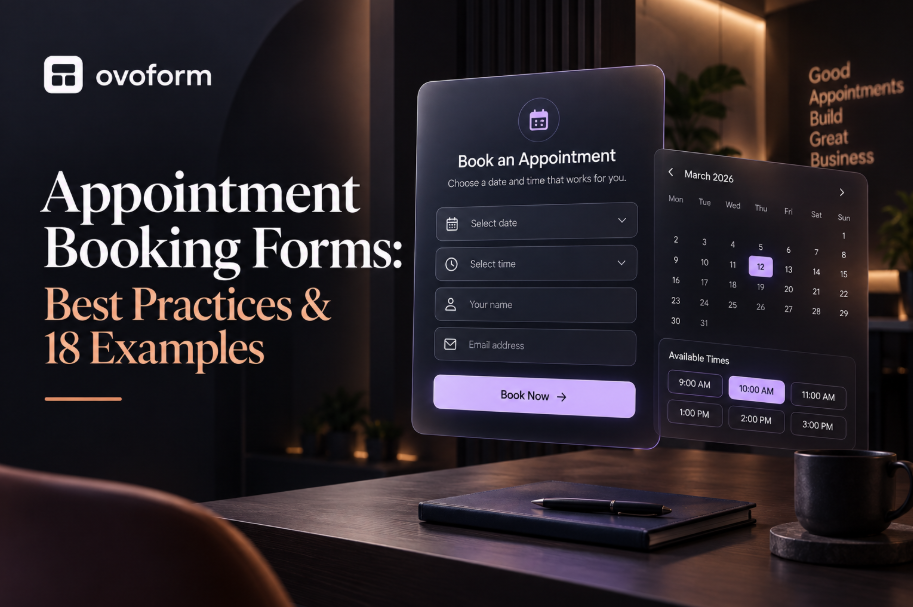
Booking an appointment should be simple for both the customer and the business. But when requests arrive through phone calls, emails, WhatsApp messages, and spreadsheets, scheduling can quickly become difficult to manage.
An appointment booking form gives customers a structured way to submit the information needed for an appointment. Depending on how it is configured, the form may collect a preferred date and time, service details, contact information, and other appointment-specific requirements. It can also connect to scheduling tools, calendars, notifications, payments, and other business workflows.
The key is to build the form around the booking experience, not simply add as many fields as possible.
In this guide, you'll learn what appointment booking forms are, how they differ from scheduling systems, 18 examples, 10 best practices, common mistakes to avoid, and how AI can improve the booking workflow.
An appointment booking form is an online form that collects the information needed to request or schedule an appointment.
A typical form may ask customers to provide:
Name and contact information
Service or appointment type
Preferred date and time
New or returning customer status
Reason for the appointment
Preferred staff member
Additional requirements or notes
The exact experience depends on how the form is connected to your scheduling process.
Some forms simply collect appointment requests for a team member to review and confirm. Others connect to scheduling tools or calendars so customers can select from available times.
Appointment Booking Form vs. Scheduling System
These terms are often used interchangeably, but they serve different purposes.
Term | What it does |
Appointment booking form | Collects information needed to request or arrange an appointment |
Appointment request form | Lets customers submit a preferred appointment for staff approval |
Appointment scheduling form | Collects scheduling information and may connect to available time slots |
Online booking system | Manages availability, appointments, confirmations, and scheduling workflows |
A form does not automatically become a complete scheduling system. If you need real-time availability, conflict prevention, calendar management, and automatic appointment confirmation, you may need dedicated scheduling software or an integration alongside your form.
Appointment forms can simplify the information-collection part of the booking process and reduce repetitive administrative work.
1. Reduce manual data entry
Instead of transferring details from emails or phone calls into a spreadsheet, businesses can collect structured information directly through a form.
2. Collect the right information upfront
Customers can provide the details staff need before the appointment, reducing follow-up messages.
3. Make booking available outside business hours
An online form can accept appointment requests even when the office or team is unavailable.
4. Standardize appointment requests
Every customer follows the same process, making requests easier to review and manage.
5. Automate follow-up
Form submissions can trigger confirmation messages, notifications, workflows, or other actions depending on the tools connected to the form.
6. Improve the customer experience
A clear, mobile-friendly form can make it easier for customers to request an appointment without calling or exchanging multiple messages.
The best appointment form depends on the type of business, the service being booked, and how much information staff need before the appointment.
1. Doctor Appointment Form
Best for: Clinics, private practices, and healthcare providers.
Fields to include:
Patient name
Phone and email
New or returning patient
Appointment type
Preferred doctor
Preferred date and time
Reason for appointment
Useful feature: Use conditional logic to show different questions for new and returning patients.
Important: Collect only the health information required for the appointment and follow applicable privacy and data-handling requirements.
2. Dentist Appointment Form
Best for: Dental clinics and individual dentists.
Fields to include:
Patient name
Contact information
New or existing patient
Appointment type
Preferred date and time
Additional concerns
Useful feature: Conditional questions can display different fields for routine checkups, consultations, or urgent visits.
3. Salon Appointment Form
Best for: Hair salons, barbers, and beauty studios.
Fields to include:
Name
Contact details
Service required
Preferred stylist
Date and time
Special requests
Useful feature: Show relevant services or staff based on the customer's previous selection.
4. Spa Appointment Form
Best for: Spas, wellness centers, and massage businesses.
Fields to include:
Name
Contact information
Treatment
Preferred therapist
Preferred date and time
Special requirements
Useful feature: Use conditional logic to ask additional questions based on the treatment selected.
5. Fitness Consultation Form
Best for: Personal trainers, gyms, and fitness coaches.
Fields to include:
Name
Contact details
Consultation type
Fitness goals
Preferred date and time
Previous training experience
Useful feature: Use the form to qualify prospects before the consultation.
6. Lawyer Consultation Booking Form
Best for: Law firms and independent attorneys.
Fields to include:
Name
Contact details
Consultation type
General description of the matter
Preferred date and time
Preferred communication method
Useful feature: Conditional logic can display relevant questions based on the type of consultation.
7. Financial Advisor Meeting Form
Best for: Financial advisors, wealth managers, and investment consultants.
Fields to include:
Name
Contact information
Meeting type
General financial goal
Preferred date and time
Preferred meeting format
Useful feature: Collect enough information to route the request to the appropriate advisor without making the initial form unnecessarily long.
8. Real Estate Viewing Form
Best for: Real estate agents and property management companies.
Fields to include:
Name
Phone or email
Property
Preferred viewing date
Preferred time
Number of attendees
Additional questions
Useful feature: Connect submissions to the agent responsible for the property.
9. Home Repair Appointment Form
Best for: Plumbers, electricians, HVAC companies, cleaners, and other service providers.
Fields to include:
Customer details
Service required
Property address
Preferred date and time
Description of the issue
Photos, if useful
Useful feature: File uploads can help technicians understand the problem before arriving.
10. Car Service Booking Form
Best for: Auto repair shops and vehicle service centers.
Fields to include:
Customer name
Contact information
Vehicle make and model
Service required
Preferred date and time
Additional notes
Useful feature: Conditional questions can display different options for routine maintenance, repairs, inspections, or diagnostics.
11. Coaching Session Booking Form
Best for: Business coaches, career coaches, life coaches, and consultants.
Fields to include:
Name
Session type
Main goal
Preferred date and time
Additional context
Useful feature: Collecting the customer's goal before the session helps the coach prepare.
12. Beauty Consultation Form
Best for: Beauty clinics, makeup artists, aesthetic professionals, and skincare providers.
Fields to include:
Name
Contact details
Consultation type
Desired service
Preferred date and time
Additional requirements
Useful feature: Conditional logic can tailor questions to the selected service.
13. Photography Session Booking Form
Best for: Wedding photographers, portrait photographers, and commercial photographers.
Fields to include:
Name
Contact information
Photography type
Event date
Preferred consultation time
Location
Project details
Useful feature: Use conditional fields for weddings, portraits, corporate shoots, or other photography types.
14. Pet Grooming Appointment Form
Best for: Pet groomers and pet care businesses.
Fields to include:
Owner name
Contact information
Pet name
Pet type
Grooming service
Preferred date and time
Special requirements
Useful feature: Ask additional questions based on the type of pet or service selected.
15. Tutor Session Booking Form
Best for: Tutors, coaching centers, and online educators.
Fields to include:
Student name
Parent or guardian contact
Subject
Grade or level
Session type
Preferred date and time
Learning goals
Useful feature: Route requests based on subject or tutor availability.
16. Business Consultation Form
Best for: Agencies, consultants, SaaS companies, and professional service businesses.
Fields to include:
Name
Work email
Company
Service required
Business challenge
Preferred meeting time
Additional information
Useful feature: Use conditional logic to qualify leads before a sales or discovery call.
17. Interview Scheduling Form
Best for: Recruiters, hiring teams, and HR departments.
Fields to include:
Candidate name
Position
Interview stage
Preferred availability
Interview format
Additional notes
Useful feature: Connect the submission to the recruiting workflow so the right team member receives the request.
18. Equipment Rental Booking Form
Best for: Camera rental companies, event equipment providers, tool rental businesses, and other rental services.
Fields to include:
Customer information
Equipment required
Rental dates
Quantity
Pickup or delivery preference
Additional requirements
Useful feature: Conditional logic can show different questions based on the equipment selected.
A good booking form should collect enough information to move the appointment forward without creating unnecessary friction.
1. Keep the Initial Form Short
Start with the information you actually need to process the appointment.
If additional details are required, use conditional questions instead of displaying every field to every visitor.
2. Ask Only Appointment-Relevant Questions
Every field should have a purpose.
If your team never uses a piece of information to schedule, qualify, prepare for, or follow up on an appointment, consider removing it.
3. Show Available Time Slots When Possible
If your workflow supports real-time availability, let customers choose from actual available slots rather than asking them to enter an arbitrary time.
If real-time scheduling is not available, clearly label the field as a preferred date/time rather than implying the appointment is automatically confirmed.
4. Use Conditional Logic
Conditional logic keeps forms relevant.
For example, a healthcare form could ask whether someone is a new or returning patient and then show different questions based on the answer.
5. Make the Form Mobile-Friendly
Many customers will access booking pages from phones.
Use:
Large tap targets
Easy-to-use date and time controls
Short fields
Clear labels
Minimal scrolling
Fast-loading pages
Test the entire booking process on a real mobile device before publishing it.
6. Provide Clear Confirmation
After submission, tell customers what happens next.
Depending on your workflow, the confirmation could say:
Your appointment is confirmed.
Your request has been received and will be reviewed.
A team member will contact you to confirm a time.
You can manage your appointment using the link provided.
Avoid telling customers an appointment is confirmed if the submission still requires manual approval.
7. Send Reminders
Appointment reminders can help customers remember upcoming appointments.
Depending on your setup, reminders may be sent through email, messaging platforms, or other connected workflow tools.
8. Make Rescheduling Easy
Customers' schedules change.
If your scheduling setup supports it, provide a clear way to reschedule or cancel instead of requiring customers to start a new request or contact support.
9. Connect the Form to Your Workflow
A booking form becomes more useful when the submission reaches the right place automatically.
Depending on your stack, this might include:
CRM
Email platform
Spreadsheet
Slack
Calendar or scheduling tool
Webhook
Automation platform
Ovoform supports integrations and automation options including Zapier, webhooks, Google Sheets, Airtable, Slack, HubSpot, Mailchimp, Microsoft Excel, and Microsoft Teams.
10. Track Form Performance
Don't measure success only by the number of submissions.
Track metrics such as:
Form views
Form starts
Completion rate
Abandonment rate
Confirmed appointments
Rescheduled appointments
Cancellations
No-shows
This helps identify where customers are dropping out of the booking process.
Even a well-designed booking form can create friction if the workflow behind it is unclear.
Asking too many questions: Long forms can discourage customers from completing the booking process.
Hiding availability: If customers cannot see when appointments are available, they may submit times that don't work.
Treating requests as confirmed appointments: A form submission is not necessarily an appointment confirmation. Make the next step explicit.
Ignoring mobile users: A form that works well on desktop can still be difficult to complete on a phone.
No confirmation message: Customers should know whether their request was received and what happens next.
Manual follow-up for every submission: If the same notification or routing action happens repeatedly, automate it where practical.
No reminder workflow: A booking process that ends at confirmation may still leave customers without useful reminders.
Poor date and time controls: Typing dates manually can create errors. Use clear date and time selectors where appropriate.
No rescheduling option: Make it easy for customers to change their appointment when your scheduling setup supports it.
Collecting sensitive information unnecessarily: Only ask for information that is relevant to the appointment and appropriate for your business to collect.
AI is increasingly useful in the form-building and workflow stages of appointment management.
Instead of manually creating every field and condition, businesses can use AI to help build the initial form and refine it.
AI can help with:
Generating appointment forms: Describe the appointment process in plain language and use AI to generate a starting structure.
Suggesting relevant questions: AI can help identify information that may be useful based on the appointment type.
Building conditional logic: Different customers may need different questions. AI-assisted logic can help create these paths faster.
Personalizing follow-up questions: A customer's earlier answers can determine which questions appear next.
Routing submissions: Appointment requests can be classified or routed based on service, customer type, location, or other information.
Automating follow-up: Once a form is submitted, workflows can trigger notifications, emails, data updates, or other actions.
The important distinction is that AI can improve the form and workflow experience, but it does not automatically replace a dedicated scheduling system. Real-time availability, calendar conflict management, and appointment confirmation still depend on the scheduling tools connected to your workflow.
A form builder does not have to replace scheduling software.
In many cases, the form and scheduling system solve different parts of the same problem.
For example:
Customer → Booking form → Information collection → Scheduling → Confirmation → Reminder → Follow-up
A form can collect the information required before an appointment. A scheduling platform can handle availability and calendar management. Automation tools can then move the information between systems and trigger follow-up actions.
Ovoform supports AI-assisted form creation, conditional logic, automated workflows, integrations, payment collection, and analytics. It also supports embedding a Calendly scheduler directly into a form when real-time meeting scheduling is required.
This makes it possible to build a workflow where customers provide relevant information first and then move into the scheduling experience.
Different tools work better for different booking requirements.
Platform | Best for | Booking approach |
Custom booking workflows | Form + automation | |
Direct appointment scheduling | Calendar-first | |
Flexible booking forms | Form-first | |
Branded form experiences | Form-first | |
CRM-connected workflows | CRM-first | |
Basic appointment requests | Request-first |
The right choice depends on what you need.
If your primary requirement is real-time calendar availability and appointment scheduling, a scheduling-first platform such as Calendly may be the better fit.
If you need to collect detailed information, apply conditional logic, trigger workflows, connect submissions to other tools, and customize the form experience, a form-first platform may be more appropriate.
For some businesses, the best setup is a combination of both.
A good appointment booking form does more than collect a name and preferred date.
It should make the booking process clear, ask only relevant questions, work well on mobile devices, and connect to the workflow that happens after submission.
The most effective setup depends on what your business needs. A simple appointment request may only require a form, while businesses with real-time availability may need a scheduling platform connected to the form.
The goal is to create a booking experience where customers know what to provide, businesses receive the information they need, and every submission moves smoothly into the next step of the workflow.
Build an Appointment Booking Form with Ovoform
Ovoform helps you create branded forms with AI-assisted form creation, conditional logic, automated workflows, integrations, payment collection, and analytics. You can also embed Calendly directly into a form when you need real-time meeting scheduling.
Get Pro Free for 30 Days — Limited Time
No credit card · Unlimited responses · Full Pro access
Create surveys, FAQs, and feedback forms in minutes with Ovoform — no code required.
Get started freeStart building with Ovoform today — free forever, no credit card required.
Get Started For Free