Surveys

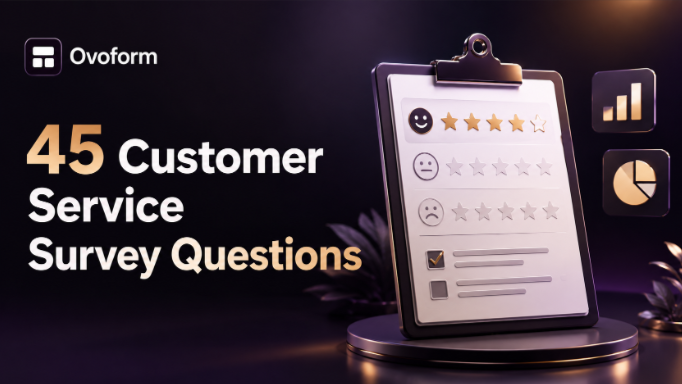
Customer satisfaction surveys help businesses understand customer experiences, identify areas for improvement, and build stronger relationships. This guide includes 45 customer satisfaction survey questions, explains when to use CSAT, NPS, and CES, shares survey best practices, and outlines 8 essential do's and don'ts to help businesses collect actionable customer feedback and improve customer satisfaction.
Ovoform Team
June 26, 2026
You launched the product. You closed the deal. You resolved the support ticket.
But do you actually know how the customer feels about any of it?
That's the gap customer satisfaction survey questions are designed to fill. When written well, they give you honest, actionable insight. When written poorly, they give you biased responses that send you chasing the wrong problems.
This guide gives you 45 ready-to-use questions across every stage of the customer journey, plus 8 practical do's and don'ts so your next client satisfaction survey collects data you can actually use.
A customer satisfaction survey is a structured set of questions that helps you understand how customers feel about your product, service, or brand at a specific point in time. It's not just a "how are we doing?" box done right; it's a direct line into customer thinking.
Why it matters for your business:
E-commerce stores use it to reduce return rates by spotting product-expectation gaps early
SaaS companies use it to identify churn risk before a customer cancels
B2B service providers use it to measure account health and flag at-risk relationships
In short, a well-built customer feedback survey template turns gut feelings into measurable trends and trends into decisions.
Customer satisfaction surveys do more than measure how happy customers are; they help businesses uncover improvement opportunities and make better decisions based on real feedback. When used consistently, they can:
Improve customer retention by identifying issues before they lead to churn
Enhance products and services using direct customer insights
Measure customer loyalty and overall satisfaction over time
Strengthen customer relationships by showing that feedback is valued
Support data-driven business decisions across sales, marketing, and customer success
Identify trends that help prioritize future improvements
The most successful organizations treat customer feedback as an ongoing process rather than a one-time activity. Regular surveys help teams continuously improve the customer experience.
Before jumping into the questions, it helps to understand the three standard frameworks most teams use:
Measures satisfaction with a specific interaction (a purchase, a support call, a delivery). Usually a 1–5 or 1–10 scale. Best used right after a touchpoint.
Measures overall loyalty and likelihood to recommend. Uses a 0–10 scale. Customers who score 9–10 are Promoters; 0–6 are Detractors. Best used quarterly or after major milestones.
Measures how easy it was to get something done. Particularly useful for support teams. A high-effort experience is one of the biggest drivers of churn.
Use a mix of all three, depending on your goal, and build them directly into an Ovoform Customer Feedback Form Template to keep your data organized and automated.
Different business goals require different survey formats. Instead of creating every survey from scratch, businesses often use ready-made customer satisfaction survey templates that follow proven question structures and improve response quality.
Popular templates include:
Measure satisfaction immediately after a purchase, support interaction, or service experience.
Measure customer loyalty and identify promoters, passives, and detractors.
Evaluate how easy it was for customers to complete a task or resolve an issue.
Collect feature requests, usability feedback, and improvement suggestions.
Gather structured feedback from long-term clients after projects or ongoing engagements.
Starting with a survey template helps businesses save time, maintain consistency, and launch surveys faster.
On a scale of 1–10, how satisfied are you with [product/service]?
Did [product/service] meet your expectations? (Yes / Partially / No)
Which feature did you find most useful?
Is there a feature you expected but didn't find?
How would you rate the quality of [product] compared to similar products you've used?
How often do you use [product/service]?
Has [product/service] helped you achieve [specific goal]?
What would make [product/service] better for your needs?
How likely are you to continue using [product/service] in the next 6 months?
Real-world example: A SaaS company focused on project management software identified a spike in trial-to-paid conversion drop-offs. To address this, they added a survey question that revealed a significant portion of users expected built-in time-tracking features. This feedback then became a top priority for the next development sprint.
How satisfied were you with the support you received today? (1–5 stars)
Was your issue resolved during this interaction? (Yes / No / Partially)
How easy was it to reach our support team?
How would you rate the knowledge and helpfulness of our support agent?
How long did it take to get your issue resolved? Was that acceptable?
Did you have to contact us more than once for the same issue?
What could our support team have done better?
How confident are you that this issue won't happen again?
On a scale of 1–7, how much effort did you have to put in to resolve your problem? (CES question)
How easy was it to get started with [product/service]?
Did you feel well-supported during your onboarding experience?
Was the setup process clear and straightforward?
What was the first thing you struggled with when getting started?
How long did it take before you felt comfortable using [product]?
Was any part of the onboarding process confusing or unnecessary?
Real-world example: A B2B software provider identified that new users were struggling during the integration step rather than with the product itself. In response, they updated their onboarding emails, leading to a noticeable decrease in support tickets from new accounts within a short period.
On a scale of 0–10, how likely are you to recommend us to a friend or colleague? (NPS)
What's the main reason for your score?
Have you recommended us to anyone in the past 3 months?
What would make you more likely to recommend us?
How does your experience with us compare to other providers you've used?
Would you leave us a public review? If not, why?
Do you feel our pricing is fair for the value you receive?
How would you describe the value-for-money of [product/service]?
If we increased our price by 10%, would you continue using us?
Are there features you're paying for that you don't actually use?
Are there features you'd pay more for if they were available?
How does our pricing compare to alternatives you've considered?
Did your order arrive on time and in the condition expected?
How satisfied are you with the packaging and presentation?
Was the checkout process easy and straightforward?
Were you kept informed about your order status?
How likely are you to purchase from us again?
Is there anything that almost stopped you from completing your purchase?
Real-world example: An e-commerce brand found many customers were surprised by unexpected shipping costs during checkout. To address this, they added a shipping estimator on the product page, leading to a boost in conversion rates the following month. This highlights the value of transparency in shipping costs.
Open-Ended and Wrap-Up Questions (Questions 43–45)
Is there anything else you'd like to tell us about your experience?
What's one thing we could do to earn a higher score from you?
If you could change one thing about our business, what would it be?
These three open-ended questions often uncover valuable insights that structured rating questions may miss. They allow customers to explain their experiences in their own words, helping businesses identify issues and opportunities that quantitative data alone cannot reveal.
Aim for under 10 questions per survey. A post-support CSAT survey can be as short as 3 questions. Completion rates drop sharply after the 5-minute mark.
If you use 1–5 for one question and 1–10 for the next, you'll confuse respondents and make your data harder to compare. Pick a scale and stick to it throughout the survey.
Timing is everything. A survey sent 30 minutes after a support chat is closed will get far more accurate data than one sent a week later. Set up automation triggers in your Customer Feedback Form Template to do this without manual effort.
If a customer gives you a 3/10 and explains why, follow up. Even a short "we saw your feedback and here's what we're changing" email builds more loyalty than the original issue lost.
"How great was your experience today?" is not a neutral question. Replace it with "How would you describe your experience today?" Leading questions produce biased data that flatters you instead of informing you.
"Was our product easy to use and did it meet your needs?" is actually two separate questions. Split them. Double-barreled questions are one of the most common survey design mistakes.
Not all customers will have an opinion on every topic. Forcing responses on questions that don't apply leads to garbage data. Mark only the essential questions as required.
Over 60% of surveys are now opened on mobile. If your form isn't mobile-optimized, you're losing half your responses before respondents even start. Use a tool that handles responsive design automatically Ovoform templates are built mobile-first by default.
Define your goal. Are you measuring overall satisfaction (NPS), post-interaction satisfaction (CSAT), or ease of use (CES)? Each has a different question set.
Choose your trigger moment. When will the survey be sent after purchase, after support, after onboarding?
Select 5–10 questions from the list above that match your goal and moment.
Set up automation. Connect your survey tool to your CRM, helpdesk, or e-commerce platform so surveys send automatically.
Review and iterate. Check response rates and open-ended answers monthly. Drop questions with low response variation. Add new ones as your product evolves.
Great customer satisfaction survey questions don't come from guesswork; they come from knowing what you're measuring, when to ask it, and how to make it easy for customers to respond honestly.
To recap what we covered:
45 questions organized across product quality, support, onboarding, loyalty, pricing, and post-purchase experience
3 core metrics CSAT, NPS, and CES, and when to use each
8 do's and don'ts to avoid the most common survey design mistakes
Real-world examples from e-commerce, SaaS, and B2B contexts
A 5-step process to go from goal to live survey
One of the biggest mistakes businesses make is spending time crafting great survey questions but overlooking the survey experience itself. If the form is difficult to complete, slow to load, or not optimized for mobile devices, response rates can decline significantly regardless of how well the questions are written.
Ready to Build Better Customer Satisfaction Surveys?
Whether you're collecting CSAT, NPS, CES, or product feedback, Ovoform's Feedback & Survey Templates help you create professional customer satisfaction surveys in minutes. Customize questions, automate responses, and analyze customer feedback, all without writing code.
Browse our Feedback & Survey Templates to start collecting actionable customer insights and improve every stage of the customer journey.
Create surveys, FAQs, and feedback forms in minutes with Ovoform — no code required.
Get started freeStart building with Ovoform today — free forever, no credit card required.
Get Started For Free