Templates

A well-structured FAQ page helps businesses answer common customer questions, reduce support requests, improve trust, and enhance the overall customer experience. This guide explores the best FAQ templates for eCommerce, SaaS, service businesses, customer feedback surveys, and post-purchase support. It also shares practical tips for organizing FAQs, writing clear answers, improving self-service support, and creating an FAQ page that helps customers find information quickly while supporting business growth.
Ovoform Team
June 10, 2026
If you run a business, whether it's an e-commerce store, SaaS company, service agency, or local business, your customers are probably asking the same questions repeatedly.
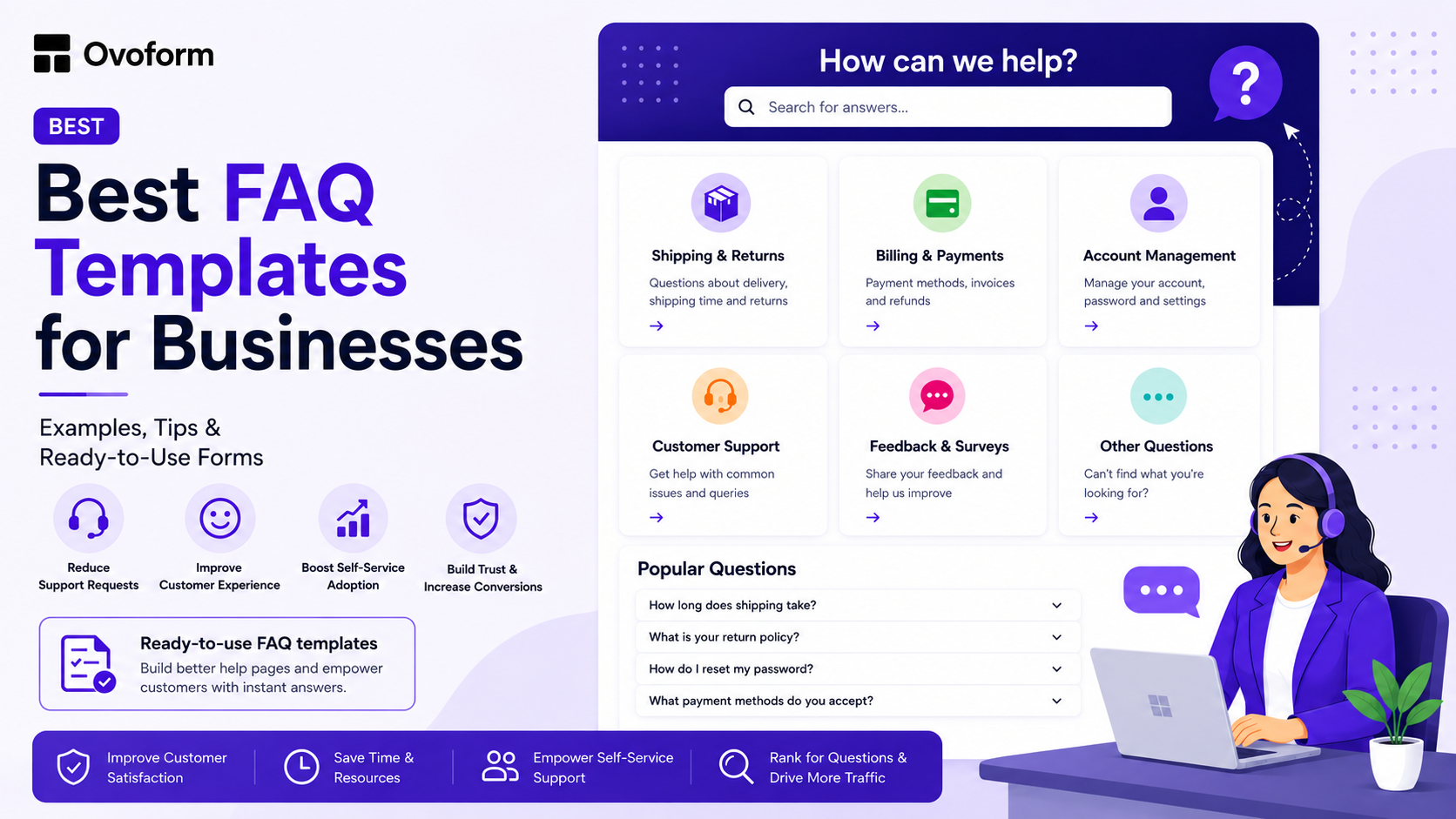
How long does shipping take?
What is your refund policy?
How do I reset my password?
What's included in your pricing plan?
Answering these questions individually consumes valuable time and resources. That's why a well-structured FAQ page is one of the most effective self-service tools a business can create.
The right FAQ template helps customers find answers quickly, reduces support requests, improves trust, and can even help your website appear for question-based searches in Google and AI-powered search experiences.
In this guide, you'll discover the best FAQ templates for businesses, real-world examples, practical implementation tips, and step-by-step instructions for creating an FAQ page that genuinely helps customers.
A Business FAQ template is a prebuilt framework that helps companies organize frequently asked questions and answers in a consistent format. Rather than creating a help page from scratch, businesses can use a template to quickly publish answers about pricing, shipping, returns, account management, onboarding, and support. A well-designed FAQ template helps businesses:
Reduces repetitive support requests, improves customer experience
Build trust with new visitors
Increase self-service support adoption
Support purchasing decisions
Improve visibility for question-based searches
For growing businesses, the FAQ page is one of the most-visited support resources on the website.
Not all FAQ pages perform equally well. The best FAQ templates share several key characteristics:
Features Why It Matters
Clear categories Helps visitors find answers faster
Search functionality Allows users to quickly locate information
Mobile-friendly design Improves usability on smartphones and tablets
Concise answers Reduces confusion and information overload
Easy navigation Creates a better customer experience
Contact options Gives users a way to get help when needed
SEO-friendly structure Improves discoverability in search engines
The most effective FAQ pages are built around customer questions, not internal company language.
Different businesses require different FAQ structures. Here are five proven FAQ template formats that work across industries.
Best for ecommerce stores, retail businesses that need a comprehensive FAQ page covering shipping, returns, payments, and contact info.
Example: Stores like ASOS or Zappos use a structured FAQs organized into categories such as "Orders & Shipping," "Returns & Refunds," and "Account Help."
Key Questions to include:
How do I place an order?
What payment methods do you accept?
How long does shipping take?
What is your return policy?
How do I contact customer support?
This structure mirrors how customers naturally think and help them find answers without contacting support.
Best for Software companies, app developers, or digital product sellers.
Example: Notion's help center and Slack's FAQ page organize questions into categories: technical questions ("How do I integrate with X?"), billing ("Can I cancel my plan anytime?"), and getting started ("What can I do with a free account?").
Key Questions to include:
How do I get started?
What features are included in each plan?
How do I cancel or upgrade my subscription?
Is my data secure?
Do you offer a free trial?
By organizing information around product usage and billing, businesses can reduce onboarding friction and increase trial-to-paid conversions.
Best for Agencies, consultants, freelancers, and local service providers. Example: A marketing agency might address objections in FAQs like "How long until I see results?" or "Do you work with small businesses?" These questions serve as both support inquiries and sales objections.
Key Questions:
What services do you offer?
How does your onboarding process work?
What's included in your pricing?
How do you measure success?
Do you require long-term contracts?
Many FAQ questions double as sales objections. Addressing them proactively helps build trust and shorten the sales cycle.
Best for Businesses that use feedback forms, NPS surveys, or post-purchase questionnaires.
Example: Airbnb and Booking dot com include a brief FAQ in their post-stay surveys to explain the purpose and use of data, which increases response rates.
If you use a Customer Feedback Survey Template to gather insights, adding a short FAQ section ("Why are we asking this?" / "How will this be used?") can boost completion rates.
Key points to include:
Why are we sending this survey?
How long will it take?
Is my feedback anonymous?
What happens with my responses?
Adding an FAQ section alongside customer feedback surveys often increases participation by setting expectations and reducing uncertainty.
If your business uses customer feedback forms regularly, pairing them with a short FAQ section can significantly improve completion rates.
Best for Businesses that want to reduce churn or "buyer's remorse" after purchase or sign-up.
Example: Many subscription box services send an automated post-purchase email with FAQs about delivery tracking, customization options, and cancellation policies before customers need to ask.
What to include:
What happens next after my purchase?
How do I track my order or access my product?
What if I need to make changes?
Who do I contact if something goes wrong?
Post-purchase FAQs reduce buyer anxiety and help customers get value from their purchase more quickly.
Here's a simple process for creating an FAQ page that actually gets used.
Step 1: Collect your Real Questions.
Start by reviewing:
Customer support tickets
Live chat conversations
Email inquiries
Survey responses
Sales calls
Look for recurring questions.
Avoid presenting a long list of unrelated questions.
Instead, organize questions under clear categories such as:
Pricing
Orders
Shipping
Billing
Support
Account Management
This makes information easier to find.
Step 3: Write Clear, Simple Answers
Use plain language.
Avoid jargon and lengthy explanations.
Whenever possible:
Keep answers under 100 words
Link to detailed resources when necessary
Focus on solving the customer's problem quickly
Businesses can publish FAQs as:
Dedicated FAQ pages
Help centre articles
Searchable knowledge bases
Interactive FAQ forms
Embedded support sections
Choose the format that best fits your customers' needs.
An FAQ page should evolve alongside your business.
Review it regularly and update:
Policies
Pricing information
Product features
New customer questions
An outdated FAQ page can create confusion and increase support requests.
Even well-intentioned FAQ pages often fail because they:
Use technical or internal jargon
Include outdated information
Answer too many questions on one page
Don't provide a support contact option
Ignore mobile users
Organize content poorly
A good FAQ page should help customers find answers within a few clicks.
A template gives you the structure. These tips help you fill it well.
If customers ask, "How do I get my money back?" don't title the question as "What is your refund policy?" Match their phrasing to make the answer easier to find.
The phrase "We offer a 30-day return policy" may leave customers wondering how to initiate a return. Add sentence: "To start a return, email support@yourbusiness.com with your order number."
Your terms and conditions belong in a separate section. Your FAQ should be readable, helpful, and approachable.
If an answer involves a policy that might change, such as pricing, delivery times, add a note like "Last updated June 2025" so users are aware that the information is current.
Always give customers a way to ask a question that isn't on your FAQ. A simple contact form or support link at the bottom of the page prevents frustration when someone can't find what they need.
Review support tickets, live chat transcripts, survey responses, and customer emails regularly. If the same question appears repeatedly, add it to your FAQ page.
Businesses that invest in FAQ pages often also implement:
Product Feedback Surveys
Support Request Forms
NPS Survey Templates
Together, these resources help improve customer experience while reducing support workload.
A great FAQ page does more than answer questions.
It helps customers find information quickly, reduces support requests, improves trust, and supports better purchasing decisions.
Whether you run an e-commerce store, SaaS product, service business, or local company, starting with a proven FAQ template can save time while creating a better customer experience.
The most effective FAQ pages are built around real customer questions, organized clearly, and updated regularly as your business evolves.
Start with the questions your customers already ask, structure them in an easy-to-navigate way, and you'll create one of the most valuable resources on your website.
Enhance your customer experience today! Check out Ovoform’s free FAQ, customer feedback, and survey templates. Get started in minutes, no coding required!
Create surveys, FAQs, and feedback forms in minutes with Ovoform — no code required.
Get started freeStart building with Ovoform today — free forever, no credit card required.
Get Started For Free